Getting started
Overview What is DWS Viewer API? Dashboard Language support Deployment options Security PrivacyIntegration
Overview Use with your backend Open document in Web SDK PricingClient authentication
Authentication flow Generate a session tokenAPI
Overview Authentication Upload documents API referenceExamples
Node.js integration example Build secure PDF viewers with table extraction Support About NutrientDWS Viewer API authentication
Requests to the DWS Viewer API are protected by a secret API key.
API key authentication
The API key for your DWS Viewer API application can be retrieved from the dashboard.
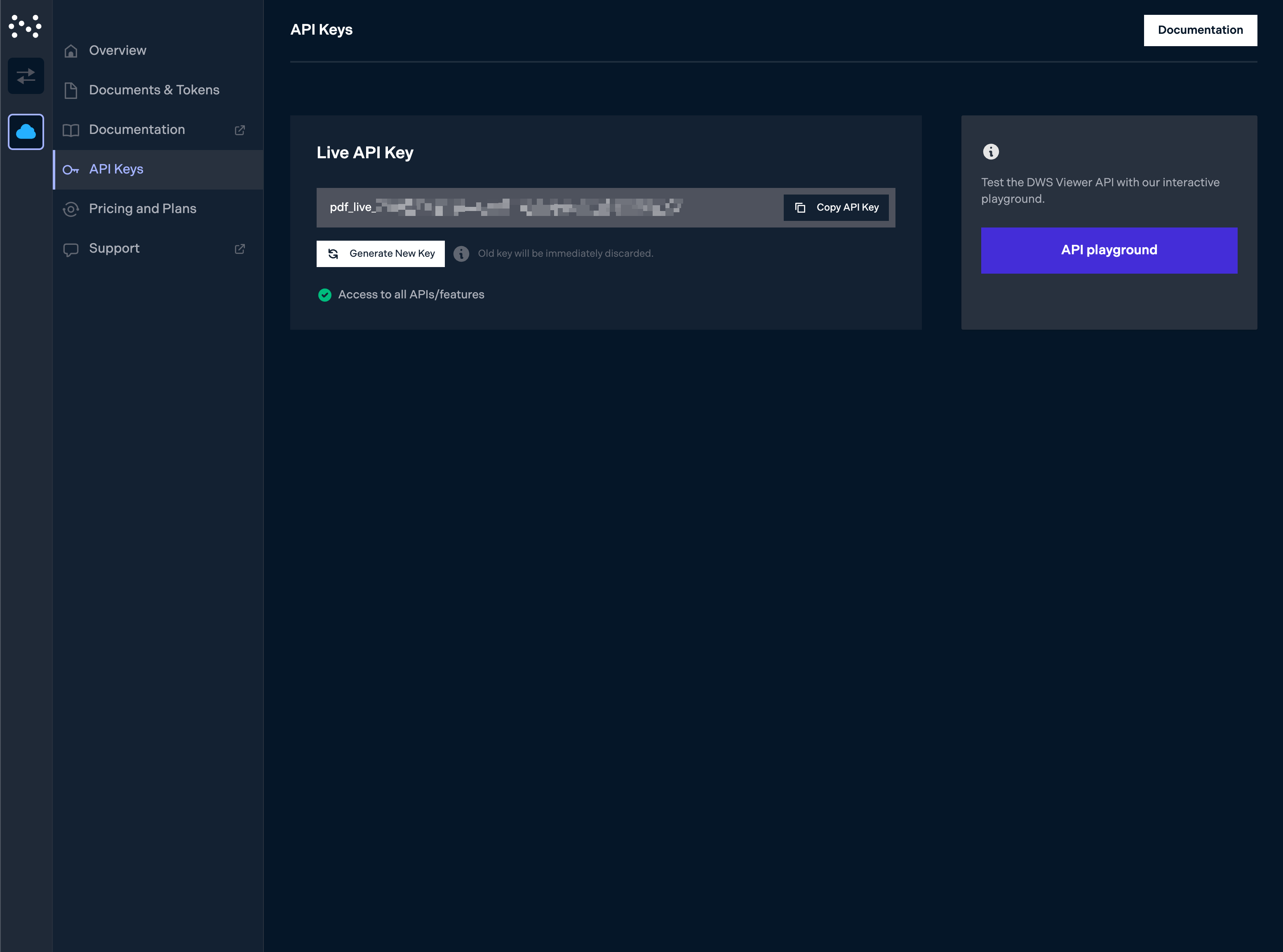
Because the API allows full access to data stored in your DWS Viewer API application, it’s only meant to be used by your backend services, which we assume are fully trusted. To view documents from DWS Viewer API in the browser using Nutrient Web SDK, you’ll need to use session tokens that can be handed out to users.
Using the API key
Each API request needs to be authenticated by providing the Authorization: Bearer your_api_key_here header:
curl -X POST https://api.nutrient.io/viewer/documents \
-H "Authorization: Bearer your_api_key_here" \
-H "Content-Type: application/pdf" \
--fail \
-F file=@document.pdf
curl -X POST https://api.nutrient.io/viewer/documents ^
-H "Authorization: Bearer your_api_key_here" ^
-H "Content-Type: application/pdf" ^
--fail ^
-F file=@document.pdf
POST https://api.nutrient.io/viewer/documents HTTP/1.1
Content-Type: multipart/form-data; boundary=--customboundary
Authorization: Bearer your_api_key_hereContent-Type: application/pdf
--customboundary
Content-Disposition: form-data; name="file"; filename="document.pdf"
Content-Type: application/pdf
(file data)
--customboundary--
JSON Web Token (JWT) authentication
API key authentication falls short when you require more granular control over the permissions of the client making the request. In such cases, you can use JWT-based authentication via API access tokens.
Create an API access token
To authenticate, you need to generate an API access token using the API key via the POST /viewer/tokens endpoint:
curl -X POST https://api.nutrient.io/viewer/tokens \
-H "Content-Type: application/json" \
-H "Authorization: Bearer your_api_key_here" \
--fail \
-d '{
"allowed_documents": [
{
"document_id": "<document_id>",
"document_permissions": [
"read",
"write",
"download"
]
}
],
"exp": 1793769299
}'
curl -X POST https://api.nutrient.io/viewer/tokens ^
-H "Content-Type: application/json" ^
-H "Authorization: Bearer your_api_key_here" ^
--fail ^
-d "{\"allowed_documents\": [{\"document_id\": \"<document_id>\", \"document_permissions\": [\"read\", \"write\", \"download\"]}], \"exp\": 1793769299}"
POST https://api.nutrient.io/viewer/tokens HTTP/1.1
Content-Type: application/json
Authorization: Bearer your_api_key_here
{
"allowed_documents": [
{
"document_id": "<document_id>",
"document_permissions": [
"read",
"write",
"download"
]
}
],
"exp": 1793769299
}
You can then retrieve the JWT from the response:
{
"jwt": "<created_access_token>"
}
💡 API access tokens can be created with additional optional claims to further control their properties. Refer to our API reference to learn more.
Using an API access token
API requests need to be authenticated by providing the Authorization: Bearer your_jwt_goes_here header:
Upload a Document
curl -X POST https://api.nutrient.io/viewer/documents \
-H "Accept: application/json" \
-H "Authorization: Bearer your_jwt_goes_here" \
-H "Content-Type: application/pdf" \
--fail \
-F file=@document.pdf
curl -X POST https://api.nutrient.io/viewer/documents ^
-H "Accept: application/json" ^
-H "Authorization: Bearer your_jwt_goes_here" ^
-H "Content-Type: application/pdf" ^
--fail ^
-F file=@document.pdf
POST https://api.nutrient.io/viewer/documents HTTP/1.1
Content-Type: multipart/form-data; boundary=--customboundary
Accept: application/jsonAuthorization: Bearer your_jwt_goes_hereContent-Type: application/pdf
--customboundary
Content-Disposition: form-data; name="file"; filename="document.pdf"
Content-Type: application/pdf
(file data)
--customboundary--
Get Documents
curl -X GET https://api.nutrient.io/viewer/documents \
-H "Accept: application/json" \
-H "Authorization: Bearer your_jwt_goes_here" \
--fail
curl -X GET https://api.nutrient.io/viewer/documents ^
-H "Accept: application/json" ^
-H "Authorization: Bearer your_jwt_goes_here" ^
--fail
GET https://api.nutrient.io/viewer/documents HTTP/1.1
Content-Type: multipart/form-data; boundary=--customboundary
Accept: application/jsonAuthorization: Bearer your_jwt_goes_here
--customboundary--