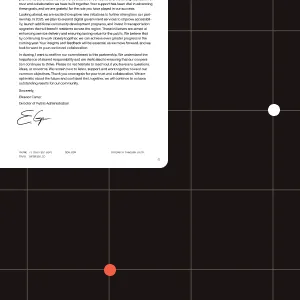
Add custom text or image watermarks to PDF documents using a single API call. Use watermarking for branding, confidential stamps, ownership marks, document tracking, and other document-protection workflows.
Apply text or image watermarks such as company logos, confidential stamps, ownership marks, or custom messages to any page or section of a PDF.
Use REST, Postman, curl, JavaScript, Python, Java, C#, PHP, or HTTP to add watermarks in your own platform without building custom document processing infrastructure.
Use watermarking for branded exports, confidential document delivery, ownership labeling, and automated protection workflows across generated or uploaded PDFs.
This example will watermark all the pages of your document with the supplied logo.
Try it out in three steps
document.pdf and logo.png to your project folder.result.pdf to see the output.curl -X POST https://api.nutrient.io/processor/watermark \ -H "Authorization: Bearer your_api_key_here" \ -o result.pdf \ --fail \ -F file=@document.pdf \ -F logo=@logo.png \ -F data='{ "image": "logo", "width": "25%" }'curl -X POST https://api.nutrient.io/processor/watermark ^ -H "Authorization: Bearer your_api_key_here" ^ -o result.pdf ^ --fail ^ -F file=@document.pdf ^ -F logo=@logo.png ^ -F data="{\"image\": \"logo\", \"width\": \"25%\"}"package com.example.pspdfkit;
import java.io.File;import java.io.IOException;import java.nio.file.FileSystems;import java.nio.file.Files;import java.nio.file.StandardCopyOption;
import org.json.JSONArray;import org.json.JSONObject;
import okhttp3.MediaType;import okhttp3.MultipartBody;import okhttp3.OkHttpClient;import okhttp3.Request;import okhttp3.RequestBody;import okhttp3.Response;
public final class PspdfkitApiExample { public static void main(final String[] args) throws IOException { final RequestBody body = new MultipartBody.Builder() .setType(MultipartBody.FORM) .addFormDataPart( "file", "document.pdf", RequestBody.create( MediaType.parse("application/pdf"), new File("document.pdf") ) ) .addFormDataPart( "logo", "logo.png", RequestBody.create( MediaType.parse("image/png"), new File("logo.png") ) ) .addFormDataPart( "data", new JSONObject() .put("image", "logo") .put("width", "25%").toString() ) .build();
final Request request = new Request.Builder() .url("https://api.nutrient.io/processor/watermark") .method("POST", body) .addHeader("Authorization", "Bearer your_api_key_here") .build();
final OkHttpClient client = new OkHttpClient() .newBuilder() .build();
final Response response = client.newCall(request).execute();
if (response.isSuccessful()) { Files.copy( response.body().byteStream(), FileSystems.getDefault().getPath("result.pdf"), StandardCopyOption.REPLACE_EXISTING ); } else { // Handle the error throw new IOException(response.body().string()); } }}using System;using System.IO;using System.Net;using RestSharp;
namespace PspdfkitApiDemo{ class Program { static void Main(string[] args) { var client = new RestClient("https://api.nutrient.io/processor/watermark");
var request = new RestRequest(Method.POST) .AddHeader("Authorization", "Bearer your_api_key_here") .AddFile("file", "document.pdf") .AddFile("logo", "logo.png") .AddParameter("data", new JsonObject { ["image"] = "logo", ["width"] = "25%" }.ToString());
request.AdvancedResponseWriter = (responseStream, response) => { if (response.StatusCode == HttpStatusCode.OK) { using (responseStream) { using var outputFileWriter = File.OpenWrite("result.pdf"); responseStream.CopyTo(outputFileWriter); } } else { var responseStreamReader = new StreamReader(responseStream); Console.Write(responseStreamReader.ReadToEnd()); } };
client.Execute(request); } }}// This code requires Node.js. Do not run this code directly in a web browser.
const axios = require('axios')const FormData = require('form-data')const fs = require('fs')
const formData = new FormData()formData.append('data', JSON.stringify({ image: "logo", width: "25%"}))formData.append('file', fs.createReadStream('document.pdf'))formData.append('logo', fs.createReadStream('logo.png'))
;(async () => { try { const response = await axios.post('https://api.nutrient.io/processor/watermark', formData, { headers: formData.getHeaders({ 'Authorization': 'Bearer your_api_key_here' }), responseType: "stream" })
response.data.pipe(fs.createWriteStream("result.pdf")) } catch (e) { const errorString = await streamToString(e.response.data) console.log(errorString) }})()
function streamToString(stream) { const chunks = [] return new Promise((resolve, reject) => { stream.on("data", (chunk) => chunks.push(Buffer.from(chunk))) stream.on("error", (err) => reject(err)) stream.on("end", () => resolve(Buffer.concat(chunks).toString("utf8"))) })}import requestsimport json
response = requests.request( 'POST', 'https://api.nutrient.io/processor/watermark', headers = { 'Authorization': 'Bearer your_api_key_here' }, files = { 'file': open('document.pdf', 'rb'), 'logo': open('logo.png', 'rb') }, data = { 'data': json.dumps({ 'image': 'logo', 'width': '25%' }) }, stream = True)
if response.ok: with open('result.pdf', 'wb') as fd: for chunk in response.iter_content(chunk_size=8096): fd.write(chunk)else: print(response.text) exit()<?php
$FileHandle = fopen('result.pdf', 'w+');
$curl = curl_init();
curl_setopt_array($curl, array( CURLOPT_URL => 'https://api.nutrient.io/processor/watermark', CURLOPT_CUSTOMREQUEST => 'POST', CURLOPT_RETURNTRANSFER => true, CURLOPT_ENCODING => '', CURLOPT_POSTFIELDS => array( 'data' => '{ "image": "logo", "width": "25%" }', 'file' => new CURLFILE('document.pdf'), 'logo' => new CURLFILE('logo.png') ), CURLOPT_HTTPHEADER => array( 'Authorization: Bearer your_api_key_here' ), CURLOPT_FILE => $FileHandle,));
$response = curl_exec($curl);
curl_close($curl);
fclose($FileHandle);POST https://api.nutrient.io/processor/watermark HTTP/1.1Content-Type: multipart/form-data; boundary=--customboundaryAuthorization: Bearer your_api_key_here
--customboundaryContent-Disposition: form-data; name="data"Content-Type: application/json
{ "image": "logo", "width": "25%"}--customboundaryContent-Disposition: form-data; name="file"; filename="document.pdf"Content-Type: application/pdf
(file data)--customboundaryContent-Disposition: form-data; name="logo"; filename="logo.png"Content-Type: image/png
(logo data)--customboundary--curl -X POST https://api.nutrient.io/build \ -H "Authorization: Bearer your_api_key_here" \ -o result.pdf \ --fail \ -F document=@document.pdf \ -F logo=@logo.png \ -F instructions='{ "parts": [ { "file": "document" } ], "actions": [ { "type": "watermark", "image": "logo", "width": "25%" } ] }'curl -X POST https://api.nutrient.io/build ^ -H "Authorization: Bearer your_api_key_here" ^ -o result.pdf ^ --fail ^ -F document=@document.pdf ^ -F logo=@logo.png ^ -F instructions="{\"parts\": [{\"file\": \"document\"}], \"actions\": [{\"type\": \"watermark\", \"image\": \"logo\", \"width\": \"25%\"}]}"package com.example.pspdfkit;
import java.io.File;import java.io.IOException;import java.nio.file.FileSystems;import java.nio.file.Files;import java.nio.file.StandardCopyOption;
import org.json.JSONArray;import org.json.JSONObject;
import okhttp3.MediaType;import okhttp3.MultipartBody;import okhttp3.OkHttpClient;import okhttp3.Request;import okhttp3.RequestBody;import okhttp3.Response;
public final class PspdfkitApiExample { public static void main(final String[] args) throws IOException { final RequestBody body = new MultipartBody.Builder() .setType(MultipartBody.FORM) .addFormDataPart( "document", "document.pdf", RequestBody.create( MediaType.parse("application/pdf"), new File("document.pdf") ) ) .addFormDataPart( "logo", "logo.png", RequestBody.create( MediaType.parse("image/png"), new File("logo.png") ) ) .addFormDataPart( "instructions", new JSONObject() .put("parts", new JSONArray() .put(new JSONObject() .put("file", "document") ) ) .put("actions", new JSONArray() .put(new JSONObject() .put("type", "watermark") .put("image", "logo") .put("width", "25%") ) ).toString() ) .build();
final Request request = new Request.Builder() .url("https://api.nutrient.io/build") .method("POST", body) .addHeader("Authorization", "Bearer your_api_key_here") .build();
final OkHttpClient client = new OkHttpClient() .newBuilder() .build();
final Response response = client.newCall(request).execute();
if (response.isSuccessful()) { Files.copy( response.body().byteStream(), FileSystems.getDefault().getPath("result.pdf"), StandardCopyOption.REPLACE_EXISTING ); } else { // Handle the error throw new IOException(response.body().string()); } }}using System;using System.IO;using System.Net;using RestSharp;
namespace PspdfkitApiDemo{ class Program { static void Main(string[] args) { var client = new RestClient("https://api.nutrient.io/build");
var request = new RestRequest(Method.POST) .AddHeader("Authorization", "Bearer your_api_key_here") .AddFile("document", "document.pdf") .AddFile("logo", "logo.png") .AddParameter("instructions", new JsonObject { ["parts"] = new JsonArray { new JsonObject { ["file"] = "document" } }, ["actions"] = new JsonArray { new JsonObject { ["type"] = "watermark", ["image"] = "logo", ["width"] = "25%" } } }.ToString());
request.AdvancedResponseWriter = (responseStream, response) => { if (response.StatusCode == HttpStatusCode.OK) { using (responseStream) { using var outputFileWriter = File.OpenWrite("result.pdf"); responseStream.CopyTo(outputFileWriter); } } else { var responseStreamReader = new StreamReader(responseStream); Console.Write(responseStreamReader.ReadToEnd()); } };
client.Execute(request); } }}// This code requires Node.js. Do not run this code directly in a web browser.
const axios = require('axios')const FormData = require('form-data')const fs = require('fs')
const formData = new FormData()formData.append('instructions', JSON.stringify({ parts: [ { file: "document" } ], actions: [ { type: "watermark", image: "logo", width: "25%" } ]}))formData.append('document', fs.createReadStream('document.pdf'))formData.append('logo', fs.createReadStream('logo.png'))
;(async () => { try { const response = await axios.post('https://api.nutrient.io/build', formData, { headers: formData.getHeaders({ 'Authorization': 'Bearer your_api_key_here' }), responseType: "stream" })
response.data.pipe(fs.createWriteStream("result.pdf")) } catch (e) { const errorString = await streamToString(e.response.data) console.log(errorString) }})()
function streamToString(stream) { const chunks = [] return new Promise((resolve, reject) => { stream.on("data", (chunk) => chunks.push(Buffer.from(chunk))) stream.on("error", (err) => reject(err)) stream.on("end", () => resolve(Buffer.concat(chunks).toString("utf8"))) })}import requestsimport json
response = requests.request( 'POST', 'https://api.nutrient.io/build', headers = { 'Authorization': 'Bearer your_api_key_here' }, files = { 'document': open('document.pdf', 'rb'), 'logo': open('logo.png', 'rb') }, data = { 'instructions': json.dumps({ 'parts': [ { 'file': 'document' } ], 'actions': [ { 'type': 'watermark', 'image': 'logo', 'width': '25%' } ] }) }, stream = True)
if response.ok: with open('result.pdf', 'wb') as fd: for chunk in response.iter_content(chunk_size=8096): fd.write(chunk)else: print(response.text) exit()<?php
$FileHandle = fopen('result.pdf', 'w+');
$curl = curl_init();
curl_setopt_array($curl, array( CURLOPT_URL => 'https://api.nutrient.io/build', CURLOPT_CUSTOMREQUEST => 'POST', CURLOPT_RETURNTRANSFER => true, CURLOPT_ENCODING => '', CURLOPT_POSTFIELDS => array( 'instructions' => '{ "parts": [ { "file": "document" } ], "actions": [ { "type": "watermark", "image": "logo", "width": "25%" } ] }', 'document' => new CURLFILE('document.pdf'), 'logo' => new CURLFILE('logo.png') ), CURLOPT_HTTPHEADER => array( 'Authorization: Bearer your_api_key_here' ), CURLOPT_FILE => $FileHandle,));
$response = curl_exec($curl);
curl_close($curl);
fclose($FileHandle);POST https://api.nutrient.io/build HTTP/1.1Content-Type: multipart/form-data; boundary=--customboundaryAuthorization: Bearer your_api_key_here
--customboundaryContent-Disposition: form-data; name="instructions"Content-Type: application/json
{ "parts": [ { "file": "document" } ], "actions": [ { "type": "watermark", "image": "logo", "width": "25%" } ]}--customboundaryContent-Disposition: form-data; name="document"; filename="document.pdf"Content-Type: application/pdf
(document data)--customboundaryContent-Disposition: form-data; name="logo"; filename="logo.png"Content-Type: image/png
(logo data)--customboundary--Most common next steps
Use the following:
Get started:
Platform resources:
Straightforward API for adding watermarks to PDFs. Perfect for most use cases.
FEATURES
Maximum flexibility and advanced features for complex workflows.
FEATURES
Learn how to use the watermark API’s key features.
Nutrient’s infrastructure is SOC 2 Type 2 audited and GDPR-compliant. See our privacy policy and security documentation for details on data handling.
All communication between your application and Nutrient is done via HTTPS to ensure your data is encrypted when it’s sent to us.
All payments are handled by Paddle. Nutrient DWS Processor API never has direct access to any of your payment data.
A PDF watermark API lets you add text or image watermarks to PDF documents with a single API call. With Nutrient’s DWS Processor API, you can apply branding, confidential stamps, ownership marks, and other document-protection overlays without building your own document processing infrastructure.
Send a request to the Nutrient DWS Processor API with your PDF and the watermark you want to apply, and the API returns the watermarked document. You can call it via REST, Postman, curl, JavaScript, Python, Java, C#, PHP, or plain HTTP.
Yes. You can apply image watermarks such as company logos, confidential stamps, or ownership marks — as well as custom text — to any page or section of a PDF.
You can call the API from any language that can make HTTP requests. We provide quickstart examples for JavaScript, Python, Java, C# (.NET), and PHP, plus REST and a Postman collection to get your first request running faster.
Yes. You can start for free — sign up to receive processing credits and try the PDF watermark API before choosing a Processor API plan.
Create an account to get your DWS Processor API key and start making API calls.