Make every PDF more accessible with automated PDF/UA workflows
DWS Accessibility API helps your team scale document accessibility by auto-tagging PDFs and validating conformance in the cloud. Reduce manual remediation work and deliver inclusive experiences faster.
Security is our top priority
SOC 2 Type 2 audited
Nutrient’s infrastructure is SOC 2 Type 2 audited and GDPR compliant. See our privacy policy and security documentation for details on data handling.
HTTPS encryption
All communication between your application and Nutrient is done via HTTPS to ensure your data is encrypted when it’s sent to us.
Safe payment processing
All payments are handled by Paddle. Nutrient DWS Processor API never has direct access to any of your payment data.
How it works
Layout analysis
Optical character recognition and layout models identify structural elements: headings, paragraphs, lists, tables, and artifacts.
Semantic tagging
Elements are mapped to the PDF structure tree with correct roles (headings, tables, and more) and logical reading order.
Output
Embeds PDF/UA metadata and returns the tagged PDF.
Key capabilities
Heading detection
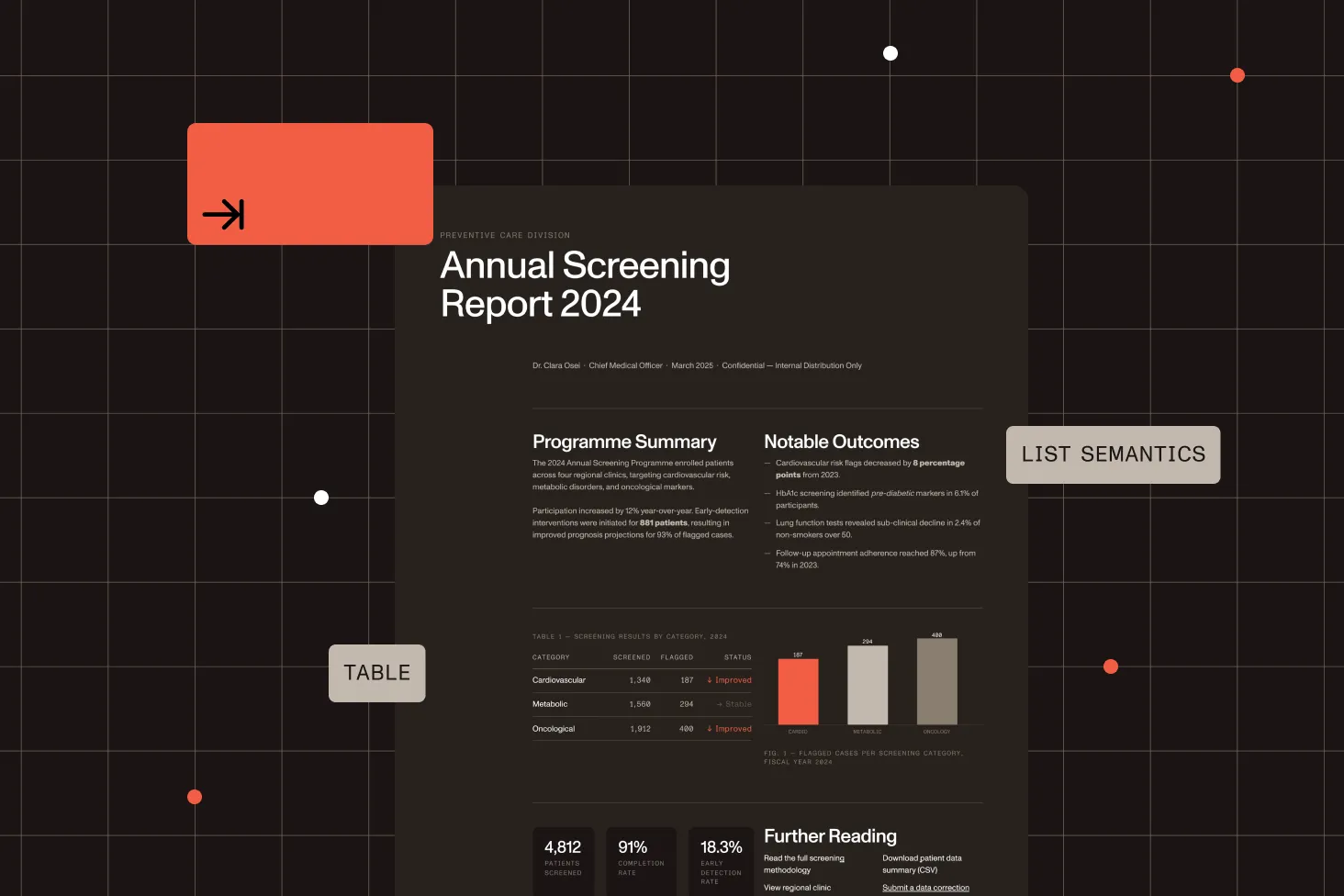
H1–H6 roles, supports multi-column layouts
Lists semantics
Ordered and unordered lists
Table structure
Table, row, and cell tagging with scope attributes
Reading order
Reflows content for assistive technologies
Annotation handling
Moves comments and form widgets into the structure tree
Artifact cleanup
Flags decorative items to skip by screen readers
Ready to improve PDF accessibility at scale?
Create an account to get your API key and start testing accessibility workflows in minutes with cloud-hosted APIs.
Most common next steps
Connect Accessibility API evaluation to pricing, guides, and implementation
After validating Accessibility API, continue to:
96.5%
PDF/UA conformance (verified test corpus)
3,157
Files in the validation corpus
20
Pages free each month
100
Validations free each month
Frequently asked questions
Are custom plans available?
Yes. For high-volume usage or enterprise needs, we offer custom plans with tailored quotas, dedicated support, and flexible pricing. Contact our Sales team to discuss a custom plan that fits your requirements.
Which programming languages are supported?
You can call the DWS API from any language that can make HTTP requests. We provide quickstart guides for Java, C#, JavaScript, Python, and PHP to help you get started faster.
What if my language isn’t listed?
No problem. The API is language-independent. As long as your HTTP client can send standard `multipart/form-data` requests, you can use the API from any language.
Is communication secure?
Yes. All requests must go over HTTPS. Any account, usage, or billing data we do collect is stored in encrypted databases.
What about payment data?
We don’t touch it. Payments are processed entirely by Paddle, which handles all payment information and compliance.
What does PDF/UA accessibility auto-tagging do?
It analyzes your PDF and generates a tagged PDF with semantic structure for assistive technologies. This includes tagging common elements like headings, paragraphs, lists, tables, and reading order so screen readers can interpret the document correctly.
What files can I send, and what do I get back?
The accessibility auto-tagging workflow takes a PDF file as input and returns a tagged PDF file as output.
Is auto-tagging enough to guarantee full compliance?
Auto-tagging significantly reduces manual work, but accessibility compliance still depends on document quality and content semantics. We recommend validating outputs in your QA process, especially for legally sensitive or high-stakes documents.
Can AI agents use the Accessibility API?
Yes. The remediate-pdf agent skill in the public Nutrient skills marketplace wraps this API’s auto-tagging for Claude Code and other agent products — one plugin install adds it, and the skill routes tagged output to a structural PDF/UA verifier instead of treating auto-tagging as certification. Learn more on the remediate-pdf skill page.
Which accessibility standards does the auto-tagged output conform to?
The API targets PDF/UA-1 (ISO 14289-1) conformance. In a March 2026 benchmark across 3,157 files validated by veraPDF, Nutrient achieved a 96.5 percent PDF/UA conformance rate with zero critical failures. PDF/UA is the document-layer standard referenced by WCAG 2.1 AA programs, ADA Title II, Section 508, and the European Accessibility Act (EAA).
How fast does the API process documents?
In a March 2026 benchmark across 3,157 files, throughput reached 322 files per minute. Actual processing speed depends on document complexity and file size.
How does pricing work for the Accessibility API?
Pricing is quota-based and billed monthly. Each plan includes a monthly quota for auto-tagged pages and a separate monthly quota for PDF/UA validations.
Do you offer a validation-only plan?
Not currently. All plans include both auto-tagged pages and validation quotas.
What happens when I reach my quota?
If you reach your monthly quota for auto-tagged pages or validations, additional requests in that category are blocked until the next quota period starts or you move to a larger plan.
Do unused monthly quotas roll over?
No. Unused auto-tagging pages and validation quotas reset at the start of each monthly period and do not roll over.
Is the Accessibility API SOC 2 compliant?
Yes. The API is backed by Nutrient’s SOC 2 Type 2-audited infrastructure — built for use in business-critical and regulated workflows.
Is procurement documentation available for the Accessibility API?
Yes. For teams evaluating Nutrient for accessible document delivery, the API documentation covers conformance output, validation integration, and audit workflow support. For Web SDK procurement reviews, a VPAT 2.5 independently validated by Level Access is available. Contact our Sales team for details.