Search
Give agents the tools to work with documents
Read, extract, create, edit, and convert documents at any point in your agent workflow.
- Lufthansa
- Disney
- Autodesk
- UBS
- Dropbox
- IBM
Prepare an input, transform a document, or produce the final file Explore example workflows you can build in your app.
Document
Agent
Output
Document
Agent
Output
Person
Agent
Output
Build with document operations
Connect the capabilities your agent needs through SDKs and APIs.
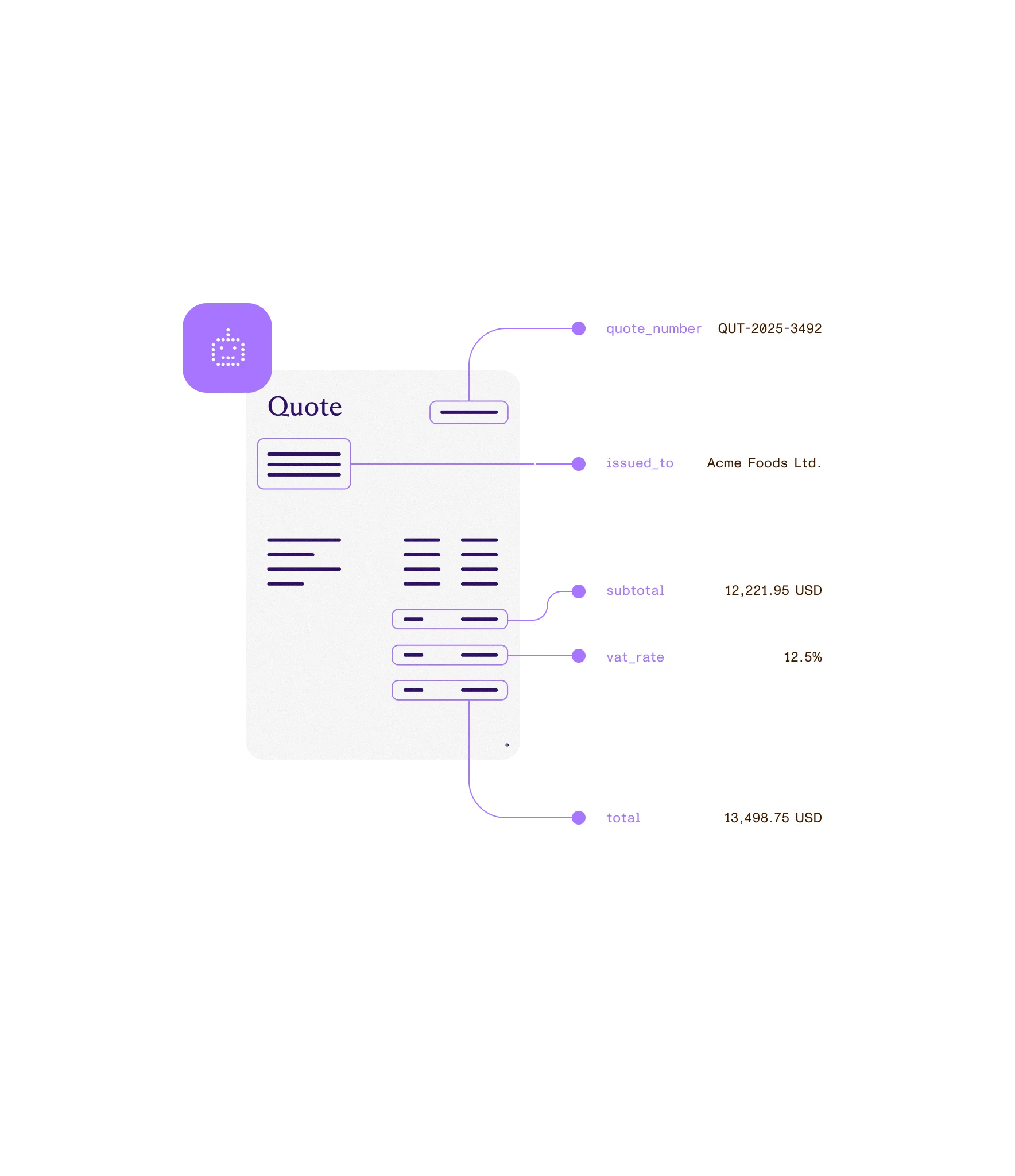
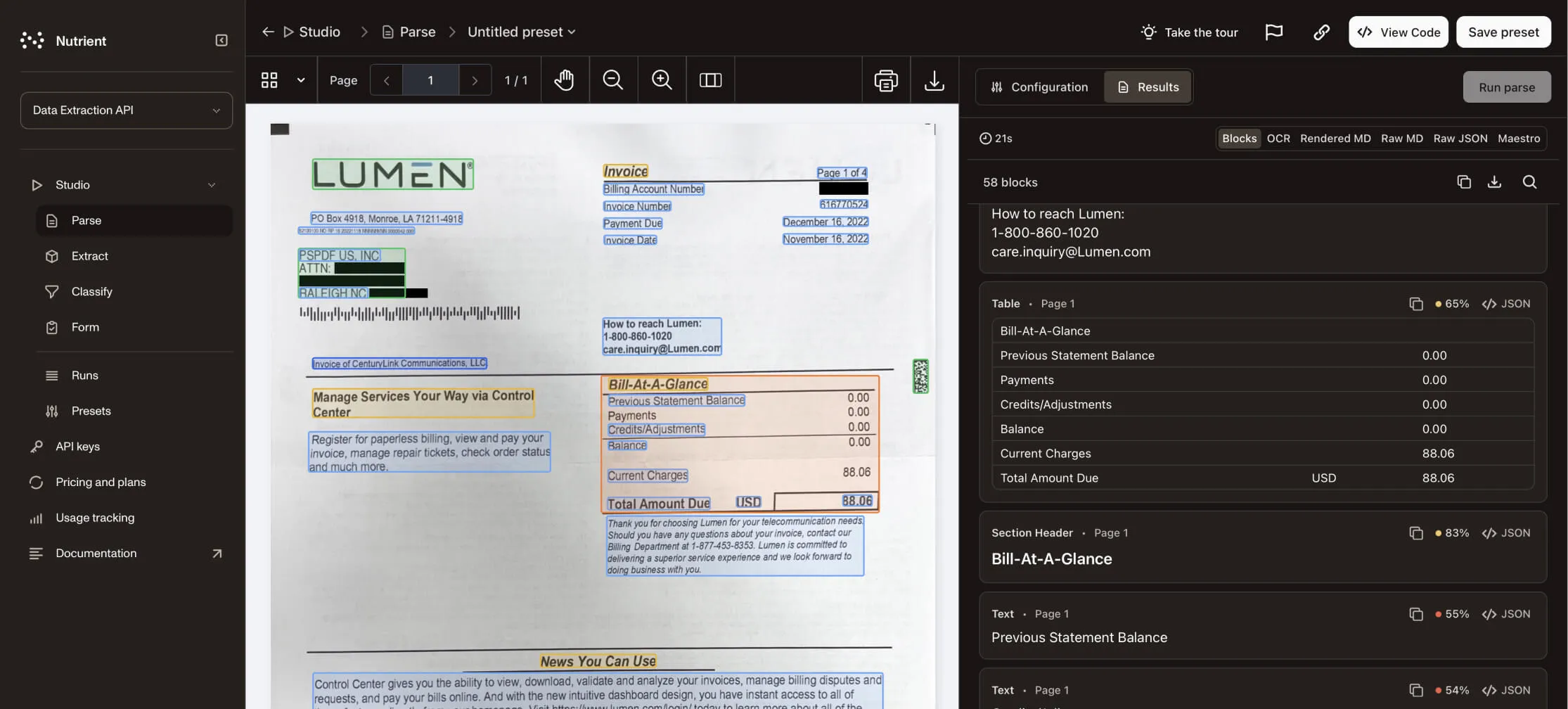
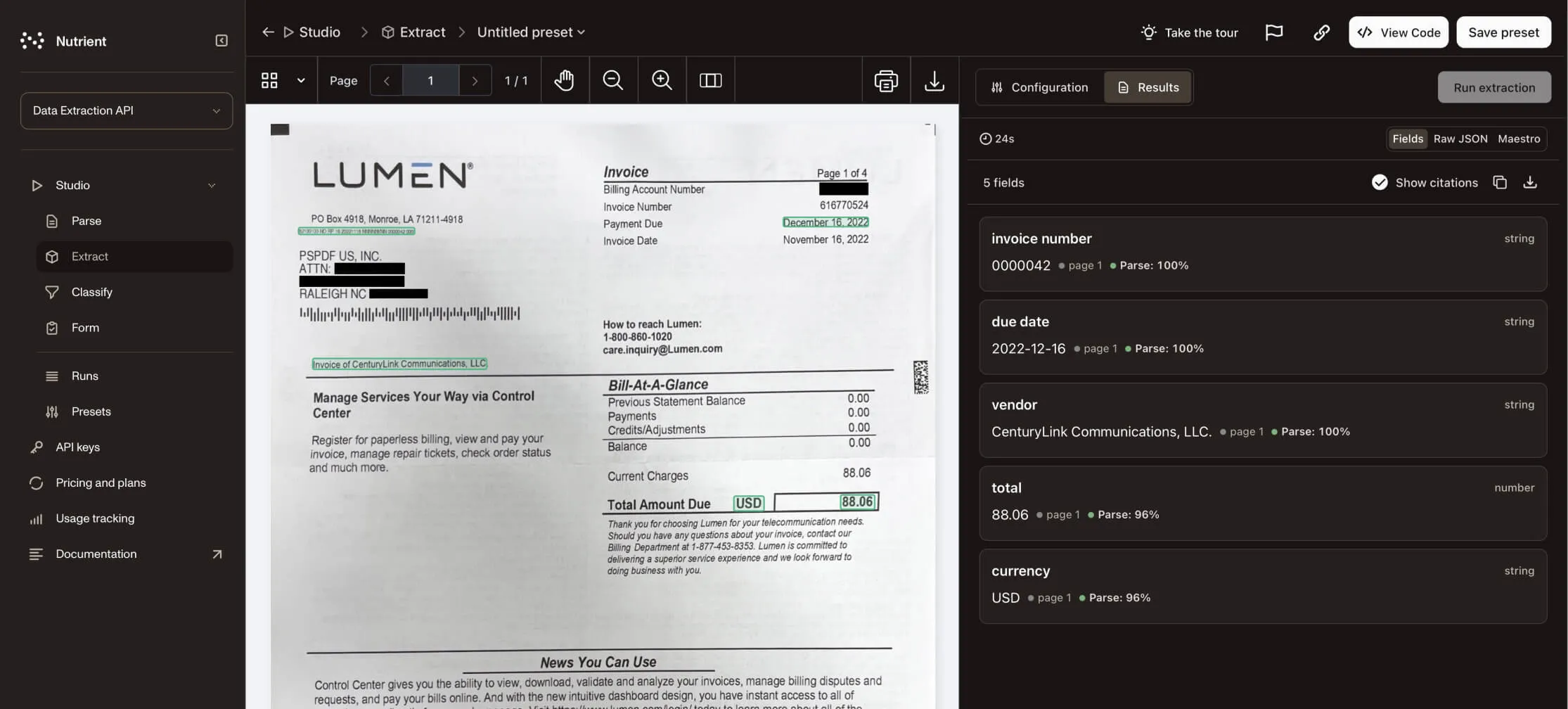
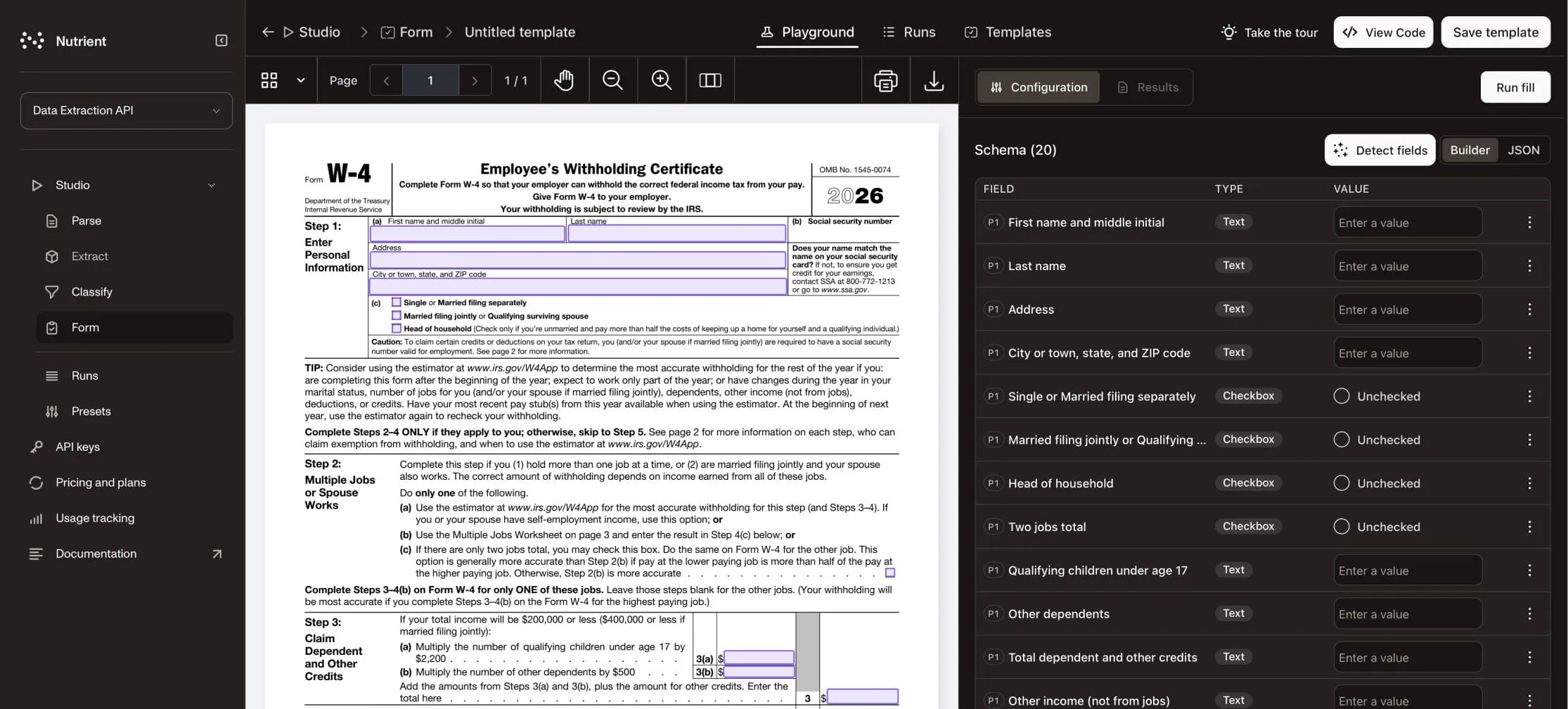
Extract tables, fields, key-value pairs, and document structure from PDFs, scans, and images into structured output your systems can use.
Create and edit
Use Document Authoring tools to write paragraphs, change text, format content, and build tables.
Generation
Generate PDFs from templates, HTML, images, forms, and structured data for invoices, contracts, reports, and more.
AI Document Processing
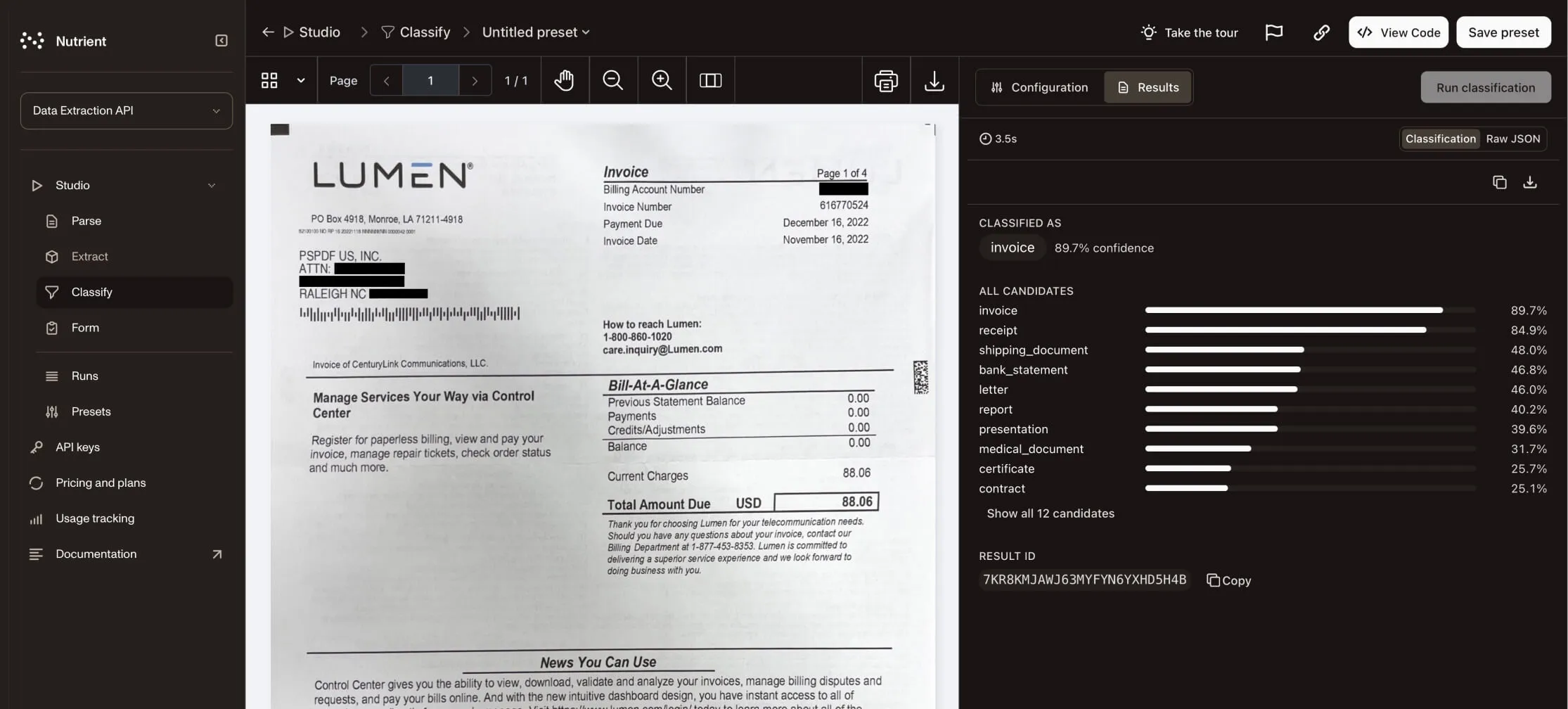
Classify documents and extract structured data from digital and scanned inputs with AI-assisted processing built for real-world formats and layouts.
Optimization
Compress and linearize PDFs to reduce file size, speed up delivery, and improve document performance.
Accessibility
Auto-tag PDFs for PDF/UA accessibility and create screen reader-ready output for accessible document workflows.
Choose where the work runs
Run in your application
Choose browser, mobile, or server libraries, with self-hosted and managed Document Engine options.
Web Mobile Server SDKs
Call the operation you need
Use hosted processing, extraction, viewing, and accessibility APIs from your application or agent.
REST MCP Hosted Hosted APIs
- 3,000+ organizations worldwide
- 15 percent of Global 500 companies
- 1B+ document interactions a year
- SOC 2 Type 2 audited
- GDPR and CSA compliant
Frequently asked questions
Do document operations require a viewer?
No. Agents can call document APIs directly. Web SDK also exposes its document capabilities through a public API without mounting its interface.
Can conversion be the last step in a workflow?
Yes. An agent can create or revise a DOCX file and then use Processor API to convert it to PDF. Document operations can prepare inputs, transform work in progress, or produce the final output.
Which formats and deployment options can I use?
Choose from SDKs, self-hosted or managed Document Engine, and hosted APIs. Each product documents its input formats, output formats, and supported operations.