Search
Legal document workflows
Put source documents inside the matter workflow
Give legal applications and agents the document context to work from, with viewing, comparison, editing, and redaction inside the systems where matter work happens every day.
The workflow
Keep the source within reach
Mobile Helix applies the same in-workflow principle on mobile: Lawyers review and annotate documents inside LINK, connected to the firm’s existing environment.
- 1
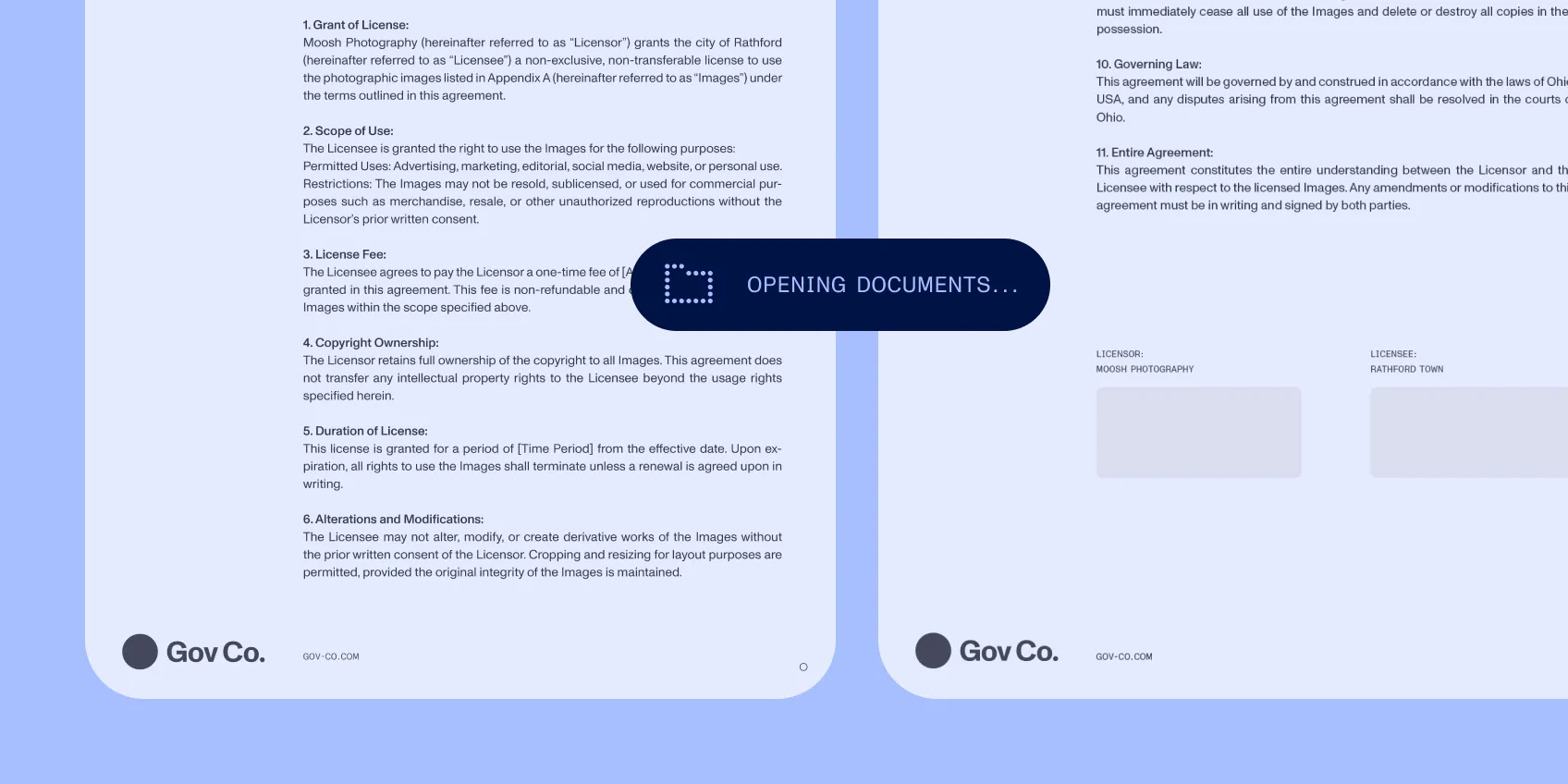
Build the matter context
Bring relevant documents into the workspace and open the material behind a task.
- 2
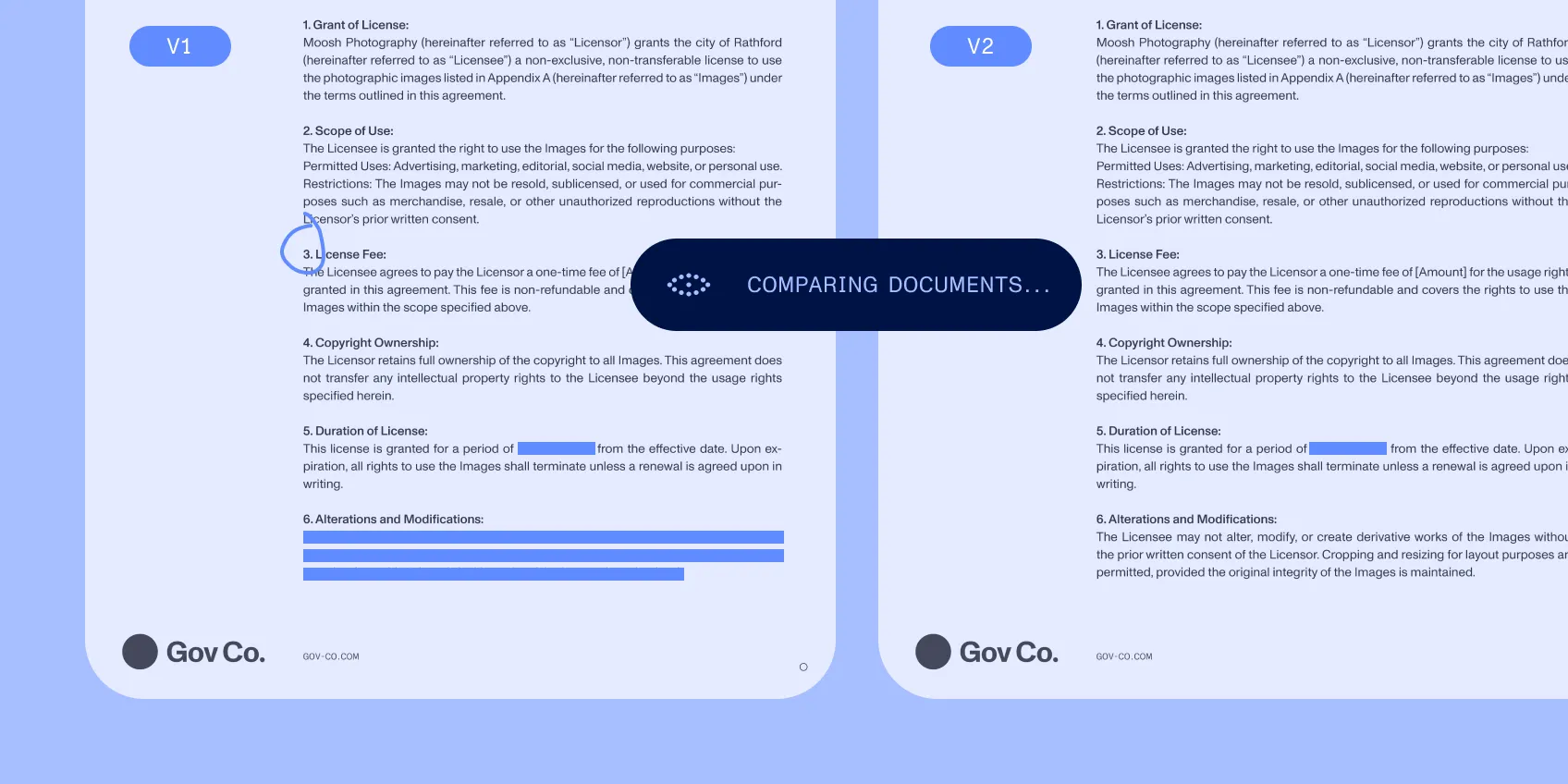
Work through the document
Compare versions, annotate a passage, edit the text, or remove selected sensitive information.
- 3
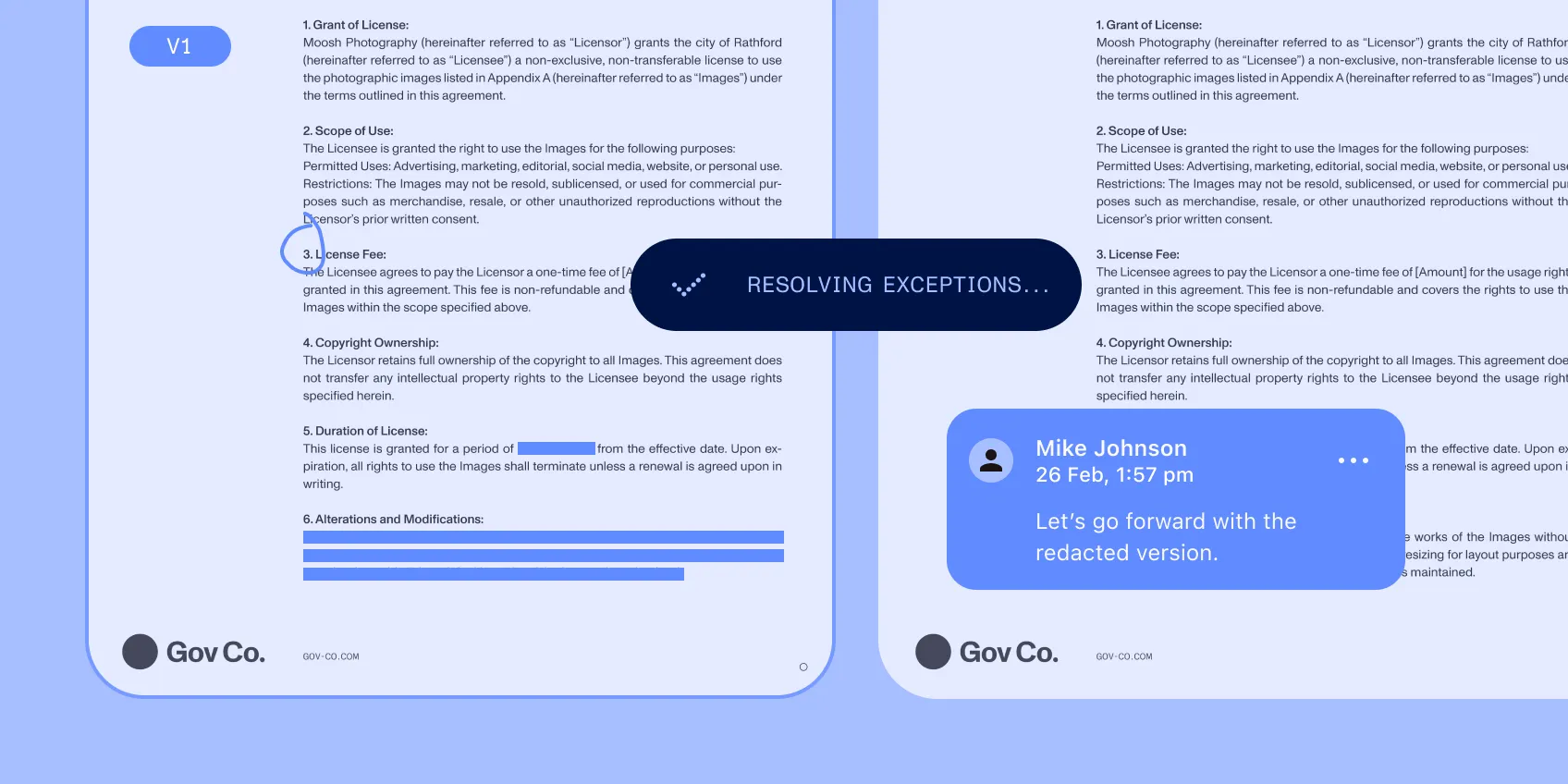
Resolve the exception
Inspect the cited location and finish a correction without moving the work into another tool.
Specification
Controls
Give agents bounded document work
Connect extracted values to source locations. Make proposed revisions visible through comparison. For DOCX authoring, validate tool names, arguments, and element IDs before applying edits. Keep accepted changes and returned feedback available to evaluate the next workflow revision.
Implementation
Fit your legal application
Choose embedded web or mobile interaction, server-backed Document Engine, or Document Authoring for browser-based DOCX work. Connect these functions to your matter system, access controls, and retention requirements. Evaluate the documents and deployment constraints that matter to your users.