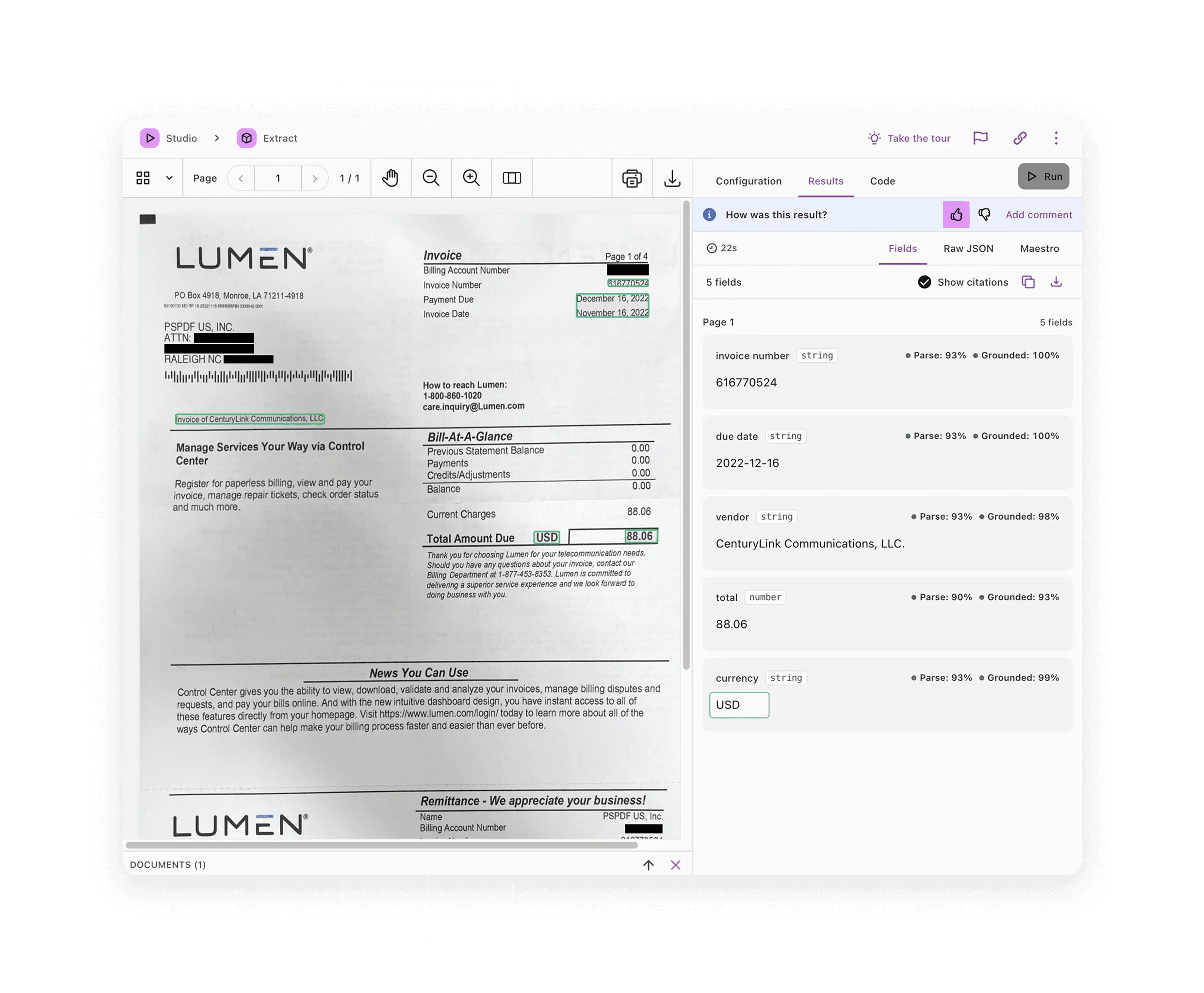
Source grounding
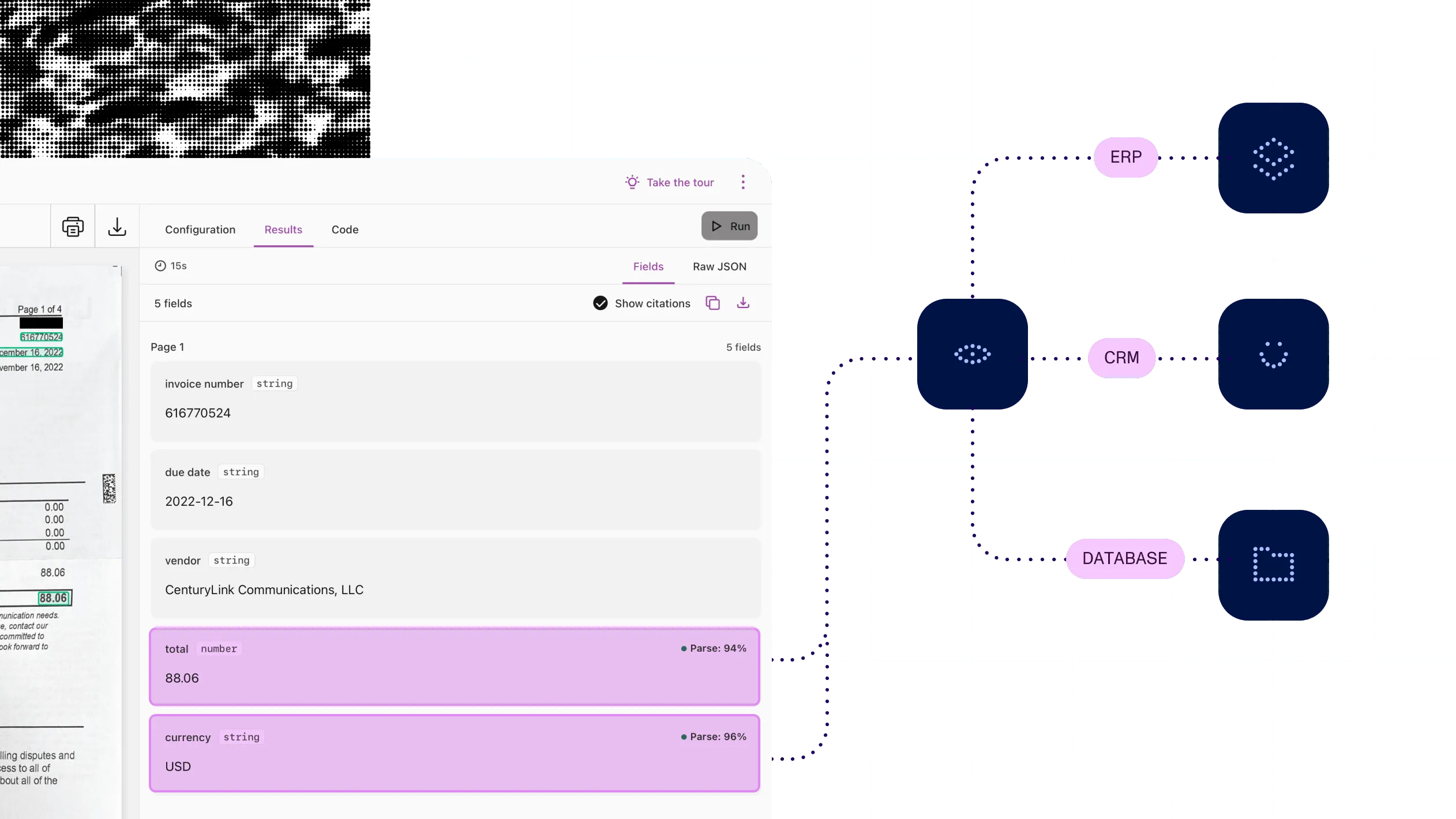
Show the place on the page behind each extracted value, so a reviewer can check it.
PDF DATA EXTRACTION
Read whole documents or extract the fields you need. Each value comes with its place on the page and a confidence score, so people check only the doubtful ones.
What you can do
Sort what comes in
Split merged files into separate documents and classify each one by type, before extraction starts.
Read the whole document
Turn a whole document into text, tables, charts, and reading order, returned as positioned elements or Markdown.
Pull out the fields you need
Define a schema or describe the fields, and get JSON values back, each tied to its place on the page.
Send doubtful values to a person
Use match labels and confidence scores to pass clean values through and route the rest to review.
Ways to build
Through a hosted API
Nutrient APIs parse, extract, classify, and split documents and return a page location and confidence score with each extracted value. There’s nothing to deploy.
On your own servers
Nutrient SDKs parse, classify, and extract in Python, Java, and .NET, inside your own pipeline. Schema extraction needs an AI model you run or connect.
From an AI agent
Nutrient MCP lets an AI agent extract the fields you describe in plain language, with citations and confidence. Add the server URL and sign in; there’s nothing to install.
Inside approval processes
Nutrient Workflow finds values in uploaded documents and fills the workflow form before routing and approval. It uses the AI provider you connect.
Inside Microsoft 365
Document Converter extracts key-value pairs and text from PDFs and images as steps in Power Automate and SharePoint flows. Online, this needs the Professional or Enterprise tier.
Send a PDF to the hosted API. Auto mode picks a reading method for each page and returns each element with its position and a confidence score.
curl -X POST https://api.nutrient.io/extraction/parse \ -H "Authorization: Bearer your_api_key_goes_here" \ -F "file=@document.pdf" \ -F 'instructions={"mode":"auto","output":{"format":"spatial"}}'import requests
response = requests.post( "https://api.nutrient.io/extraction/parse", headers={"Authorization": "Bearer your_api_key_goes_here"}, files={"file": open("document.pdf", "rb")}, data={ "instructions": '{"mode":"auto","output":{"format":"spatial"}}' },)
print(response.json())How it works
1
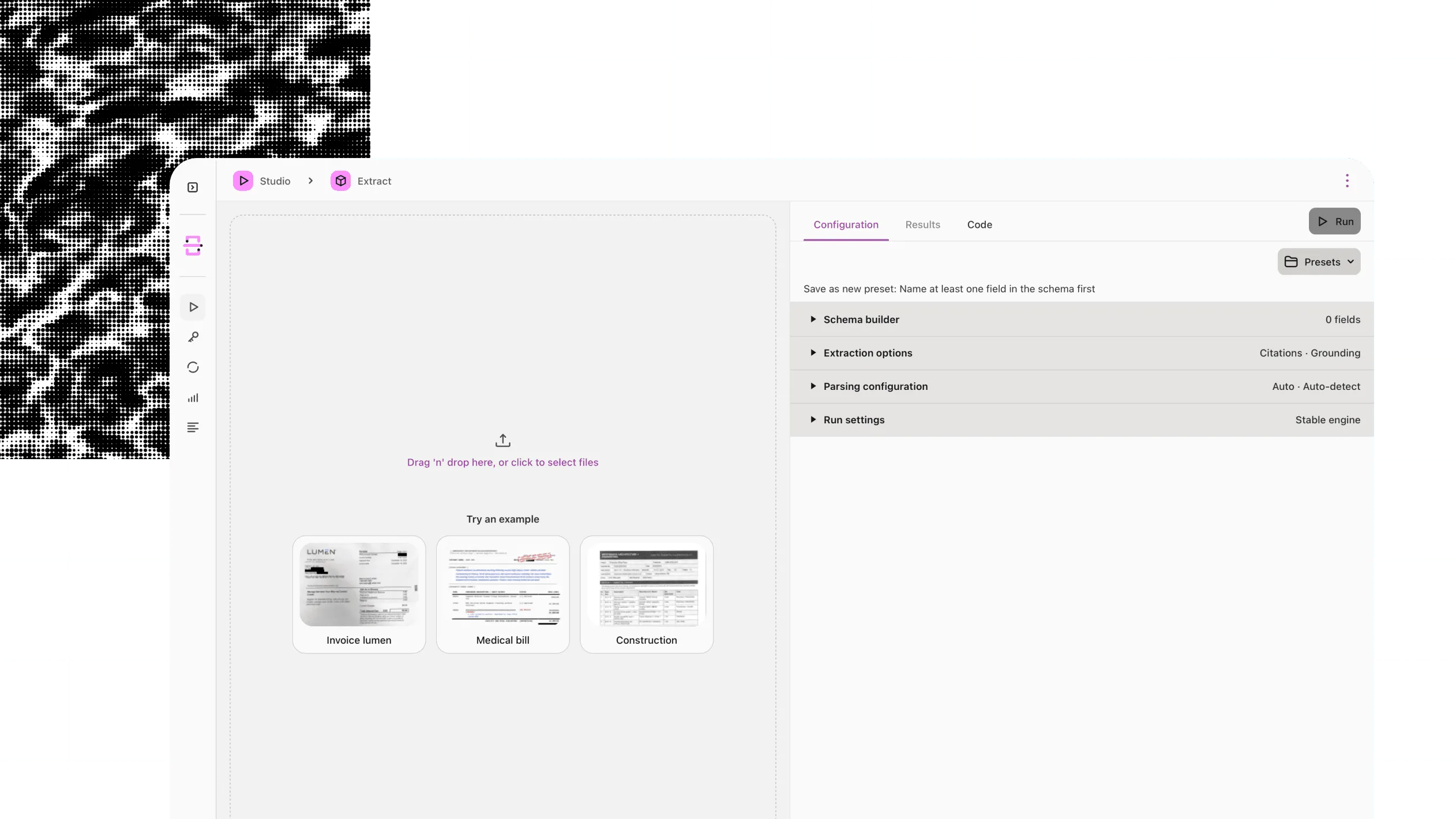
Upload a PDF, scan, image, or Office file, or point the hosted API at a document URL.
2
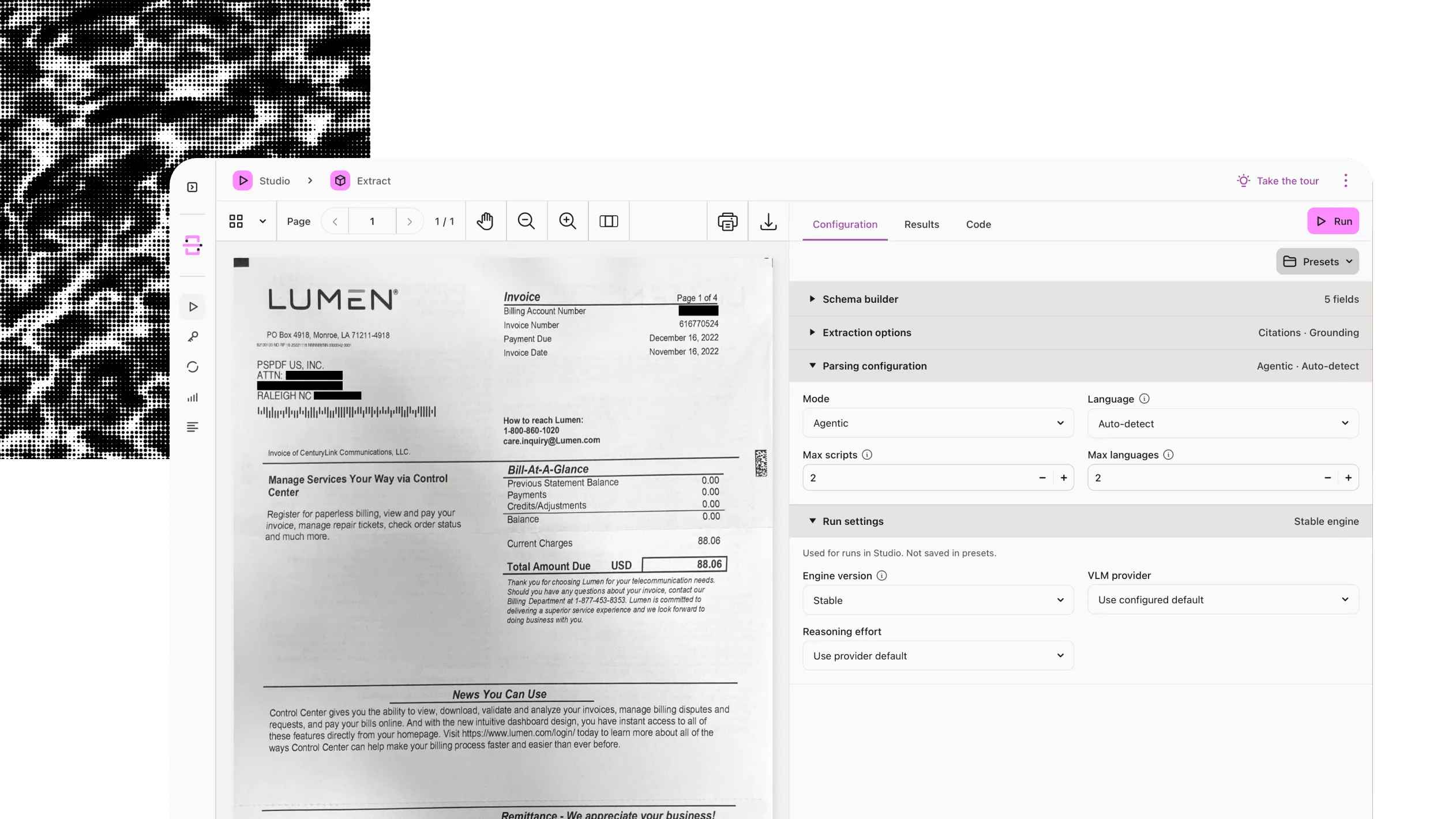
On the hosted API, pick a mode for speed or depth, or let auto mode choose for each page.
3
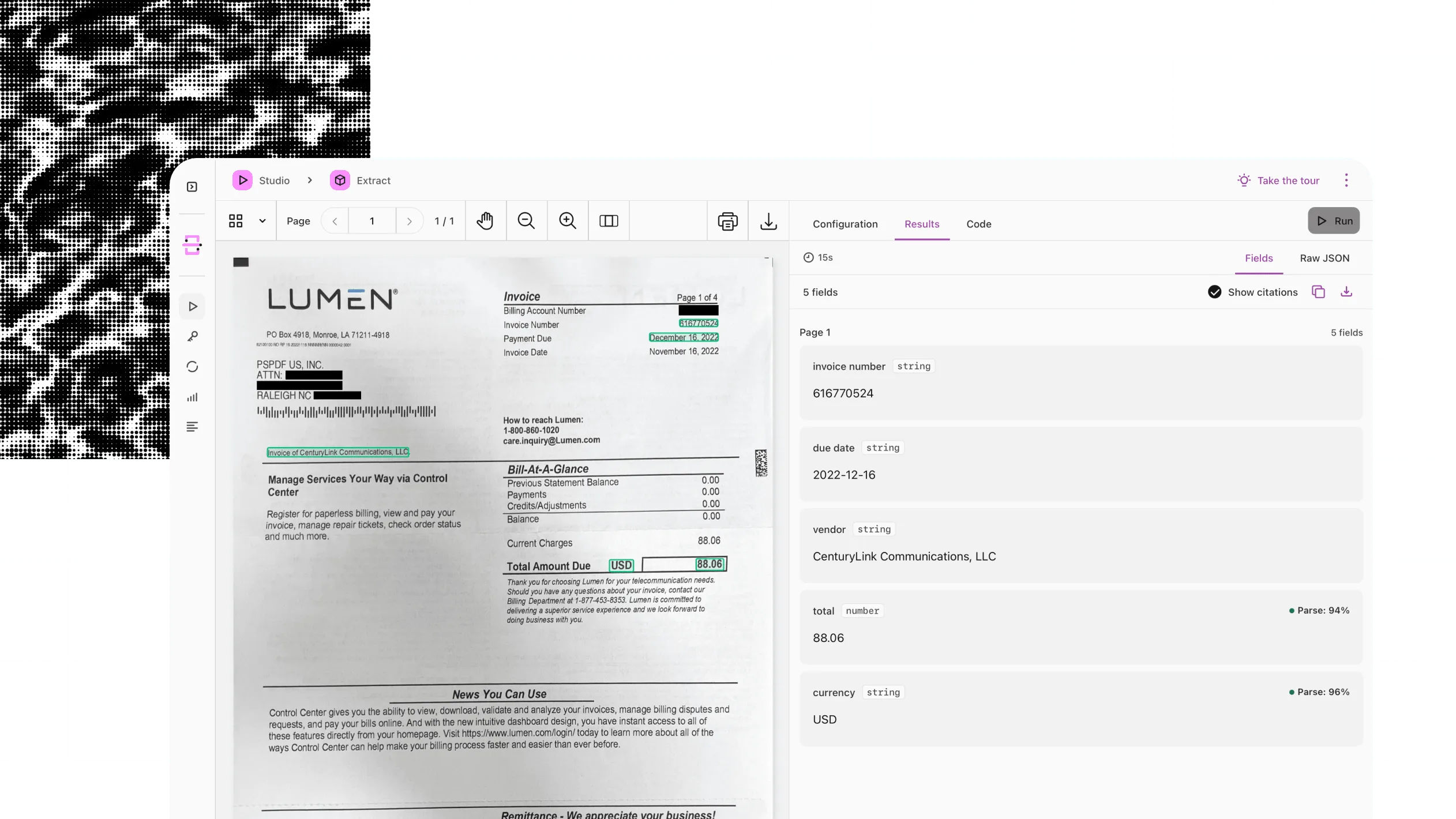
Receive positioned elements or Markdown, or your schema’s fields with a page location and confidence score for each value.
4
Send low-confidence and unmatched values to a person, and pass the rest to your systems.
At a glance
Nutrient data extraction turns documents into structured data that software and people can use. It takes PDFs, scans, and images and returns the document’s structure (such as text, tables, and reading order) or the specific fields you ask for. The output is structured data such as JSON, ready for automation, search, and AI.
Inputs
PDFs (digital and scanned), images, and Office files. Accepted file types vary by route; on the hosted API, classification takes PDFs and images only.
Outputs
Elements in reading order or Markdown from parsing, JSON that matches your schema from extraction, ranked labels from classification, and document boundaries from splitting.
Processing
The text layer for digital files, OCR for scans, layout analysis for complex pages, and a vision language model for the hardest pages. On the hosted API, auto mode picks the method for each page.
Source and confidence
A page location, a match label, and a 0–1 confidence score for each extracted value on the hosted API and MCP. Optional in the Python, Java, and .NET SDKs.
Runs on
Nutrient’s cloud, your own servers, Microsoft 365, or a Mac.
Delivered through
Nutrient APIs, Nutrient SDKs (Python, Java, and .NET), Document Engine, Document Automation Server, Document Converter for Microsoft 365, Workflow, Nutrient MCP, and Extract Studio for macOS.
A value is only useful if you can act on it. Parse the document, check each field against its source, and send the doubtful ones to a person.
Processing loan applications
ExampleAct
Extract the fields underwriting needs, each tied to its source, and route what doesn’t check out.
Supplier activation
Extract supplier document information into structured fields with source references, and route open requirements to an owner.
See the offeringTax and audit workflows
Extract fields to a defined schema and keep each value connected to its source location.
See the offeringFinancial application completion
Compare extracted values with the application’s system of record before the packet moves on.
See the offeringWhy Nutrient
Extraction gets hard on the long tail: the faded scan, the table with merged cells, the value a model fills in with no source.
Every value shows its source
Each value comes with its place on the page and a confidence score, so people check only the doubtful ones. Available in the hosted API, MCP, and the Python, Java, and .NET SDKs. A confidence score is a signal, not a guarantee.
AI only where the page needs it
Nutrient reads the layout first and adds an AI vision model only on hard pages, so easy pages cost less. Available through hosted API modes and auto routing.
Proof on your documents, not ours
Test each change against your own answer keys before it goes live. Evaluation sets are available in Data Extraction Studio. Availability depends on your account.
Cloud or your own servers
Use the hosted API, or keep documents on your own servers with the server SDKs. Available in the SDKs for Python, Java, and .NET. Hosted data handling depends on your plan.
Data extraction turns documents into structured data that software and people can use. Nutrient data extraction parses PDFs, scans, images, and Office files into text, tables, and reading order, or extracts the fields you define as JSON. It’s available as a hosted API; in Python, Java, and .NET SDKs; in Microsoft 365 and Workflow; and through MCP.
Check it against its source. On the hosted API, each field comes back with its page location, a match label, and a 0–1 confidence score. Send fuzzy matches, unmatched values, and low scores to a person. The Python, Java, and .NET SDKs can return the same details. A score is a signal, not a guarantee.
Yes. On the hosted API, OCR reads scans in more than 100 languages, and the AI modes read handwriting: printed-style in understand mode, cursive in agentic mode. Check handwritten values with care, because a model can misread an unclear word and still be confident.
Data extraction is one step of intelligent document processing (IDP). IDP is the whole flow: Sort incoming documents, read them, extract the data, check it, and pass it to other systems. Nutrient data extraction covers sorting, reading, and extracting and returns a source and a confidence score with extracted values for the checking step.
Start in Data Extraction Studio in the browser: Upload a document, pick a mode, and compare the output with the page. For a real test, build an evaluation set — a group of your documents with the correct answers — and score each change against it. Availability depends on your account.
It depends on the route and the plan. The SDKs and self-hosted products keep documents on your own servers, unless you connect a hosted AI provider. The hosted API runs in Frankfurt on AWS, and some AI inference may run in the US. On paid plans, Nutrient doesn’t keep documents for product improvement by default; the free plan does.
Make scanned pages searchable when you need the text, not specific fields.
Show the place on the page behind each extracted value, so a reviewer can check it.
Use extracted values to prefill the forms that come next.