




How to build a real-time collaborative React PDF editor
Build a collaborative React PDF editor with Nutrient Web SDK, Document Engine, Instant sync, secure JWT authentication, and user permissions.

Add live editing, commenting, and markup directly into your app. Nutrient gives developers real-time syncing, threaded conversations, and access control — everything needed to build modern collaborative workflows.
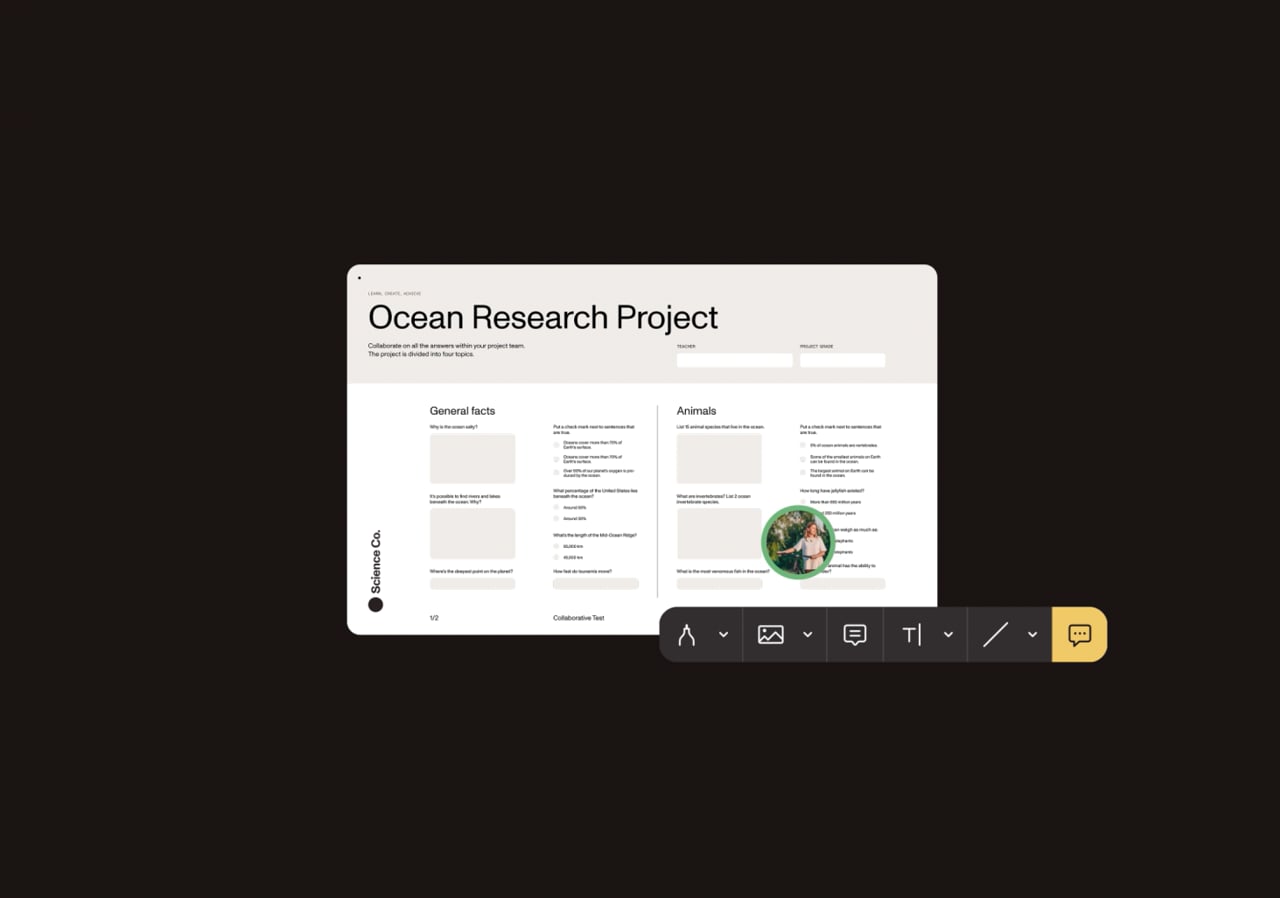
Bring live collaboration to your UI with real-time updates across all users and devices.
Add in-document comments and replies to streamline team communication.
Use flexible permissions to define access — from read-only viewers to full editors.
Push updates as they happen, so teams never work from outdated documents.
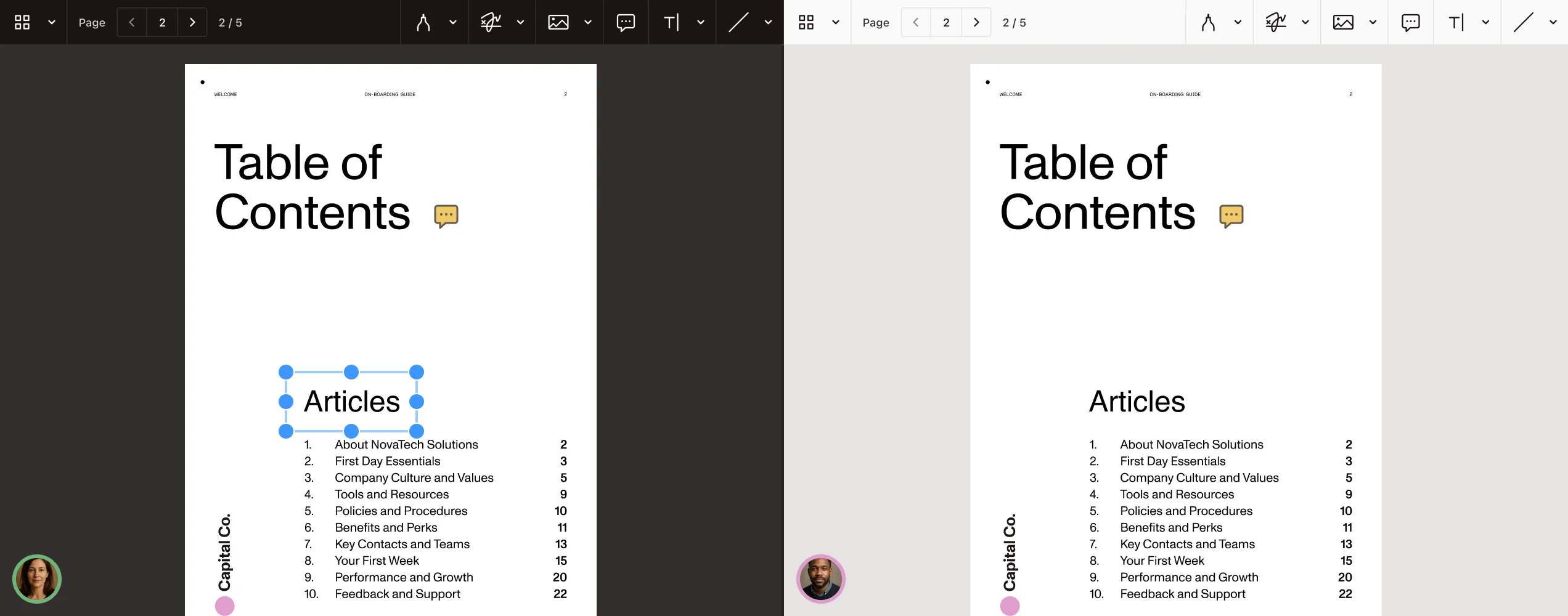
Instant collaboration
With WebSocket-powered sync, offline support, and role-based access control, Nutrient makes it simple to implement real-time collaboration into any document workflow.
Multiple users can edit documents simultaneously with synced changes.
Keep document state consistent with built-in logic that prevents overwrites.
WebSocket-based delivery for fast and responsive editing.
Assign viewer, commenter, or editor roles with JWT- or JSON-based rules.
ANNOTATIONS
Let users leave feedback directly on documents with 15+ annotation types — including highlights, text boxes, stamps, and shapes. All annotations are fully programmatic and designed for seamless multiuser editing.
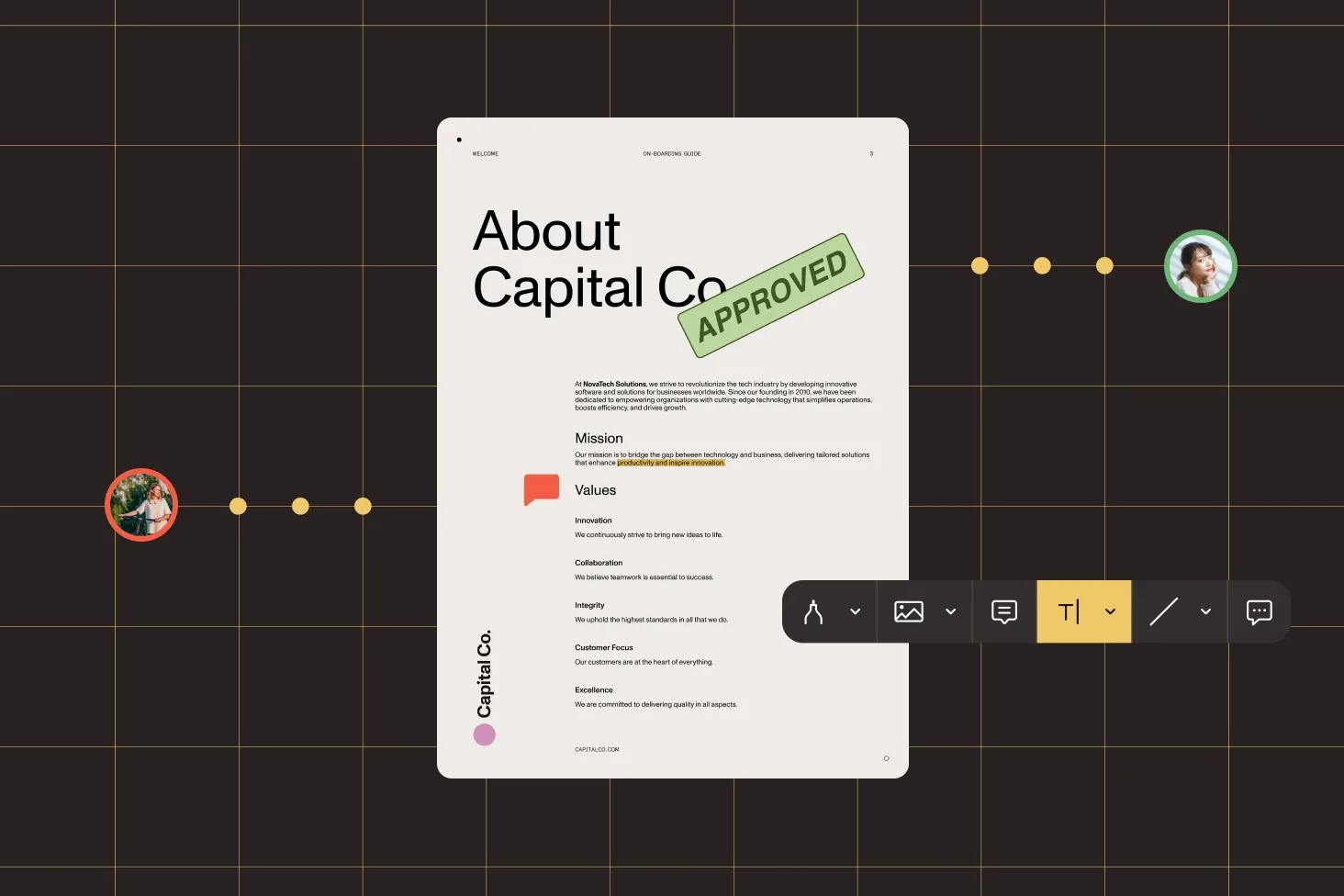
Enable drawing, stamping, highlighting, and more — across PDF, Office, and image files.
Control who can view, add, or edit annotations using permission flags.
Sync annotation changes instantly across devices.
Use built-in annotation components or style your own layer.
COMMENTS AND REPLIES
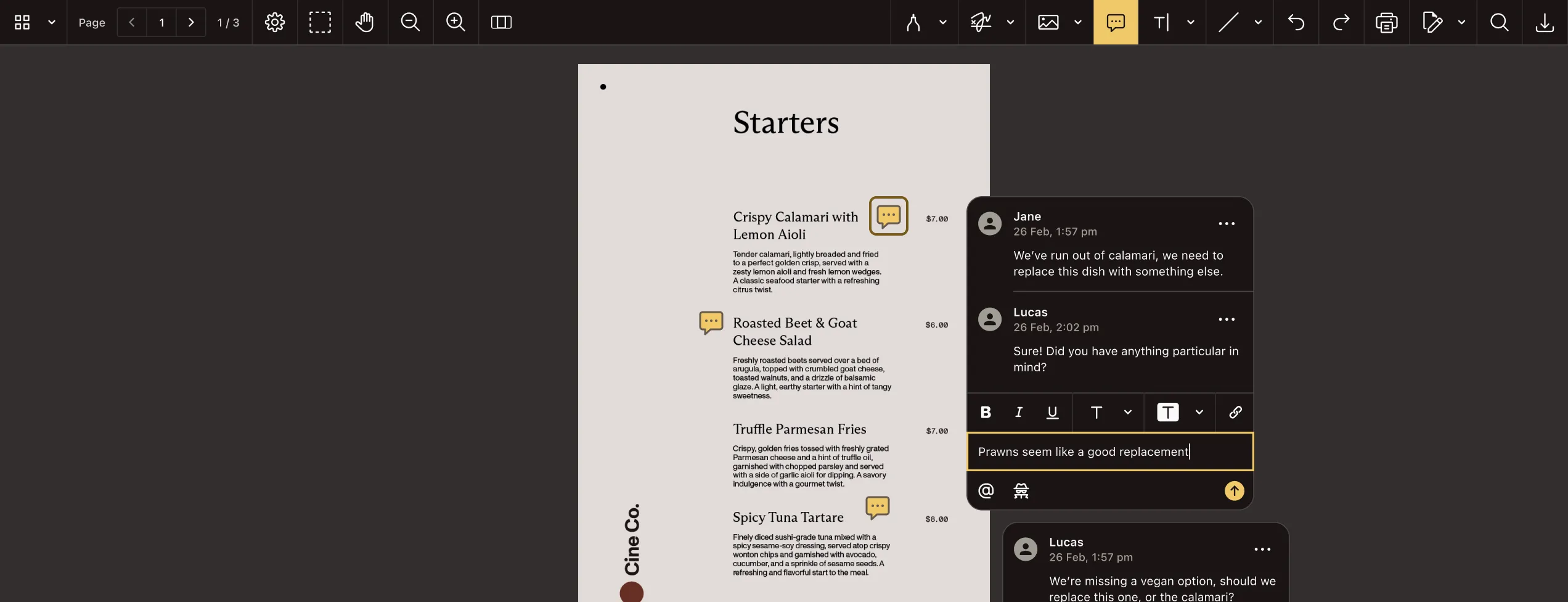
Enable structured, contextual discussions directly in your documents — with real-time updates, threading, and resolution tracking.
Pin feedback to any region or annotation.
Comments update live across all devices.
Track progress and manage feedback clearly.
Use built-in components or render your own.
MEASUREMENT TOOLS
Empower users to measure and validate distances, areas, and angles directly in documents — ideal for technical drawings, CAD files, and architectural plans.

Measure dimensions in PDF, Office, and image documents with pixel-level accuracy.
Set real-world units (like inches or meters) to match scale drawings.
Share measurements, comments, and markup for streamlined approvals.
Combine measurements with highlights, callouts, and shapes to provide context.
Nutrient’s Document Web Services (DWS) platform offers cloud-native APIs that support every stage of the document lifecycle — from rendering a single PDF in the browser, to high-volume processing and automation.
Handle advanced, headless document workflows from the cloud — generate, convert, extract, add watermarks, and more with a processing API built for scale.
Deliver rich, interactive document experiences directly in the browser — render PDFs, annotate, fill forms, and collect signatures with a cloud-hosted viewer API.
Nutrient Web SDK includes built-in WebSocket support for live document editing, commenting, and annotation. With just a few lines of code, you can synchronize updates across users and devices — no third-party services required.
Yes. Nutrient supports role-based permissions using JWT or JSON rules. You can define viewer, commenter, or editor roles and update access dynamically during a session.
Yes. Nutrient’s collaboration tools queue changes locally and sync them automatically when a user reconnects, ensuring a smooth experience, even with unstable network conditions.
All standard PDF markup types are supported — including highlights, shapes, drawings, stamps, and text boxes. Each annotation is shareable and editable in real time by other users, depending on their permissions.
Yes. Nutrient supports contextual, in-document comments that can be pinned to text, annotations, or page regions. Comments are threaded and synced in real time, and they can be resolved or reopened as needed.
Yes. Nutrient’s collaboration features are built on top of Web Viewer SDK, which is embeddable and customizable to match your application’s UI and branding.
For live syncing features like real-time editing or comments, you’ll need a WebSocket-enabled backend. Nutrient provides detailed guides and examples to help you set this up quickly with your existing infrastructure.
Build a collaborative React PDF editor with Nutrient Web SDK, Document Engine, Instant sync, secure JWT authentication, and user permissions.
Explore strategies to save and sync annotations using external files for better efficiency.

We talk about how the layers feature of Instant can be used for construction site visits.

PROVEN AT SCALE
Replaced paper and email with Nutrient Workflow to automate multilevel approvals across six Latin American offices, processing 236 asset requests.
Renders multipage PDFs and signature tags with Nutrient, keeping 200 million users in 188 countries moving at the speed of eSignature.
Empowers 34,000 pilots to view, annotate, and sign 90‑page flight releases on iPad using Nutrient iOS SDK, saving minutes — and money — on every flight.
FOR DEVELOPERS
Integrating document collaboration capabilities into your applications can significantly enhance team productivity and streamline workflows. This section will explore the essentials of document collaboration software to guide you through this integration.
Document collaboration software enables multiple users to work on the same document simultaneously, facilitating real-time editing, commenting, and version control. This technology is essential for teams aiming to improve communication, reduce redundancies, and maintain a single source of truth for documents.
Real-time PDF collaboration lets multiple users view, annotate, comment on, and edit the same document at the same time, with every change synced live across devices. As an SDK capability, Nutrient delivers it through WebSocket-powered syncing, threaded comments and replies, 15+ annotation types, and role-based access control for viewer, commenter, and editor roles — plus offline support and automatic conflict resolution that keep document state consistent.
When selecting the appropriate document collaboration software, consider the following factors:
Various document collaboration tools are available, each offering distinct features:
Choosing Nutrient’s document collaboration solution offers several advantages:
While other collaboration tools may offer basic functionalities, Nutrient’s document collaboration solution stands out with its advanced features, high performance, and focus on user experience. Its design prioritizes ease of use and seamless integration, making it a robust choice for applications aiming to enhance document interaction and team collaboration.
Integrating document collaboration software into your application is a strategic move to boost functionality and user satisfaction. By carefully evaluating your needs and exploring available options, you can select a solution that not only meets your current requirements but also supports your application’s future growth and evolution.