Document Authoring library
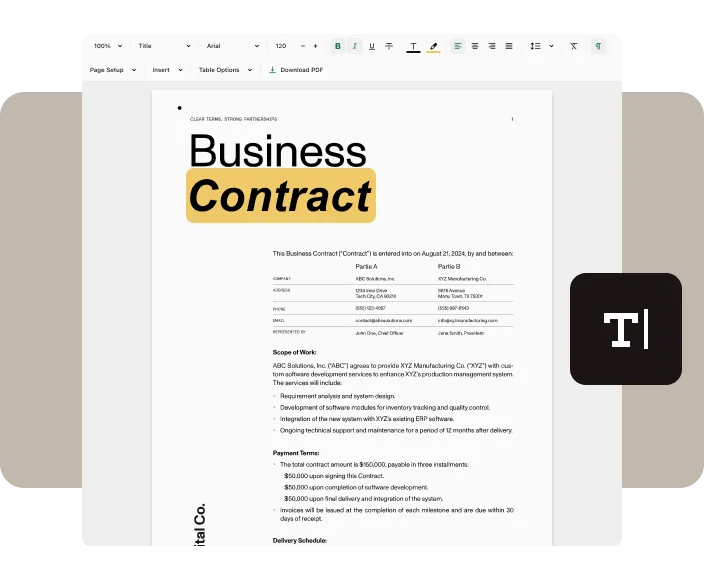
The WYSIWYG Document Authoring library seamlessly integrates authoring into your web application, eliminating the need for external word processing software. It offers a type-safe, in-browser visual editor for fast, page-based editing. The high-fidelity renderer ensures exported documents look exactly the same as when editing, delivering a true WYSIWYG experience.
Latest release: Discover what’s new! Check out our changelog for the latest release updates
Read more →Build AI-powered document editing experiences: Create agentic assistants and structured workflows on top of the live editor.
Read more →How Document Authoring works
Document Authoring is a word processor that runs in the browser. The editing engine ships in the same package as the UI, so documents open, render, and export on the client. You don’t need to call a server, and documents don’t leave the page unless your application sends them somewhere.
The system, editor, and document
Most integrations use three core objects:
- The system —
DocAuthSystemholds the editing engine and fonts. Create one system and keep it for the life of the page. - The editor —
DocAuthEditoris the visual editor attached to a DOM element. Users type into the editor. - The document —
DocAuthDocumentis the content an editor displays. Loading, saving, exporting, and programmatic edits happen on the document, not the editor.
Create the system once. Then use it to create documents and editors:
import DocAuth from '@nutrient-sdk/document-authoring';
const system = await DocAuth.createDocAuthSystem();
const editor = await system.createEditor(document.getElementById('editor'), {  document: await system.createDocumentFromPlaintext('Hello, world!'),});
DocJSON
Document Authoring stores every document internally as DocJSON. DOCX, PDF, RTF, ODT, and Markdown are imported into DocJSON or exported from it.
DocJSON roundtrips without loss and uses plain JSON, so use it to persist, diff, or generate documents without showing the editor. For more information, refer to the DocJSON guide.
Editing in transactions
To change a document from code, run a transaction against a draft and commit it atomically:
await doc.transaction(async ({ draft }) => { const paragraph = draft.body().content().addParagraph(); paragraph.asTextView().setText('Added programmatically.'); return true;});The programmatic API covers text, tables, images, comments, and page setup. For more information, refer to the programmatic editing guide.
Editor modes
An editor is always in edit, review, or view mode. Review mode records edits as tracked changes. View mode is read-only. For more information, refer to the tracked changes and editor modes guide.
Run on the client
The engine runs on the client, so you can self-host its assets and run the editor offline. For more information, refer to the self-hosting assets guide.
File type support
Document Authoring enables you to load and save the most popular document formats.
Importing and exporting DOCX files requires the DOCX Support feature to be enabled in your license.
- DOCX
- DocJSON
Browser support
Document Authoring supports the latest versions of all commonly used browsers: Chrome, Mozilla Firefox, Safari, and Edge. You can see the full list on our browser support page.
Chrome
Firefox
Safari
Edge
Start your free trial for unlimited access and expert support.