Approval routing
Decide which redactions apply automatically and which wait for signoff.
PDF REDACTION
A black box over text doesn’t remove it. Find sensitive content, review the marks, and permanently remove it before the document moves forward.
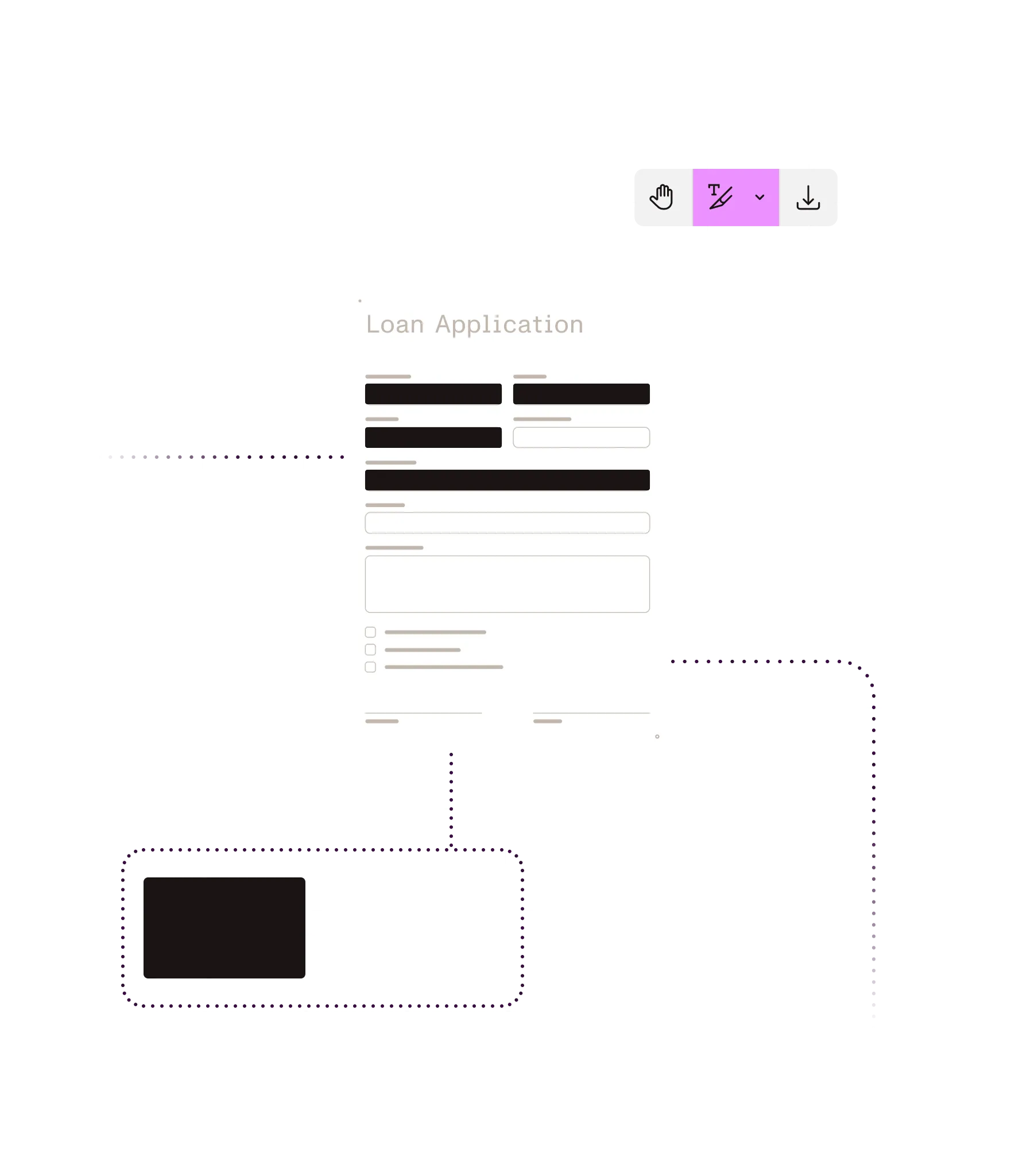
What you can do
Find what needs to go
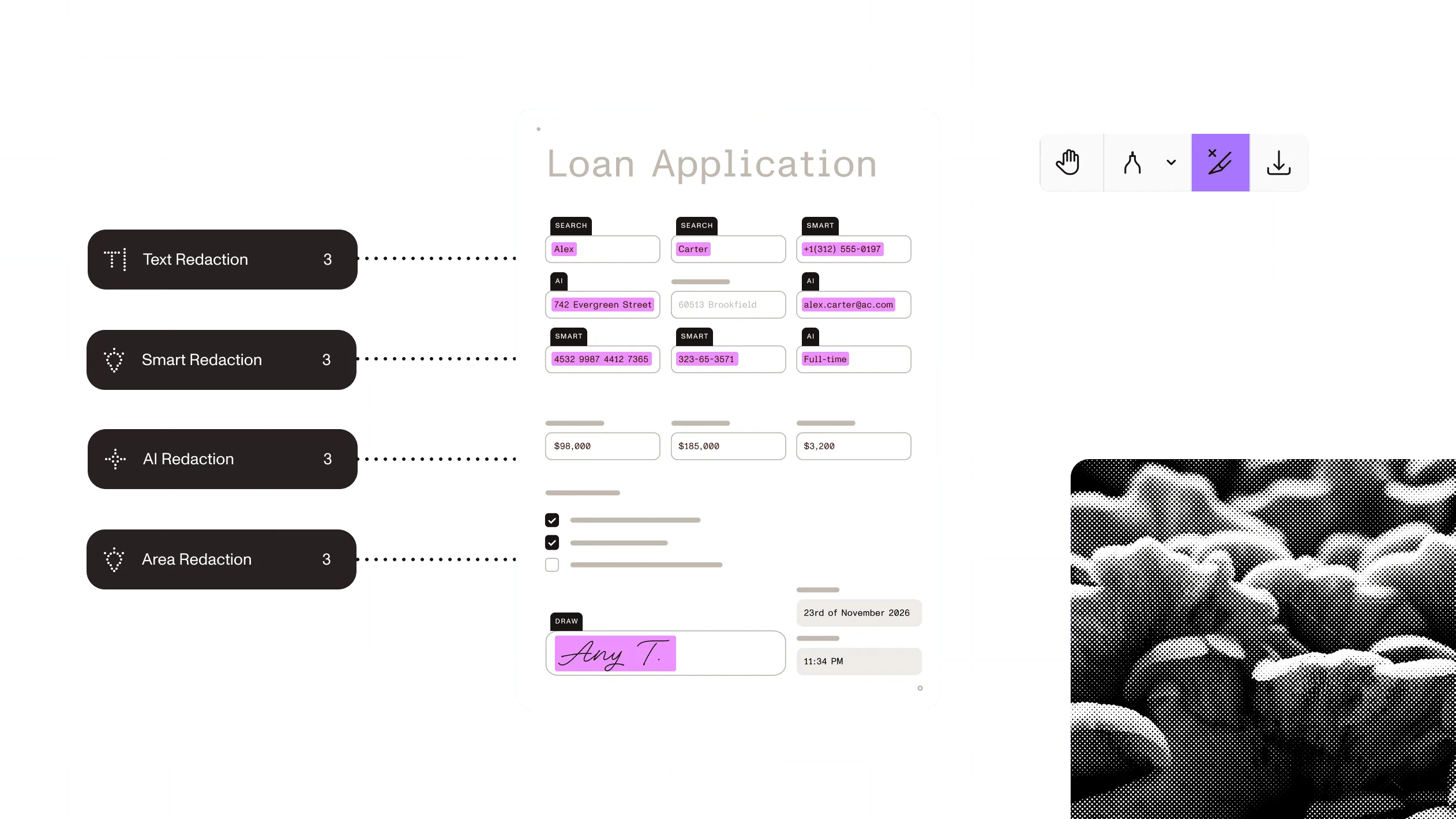
Search exact text, use regex and preset patterns, or let AI find sensitive content by context.
Review before you remove
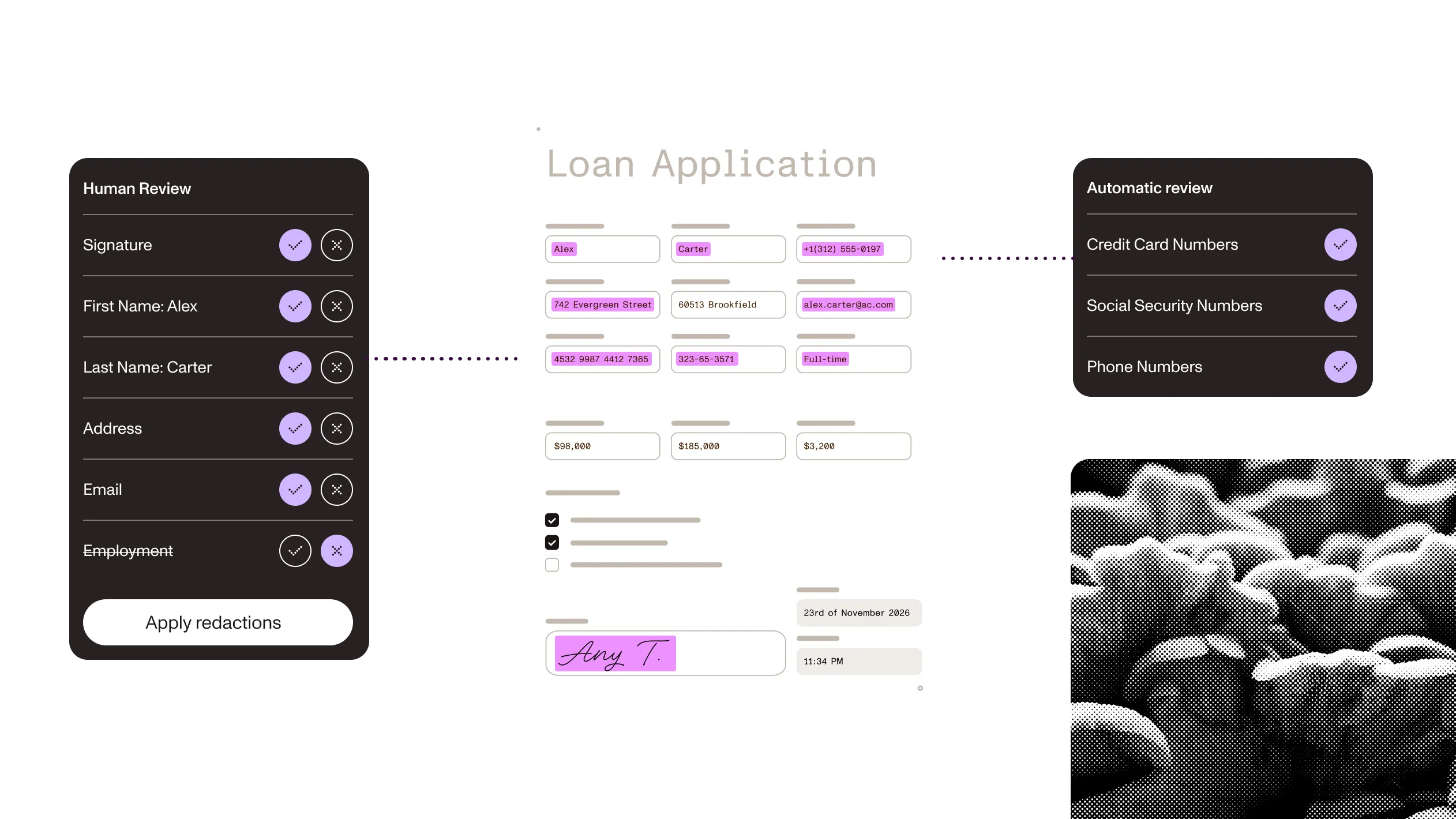
Stage redactions so people can check what will disappear before anything is permanent.
Remove the underlying content
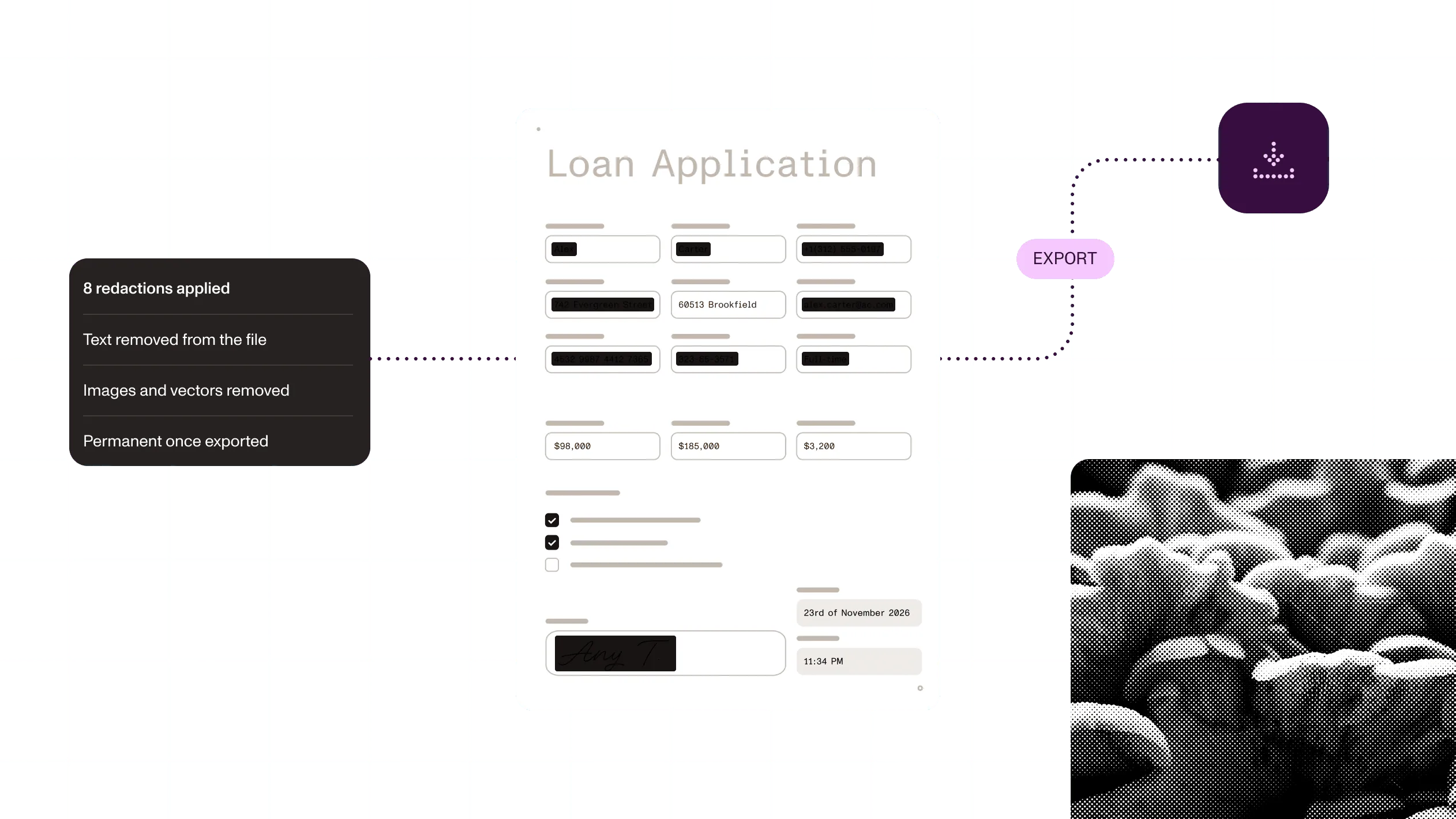
Apply redactions to delete the selected text, images, and vector content from the PDF.
Automate repeated redaction
Run redaction in code across documents: in your app, on your servers, in the cloud, or from an agent.
Ways to build
In your app
Nutrient SDKs add visual and programmatic redaction to web, mobile, and server apps, from marking and preview to permanent removal.
On a server: Self-hosted or Nutrient-hosted
Document Engine runs redaction server-side on your own infrastructure, including air-gapped setups, or Nutrient hosts it for you.
Through a hosted API
Nutrient APIs redact by text, regex, and patterns in a single call, with AI redaction for content that has to be found by context.
From an AI agent
Nutrient MCP gives AI agents a tool to redact PDFs through Nutrient’s hosted MCP server.
How it works
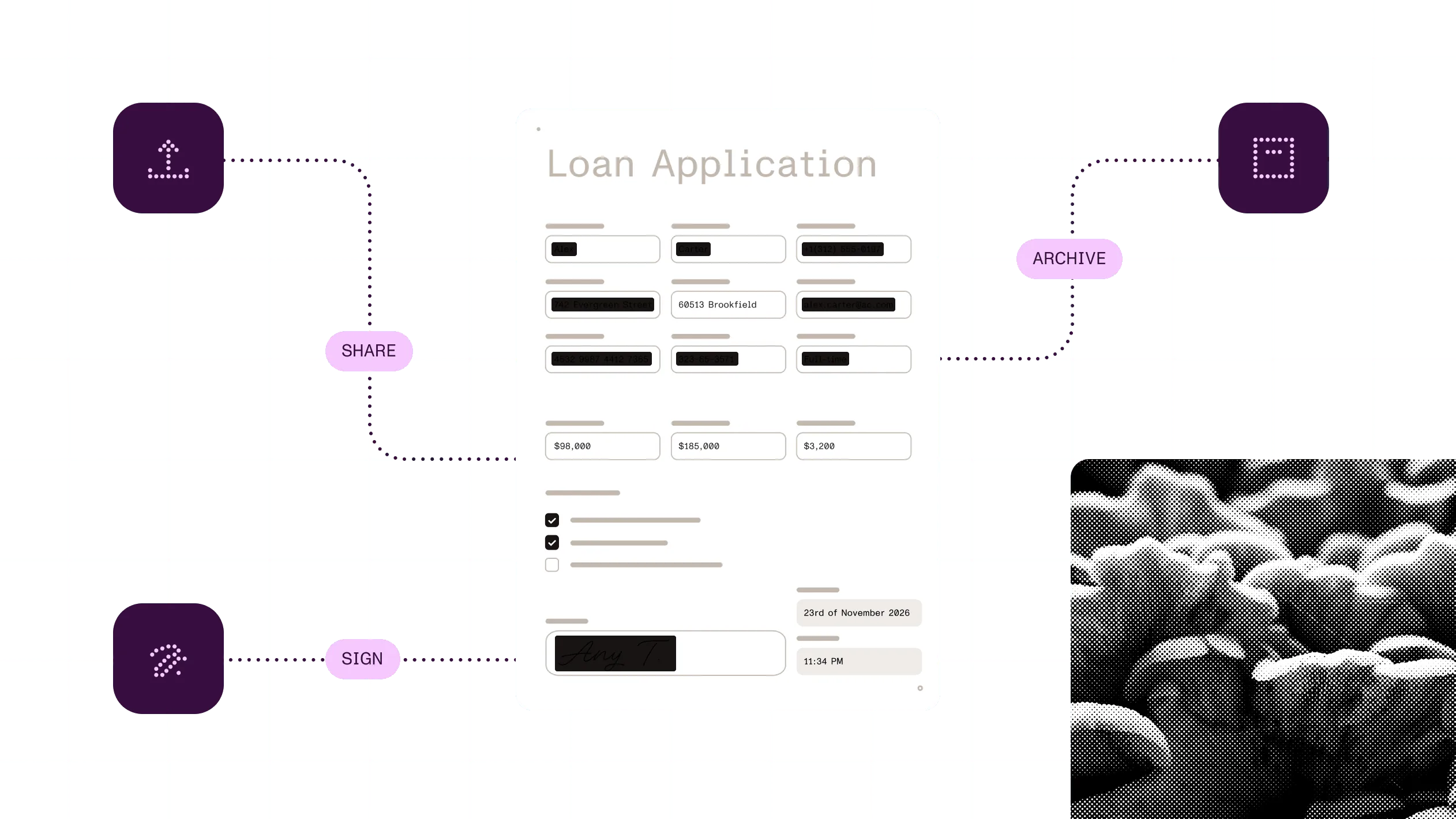
1
Draw a region by hand, or find content with text search, patterns, or AI.
2
Let a person check the staged marks, or continue automatically when your rules allow it.
3
Permanently remove the marked content before you export the final PDF.
4
Remove metadata separately if needed. Then move on to sharing, archiving, or signing.
At a glance
Nutrient redaction permanently removes sensitive content from PDFs, including scanned pages. The content is gone from the file, not just covered up, so the document can be shared without exposing personal or confidential data. It runs in your app, on your own servers, through hosted APIs, or from an AI agent.
Inputs
PDFs, including scanned PDFs after OCR. Image and Office files after conversion to PDF.
Outputs
A PDF with redactions permanently applied, or staged redactions ready for review.
Finds content by
Exact text, regular expressions, preset patterns, drawn regions, or AI.
Runs on
Browser, mobile, your own servers, or Nutrient-hosted services.
Delivered through
Nutrient SDKs (in your app), Document Engine (on a server, self-hosted or Nutrient-hosted), Nutrient APIs (hosted), and Nutrient MCP (AI agents).
Sensitive content doesn’t disappear in one step. Find what needs to go, decide how it’s handled, and bring in a person when judgment matters.
Releasing records with personal data removed
ExampleNext: Archive the redacted file
Why Nutrient
The classic redaction failure is a black box drawn over text. The words underneath can still be copied, searched, and extracted.
Content is removed, not covered
Applying a redaction deletes the text, images, and vector content in the marked area. Remove document metadata and other hidden content as a separate step.
Patterns for known formats. AI for context.
Use text and regex for predictable values. Use contextual detection for names, medical information, and other sensitive content without a fixed pattern.
A person checks before anything is destroyed
Marks stay editable until you apply them, so mistakes can still be fixed.
Redact where the document lives
Run it client-side, self-hosted with Document Engine (including air-gapped setups), or through the cloud API. Your most sensitive files never have to leave your environment. Cloud data handling depends on your plan.
PDF redaction permanently removes selected content so it’s no longer in the file. With Nutrient, applied redactions delete the text, images, and vector content in the marked areas instead of hiding them behind a box.
No. A box covers content, but the text underneath can still be copied, searched, or extracted. Applied redaction removes the content itself.
Yes. Content is marked first and removed only when you apply the redactions, so people can check every mark in the document. When review isn’t needed, your code can apply them automatically.
Yes. In the SDKs, run OCR first so text search and patterns can find the text in scans. On some SDKs, OCR is a separate component. AI redaction through the hosted API processes text and scanned pages in one pass.
No. Redaction removes page content in the marked areas. Remove metadata and other hidden content as a separate step before you share the file.
No. Redaction can run client-side in the Web and mobile SDKs, or on your own servers with Document Engine, including air-gapped setups. With hosted APIs, data handling depends on your plan. On plans without data retention, files are deleted within 24 hours.
Recognize text in scanned documents before you search for sensitive content.
Decide which redactions apply automatically and which wait for signoff.
Give people the source document and staged redactions when review is required.