0.5 Credits
PDF form creator API
Build PDF forms in your application or custom workflow with our PDF form creator API.
Generate forms from JSON
Create interactive, fillable PDF forms using structured JSON, with no manual design tools or editors needed.
Automate with Zapier
Automatically create PDF forms from structured JSON in Google Drive using our Zapier integration. A no-code way to generate forms on demand.
Fully customizable fields
Add text inputs, checkboxes, radio buttons, dropdowns, and more. Precisely positioned and styled for your workflow.
Lufthansa
Disney
Autodesk
UBS
Dropbox
IBM
Lufthansa
Disney
Autodesk
UBS
Dropbox
IBM
Try it out
This example will import Instant JSON to fill forms in a PDF.
Try it out in three steps
- Add
forms.pdfandform-filling.jsonto your project folder. - Run the code from the same folder.
- Open
result.pdfto see the output.
curl -X POST https://api.nutrient.io/build \ -H "Authorization: Bearer your_api_key_here" \ -o result.pdf \ --fail \ -F document=@document.pdf \ -F form_fields.json=@form_fields.json \ -F instructions='{ "parts": [ { "file": "document" } ], "actions": [ { "type": "applyInstantJson", "file": "form_fields.json" } ] }'curl -X POST https://api.nutrient.io/build ^ -H "Authorization: Bearer your_api_key_here" ^ -o result.pdf ^ --fail ^ -F document=@document.pdf ^ -F form_fields.json=@form_fields.json ^ -F instructions="{\"parts\": [{\"file\": \"document\"}], \"actions\": [{\"type\": \"applyInstantJson\", \"file\": \"form_fields.json\"}]}"package com.example.pspdfkit;
import java.io.File;import java.io.IOException;import java.nio.file.FileSystems;import java.nio.file.Files;import java.nio.file.StandardCopyOption;
import org.json.JSONArray;import org.json.JSONObject;
import okhttp3.MediaType;import okhttp3.MultipartBody;import okhttp3.OkHttpClient;import okhttp3.Request;import okhttp3.RequestBody;import okhttp3.Response;
public final class PspdfkitApiExample { public static void main(final String[] args) throws IOException { final RequestBody body = new MultipartBody.Builder() .setType(MultipartBody.FORM) .addFormDataPart( "document", "form_fields.pdf", RequestBody.create( MediaType.parse("application/pdf"), new File("form_fields.pdf") ) ) .addFormDataPart( "form_fields.json", "form_fields.json", RequestBody.create( MediaType.parse("application/octet-stream"), new File("form_fields.json") ) ) .addFormDataPart( "instructions", new JSONObject() .put("parts", new JSONArray() .put(new JSONObject() .put("file", "document") ) ) .put("actions", new JSONArray() .put(new JSONObject() .put("type", "applyInstantJson") .put("file", "form_fields.json") ) ).toString() ) .build();
final Request request = new Request.Builder() .url("https://api.nutrient.io/build") .method("POST", body) .addHeader("Authorization", "Bearer your_api_key_here") .build();
final OkHttpClient client = new OkHttpClient() .newBuilder() .build();
final Response response = client.newCall(request).execute();
if (response.isSuccessful()) { Files.copy( response.body().byteStream(), FileSystems.getDefault().getPath("result.pdf"), StandardCopyOption.REPLACE_EXISTING ); } else { // Handle the error throw new IOException(response.body().string()); } }}using System;using System.IO;using System.Net;using RestSharp;
namespace PspdfkitApiDemo{ class Program { static void Main(string[] args) { var client = new RestClient("https://api.nutrient.io/build");
var request = new RestRequest(Method.POST) .AddHeader("Authorization", "Bearer your_api_key_here") .AddFile("document", "document.pdf") .AddFile("form_fields.json", "form_fields.json") .AddParameter("instructions", new JsonObject { ["parts"] = new JsonArray { new JsonObject { ["file"] = "document" } }, ["actions"] = new JsonArray { new JsonObject { ["type"] = "applyInstantJson", ["file"] = "form_fields.json" } } }.ToString());
request.AdvancedResponseWriter = (responseStream, response) => { if (response.StatusCode == HttpStatusCode.OK) { using (responseStream) { using var outputFileWriter = File.OpenWrite("result.pdf"); responseStream.CopyTo(outputFileWriter); } } else { var responseStreamReader = new StreamReader(responseStream); Console.Write(responseStreamReader.ReadToEnd()); } };
client.Execute(request); } }}// This code requires Node.js. Do not run this code directly in a web browser.
const axios = require('axios')const FormData = require('form-data')const fs = require('fs')
const formData = new FormData()formData.append('instructions', JSON.stringify({ parts: [ { file: "document" } ], actions: [ { type: "applyInstantJson", file: "form_fields.json" } ]}))formData.append('document', fs.createReadStream('form_fields.pdf'))formData.append('form_fields.json', fs.createReadStream('form_fields.json'))
;(async () => { try { const response = await axios.post('https://api.nutrient.io/build', formData, { headers: formData.getHeaders({ 'Authorization': 'Bearer your_api_key_here' }), responseType: "stream" })
response.data.pipe(fs.createWriteStream("result.pdf")) } catch (e) { const errorString = await streamToString(e.response.data) console.log(errorString) }})()
function streamToString(stream) { const chunks = [] return new Promise((resolve, reject) => { stream.on("data", (chunk) => chunks.push(Buffer.from(chunk))) stream.on("error", (err) => reject(err)) stream.on("end", () => resolve(Buffer.concat(chunks).toString("utf8"))) })}import requestsimport json
response = requests.request( 'POST', 'https://api.nutrient.io/build', headers = { 'Authorization': 'Bearer your_api_key_here' }, files = { 'document': open('document.pdf', 'rb'), 'form_fields.json': open('form_fields.json', 'rb') }, data = { 'instructions': json.dumps({ 'parts': [ { 'file': 'document' } ], 'actions': [ { 'type': 'applyInstantJson', 'file': 'form_fields.json' } ] }) }, stream = True)
if response.ok: with open('result.pdf', 'wb') as fd: for chunk in response.iter_content(chunk_size=8096): fd.write(chunk)else: print(response.text) exit()<?php
$FileHandle = fopen('result.pdf', 'w+');
$curl = curl_init();
curl_setopt_array($curl, array( CURLOPT_URL => 'https://api.nutrient.io/build', CURLOPT_CUSTOMREQUEST => 'POST', CURLOPT_RETURNTRANSFER => true, CURLOPT_ENCODING => '', CURLOPT_POSTFIELDS => array( 'instructions' => '{ "parts": [ { "file": "document" } ], "actions": [ { "type": "applyInstantJson", "file": "form_fields.json" } ] }', 'document' => new CURLFILE('document.pdf'), 'form_fields.json' => new CURLFILE('form_fields.json') ), CURLOPT_HTTPHEADER => array( 'Authorization: Bearer your_api_key_here' ), CURLOPT_FILE => $FileHandle,));
$response = curl_exec($curl);
curl_close($curl);
fclose($FileHandle);POST https://api.nutrient.io/build HTTP/1.1Content-Type: multipart/form-data; boundary=--customboundaryAuthorization: Bearer your_api_key_here
--customboundaryContent-Disposition: form-data; name="instructions"Content-Type: application/json
{ "parts": [ { "file": "document" } ], "actions": [ { "type": "applyInstantJson", "file": "form_fields.json" } ]}--customboundaryContent-Disposition: form-data; name="document"; filename="form_fields.pdf"Content-Type: application/pdf
(document data)--customboundaryContent-Disposition: form-data; name="form_fields.json"; filename="form_fields.json"Content-Type: application/octet-stream
(form_fields.json data)--customboundary--Instant JSON
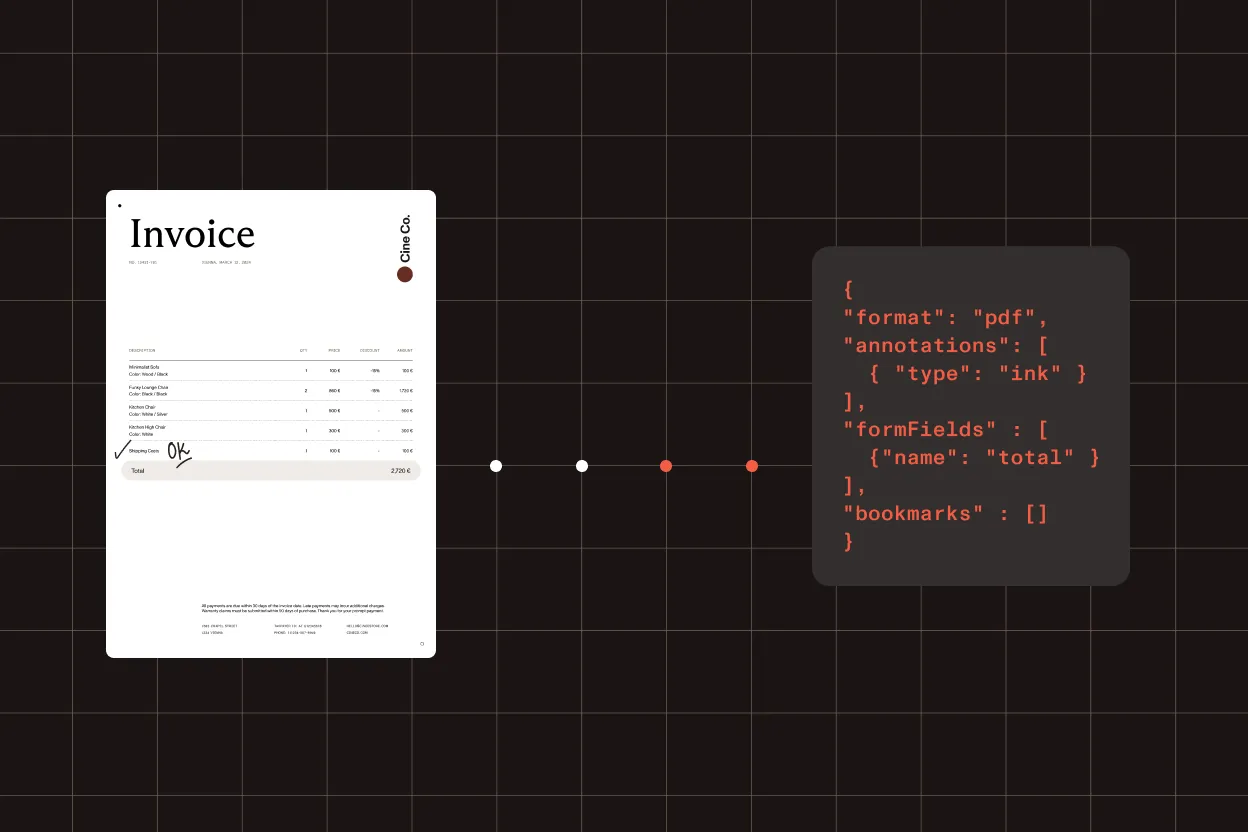
The Instant JSON format is the native annotation format of the Nutrient API, and it defines an extensive number of annotation types and properties for your documents. Use this format to programmatically generate annotations for your documents.
Most common next steps
Connect form-creation workflows to getting started, pricing, and broader form-generation automation
Use the following:
Get started:
Platform resources:
Security is our top priority
SOC 2 Type 2 audited
Nutrient’s infrastructure is SOC 2 Type 2 audited and GDPR compliant. See our privacy policy and security documentation for details on data handling.
HTTPS encryption
All communication between your application and Nutrient is done via HTTPS to ensure your data is encrypted when it’s sent to us.
Safe payment processing
All payments are handled by Paddle. Nutrient DWS Processor API never has direct access to any of your payment data.
Frequently asked questions
What is a PDF form creator API?
A PDF form creator API adds interactive form fields to a PDF with a single API call. With Nutrient’s DWS Processor API, you can generate fillable forms programmatically without building your own PDF tooling.
How do I add form fields to a PDF programmatically?
Send your PDF and the field definitions to the Nutrient DWS Processor API, and it returns a fillable PDF form. You can call it via REST, Postman, curl, JavaScript, Python, Java, C#, or PHP.
Which form field types are supported?
You can add common interactive field types — text fields, checkboxes, radio buttons, dropdowns, and signature fields — to build fillable forms for collection and eSignature workflows.
Which programming languages does the API support?
You can call the API from any language that can make HTTP requests. We provide quick start examples for JavaScript, Python, Java, C# (.NET), and PHP, plus REST and a Postman collection.
Is there a free PDF form creator API?
Yes. You can start for free — sign up to receive processing credits and try the PDF form creator API before choosing a Processor API plan.
Ready to try it?
Create an account to get your DWS Processor API key and start making API calls.