Streamline library management with easy edits
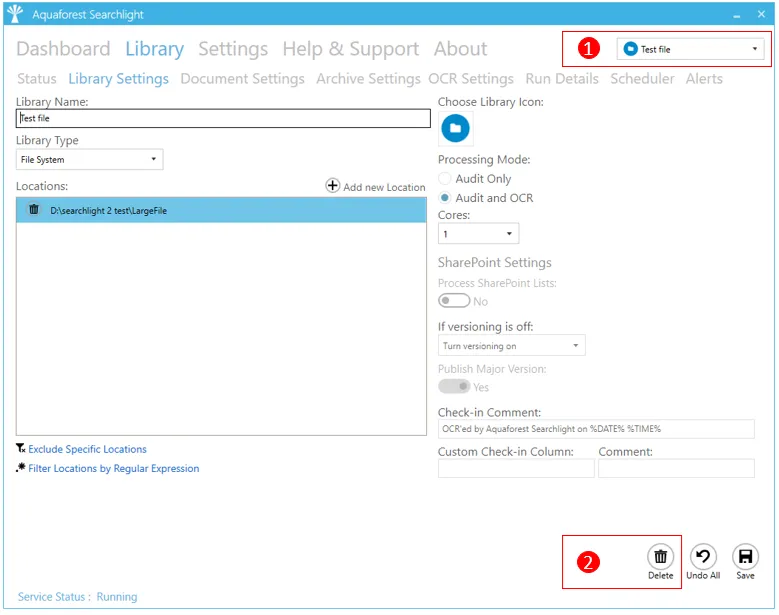
All the settings of a library can be edited by double-clicking the library from the dashboard, or by selecting the library and clicking on the Library Tab.
- You can also select a library to edit by choosing the library from the combo box at the top of the page.
- To delete the library, click on the Delete button at the bottom of the Library Settings page.
You can also, delete the library by right-clicking on the library from the dashboard and clicking on Delete Document Library
