How to efficiently delete jobs from your dashboard
Select the job from the Dashboard
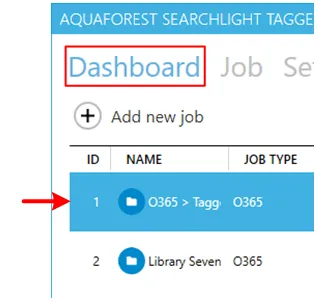
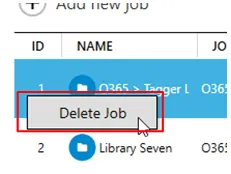
Right-click on it and select Delete Job.
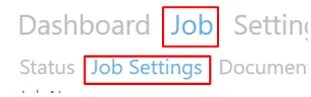
Alternatively, go to Job > Job Settings tab.
Click the Delete button at the bottom of the page.

Select the job from the Dashboard
Right-click on it and select Delete Job.
Alternatively, go to Job > Job Settings tab.
Click the Delete button at the bottom of the page.