Track document tagging jobs easily with our dashboard
The dashboard contains all jobs currently defined in Tagging.
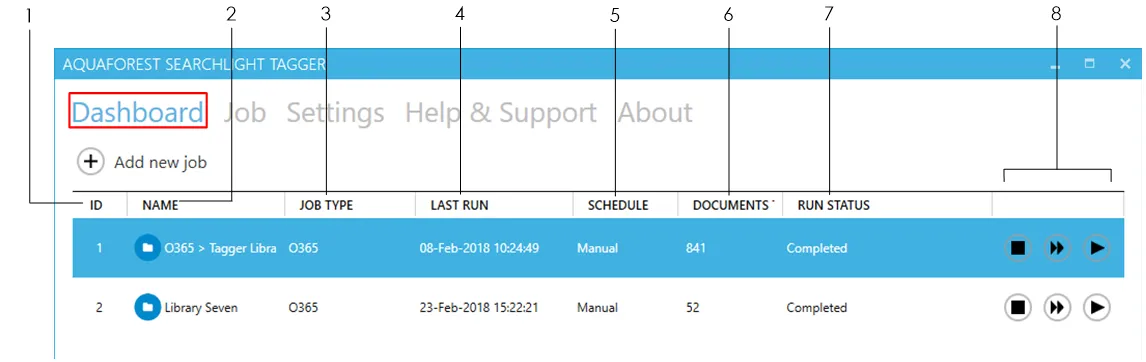
1 The ID of the job (auto generated)
2 The name of the job
3 The SharePoint library type:
- On-premises
- O365
4 The last time the job was run
5 The schedule type of the library:
- Manual
- Daily
- Weekly
- Monthly
- One time
6 The number of documents tagged so far
7 The current status of the job
- Not Yet Run
- Completed
- Processing
- Aborted
- Service Error
- License Error
- Database Error
- Document Limit Reached
8
- Abort job

- Dry run – Perform a test run of the job with the current settings without updating SharePoint
- Run the job