Architecture of DWS Viewer API integration
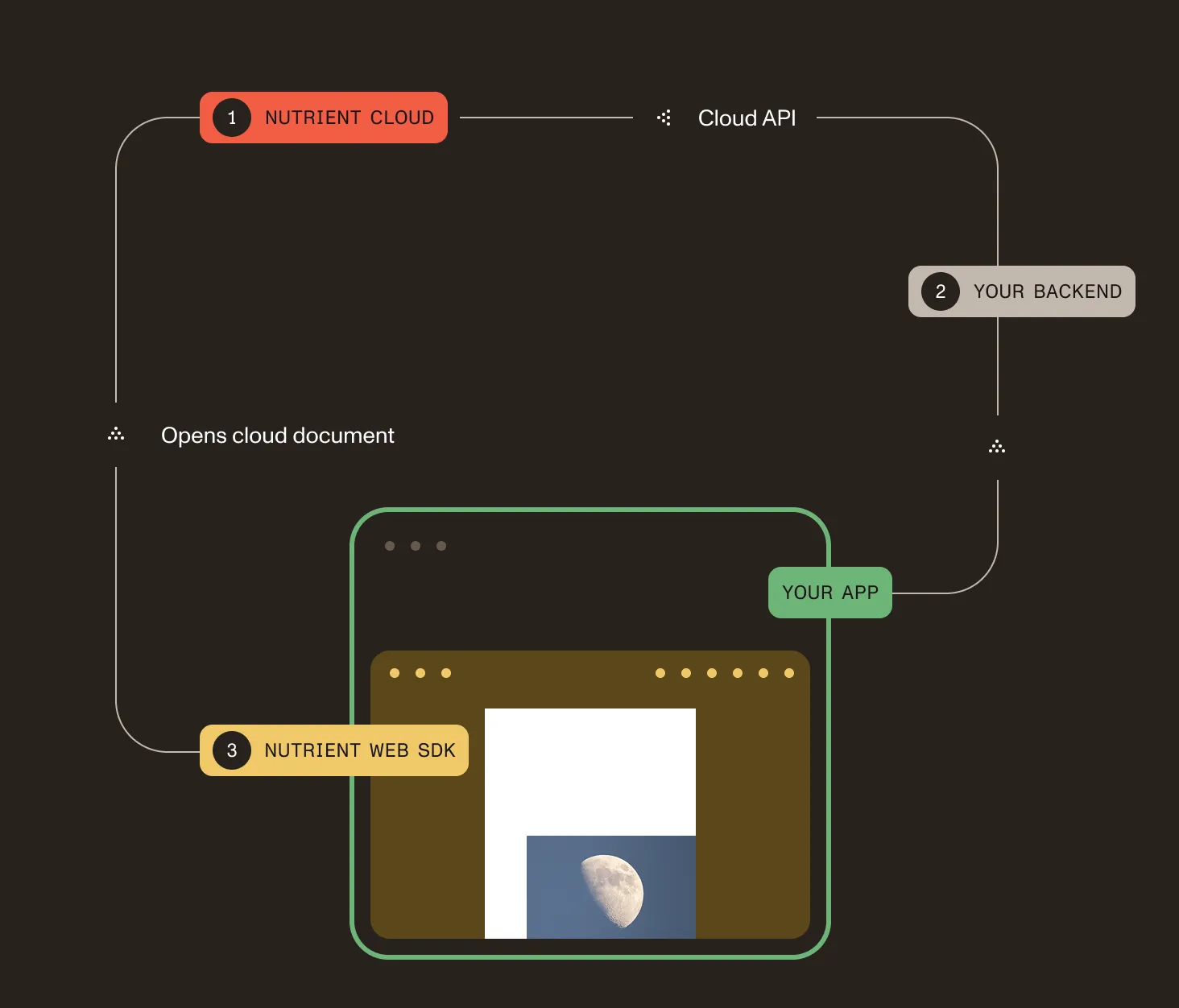
DWS Viewer API integration consists of three separate components that interact with each other.
- DWS Viewer API is provided as a fully managed service. You can use it without running Document Engine in your infrastructure. It’s responsible for viewer session authorization, usage tracking, and managed document workflows.
- A backend for your web app. This could be a regular server-side application or a serverless function. It interacts with DWS Viewer API via its API to create sessions and, when needed, upload DWS-managed documents.
- A frontend web app running in a browser on a user’s device. This uses Nutrient Web SDK to display DWS-managed documents or app-provided documents. Both document sources are authorized by a DWS Viewer API session.
Document sources
For DWS-managed documents, DWS Viewer API stores the document and Nutrient Web SDK loads it with a session token.
For app-provided documents, your frontend passes the document to Nutrient Web SDK and DWS Viewer API authorizes the viewer session. The document isn’t uploaded to DWS as a managed document in this flow.