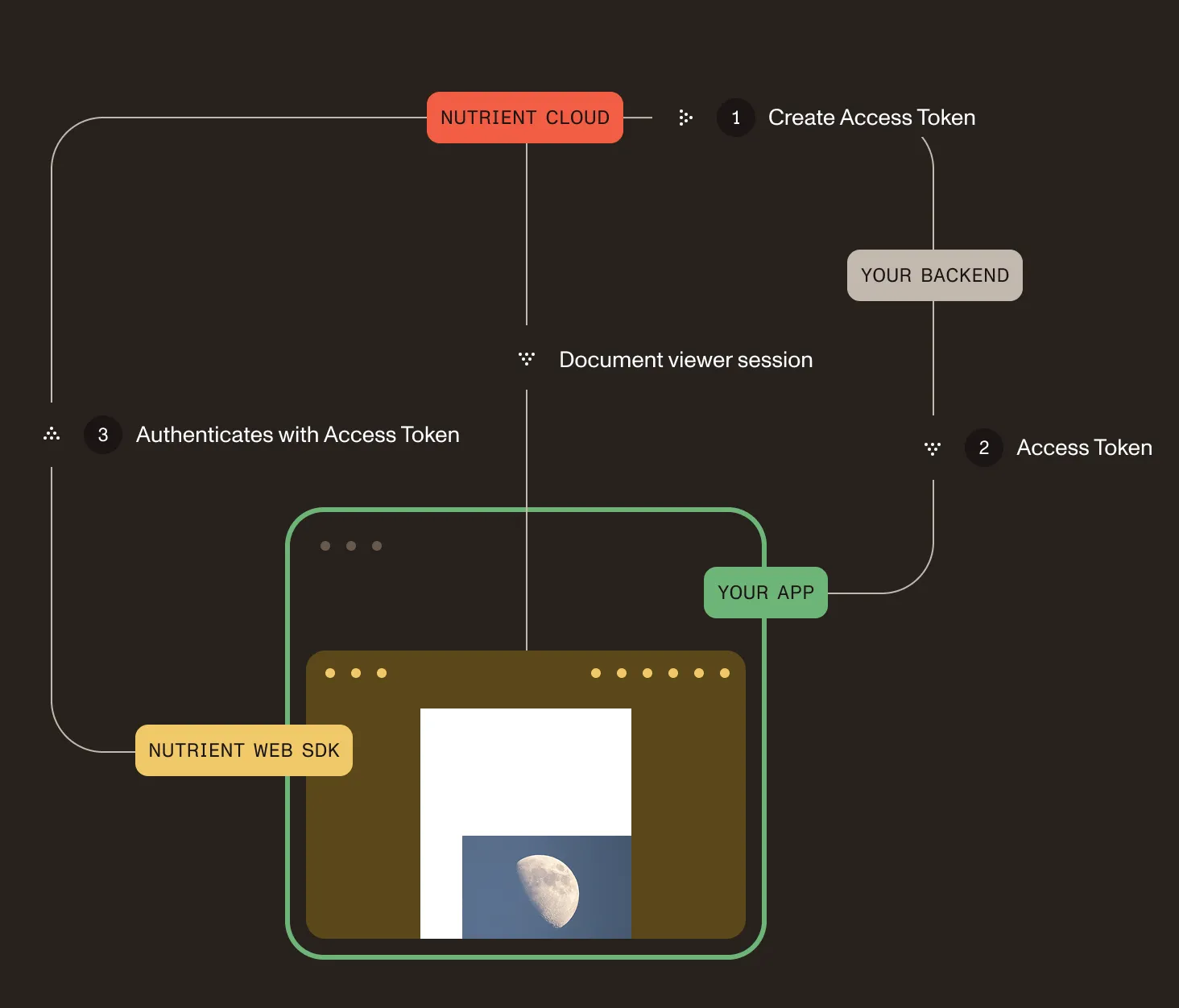
DWS Viewer API client authentication flow
DWS Viewer API uses JSON Web Tokens(opens in a new tab) (JWTs) for authenticating its Nutrient Web SDK clients.
For DWS-managed documents:
- Your backend creates a session token for a particular document via
POST /viewer/sessionsin DWS Viewer API’s backend API. - Next, it passes the session token to your client apps that use Nutrient Web SDK.
- Your app then passes the session token when loading Nutrient Web SDK. It uses it to prove it has access to the claimed DWS Viewer API document.
For app-provided documents, your backend creates a browser session by omitting allowed_documents. Your frontend then passes both the session token and the document to Nutrient Web SDK. Refer to open app-provided documents for the complete flow.