




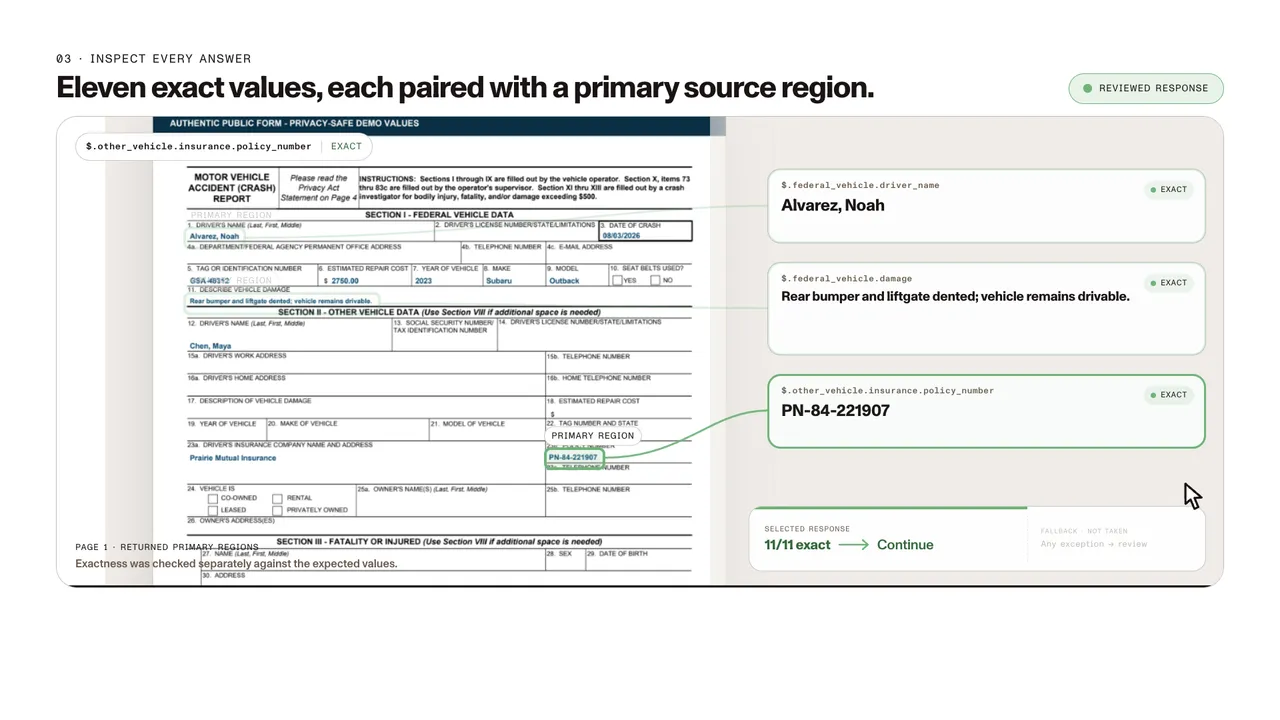
Insurance claim intake
A selected public government crash report populated with privacy-safe demo values.
- Exact
- 11/11 selected fields
- Source
- 11 returned primary source regions
- Review
- 0 issues retained
Turn claims, policies, applications, loss reports, and supporting documents into typed data with confidence signals and source context for validation.
Trusted by enterprises, governments, and teams building document workflows at scale
SOURCE-GROUNDED EXTRACTION
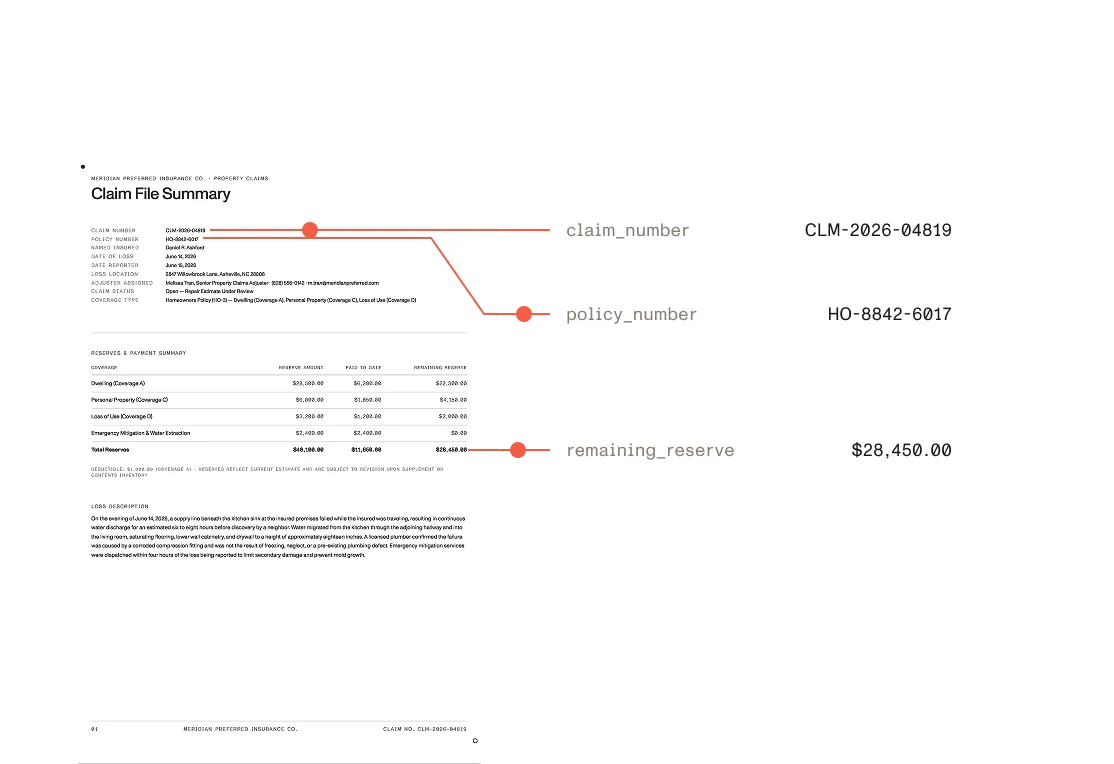
Extracted values are more useful when teams can verify where they came from. Nutrient connects important insurance data to the relevant text and location in the original document, making it easier to confirm results, investigate exceptions, and move approved information downstream.
Define claim, policy, coverage, party, date, amount, and line-item fields using JSON Schema.
Return confidence signals, source text, page references, and coordinates to support review and exception handling.
Send structured data into claims, underwriting, policy administration, search, review, or automation workflows without replacing the systems your team already uses.
INSURANCE WORKFLOWS
Extract policy and claim numbers, insured and claimant details, loss dates, locations, incident types, descriptions, and reported damages from first notice of loss (FNOL) forms.
Structure information from claims forms, estimates, invoices, appraisals, reports, correspondence, and other supporting pages.
Capture applicant details, insured assets, requested coverage, risk information, prior losses, financial values, and supporting evidence.
Extract named insureds, coverage types, limits, deductibles, effective dates, exclusions, endorsements, and other policy details.
Preserve claims histories, dates, statuses, incurred amounts, paid amounts, reserves, and other multirow data from complex tables.
Extract insured information, carriers, policy types, limits, certificate holders, dates, checkboxes, and related values from standardized and carrier-specific forms.
WHAT YOU CAN EXTRACT
Claim numbers, policy numbers, account identifiers, coverage types, effective dates, expiration dates, and claim statuses.
Named insureds, claimants, policyholders, beneficiaries, brokers, agents, adjusters, witnesses, and service providers.
Dates of loss, locations, incident types, descriptions, causes, reported damages, injuries, and supporting circumstances.
Coverage types, policy limits, sublimits, deductibles, endorsements, exclusions, and applicable coverage periods.
Claimed amounts, estimates, invoices, reserves, payments, recoveries, taxes, fees, depreciation, and structured line items.
Typed and handwritten values, checkboxes, signatures, key-value regions, loss runs, schedules, and multirow records.
SCHEMA-DEFINED EXTRACTION
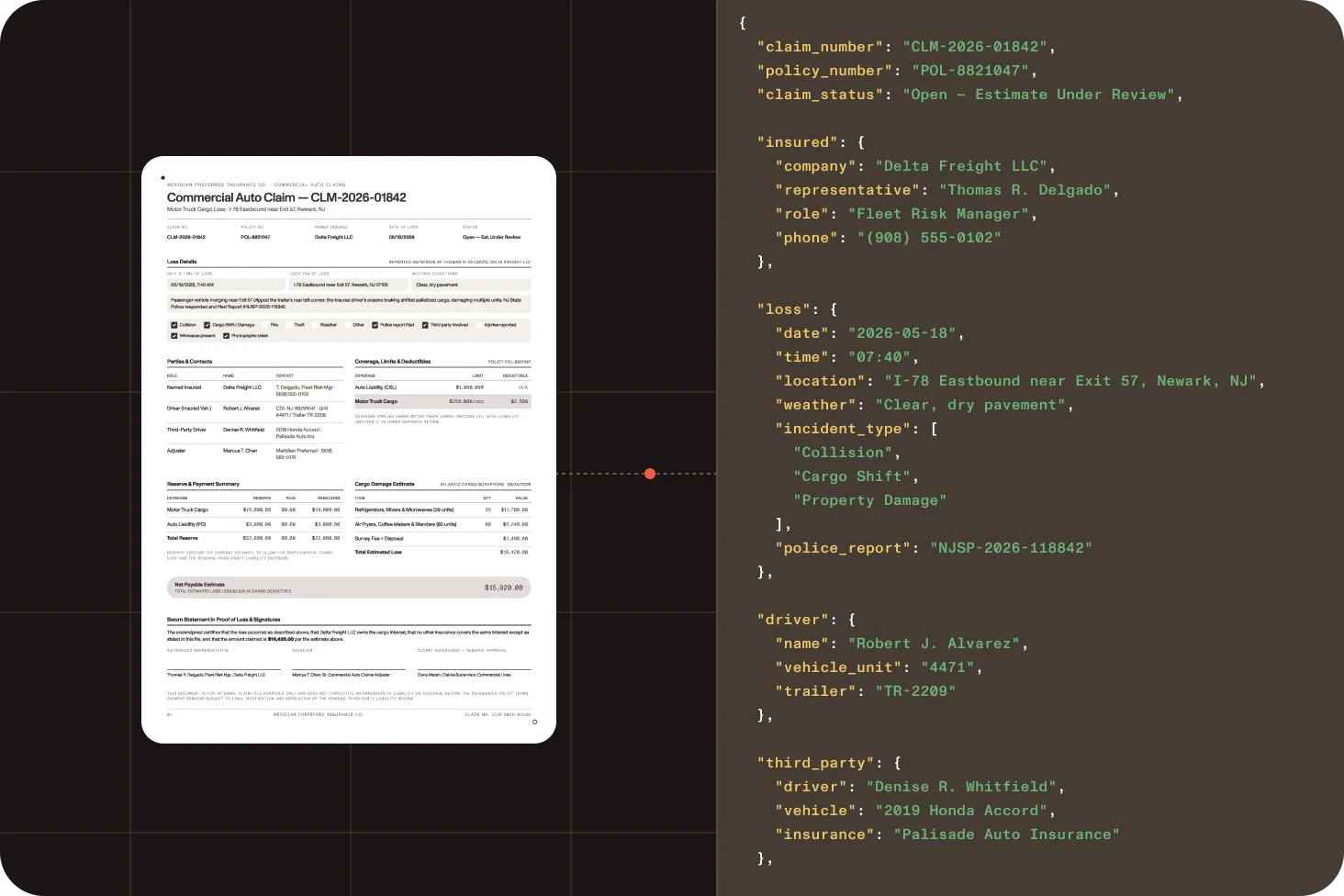
Define the fields and data types your workflow requires, submit the document, and receive structured output that conforms to your supported JSON Schema. View extraction API documentation
Request
Define fields — get typed output
curl -X POST https://api.nutrient.io/extraction/extract \ -H "Authorization: Bearer $NUTRIENT_API_KEY" \ -F "file=@insurance-claim.pdf" \ -F 'instructions={ "schema": { "type": "object", "properties": { "claim_number": { "type": "string" }, "policy_number": { "type": "string" }, "date_of_loss": { "type": "string", "format": "date" }, "estimated_damage": { "type": "number" } }, "required": ["claim_number", "policy_number"] }, "parseConfig": { "mode": "understand" } }'Response
Structured values from the document
{ "status": 200, "requestId": "req_x1y2z3w4", "output": { "data": { "claim_number": "CLM-2026-01842", "policy_number": "POL-8821047", "date_of_loss": "2026-05-18", "estimated_damage": 12750 }, "metadata": {}, "pages": [{ "page": 1, "width": 1200, "height": 1697 }] }, "metrics": { "processingTimeMs": 4800, "pagesProcessed": 1 }}TWO WAYS TO PROCESS DOCUMENTS
Extract fields
Provide a supported JSON Schema and return typed business fields such as policy numbers, loss dates, parties, coverage details, amounts, and line items.
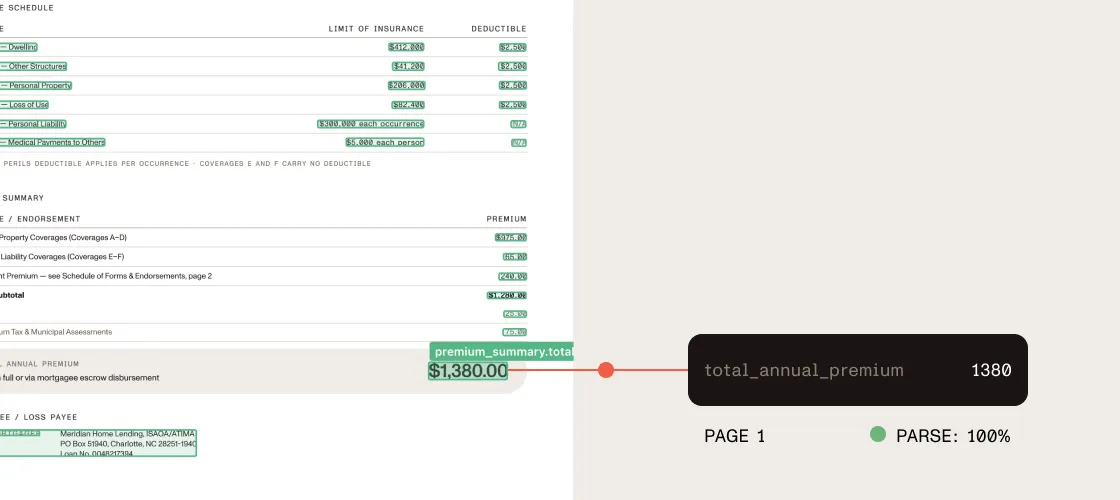
Parse documents
Return the full document as Markdown or spatial JSON, preserving document structure, tables, page context, and layout-aware elements.
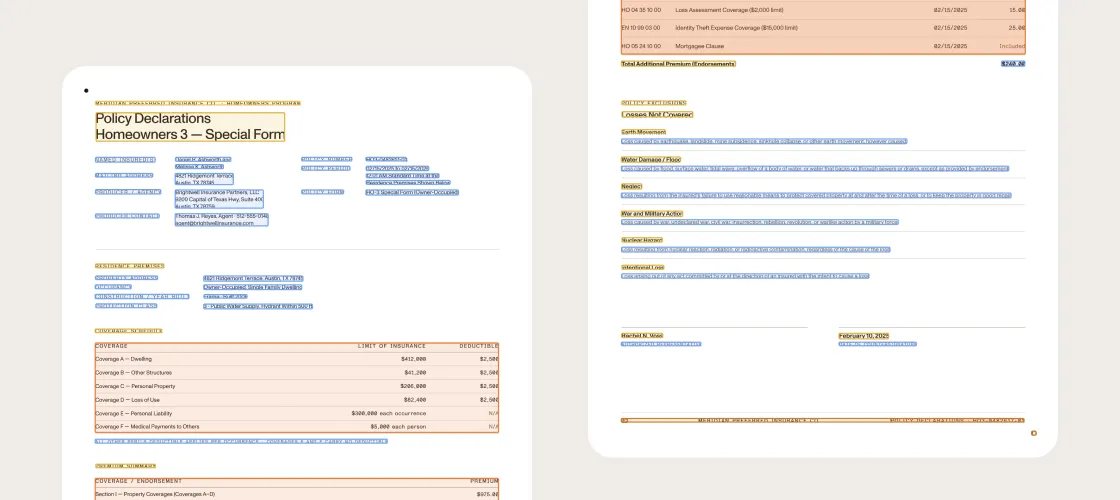
HOW IT WORKS
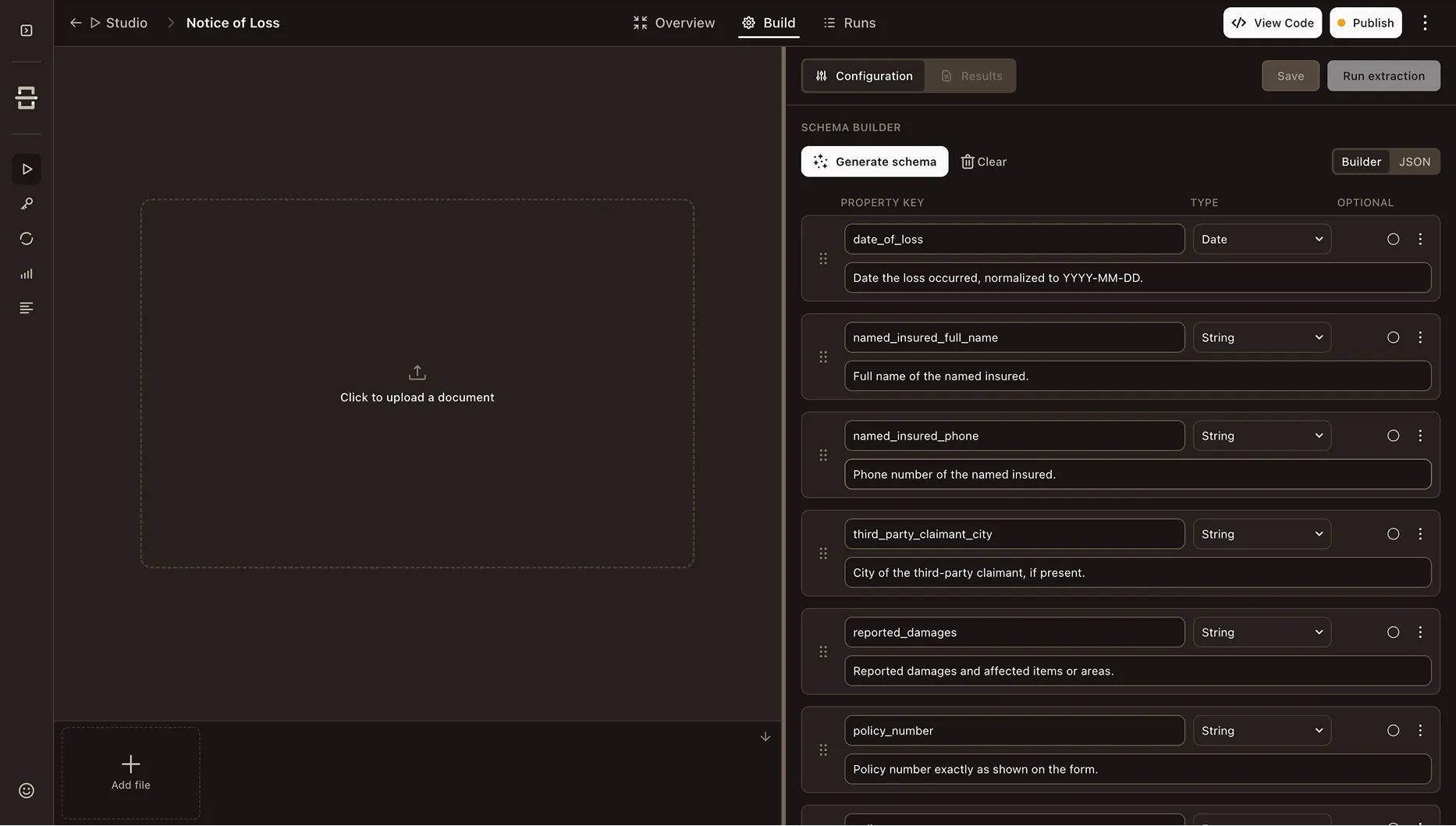
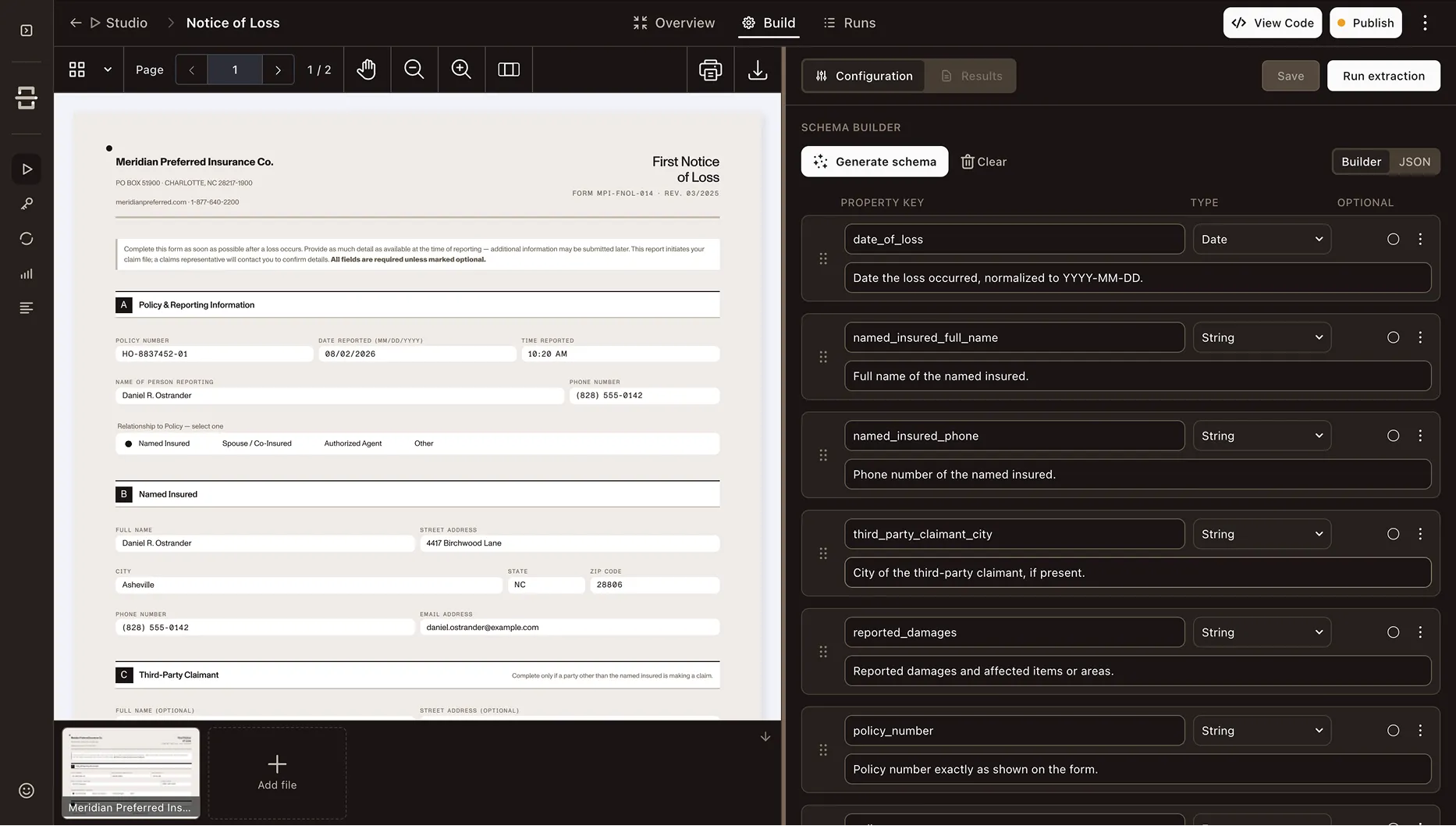
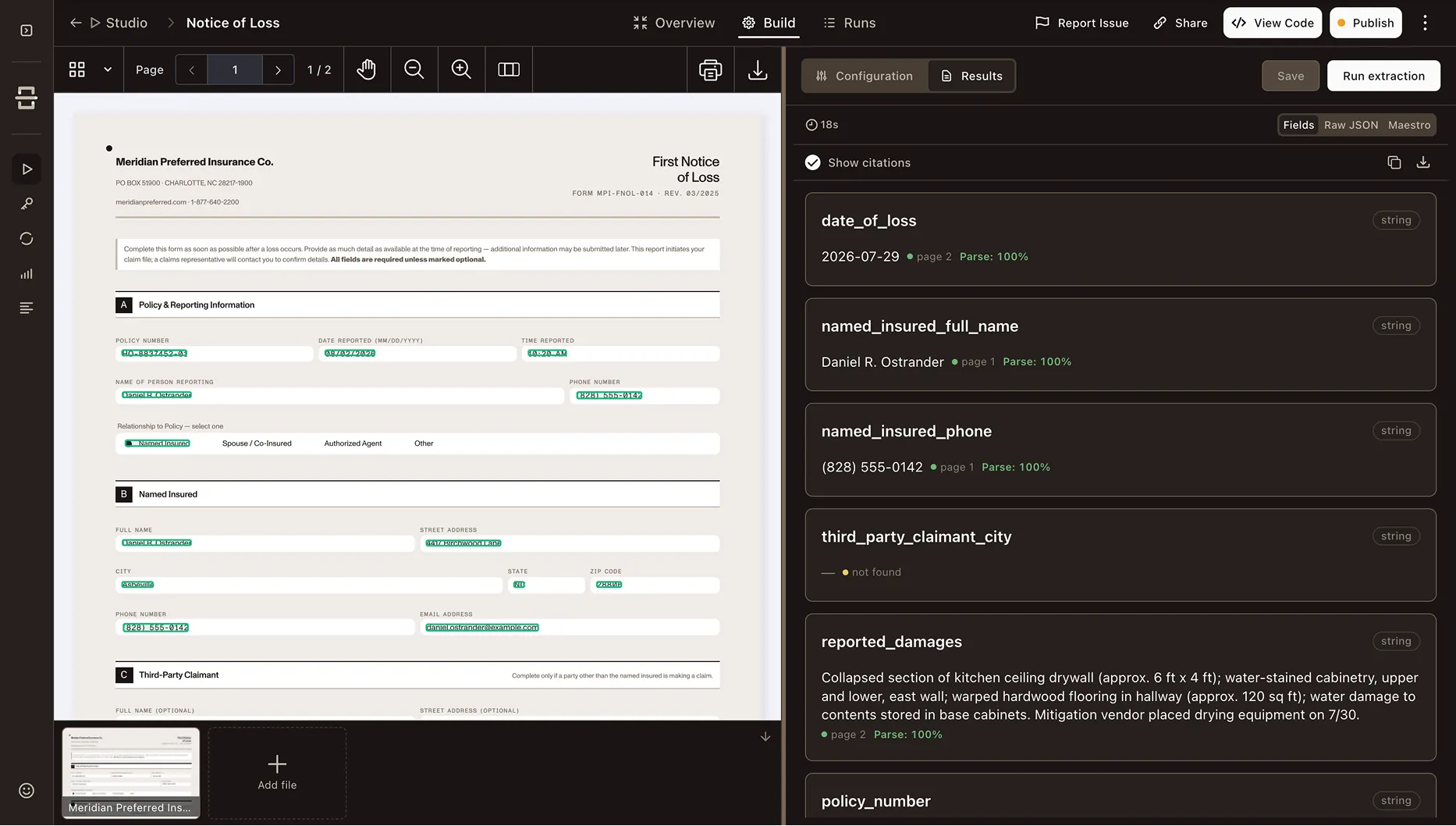
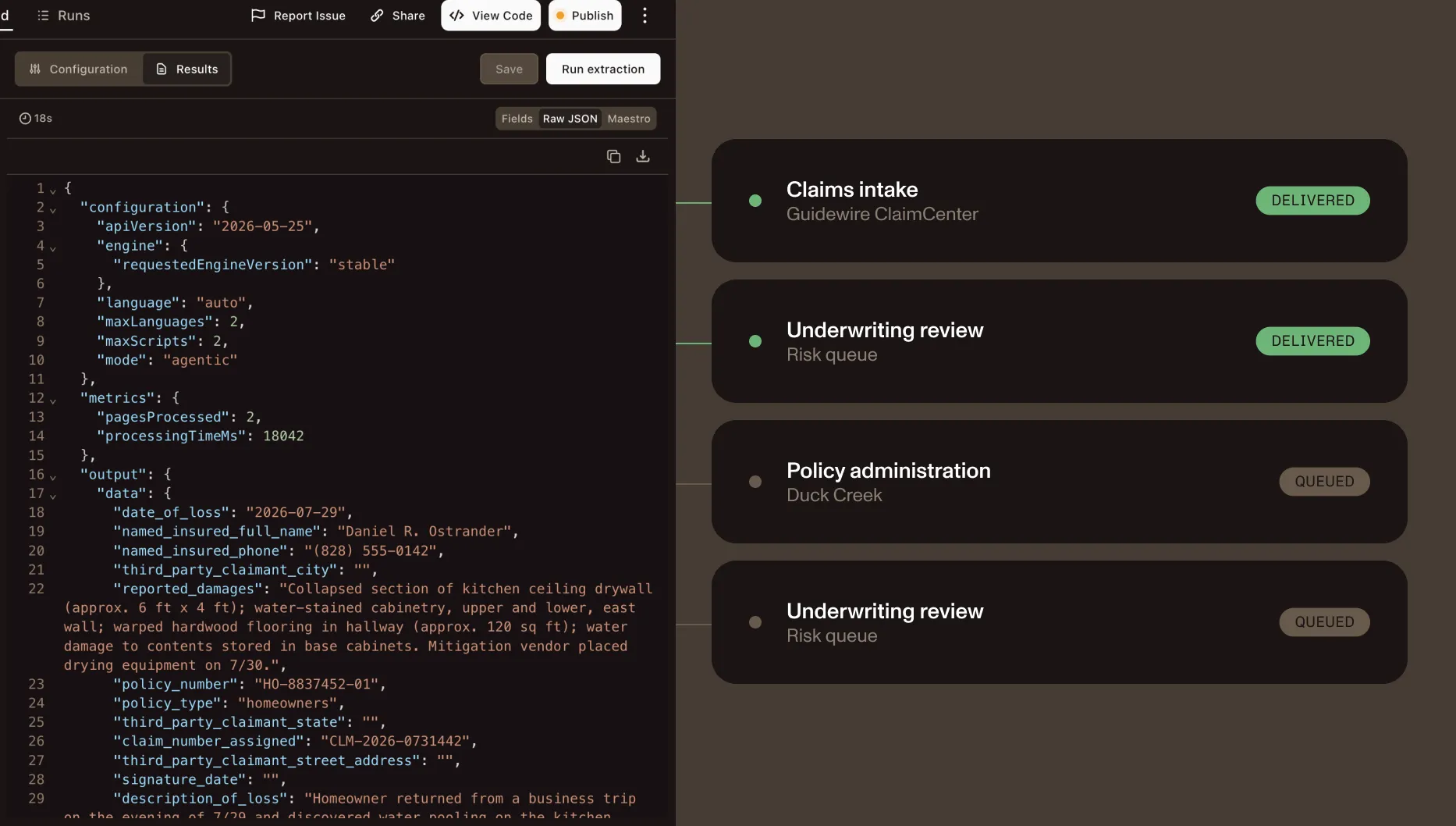
Create a starting schema in Studio or provide a supported JSON Schema with the fields and data types your workflow needs.
Send a PDF, scan, image, or supported Office file through the API.
Review typed values together with available confidence signals and source context.
Send approved data into claims, underwriting, policy administration, search, review, or automation systems.
ADAPT TO THE DOCUMENT
Process born-digital policies, scanned claims forms, handwriting, complex tables, appraisals, and visually challenging records using the mode that fits the document.
Text
For fast extraction from born-digital policies and documents with a reliable text layer.
Structure
For OCR-backed extraction from scanned claims documents with simple layouts.
Agentic
For documents that require deeper visual interpretation, review, or recovery.
Reviewed extraction example
This is one reviewed run on a selected public form populated with privacy-safe demo values. It is not an accuracy, production, or performance benchmark.
A selected public government crash report populated with privacy-safe demo values.
Grounding makes mistakes reviewable. It does not make them correct.
The videos use an Extract → Source evidence → Decision gate schematic. It is a workflow concept, not shipped product UI.
“Reviewed” means the evidence audit was recorded. It does not mean a reviewer approved the result.
0.93 accuracy (vision engine), independently benchmarked
200 real-world documents. Three metrics. Results published with every release.
HTTPS/TLS encryption
API communication is encrypted by default, and unencrypted requests are rejected.
TRUST AND SECURITY
Use Nutrient as an extraction layer within your existing insurance architecture while maintaining the validation and review controls required by your organization.
SOC 2 Type 2
Backed by Nutrient’s SOC 2 Type 2 security practices.
Governed data handling
No document retention on paid plans, encrypted transport, and access controls designed for governed insurance document workflows.
Nutrient Data Extraction API can process insurance claims, first notices of loss, policies, endorsements, certificates, underwriting submissions, loss runs, appraisals, repair estimates, invoices, correspondence, reports, and other supporting documents. Supported inputs include PDFs, images, scans, Word, Excel, and PowerPoint files.
Yes. Define the fields required from standardized or carrier-specific insurance forms, including insured information, policy details, limits, dates, checkboxes, and related values. Returned fields can include confidence and source context for validation.
Yes. Understand and agentic modes are designed for documents containing handwriting, checkboxes, complex layouts, degraded scans, and other visual content that requires more than basic text extraction. Confidence and source context help teams identify results that should be reviewed.
Generate a starting schema from a sample document in Studio. Then review and refine its fields, types, and instructions. A supported JSON Schema can also be provided directly with the extraction request.
Available output can include confidence signals, source text, page references, and document coordinates. Applications can use this information to flag exceptions and compare important values with the original document before sending them downstream.
No. Nutrient Data Extraction API is an extraction layer, not a claims management, underwriting, or policy administration application. It transforms insurance documents into structured, reviewable data that can be sent into the systems your organization already uses. See the Data Extraction API overview for the full capability set, or the comparison hub for how it stacks up against other extraction platforms.
The API can process a single multipage document containing forms, reports, estimates, invoices, correspondence, and other supporting pages. When a claim is stored across multiple files, your application should submit and coordinate those files through its own workflow.