Use Nutrient DWS to convert Markdown content into styled PDF documents. Start with a cloud Markdown-to-PDF API built for report generation, documentation publishing, and automated document workflows — with built-in templates, custom CSS, and syntax highlighting.
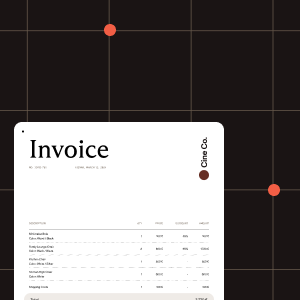
Send Markdown content and receive a production-ready PDF. Choose from 11 built-in templates, or provide custom CSS and HTML templates for full control over the output.
Full CommonMark compliance with GitHub Flavored Markdown extensions: tables, task lists, alerts, footnotes, syntax-highlighted code blocks, and more.
Send JSON with inline Markdown, upload raw .md files, or use multipart for Markdown with images and custom fonts. Control page layout, orientation, and margins.
This example will convert inline Markdown to a styled PDF using the default template.
Try it out in three steps
your_api_key_here with your Nutrient API key.result.pdf to view the generated document.curl -X POST https://api.nutrient.io/processor/md_to_pdf \ -H "Authorization: Bearer your_api_key_here" \ -H "Content-Type: application/json" \ -o result.pdf \ --fail \ -d '{ "markdown": "# Hello World\n\nThis is **bold** and *italic*.\n\n- Item one\n- Item two", "template": "built-in:default" }'curl -X POST https://api.nutrient.io/processor/md_to_pdf ^ -H "Authorization: Bearer your_api_key_here" ^ -H "Content-Type: application/json" ^ -o result.pdf ^ --fail ^ -d "{\"markdown\": \"# Hello World\n\nThis is **bold** and *italic*.\n\n- Item one\n- Item two\", \"template\": \"built-in:default\"}"package com.example.pspdfkit;
import java.io.File;import java.io.IOException;import java.nio.file.FileSystems;import java.nio.file.Files;import java.nio.file.StandardCopyOption;
import org.json.JSONObject;
import okhttp3.MediaType;import okhttp3.OkHttpClient;import okhttp3.Request;import okhttp3.RequestBody;import okhttp3.Response;
public final class PspdfkitApiExample { public static void main(final String[] args) throws IOException { final JSONObject json = new JSONObject() .put("markdown", "# Hello World\n\nThis is **bold** and *italic*.\n\n- Item one\n- Item two") .put("template", "built-in:default");
final RequestBody body = RequestBody.create( MediaType.parse("application/json"), json.toString() );
final Request request = new Request.Builder() .url("https://api.nutrient.io/processor/md_to_pdf") .method("POST", body) .addHeader("Authorization", "Bearer your_api_key_here") .addHeader("Content-Type", "application/json") .build();
final OkHttpClient client = new OkHttpClient() .newBuilder() .build();
final Response response = client.newCall(request).execute();
if (response.isSuccessful()) { Files.copy( response.body().byteStream(), FileSystems.getDefault().getPath("result.pdf"), StandardCopyOption.REPLACE_EXISTING ); } else { throw new IOException(response.body().string()); } }}using System;using System.IO;using System.Net.Http;using System.Text;using System.Text.Json;using System.Threading.Tasks;
namespace PspdfkitApiDemo{ class Program { static async Task Main(string[] args) { using var client = new HttpClient(); client.DefaultRequestHeaders.Add( "Authorization", "Bearer your_api_key_here" );
var payload = new { markdown = "# Hello World\n\nThis is **bold** and *italic*.\n\n- Item one\n- Item two", template = "built-in:default" };
var content = new StringContent( JsonSerializer.Serialize(payload), Encoding.UTF8, "application/json" );
var response = await client.PostAsync( "https://api.nutrient.io/processor/md_to_pdf", content );
if (response.IsSuccessStatusCode) { await using var stream = await response.Content.ReadAsStreamAsync(); await using var fileStream = File.Create("result.pdf"); await stream.CopyToAsync(fileStream); } else { Console.WriteLine(await response.Content.ReadAsStringAsync()); } } }}// This code requires Node.js. Do not run this code directly in a web browser.
const fs = require('fs')
const payload = JSON.stringify({ markdown: "# Hello World\n\nThis is **bold** and *italic*.\n\n- Item one\n- Item two", template: "built-in:default"})
;(async () => { try { const response = await fetch('https://api.nutrient.io/processor/md_to_pdf', { method: 'POST', headers: { 'Authorization': 'Bearer your_api_key_here', 'Content-Type': 'application/json' }, body: payload })
if (!response.ok) { console.log(await response.text()) return }
const buffer = Buffer.from(await response.arrayBuffer()) fs.writeFileSync('result.pdf', buffer) } catch (e) { console.error(e) }})()import requestsimport json
response = requests.post( 'https://api.nutrient.io/processor/md_to_pdf', headers={ 'Authorization': 'Bearer your_api_key_here', 'Content-Type': 'application/json' }, json={ 'markdown': '# Hello World\n\nThis is **bold** and *italic*.\n\n- Item one\n- Item two', 'template': 'built-in:default' }, stream=True)
if response.ok: with open('result.pdf', 'wb') as fd: for chunk in response.iter_content(chunk_size=8096): fd.write(chunk)else: print(response.text)<?php
$payload = json_encode([ 'markdown' => '# Hello World\n\nThis is **bold** and *italic*.\n\n- Item one\n- Item two', 'template' => 'built-in:default']);
$FileHandle = fopen('result.pdf', 'w+');
$curl = curl_init();
curl_setopt_array($curl, array( CURLOPT_URL => 'https://api.nutrient.io/processor/md_to_pdf', CURLOPT_CUSTOMREQUEST => 'POST', CURLOPT_RETURNTRANSFER => true, CURLOPT_ENCODING => '', CURLOPT_POSTFIELDS => $payload, CURLOPT_HTTPHEADER => array( 'Authorization: Bearer your_api_key_here', 'Content-Type: application/json' ), CURLOPT_FILE => $FileHandle,));
$response = curl_exec($curl);
curl_close($curl);
fclose($FileHandle);POST https://api.nutrient.io/processor/md_to_pdf HTTP/1.1Content-Type: application/jsonAuthorization: Bearer your_api_key_here
{ "markdown": "# Hello World\n\nThis is **bold** and *italic*.\n\n- Item one\n- Item two", "template": "built-in:default"}Getting started
The Markdown-to-PDF API supports built-in templates, custom CSS overrides, uploaded images and fonts, and full HTML template control. Follow these steps in the guide to go from a basic conversion to a fully customized document.
No input or resulting documents are stored on our infrastructure. All files are deleted as soon as a request finishes. Alternatively, check out our self-hosted product.
All communication between your application and Nutrient is done via HTTPS to ensure your data is encrypted when it’s sent to us.
All payments are handled by Paddle. Nutrient DWS Processor API never has direct access to any of your payment data.
Create an account to get your DWS Processor API key and start making API calls.