How to flatten a PDF using PHP

Table of contents

Flatten PDF documents using our flatten PDF PHP API. Create a free account, get API credentials, and implement flattening using PHP. Merge all layers — including annotations, form fields, and signatures — into a single non-editable layer for printing and secure distribution.
In this post, you’ll learn how to programmatically flatten PDFs in PHP using our flatten PDF PHP API. With our API, you receive 50 credits with the free plan. Different operations on a document consume different amounts of credits, so the number of PDF documents you can generate may vary. All you need to do is create a free account(opens in a new tab) to get access to your API key.
Why flatten PDFs?
Flattening PDFs is essential for document workflows that require finalized, non-editable outputs. Common use cases include:
- Print preparation — Merge all layers — including annotations, form fields, and signatures — into a single layer to ensure printers render the complete document correctly.
- Secure distribution — Lock completed forms to prevent recipients from modifying submitted data.
- Archival compliance — Create immutable document versions for legal and regulatory requirements.
- Consistent rendering — Guarantee documents appear identical across all systems and PDF readers.
- Workflow automation — Process batches of documents programmatically as part of your backend infrastructure.
Nutrient DWS Processor API
Document flattening is just one of our 30+ PDF API tools. You can combine our flattening tool with other tools to create complex document processing workflows, such as:
- Converting MS Office files and images into PDFs and then flattening them
- Merging several documents and then flattening the resulting document
- Adding watermarks and signatures to a document and then flattening them
Once you create your account, you’ll be able to access all our PDF API tools.
Step 1 — Creating a free account on Nutrient
Go to our website(opens in a new tab), where you’ll see the page below, where you can create your free account.
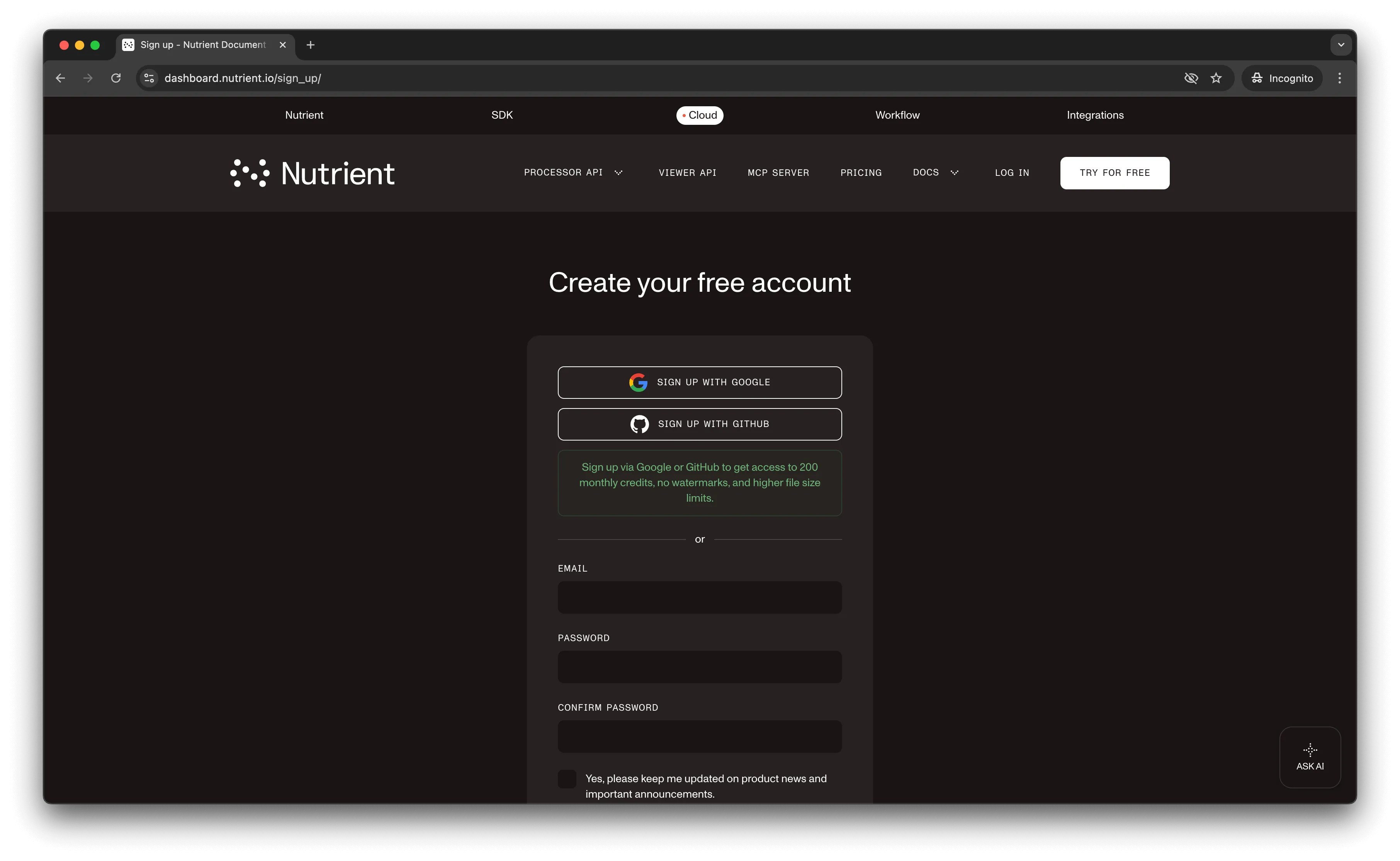
Once you’ve created your account, you’ll see the page below, which shows an overview of your plan details.
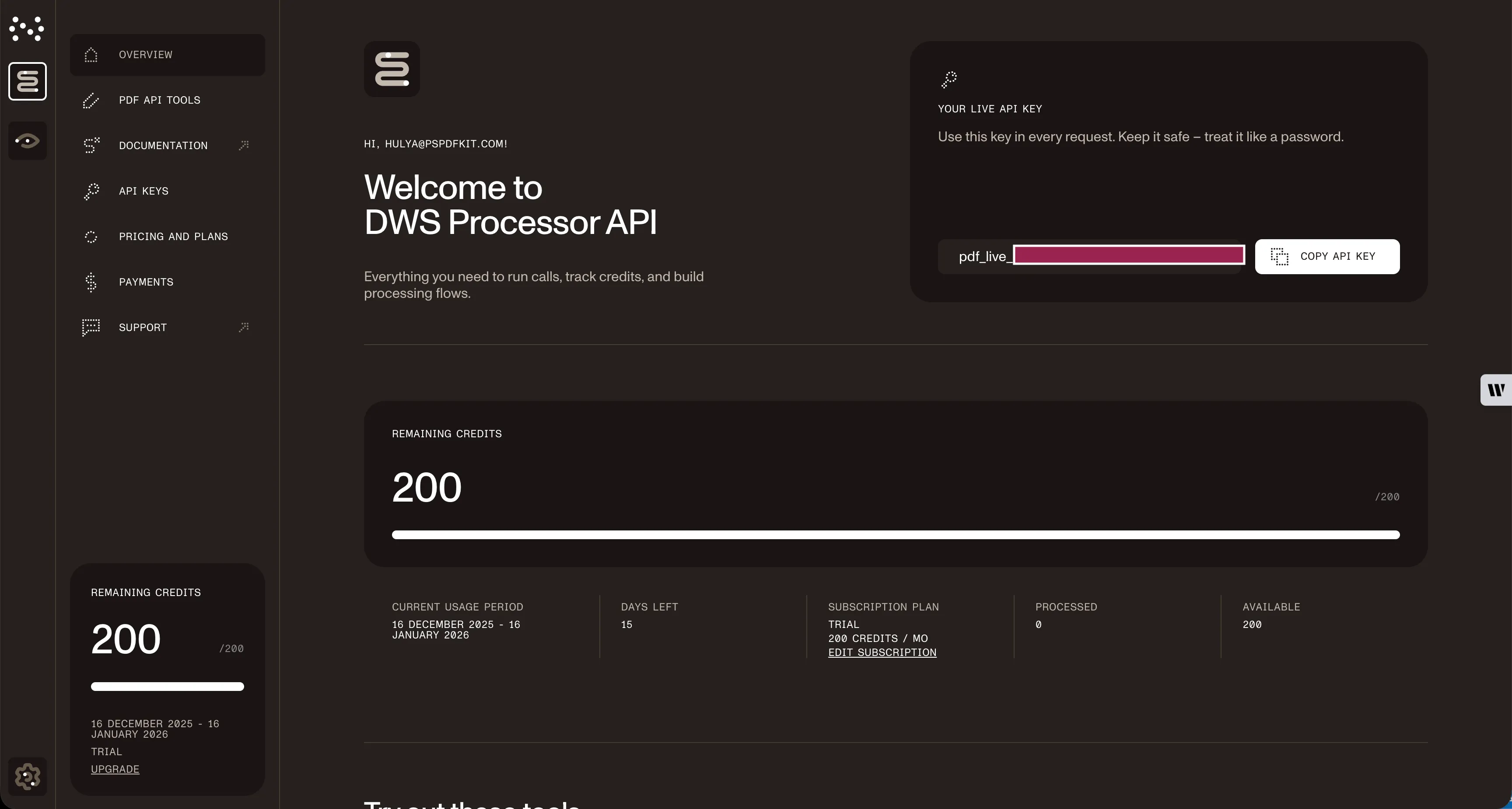
As you can see in the bottom-left corner, you’ll start with 50 credits to process, and you’ll be able to access all our PDF API tools.
Copy the API key, because you’ll need this for the flatten PDF API.
Step 2 — Setting up folders and files
Now, create a folder called flatten_pdf and open it in a code editor. For this tutorial, you’ll use VS Code as your code editor. Next, create two folders inside flatten_pdf and name them input_documents and processed_documents. Now, copy your PDF file to the input_documents folder and rename it to document.pdf.
Then, in the root folder, flatten_pdf, create a file called processor.php. This is the file where you’ll keep your code.
Your folder structure will look like this:
flatten_pdf├── input_documents| └── document.pdf├── processed_documents└── processor.phpStep 3 — Writing the code
Now, open the processor.php file and paste the code below into it:
<?php
$FileHandle = fopen('processed_documents/result.pdf', 'w+');
$curl = curl_init();
curl_setopt_array($curl, array(  CURLOPT_URL => 'https://api.nutrient.io/build',  CURLOPT_CUSTOMREQUEST => 'POST',  CURLOPT_RETURNTRANSFER => true,  CURLOPT_ENCODING => '',  CURLOPT_POSTFIELDS => array(    'instructions' => '{      "parts": [        {          "file": "document"        }      ],      "actions": [        {          "type": "flatten"        }      ]    }',    'document' => new CURLFILE('input_documents/document.pdf')  ),  CURLOPT_HTTPHEADER => array(    'Authorization: Bearer YOUR_API_KEY_HERE'  ),  CURLOPT_FILE => $FileHandle,));
$response = curl_exec($curl);
curl_close($curl);
fclose($FileHandle);
Make sure to replace YOUR_API_KEY_HERE with your API key.
Code explanation
You’re first creating a FileHandle variable, because this will help you save the file in the processed_documents folder. After that, you’re creating the instructions variable, where all the instructions for the API are stored in the form of a JSON string. Finally, you’re making a CURL request.
Output
To execute the code, run the command below:
php processor.phpOn successful execution, you’ll see a new processed file, result.pdf, located in the processed_documents folder.
The folder structure will look like this:
flatten_pdf├── input_documents| └── document.pdf├── processed_documents| └── result.pdf└── processor.phpConclusion
In this post, you learned how to flatten PDF files for your PHP application using our flatten PDF API.
You can integrate these functions into your existing applications and flatten PDFs. With the same API token, you can also perform other operations, such as merging documents into a single PDF, adding watermarks, and more. To get started with a free trial, sign up(opens in a new tab) here.
FAQ
Flattening merges all interactive and layered elements (form fields, annotations, signatures, transparency) into a single static layer. The resulting PDF appears identical but can no longer be edited — all content becomes part of the base document layer.
No. Flattening is a permanent operation. Once a PDF is flattened, you cannot restore the original editable form fields or layered annotations. Always keep a backup of your original document before flattening.
Flattening typically reduces file size slightly because it removes interactive layer data and form field metadata. However, the visual appearance remains identical to the original document.
The free account includes 50 credits. Each flatten operation consumes 0.5 credits, regardless of file size. This means you can flatten up to 100 PDFs with your free account. You can also combine flattening with other operations (like merging or watermarking) in a single API call.
This code works with PHP 7.0 and higher. It requires the cURL extension, which is typically enabled by default in most PHP installations. Verify with php -m | grep curl to check if cURL is available.
Yes, but you’ll need to provide the password during the API call. The Nutrient API supports processing password-protected PDFs when proper credentials are included in the request parameters.