Enable custom scripts for automation tasks
To enable custom scripts in a job, you should:
- Go to Job Settings -> Advance Settings -> Other settings.
- Turn on the Execute the script below after each file setting.
- Enter or paste a valid
.wsffile path in the Custom Script File textbox or use the file browser to select the file.
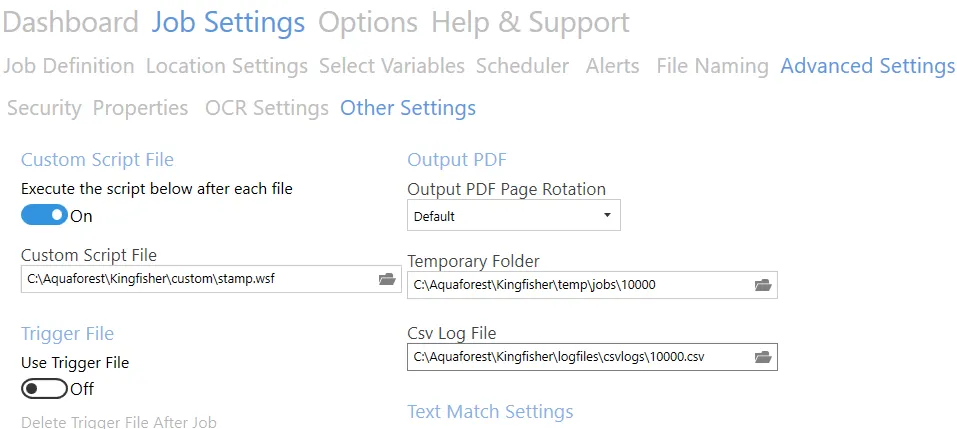
The above steps help execute a script named C:\Aquaforest\Kingfisher\custom\stamp.wsf after each file.