Turn court filings and public records into structured, searchable data
Case numbers, parties, recording information, legal descriptions, dates, and fees remain scattered across filed documents until someone extracts them. Nutrient Data Extraction API turns court filings, deeds, and clerk records into structured data — with confidence scores and source context so staff can review uncertain values, not every field.
Trusted by enterprises, governments, and teams building document workflows at scale
Lufthansa
Disney
Autodesk
UBS
Dropbox
IBM
Lufthansa
Disney
Autodesk
UBS
Dropbox
IBM
USE CASES
Court records API use cases
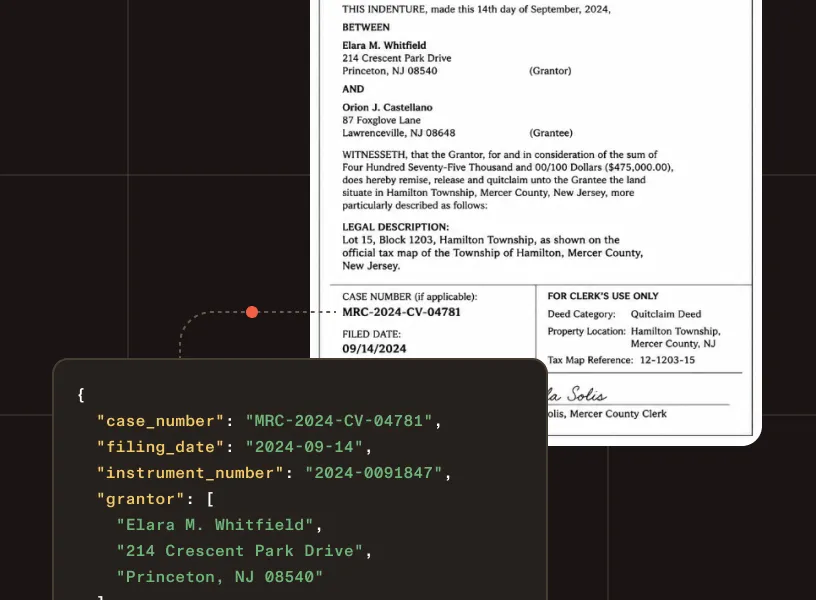
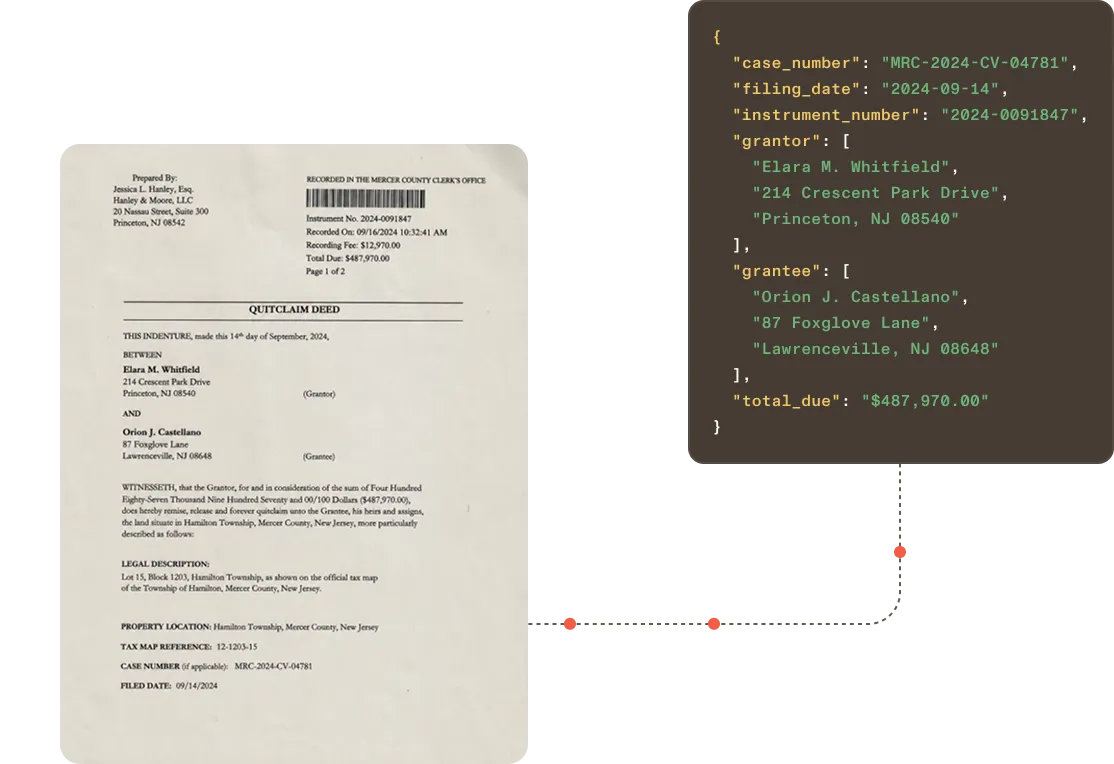
Court filing intake
Extract case numbers, filing types, parties, attorneys, judges, and hearing dates from civil, criminal, and administrative filings. See contract data extraction for broader legal document workflows.
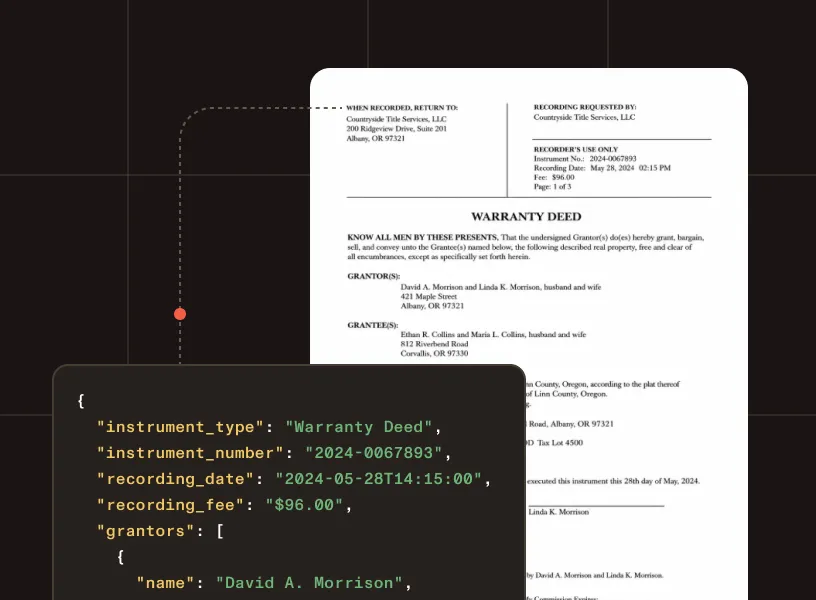
Recording and land records
Structure instrument types, recording numbers, grantor and grantee details, parcel identifiers, and legal descriptions from deeds and recorded instruments.
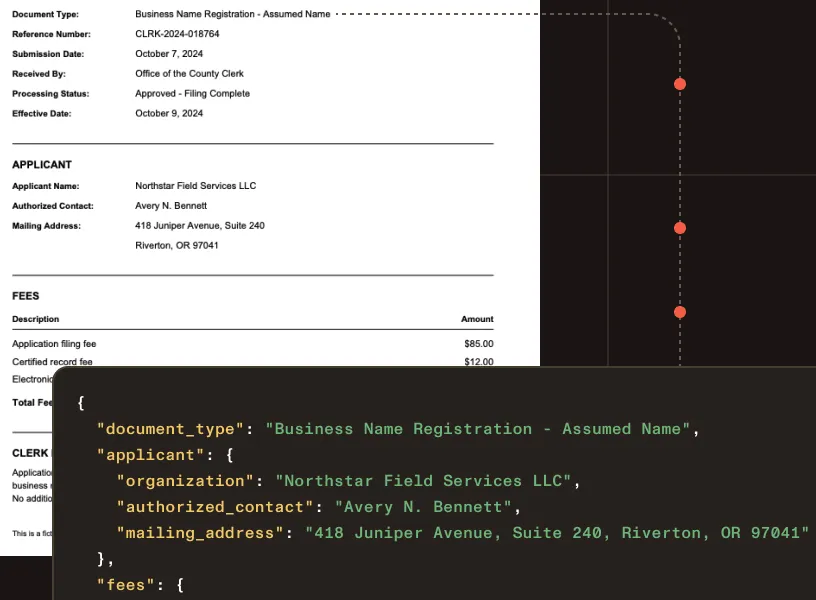
Clerk and administrative records
Extract document type, applicant, fees, reference numbers, submission dates, and status information from clerk-issued records.

Document indexing and classification
Turn document content into structured metadata for search, classification, retrieval, and records management systems.
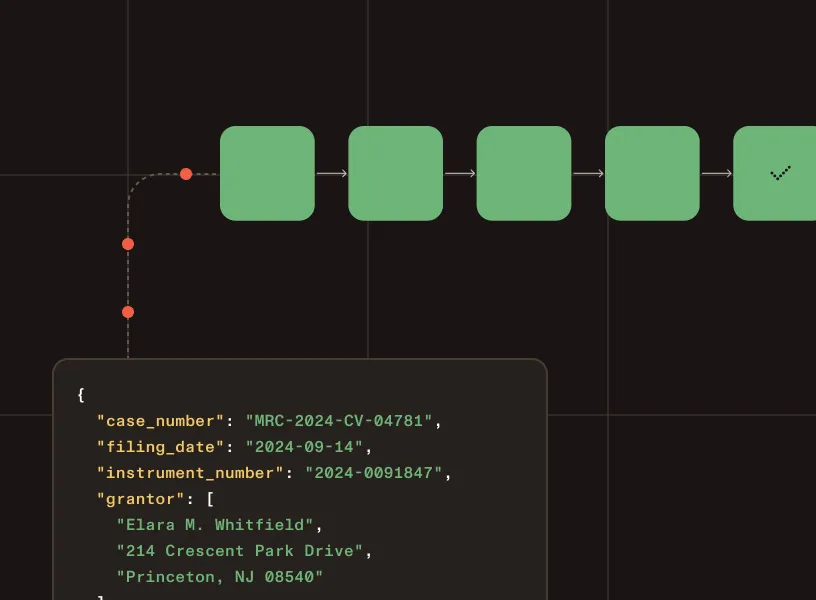
Records routing and case management
Export typed JSON that maps to the fields case management, recording, or enterprise content platforms expect.
GOVERNED EXTRACTION
Why not rely on LLM-only extraction for public records?
LLMs can interpret a court filing — but public record workflows need deterministic, traceable output grounded in the source document, not generated answers that vary between runs.
Predictable structured output
Typed output remains tied to the source document — not generated text that changes from one run to the next.
Confidence signals for routing and review
Flag uncertain values before they move downstream into case management or recording systems.
Coordinates and page references
Every extracted value is anchored to its source location for traceability and staff review.
Layout-aware structure
Tables, key-value regions, and reading order preserved — not flattened into unstructured text.
Human review before indexing
Support validation steps before structured data enters the official record or downstream system.
Auditability for public record workflows
Source context and page detail support traceable, reviewable government document workflows.
WHAT YOU CAN EXTRACT
Structured fields from any court or public record
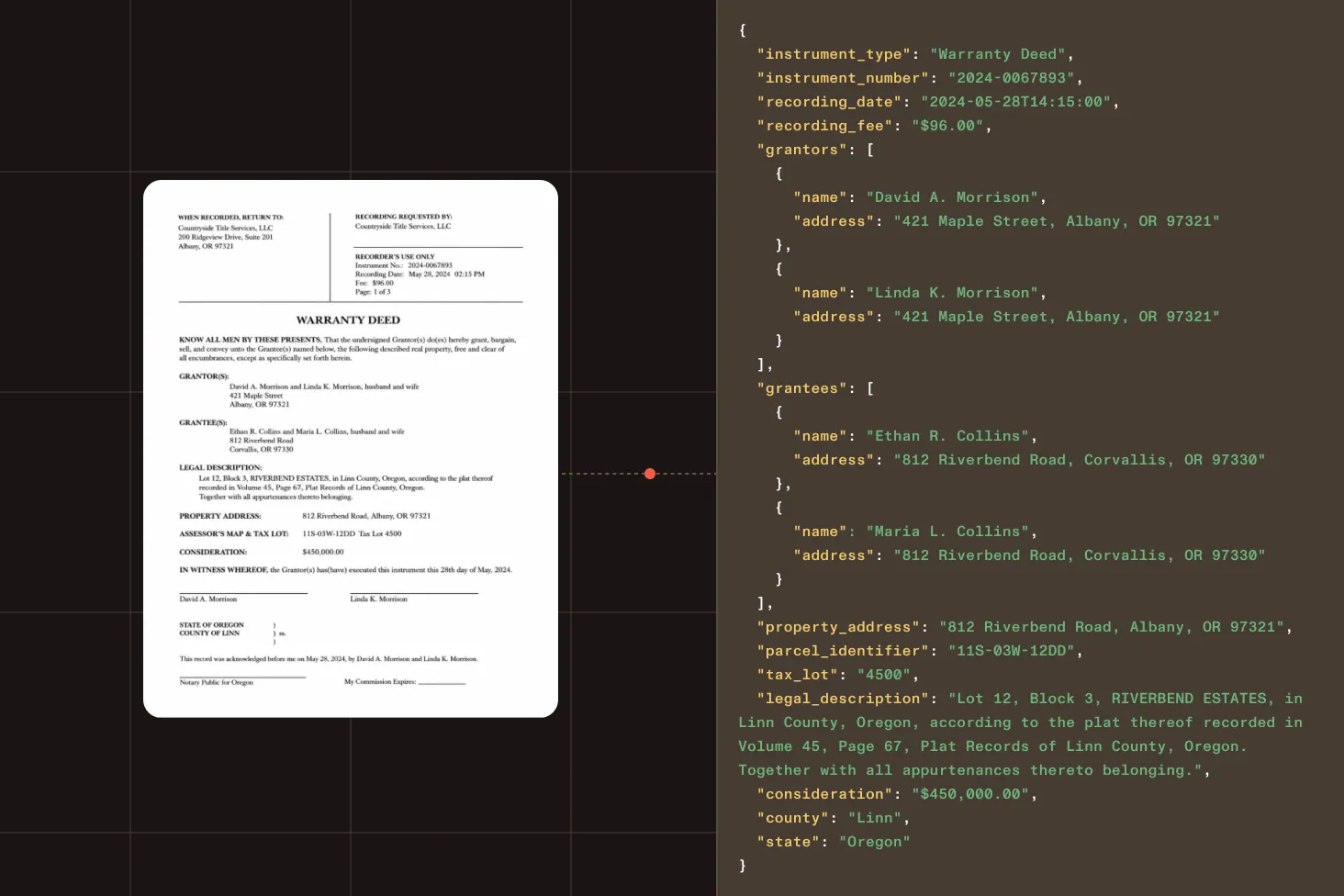
Case identifiers and filing details
Case numbers, court, jurisdiction, filing type, filing date, and hearing dates from civil, criminal, and administrative filings.
Parties and representatives
Plaintiff, defendant, attorney, agency, and contact details from court filings and administrative records.
Recording information
Instrument type, recording number, recording date, and book-and-page references from deeds and recorded instruments.
Property and legal descriptions
Parcel number, property address, legal description, grantor, and grantee from land and recording records.
Monetary values and fees
Consideration amounts, filing fees, and other financial values from court filings and recorded instruments.
Handwritten and mixed-format fields
Stamps, handwritten annotations, notary information, and signature presence from older or scanned records.
HOW IT WORKS
From public record to structured output
Parse
Turn court filings, deeds, and scanned public records into document structure.
Extract
Identify case details, parties, recording information, legal descriptions, and document metadata.
Map
Define the fields the workflow needs using the schema generator in Studio, or write a JSON Schema directly. Get back structured, validated output.
Structure
Return typed JSON for records systems and validation, or Markdown for search and AI workflows.
Process
Send structured data into court management, recording, records management, or public access systems.
OUTPUT FORMATS
Court record data as JSON or Markdown from one API.
Confidence scores, coordinates, and page context included.
Choose output: "json" or Markdown per request.
Spatial JSON
For extraction · validation · review
{ "type": "keyValueRegion", "id": "kv_c1d2e3", "bounds": { "x": 82, "y": 128, "width": 340, "height": 96 }, "confidence": 0.98, "page": { "pageIndex": 0, "pageNumber": 1 }, "pairs": [ { "key": { "entityType": "QUESTION", "value": "Case number", "bounds": { "x": 82, "y": 128, "width": 100, "height": 24 }, "confidence": 0.99 }, "value": { "entityType": "ANSWER", "value": "2024-CV-008841", "bounds": { "x": 190, "y": 128, "width": 150, "height": 24 }, "confidence": 0.99 }, "relationshipConfidence": 0.97 }, { "key": { "entityType": "QUESTION", "value": "Filing type", "bounds": { "x": 82, "y": 164, "width": 100, "height": 24 }, "confidence": 0.98 }, "value": { "entityType": "ANSWER", "value": "Civil Complaint", "bounds": { "x": 190, "y": 164, "width": 130, "height": 24 }, "confidence": 0.98 }, "relationshipConfidence": 0.96 }, { "key": { "entityType": "QUESTION", "value": "Filing date", "bounds": { "x": 82, "y": 200, "width": 100, "height": 24 }, "confidence": 0.99 }, "value": { "entityType": "ANSWER", "value": "2024-03-15", "bounds": { "x": 190, "y": 200, "width": 100, "height": 24 }, "confidence": 0.99 }, "relationshipConfidence": 0.97 } ]}Markdown
For RAG · search · knowledge bases
# Court Filing — Civil Complaint
**Case number** 2024-CV-008841**Court** Superior Court, Los Angeles County**Filing date** March 15, 2024
## Parties
| Role | Name || --- | --- || Plaintiff | Riverside Capital LLC || Defendant | Oakwood Properties Inc |
**Judge** Hon. Patricia Vega**Filing type** Civil Complaint
Regional processing options
Choose supported processing regions for government and enterprise deployments.
SOC 2 Type 2 audited
Audited annually. Reports available under NDA for enterprise customers.
Trust and compliance
Built for government and public record workflows in production
TLS encryption by default
All API communication is encrypted. Unencrypted requests are rejected.
Court records API questions
Can the API extract handwriting and stamps from older filings?
Yes. For handwritten fields, stamps, and mixed-format documents, the API applies intelligent character recognition to capture what standard OCR misses. Every extracted value includes a confidence score so uncertain fields can be flagged for staff review before moving downstream.
What file formats are supported?
Data Extraction API processes PDFs; images (including scans and photos); and Word, Excel, and PowerPoint files. It handles scanned court documents, image-based filings, and mixed digital/image records without requiring a separate OCR pipeline.
Is this a court management or records management system?
Nutrient Data Extraction API is an extraction layer, not a court management, recording, or records management platform. It turns document content into structured data so that data can be reviewed, validated, and routed into the systems organizations and software providers already use.
Can court records be processed on our own infrastructure instead of a cloud API?
Yes, with the Data Extraction SDK. The Data Extraction API runs in Nutrient’s cloud, but the SDK runs the same engine in Python or Java on servers you control. Text and layout recognition run on those servers, and if you also host the optional AI model, sealed filings and other records never leave your infrastructure. Talk to Sales about a self-hosted setup.
To try it on sample filings first, use Nutrient Extract Studio, a desktop app for Apple silicon Macs that runs the same engine. With an AI model running on that Mac, the filings stay on the Mac. You sign in with a free Nutrient account, runs use Data Extraction credits, and Nutrient receives only page counts. Learn about Extract Studio for macOS.
How do I validate extracted data before it enters downstream systems?
Every extracted element includes confidence scores, page references, and coordinates so teams can flag low-confidence fields for review, trace values back to the source document, and validate results before they enter case management, recording, or public access systems.
How do I define the fields to extract from court records?
Use the schema generator in Studio — upload example filings, deeds, or clerk documents and describe the document type. It generates a JSON Schema for the /extract endpoint. Fields like case number, parties, recording information, and legal descriptions can also be defined manually. Refer to the documentation for supported field types and limits.
When should I use agentic mode for court documents?
Use agentic mode for degraded scans, older handwritten filings, and documents with complex visual layouts where understand mode produces insufficient results. Agentic mode adds a vision language model (VLM) on top of the understand pipeline for complex visual content. It costs 18 credits per page.