Release of information automation for HIM teams
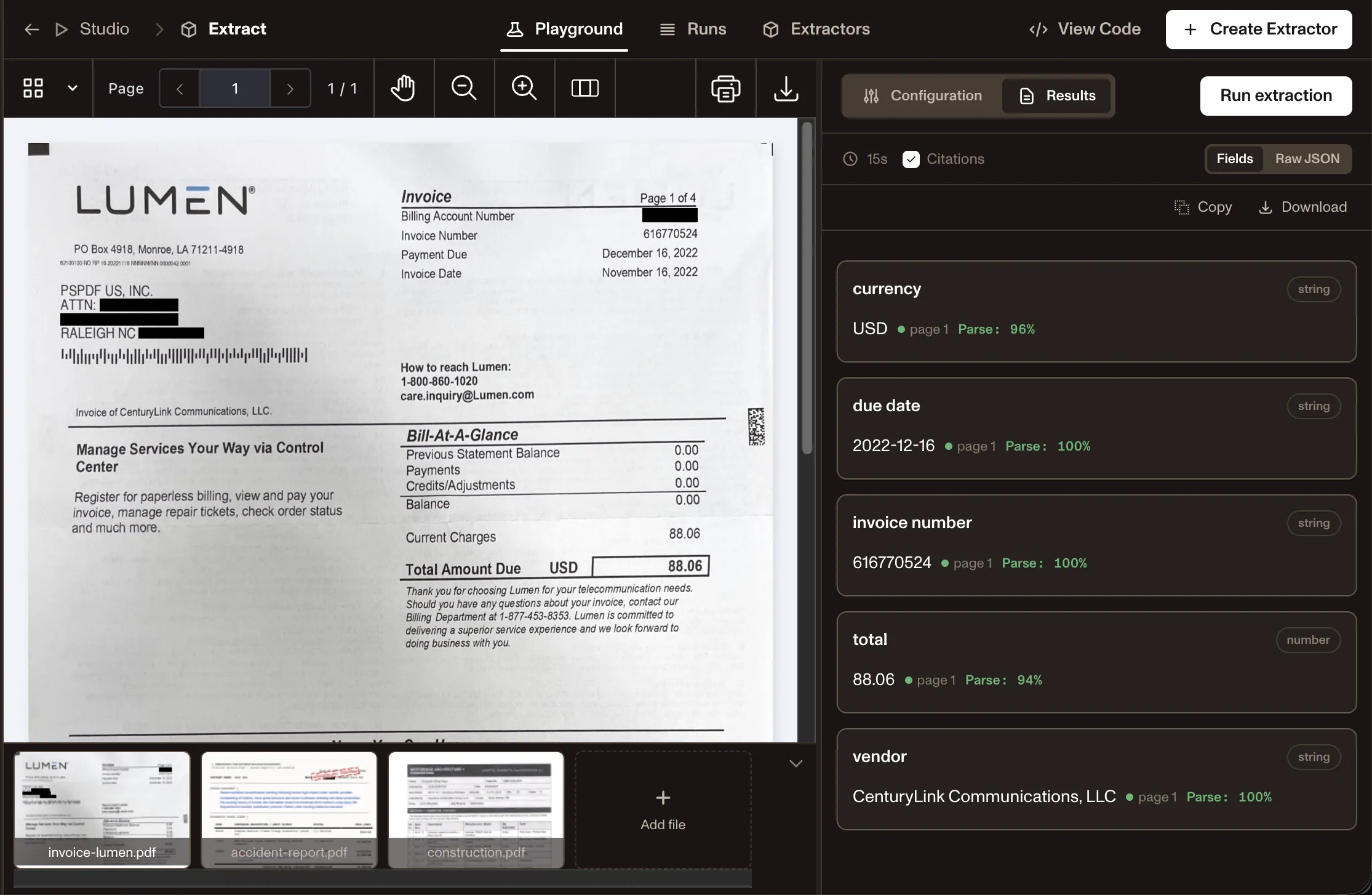
Health information management (HIM) teams process release of information requests, chart packets, and patient record requests across faxed forms, electronic health record (EHR) printouts, and scanned documents. Nutrient Data Extraction API extracts patient identifiers, requestor details, record categories, and authorization fields — with confidence scores so staff can review exceptions, not every field.
Trusted by enterprises and teams building healthcare document workflows at scale
Lufthansa
Disney
Autodesk
UBS
Dropbox
IBM
Lufthansa
Disney
Autodesk
UBS
Dropbox
IBM
WALKTHROUGH
Release of information automation demo
USE CASES
Example HIM and release of information workflows
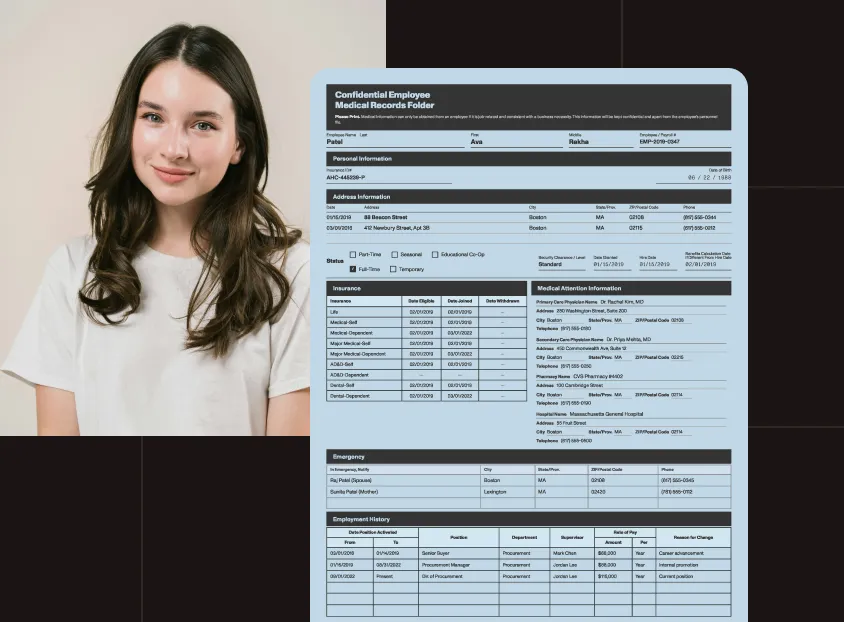
Release of information
Extract patient identifiers, requestor details, record categories, authorization dates, delivery instructions, and expiration information from release of information (ROI) forms. See healthcare data extraction for the full range of medical document workflows.
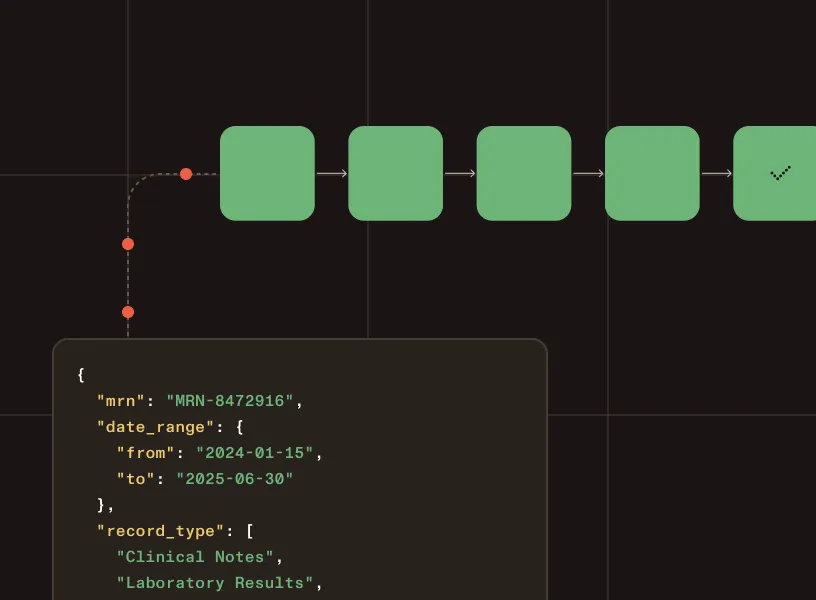
Chart retrieval and fulfillment
Structure medical record number (MRN), date range, record type, requestor, and delivery format from chart requests to route fulfillment without manual reentry.
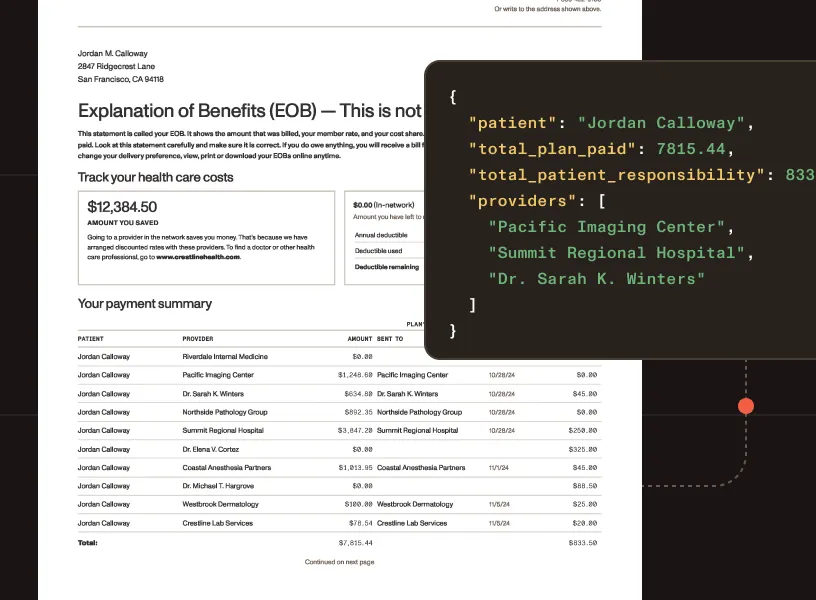
Legal and payer record requests
Extract attorney, insurer, or payer details; authorization scope; and purpose of use from legal and third-party record requests.
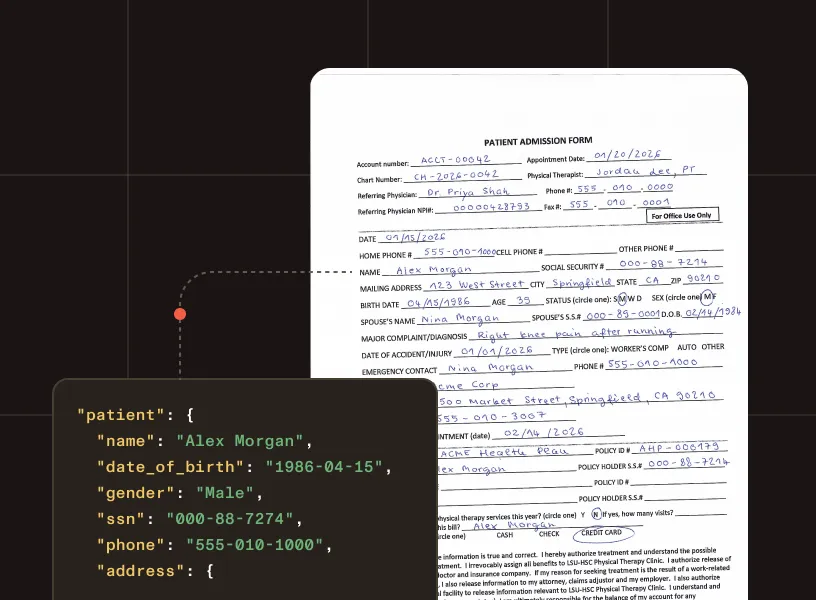
Faxed and scanned patient records
Handle handwritten forms, low-quality faxes, and image-based records with intelligent character recognition and confidence scoring.
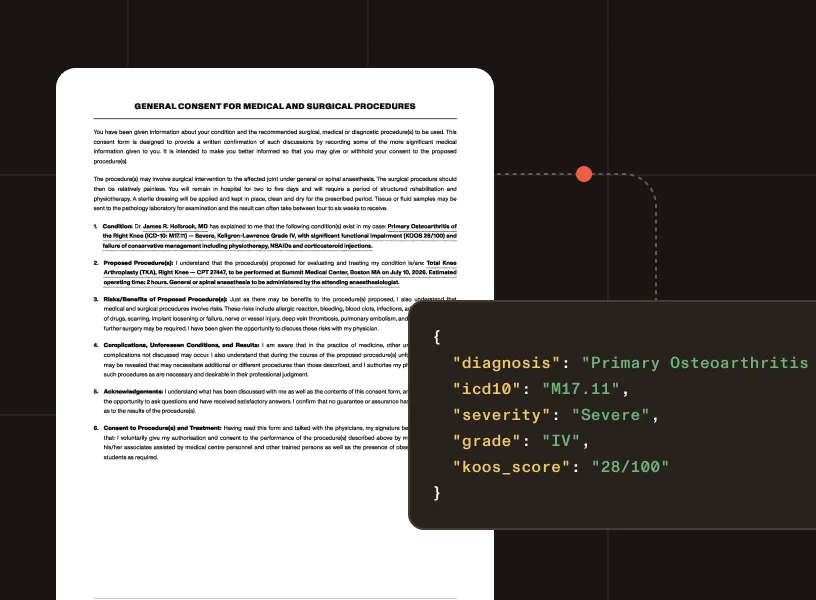
Mixed chart packet processing
Organize multidocument chart packets containing clinical notes, lab results, discharge summaries, and supporting records into per-document structured output.
GOVERNED EXTRACTION
Why not rely on LLM-only extraction for HIM documents?
LLMs can reason over a patient record — but HIM and ROI workflows need deterministic, traceable output grounded in the source document, not generated answers that vary between runs.
Predictable structured output
Typed output remains tied to the source document — not generated text that changes from one run to the next.
Confidence signals for routing and review
Flag uncertain values before they move downstream into ROI platforms or fulfillment queues.
Coordinates and page references
Every extracted value is anchored to its source location for traceability and staff review.
Layout-aware structure
Tables, forms, checkboxes, and key-value regions preserved — not flattened into plain text.
Human review before fulfillment
Support validation steps before structured data enters ROI, HIM, or compliance systems.
Auditability for HIPAA workflows
Source context and page detail support audit trails in regulated healthcare environments.
WHAT YOU CAN EXTRACT
ROI request fields we extract
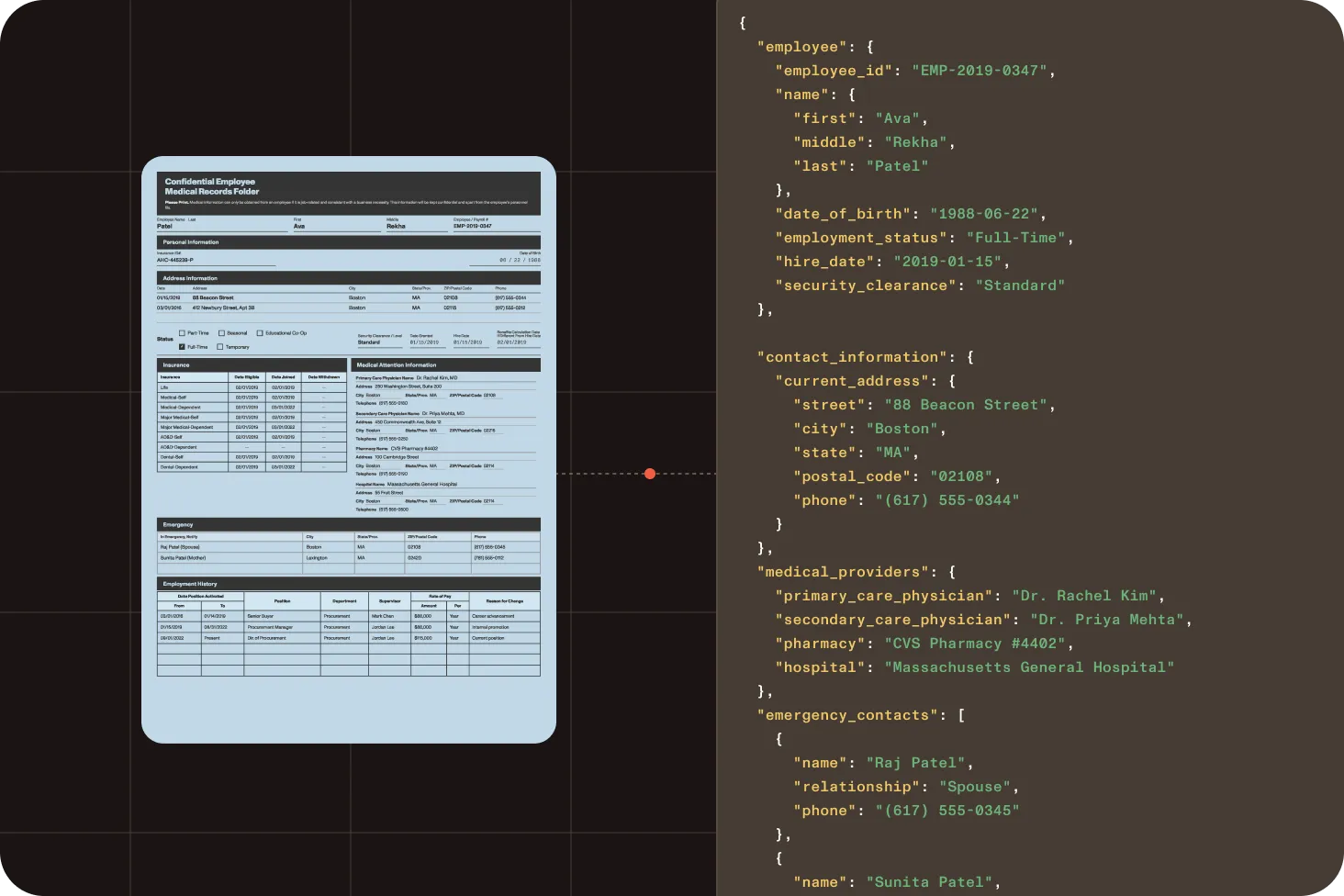
Patient identifiers
Name, date of birth, MRN, member ID, and contact details from ROI forms, chart requests, and authorization documents.
Requestor and authorization details
Requestor name, organization, purpose of use, authorization date, and expiration from ROI and legal record requests.
Record scope and categories
Record type, date range, specific record categories, and delivery format instructions from chart and ROI requests.
Dates and reference numbers
Authorization dates, submission dates, date ranges, and reference or tracking numbers from HIM documents.
Third-party and legal request fields
Attorney details, insurer or payer information, case numbers, and subpoena references from legal record requests.
Handwritten and form fields
Checkbox states, handwritten values, and signature presence from faxed or scanned HIM forms.
HOW IT WORKS
From HIM document to structured output
Parse
Turn ROI forms, patient records, and scanned chart packets into document structure.
Extract
Identify patient identifiers, requestor details, record categories, authorization fields, and delivery instructions.
Map
Define the fields the workflow needs using the schema generator in Studio, or write a JSON Schema directly. Get back validated, typed output.
Structure
Return typed JSON for HIM systems and fulfillment queues, or Markdown for search and AI workflows.
Process
Send structured data into ROI platforms, HIM systems, EHR integrations, or compliance workflows.
OUTPUT FORMATS
ROI request data as JSON or Markdown from one API.
Confidence scores, coordinates, and page context included.
Choose output: "json" or Markdown per request.
Spatial JSON
For extraction · validation · review
{ "type": "keyValueRegion", "id": "kv_r1o2i3", "bounds": { "x": 82, "y": 128, "width": 340, "height": 96 }, "confidence": 0.97, "page": { "pageIndex": 0, "pageNumber": 1 }, "pairs": [ { "key": { "entityType": "QUESTION", "value": "Patient name", "bounds": { "x": 82, "y": 128, "width": 110, "height": 24 }, "confidence": 0.99 }, "value": { "entityType": "ANSWER", "value": "Sarah K. Lindström", "bounds": { "x": 200, "y": 128, "width": 150, "height": 24 }, "confidence": 0.99 }, "relationshipConfidence": 0.97 }, { "key": { "entityType": "QUESTION", "value": "Requestor type", "bounds": { "x": 82, "y": 164, "width": 120, "height": 24 }, "confidence": 0.98 }, "value": { "entityType": "ANSWER", "value": "Patient", "bounds": { "x": 210, "y": 164, "width": 80, "height": 24 }, "confidence": 0.98 }, "relationshipConfidence": 0.96 }, { "key": { "entityType": "QUESTION", "value": "Record category", "bounds": { "x": 82, "y": 200, "width": 120, "height": 24 }, "confidence": 0.97 }, "value": { "entityType": "ANSWER", "value": "Discharge summary", "bounds": { "x": 210, "y": 200, "width": 140, "height": 24 }, "confidence": 0.97 }, "relationshipConfidence": 0.95 } ]}Markdown
For RAG · search · knowledge bases
# Release of Information Request
**Patient** Sarah K. Lindström**Date of birth** 1985-03-09**MRN** 00847321
## Request Details
| Field | Value || --- | --- || Requestor | Patient || Purpose | Continuity of care || Record category | Discharge summary |
**Date range** 2023-01-01 to 2024-06-30**Authorization date** 2024-07-10
Regional processing options
Choose supported processing regions for enterprise deployments.
SOC 2 Type 2 audited
Backed by Nutrient’s SOC 2 Type 2 security practices, built for use in compliance-sensitive workflows.
Trust and compliance
HIPAA-ready release of information software
TLS encryption by default
All API communication is TLS-encrypted. Documents in transit are protected end to end.
HIPAA-compatible architecture
Encrypted transport and access controls designed to support HIPAA-sensitive workflows.
Health information management extraction questions
What is release of information in HIM?
Release of information (ROI) is the health information management (HIM) process of responding to requests for a patient’s medical records from the patient, another provider, an insurer, or a legal representative. The HIM team verifies the request and the authorization, works out which records fall within its scope, and releases only those records.
Most of that work is reading documents: a requester’s details, the authorization form, the date range, and the record types being asked for. Extracting those fields as structured data is what lets the rest of the workflow be tracked and audited.
Can the API handle handwritten and faxed HIM forms?
Yes. For hand-completed fields, checkboxes, and handwritten values, the API applies intelligent character recognition to capture what standard OCR misses. Every extracted value includes a confidence score so uncertain fields can be flagged for staff review before moving downstream.
What file formats are supported?
Data Extraction API processes PDFs; images (including scans and photos); and Word, Excel, and PowerPoint files. It handles scanned records, faxed forms, and mixed digital/image-based documents without requiring a separate OCR pipeline.
Is this a HIM system or ROI platform?
Nutrient Data Extraction API is an extraction layer, not a HIM system or ROI platform. It extracts structured data from healthcare documents so that data can be reviewed, validated, and routed into the systems organizations already use.
Can release of information requests be processed on our own infrastructure?
Yes, with the Data Extraction SDK. The Data Extraction API runs in Nutrient’s cloud, but the SDK runs the same engine in Python or Java on servers you control. Text and layout recognition run on those servers, and if you also host the optional AI model, ROI requests and patient records never leave your infrastructure. Talk to Sales about a self-hosted setup.
To try it on sample ROI requests first, use Nutrient Extract Studio, a desktop app for Apple silicon Macs that runs the same engine. With an AI model running on that Mac, the requests stay on the Mac. You sign in with a free Nutrient account, runs use Data Extraction credits, and Nutrient receives only page counts. Learn about Extract Studio for macOS.
How do I validate extracted data before it enters downstream systems?
Every extracted element includes confidence scores, page references, and coordinates so teams can flag low-confidence fields for review, trace values back to the source document, and validate results before they enter ROI platforms or fulfillment queues.
How do I define the fields to extract from HIM documents?
Use the schema generator in Studio — upload example ROI forms, chart requests, or legal record requests and describe the document type. It generates a JSON Schema for the /extract endpoint. Fields like patient identifiers, requestor details, record categories, and authorization information can also be defined manually. Refer to the documentation for supported field types and limits.
When should I use agentic mode for HIM documents?
Use agentic mode for degraded scans, faxed records, handwritten HIM forms, and documents with complex visual layouts where understand mode produces insufficient results. Agentic mode adds a vision language model (VLM) on top of the understand pipeline. It costs 18 credits per page.