0.5 Credits
HTML-to-PDF API for templates, invoices, reports, and CSS-heavy layouts
Use Nutrient’s DWS HTML-to-PDF API to convert HTML and CSS into high-fidelity PDFs for invoices, reports, statements, and reusable templates. Supports assets, fonts, headers, footers, API keys, and developer-friendly REST, Postman, curl, and SDK workflows without running your own document rendering infrastructure.
Accurate HTML- and CSS-to-PDF output
Handle styled documents, reusable templates, invoices, reports, and other HTML-to-PDF workflows where layout fidelity, fonts, and asset support matter to developers evaluating conversion APIs.
Built for templates and production documents
Move from a basic HTML file to richer PDFs with external CSS, images, fonts, headers, footers, and fillable form fields using a cloud API designed for document workflows.
Fast path from query to implementation
Start with a free trial, API key setup, DWS guides, and implementation paths for REST, Postman, curl, JavaScript, Python, Java, C#, PHP, and HTTP to go from a query like “HTML-to-PDF API with CSS support” to a working prototype.
Lufthansa
Disney
Autodesk
UBS
Dropbox
IBM
Lufthansa
Disney
Autodesk
UBS
Dropbox
IBM
Try it out
This example will create a PDF from the supplied index.html file and render it on an A4-sized page. For detailed information on how to structure your HTML files, along with all the available customization options, visit our guides.
Try it out in three steps
- Add an HTML file named
index.htmlto your project folder. - Run the code from the same folder.
- Open
result.pdfto see the output.
curl -X POST https://api.nutrient.io/processor/generate_pdf \ -H "Authorization: Bearer your_api_key_here" \ -o result.pdf \ --fail \ -F html=@index.htmlcurl -X POST https://api.nutrient.io/processor/generate_pdf ^ -H "Authorization: Bearer your_api_key_here" ^ -o result.pdf ^ --fail ^ -F html=@index.htmlpackage com.example.pspdfkit;
import java.io.File;import java.io.IOException;import java.nio.file.FileSystems;import java.nio.file.Files;import java.nio.file.StandardCopyOption;
import org.json.JSONArray;import org.json.JSONObject;
import okhttp3.MediaType;import okhttp3.MultipartBody;import okhttp3.OkHttpClient;import okhttp3.Request;import okhttp3.RequestBody;import okhttp3.Response;
public final class PspdfkitApiExample { public static void main(final String[] args) throws IOException { final RequestBody body = new MultipartBody.Builder() .setType(MultipartBody.FORM) .addFormDataPart( "html", "index.html", RequestBody.create( MediaType.parse("text/html"), new File("index.html") ) ) .build();
final Request request = new Request.Builder() .url("https://api.nutrient.io/processor/generate_pdf") .method("POST", body) .addHeader("Authorization", "Bearer your_api_key_here") .build();
final OkHttpClient client = new OkHttpClient() .newBuilder() .build();
final Response response = client.newCall(request).execute();
if (response.isSuccessful()) { Files.copy( response.body().byteStream(), FileSystems.getDefault().getPath("result.pdf"), StandardCopyOption.REPLACE_EXISTING ); } else { // Handle the error throw new IOException(response.body().string()); } }}using System;using System.IO;using System.Net;using RestSharp;
namespace PspdfkitApiDemo{ class Program { static void Main(string[] args) { var client = new RestClient("https://api.nutrient.io/processor/generate_pdf");
var request = new RestRequest(Method.POST) .AddHeader("Authorization", "Bearer your_api_key_here") .AddFile("html", "index.html");
request.AdvancedResponseWriter = (responseStream, response) => { if (response.StatusCode == HttpStatusCode.OK) { using (responseStream) { using var outputFileWriter = File.OpenWrite("result.pdf"); responseStream.CopyTo(outputFileWriter); } } else { var responseStreamReader = new StreamReader(responseStream); Console.Write(responseStreamReader.ReadToEnd()); } };
client.Execute(request); } }}// This code requires Node.js. Do not run this code directly in a web browser.
const axios = require('axios')const FormData = require('form-data')const fs = require('fs')
const formData = new FormData()formData.append('html', fs.createReadStream('index.html'))
;(async () => { try { const response = await axios.post('https://api.nutrient.io/processor/generate_pdf', formData, { headers: formData.getHeaders({ 'Authorization': 'Bearer your_api_key_here' }), responseType: "stream" })
response.data.pipe(fs.createWriteStream("result.pdf")) } catch (e) { const errorString = await streamToString(e.response.data) console.log(errorString) }})()
function streamToString(stream) { const chunks = [] return new Promise((resolve, reject) => { stream.on("data", (chunk) => chunks.push(Buffer.from(chunk))) stream.on("error", (err) => reject(err)) stream.on("end", () => resolve(Buffer.concat(chunks).toString("utf8"))) })}import requestsimport json
response = requests.request( 'POST', 'https://api.nutrient.io/processor/generate_pdf', headers = { 'Authorization': 'Bearer your_api_key_here' }, files = { 'html': open('index.html', 'rb') }, stream = True)
if response.ok: with open('result.pdf', 'wb') as fd: for chunk in response.iter_content(chunk_size=8096): fd.write(chunk)else: print(response.text) exit()<?php
$FileHandle = fopen('result.pdf', 'w+');
$curl = curl_init();
curl_setopt_array($curl, array( CURLOPT_URL => 'https://api.nutrient.io/processor/generate_pdf', CURLOPT_CUSTOMREQUEST => 'POST', CURLOPT_RETURNTRANSFER => true, CURLOPT_ENCODING => '', CURLOPT_POSTFIELDS => array( 'html' => new CURLFILE('index.html') ), CURLOPT_HTTPHEADER => array( 'Authorization: Bearer your_api_key_here' ), CURLOPT_FILE => $FileHandle,));
$response = curl_exec($curl);
curl_close($curl);
fclose($FileHandle);POST https://api.nutrient.io/processor/generate_pdf HTTP/1.1Content-Type: multipart/form-data; boundary=--customboundaryAuthorization: Bearer your_api_key_here
--customboundaryContent-Disposition: form-data; name="html"; filename="index.html"Content-Type: text/html
(html data)--customboundary--curl -X POST https://api.nutrient.io/build \ -H "Authorization: Bearer your_api_key_here" \ -o result.pdf \ --fail \ -F index.html=@index.html \ -F instructions='{ "parts": [ { "html": "index.html" } ] }'curl -X POST https://api.nutrient.io/build ^ -H "Authorization: Bearer your_api_key_here" ^ -o result.pdf ^ --fail ^ -F index.html=@index.html ^ -F instructions="{\"parts\": [{\"html\": \"index.html\"}]}"package com.example.pspdfkit;
import java.io.File;import java.io.IOException;import java.nio.file.FileSystems;import java.nio.file.Files;import java.nio.file.StandardCopyOption;
import org.json.JSONArray;import org.json.JSONObject;
import okhttp3.MediaType;import okhttp3.MultipartBody;import okhttp3.OkHttpClient;import okhttp3.Request;import okhttp3.RequestBody;import okhttp3.Response;
public final class PspdfkitApiExample { public static void main(final String[] args) throws IOException { final RequestBody body = new MultipartBody.Builder() .setType(MultipartBody.FORM) .addFormDataPart( "index.html", "index.html", RequestBody.create( MediaType.parse("text/html"), new File("index.html") ) ) .addFormDataPart( "instructions", new JSONObject() .put("parts", new JSONArray() .put(new JSONObject() .put("html", "index.html") ) ).toString() ) .build();
final Request request = new Request.Builder() .url("https://api.nutrient.io/build") .method("POST", body) .addHeader("Authorization", "Bearer your_api_key_here") .build();
final OkHttpClient client = new OkHttpClient() .newBuilder() .build();
final Response response = client.newCall(request).execute();
if (response.isSuccessful()) { Files.copy( response.body().byteStream(), FileSystems.getDefault().getPath("result.pdf"), StandardCopyOption.REPLACE_EXISTING ); } else { // Handle the error throw new IOException(response.body().string()); } }}using System;using System.IO;using System.Net;using RestSharp;
namespace PspdfkitApiDemo{ class Program { static void Main(string[] args) { var client = new RestClient("https://api.nutrient.io/build");
var request = new RestRequest(Method.POST) .AddHeader("Authorization", "Bearer your_api_key_here") .AddFile("index.html", "index.html") .AddParameter("instructions", new JsonObject { ["parts"] = new JsonArray { new JsonObject { ["html"] = "index.html" } } }.ToString());
request.AdvancedResponseWriter = (responseStream, response) => { if (response.StatusCode == HttpStatusCode.OK) { using (responseStream) { using var outputFileWriter = File.OpenWrite("result.pdf"); responseStream.CopyTo(outputFileWriter); } } else { var responseStreamReader = new StreamReader(responseStream); Console.Write(responseStreamReader.ReadToEnd()); } };
client.Execute(request); } }}// This code requires Node.js. Do not run this code directly in a web browser.
const axios = require('axios')const FormData = require('form-data')const fs = require('fs')
const formData = new FormData()formData.append('instructions', JSON.stringify({ parts: [ { html: "index.html" } ]}))formData.append('index.html', fs.createReadStream('index.html'))
;(async () => { try { const response = await axios.post('https://api.nutrient.io/build', formData, { headers: formData.getHeaders({ 'Authorization': 'Bearer your_api_key_here' }), responseType: "stream" })
response.data.pipe(fs.createWriteStream("result.pdf")) } catch (e) { const errorString = await streamToString(e.response.data) console.log(errorString) }})()
function streamToString(stream) { const chunks = [] return new Promise((resolve, reject) => { stream.on("data", (chunk) => chunks.push(Buffer.from(chunk))) stream.on("error", (err) => reject(err)) stream.on("end", () => resolve(Buffer.concat(chunks).toString("utf8"))) })}import requestsimport json
response = requests.request( 'POST', 'https://api.nutrient.io/build', headers = { 'Authorization': 'Bearer your_api_key_here' }, files = { 'index.html': open('index.html', 'rb') }, data = { 'instructions': json.dumps({ 'parts': [ { 'html': 'index.html' } ] }) }, stream = True)
if response.ok: with open('result.pdf', 'wb') as fd: for chunk in response.iter_content(chunk_size=8096): fd.write(chunk)else: print(response.text) exit()<?php
$FileHandle = fopen('result.pdf', 'w+');
$curl = curl_init();
curl_setopt_array($curl, array( CURLOPT_URL => 'https://api.nutrient.io/build', CURLOPT_CUSTOMREQUEST => 'POST', CURLOPT_RETURNTRANSFER => true, CURLOPT_ENCODING => '', CURLOPT_POSTFIELDS => array( 'instructions' => '{ "parts": [ { "html": "index.html" } ] }', 'index.html' => new CURLFILE('index.html') ), CURLOPT_HTTPHEADER => array( 'Authorization: Bearer your_api_key_here' ), CURLOPT_FILE => $FileHandle,));
$response = curl_exec($curl);
curl_close($curl);
fclose($FileHandle);POST https://api.nutrient.io/build HTTP/1.1Content-Type: multipart/form-data; boundary=--customboundaryAuthorization: Bearer your_api_key_here
--customboundaryContent-Disposition: form-data; name="instructions"Content-Type: application/json{ "parts": [ { "html": "index.html" } ]}--customboundaryContent-Disposition: form-data; name="index.html"; filename="index.html"Content-Type: text/html
(index.html data)--customboundary--API comparison
BASIC
Convert to PDF API
Straightforward API for converting to PDF. Perfect for most use cases.
FEATURES
- Simple request format
- Minimal configuration required
- Purpose-built for specific tasks
ADVANCED
Build API
Maximum flexibility and advanced features for complex workflows.
FEATURES
- Multipart document support
- Advanced actions and transformations
- Workflow orchestration
Getting started
Implementation options
Teams evaluating HTML-to-PDF conversion usually want more than rendering quality — they also want a fast path from API key to working request; a clear way to test CSS support; and confidence that templates, invoices, and reports can move into production. Nutrient supports REST, Postman, curl, JavaScript, Python, Java, C#, PHP, and raw HTTP workflows so developers can validate HTML and CSS conversion quickly with real files before committing to deeper integration work.



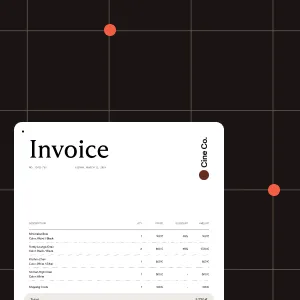
Download sample documents
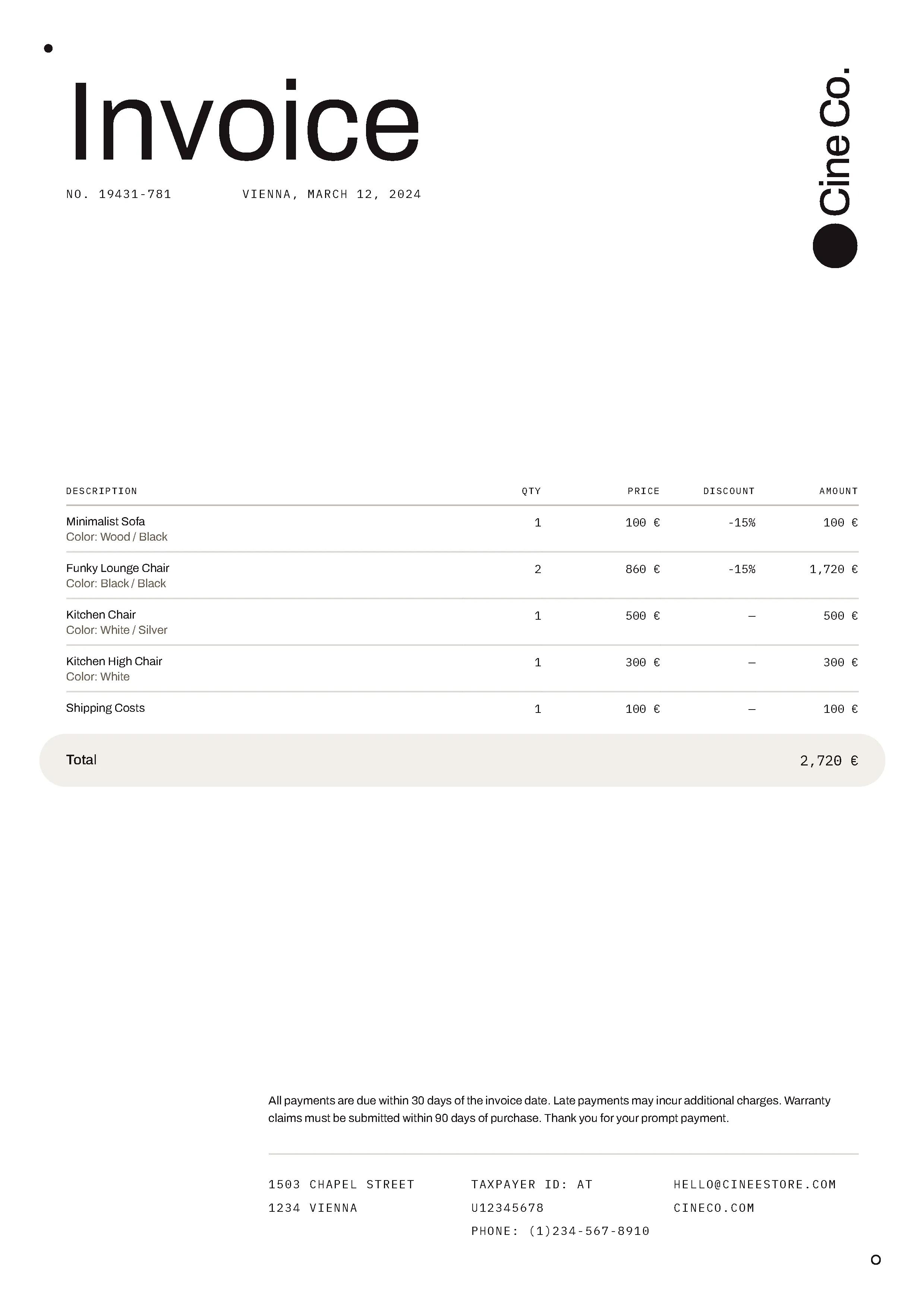
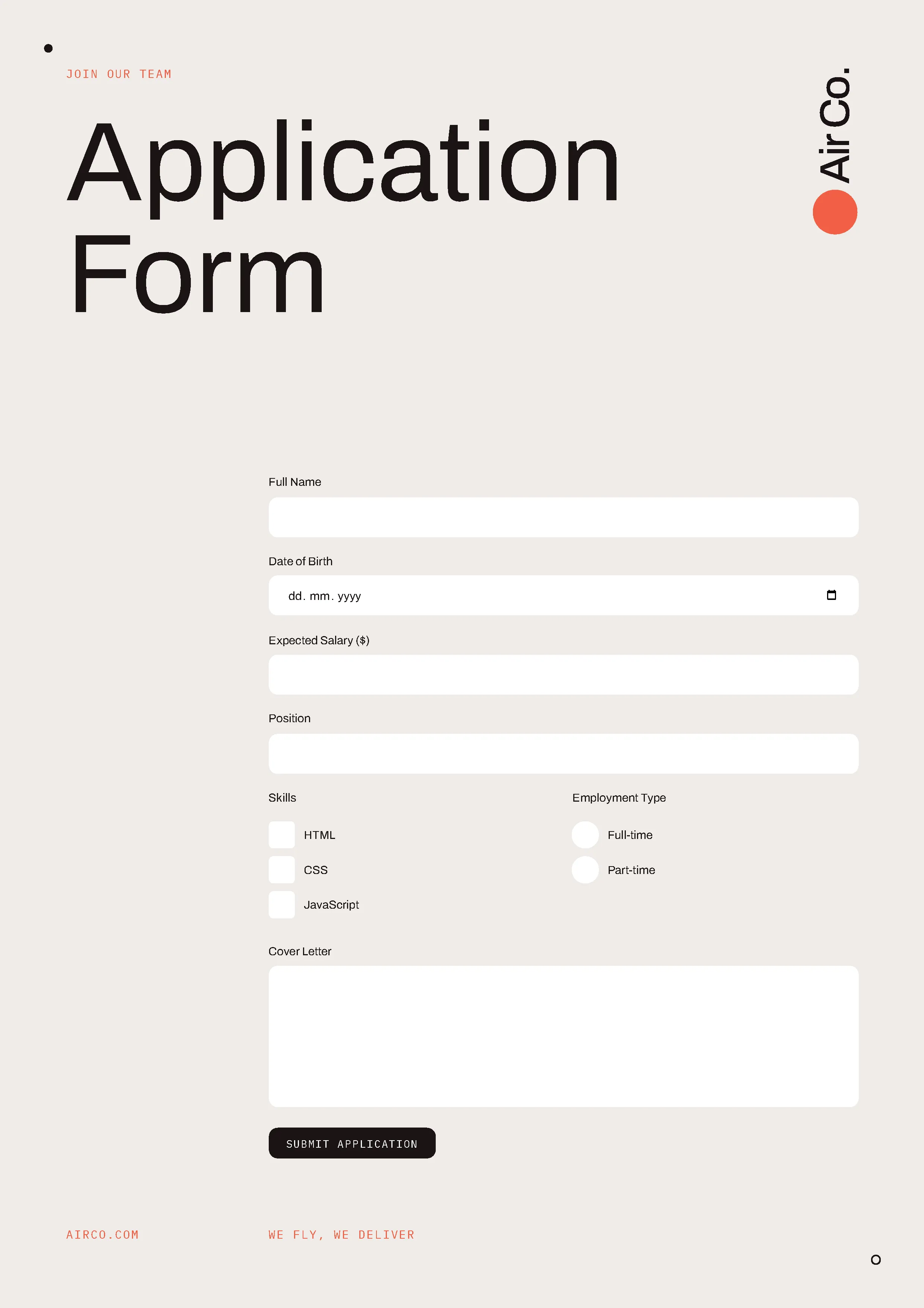
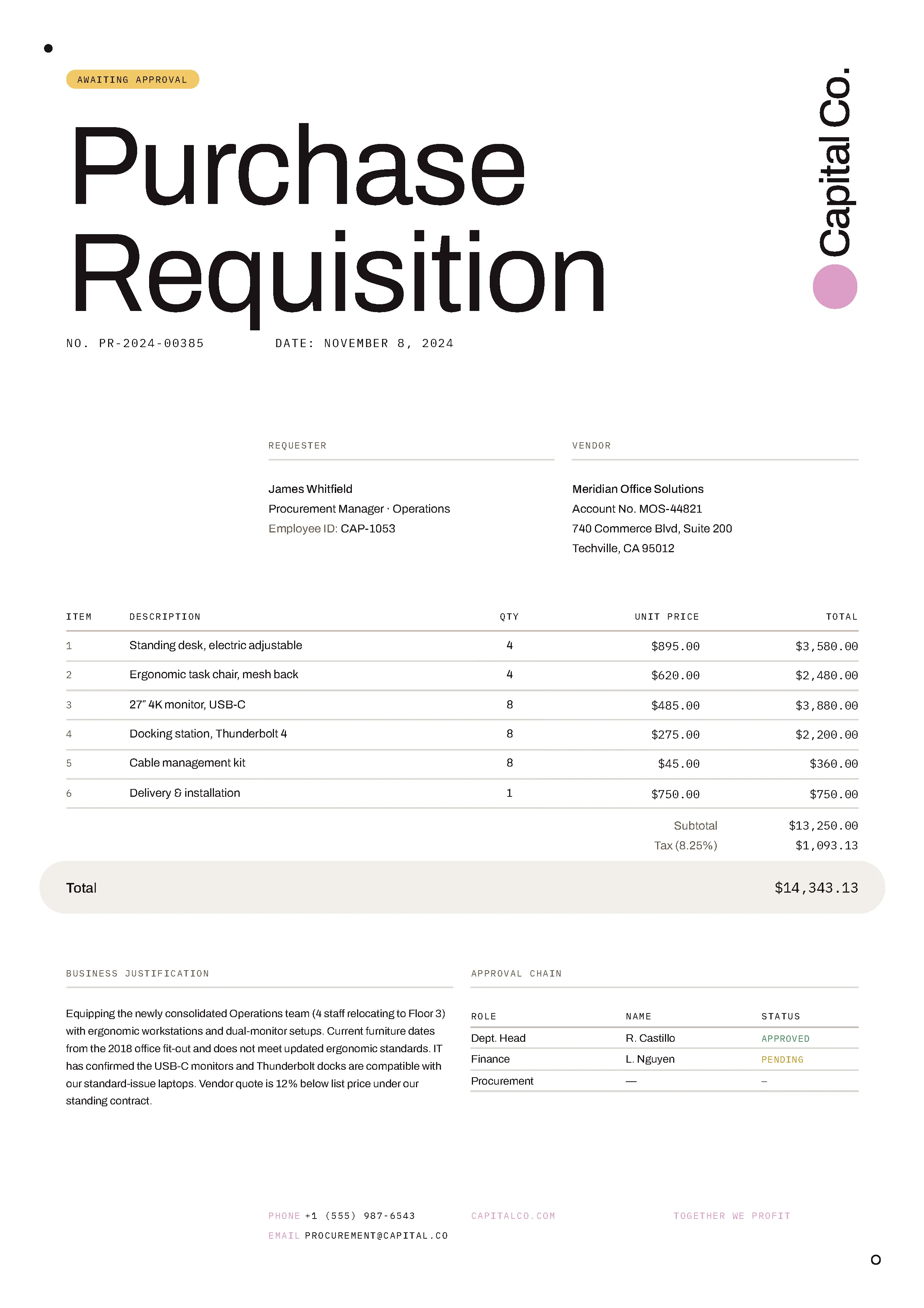
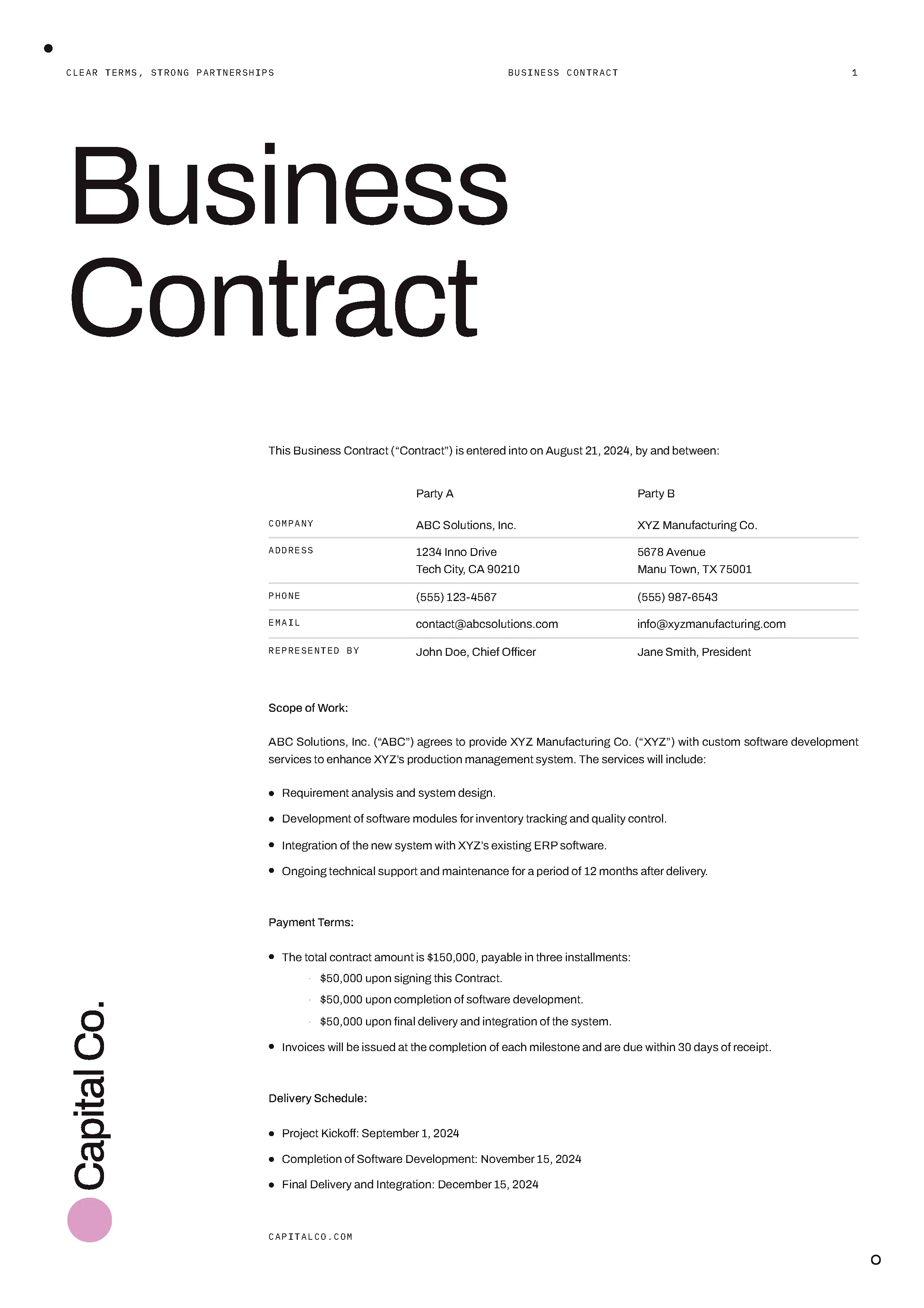
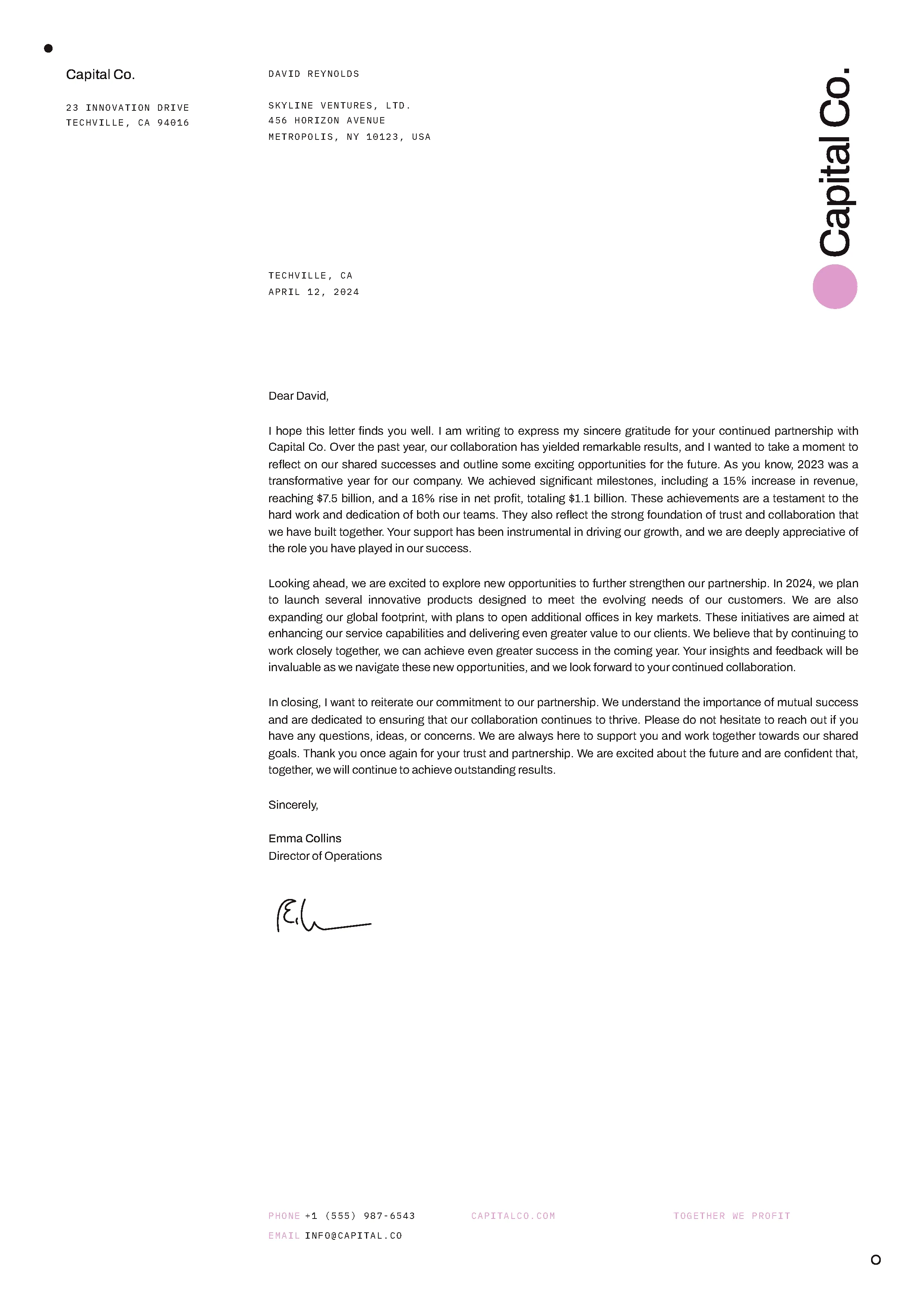
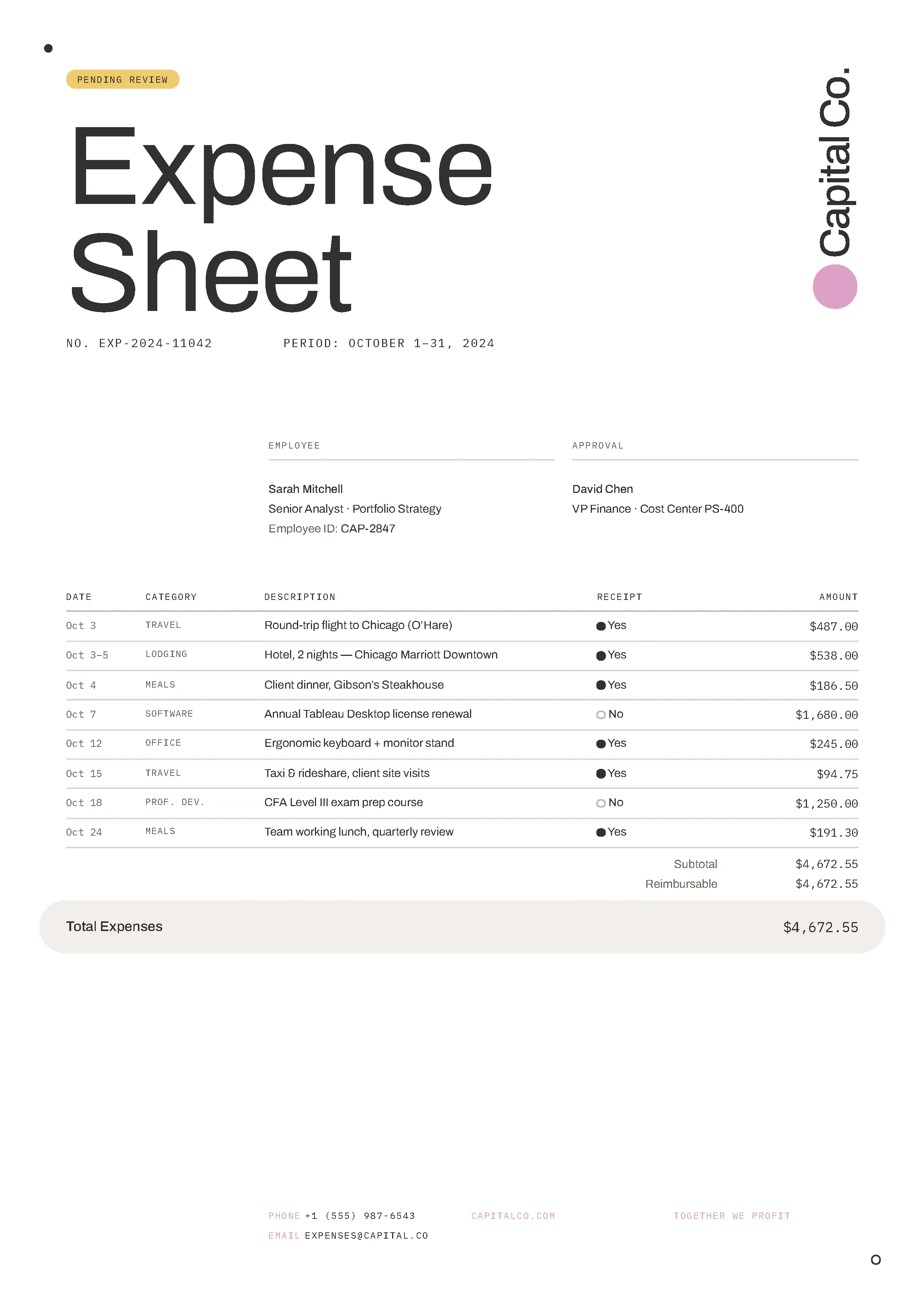
Try generating PDFs with different HTML templates. Download our various sample documents and customize them to your needs.


Most common next steps
Connect HTML-to-PDF evaluation to getting started, pricing, trust, and implementation details
Use the following:
Get started:
Platform resources:
Security is our top priority
SOC 2 Type 2 audited
Nutrient’s infrastructure is SOC 2 Type 2 audited and GDPR compliant. See our privacy policy and security documentation for details on data handling.
HTTPS encryption
All communication between your application and Nutrient is done via HTTPS to ensure your data is encrypted when it’s sent to us.
Safe payment processing
All payments are handled by Paddle. Nutrient DWS Processor API never has direct access to any of your payment data.
Frequently asked questions
What is an HTML-to-PDF API?
An HTML-to-PDF API converts HTML and CSS into pixel-perfect PDF documents via REST. Nutrient’s DWS Processor API lets you generate invoices, reports, statements, and reusable templates without running your own document rendering infrastructure.
Can the HTML-to-PDF API render CSS print media queries?
Yes. The API supports CSS styling — including print media queries, fonts, background images, external stylesheets, headers, and footers — so you can produce production documents like invoices and reports.
Does the HTML-to-PDF API preserve fonts and images?
Yes. The API supports embedded and external fonts, background images, and inline images. Assets referenced in your HTML are included in the generated PDF.
Is the HTML-to-PDF API SOC 2 compliant?
Yes. The API is backed by Nutrient’s SOC 2 Type 2-audited infrastructure — built for use in business-critical and regulated workflows.
Which programming languages does the HTML-to-PDF API support?
You can call the API from any language that makes HTTP requests. Nutrient provides examples for JavaScript, Python, Java, C# (.NET), and PHP, plus REST, curl, a Postman collection, and raw HTTP.
Can AI agents generate PDFs through this API?
Yes. The make-pdf agent skill in the public Nutrient skills marketplace turns Markdown or HTML into a finished PDF through this API — including tagged PDF/UA and archival PDF/A outputs — and verifies every compliance build before an agent passes it downstream. Learn more on the make-pdf skill page.
Is there a free tier for the HTML-to-PDF API?
Yes. Sign up to receive processing credits and try the HTML-to-PDF API before choosing a Processor API plan.
Ready to try it?
Create an account to get your DWS Processor API key and start making API calls.