Requisition form: Cut approval time and eliminate manual errors

Table of contents
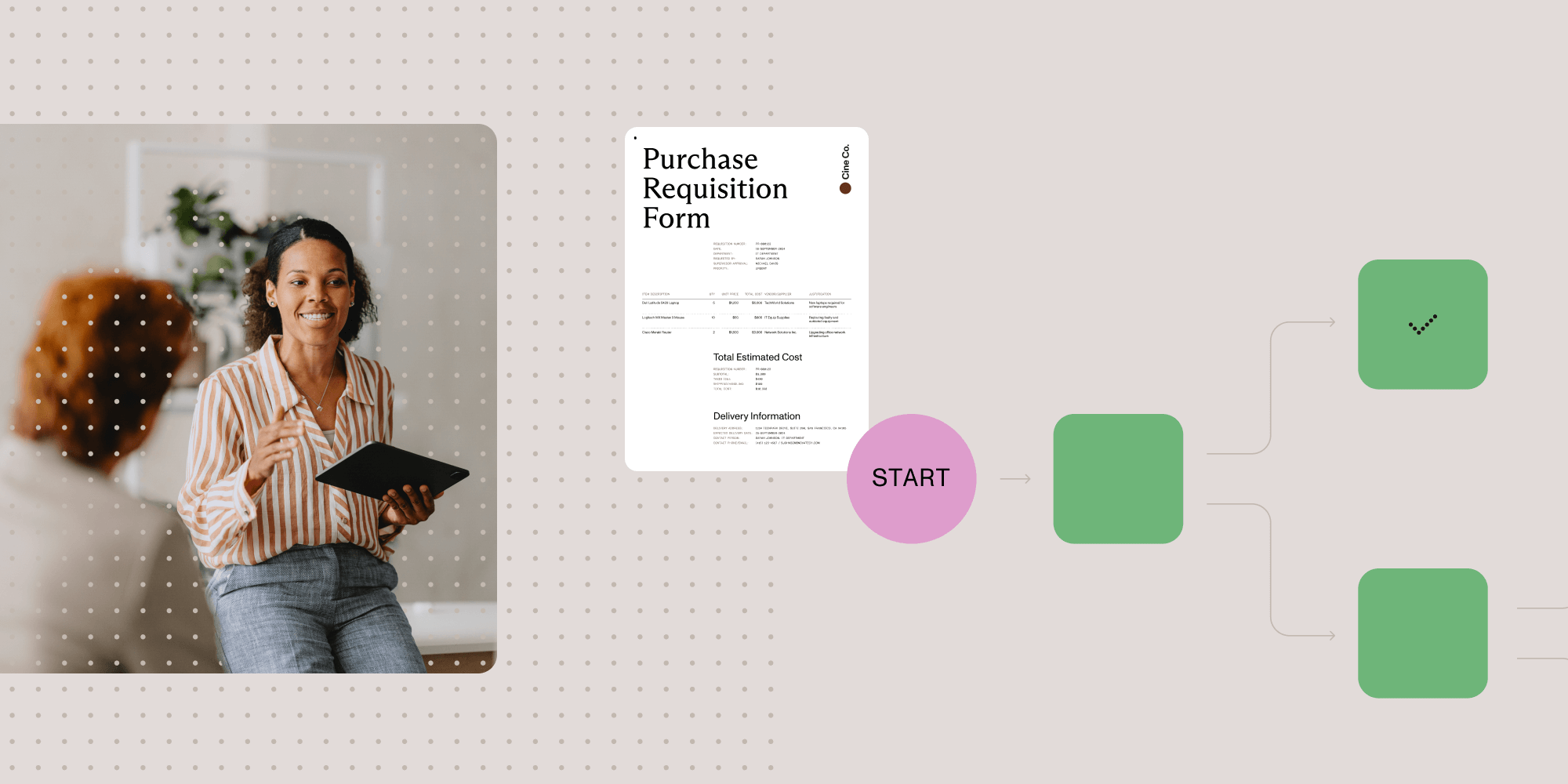
Try Workflow Automation free for 14 days.
Requisition forms are internal documents that formally request goods or services within organizations. Digital solutions offer advantages over traditional paper forms, including reduced errors, real-time tracking, and streamlined approvals. Common types include purchase, material, service, and travel requisitions. Automating the process with Nutrient Workflow improves compliance, reduces cycle times, and provides better spending control with transparent audit trails.
A requisition form is an internal document employees use to request purchases of goods or services. It routes through approvers before any purchase commitment is made. Unlike a purchase order (sent to vendors), a requisition stays internal and requires approval first.
Why automate requisition forms:
- Cut costs — Automation saves an average of 10 percent on annual procurement spend
- Save time — Reduce manual data entry by up to 80 percent
- Close faster — Speed up financial close by 30 percent
- Prevent errors — Validation rules catch mistakes before submission
- Audit trail — Every request is tracked and documented
Efficient procurement starts with clear internal communication — and that begins with requisition forms. A structured request-and-approval system helps organizations control spending and ensure compliance.
With Nutrient Workflow, teams can digitize requisitions, automate approvals, and reduce bottlenecks — leading to faster decisions and better spend control.
What is a requisition form?
A requisition form is an internal request for goods, services, or other resources. It ensures requests follow a consistent approval path before any commitments are made.
Requisitions cover everything from raw materials and software to maintenance services and travel — all with consistent accountability.
Modern requisition forms are increasingly digital, allowing for automated routing, validation rules, and real-time tracking.
Requisition form vs. purchase order
| Document | Purpose | Audience | When created |
|---|---|---|---|
| Requisition form | Request internal approval | Internal teams, managers | Before approval |
| Purchase order | Commit to buy from vendor | External vendors | After approval |
A requisition is the internal request. A purchase order is the external commitment. The requisition must be approved before a PO is issued.
What to include on a requisition form
A complete requisition form captures:
- Requester details — Name, department, contact information
- Request date — When the request was submitted
- Requisition number — Unique ID for tracking
- Item description — What’s being requested (product, service, quantity)
- Estimated cost — Budget impact and unit pricing
- Purpose/justification — Why the purchase is needed
- Preferred vendor — Suggested supplier (if known)
- Delivery requirements — Deadline, location, urgency level
- Budget/cost center — Which budget covers the expense
- Approver information — Who needs to sign off
Requisition approval workflow: 4 steps
| Step | Action | Who |
|---|---|---|
| 1. Submit | Employee fills out requisition form | Requester |
| 2. Review | Check for completeness and accuracy | Reviewer/procurement |
| 3. Approve | Verify budget and business need | Manager |
| 4. Process | Convert to purchase order | Purchasing department |
Approval thresholds example:
- Under $500 — Manager approval only
- $500–$5,000 — Manager + department head
- Over $5,000 — Manager + department head + finance department
Key roles in the requisition process
- Requester — Submits the initial request for goods or services
- Reviewer — Checks the form for completeness before routing
- Manager — Approves based on budget and business need
- Procurement — Verifies vendors and pricing, and then creates the purchase order
How to create requisition forms in Nutrient Workflow
Watch the video above to see how you can create and automate requisition workflows in minutes.
Nutrient Workflow includes a visual form builder with drag-and-drop components, customizable fields, and logic-based workflow rules. Here’s what you can do with it:
- Build forms visually — Drag and drop fields, set validation rules, and preview live
- Set approval logic — Route requests based on amount, department, or custom conditions
- Automate notifications — Trigger emails and reminders at each workflow stage
- Track everything — Real-time dashboards show request status and bottlenecks
- Connect your systems — Integrate with ERP, accounting, and HR platforms via API
Types of requisition forms
| Type | Use case | Common fields |
|---|---|---|
| Purchase requisition | External vendor purchases | Vendor, item, quantity, cost |
| Material requisition | Production/inventory needs | Part number, quantity, project |
| Service requisition | Professional/maintenance services | Service type, scope, timeline |
| Travel requisition | Flights, hotels, expenses | Dates, destination, estimated cost |
| Personnel requisition | New hire requests | Position, salary range, justification |
| IT requisition | Software, hardware, access | System, license type, urgency |
| Capital requisition | Large asset purchases | ROI, depreciation, approval chain |
| Lab requisition | Research materials, equipment | Specifications, safety requirements |
Automate approvals, track requests in real time, and reduce manual work with Nutrient Workflow.
Real results: HGL streamlines purchase requisitions
HGL(opens in a new tab), an environmental services company, used paper-based workflows and email for purchase requisitions and CapEx approvals. Requests got stuck, bottlenecks slowed projects, and there was no clear audit trail.
After implementing Nutrient Workflow:
- Approval time dropped from hours to minutes
- Bottlenecks eliminated, with requests no longer delaying critical projects
- Higher volume handled, making things scalable without adding headcount
- Better visibility with real-time tracking for managers and auditors
“Nutrient offers the most intuitive and flexible workflow engine I’ve encountered. Its simplicity doesn’t compromise capability.” — Chris Kerr, Director of Technical Operations, HGL
HGL now automates purchasing workflows, CapEx approvals, work orders, and more — all built in-house using Nutrient’s drag-and-drop interface.
Read the full HGL case study →
Why choose Nutrient Workflow?
| Feature | Nutrient Workflow | Spreadsheets | Legacy systems |
|---|---|---|---|
| No-code form builder | ✓ | ✗ | ✗ |
| Conditional routing | ✓ | ✗ | Limited |
| Real-time dashboards | ✓ | ✗ | ✗ |
| Mobile approvals | ✓ | ✗ | Limited |
| API integrations | ✓ | ✗ | Complex |
| Audit trail | Automatic | Manual | Varies |
| Setup time | Days | N/A | Months |
Nutrient Workflow is built for teams who need to move fast without sacrificing compliance or control.
Digital requisition forms are better
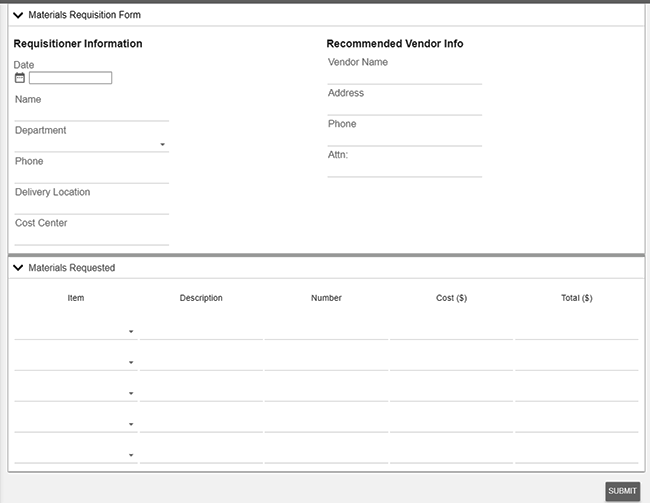
Moving from paper or spreadsheets to digital forms delivers major benefits.
Improve compliance and standardization
- Forms are accessible 24/7 across devices
- Validation rules prevent missing or incorrect data
- Prepopulated fields for vendor, cost center, or account information
Reduce request cycle time
- Dynamic routing based on department, spend level, or urgency
- Alerts and reminders prevent approval delays
- Analytics spotlight process bottlenecks
Gain spending control
- Live status tracking for all requests
- Budget-aware routing and spending thresholds
- Reduced paper waste and operational overhead
See how Nutrient can help you automate procurement workflows from start to finish.
Simplify requisition form processes
With Nutrient, you can build digital templates for any requisition need:
- Purchase requisition forms
- Materials requisition forms
- Personnel requisition forms
- Advance requisition forms
Automate key tasks like:
- Approval routing
- Notifications and escalations
- Request cancellation or handoff
- Transfer between teams
Automation clears backlogs and enforces your organization’s rules.
Start building intelligent workflows with Nutrient — no code required.
Best practices for requisition forms
Build a scalable, compliant requisition process:
- Standardize templates across departments
- Use automation to prevent missed approvals
- Ensure complete data is captured upfront
- Route based on logic (cost center, department, value)
- Track every request to close the loop
- Review regularly to update with business changes
Request a demo or get started with a free trial today.
FAQ
A requisition form is an internal document employees use to request goods or services. It initiates procurement by routing the request through approvals before any purchase commitment.
Nutrient Workflow provides a drag-and-drop form builder, automated approval routing, real-time tracking, and integration with accounting systems — all without coding.
Nutrient Workflow supports purchase requisitions, material requisitions, service requisitions, travel requests, and personnel requisitions. Each form type can have custom fields and approval rules.
Yes. Nutrient Workflow connects with ERP systems, accounting software, and other business applications through APIs and prebuilt connectors.
Most customers have their first requisition workflow live within a few weeks. The Nutrient Workflow Customer Success team provides hands-on support during setup.
A requisition is an internal request for approval. A purchase order (PO) is an external document sent to vendors after the requisition is approved. Requisitions stay internal; POs commit the organization to a purchase.
Approval depends on your organization’s rules. Typically, direct managers approve low-value requests, while department heads or finance teams approve higher-value purchases. Automated workflows can route based on amount, department, or category.
Essential fields include requester name, department, request date, item description, quantity, estimated cost, purpose/justification, preferred vendor, delivery requirements, and budget/cost center. Add custom fields based on your approval requirements.
Requisition forms create an audit trail of every purchase request. Required approvals, spending thresholds, and segregation of duties make unauthorized purchases harder. Digital systems timestamp every action and log who approved what.