Workflow design software: Best tools to automate processes

Table of contents
Learn how workflow design tools automate customer service processes, support tickets, and business workflows with drag-and-drop process builders. Compare the top automation platforms for 2025, including Nutrient Workflow’s latest AI-powered features, built-in signing, and mobile approvals.
Workflow design tools let you map business processes visually and activate them instantly — no more confusion, emails, Excel spreadsheets, shared documents, or paper forms. You draw what you want to happen and everyone knows what to do.
Businesspeople are doing this every day with workflow design tools built into workflow automation systems. Tools like Lucidchart(opens in a new tab), Creately(opens in a new tab), and Visio(opens in a new tab) are great for illustrating workflows and sharing them with other team members to ensure a workflow is designed correctly. However, these tools create static illustrations and can’t take the next step, which is workflow automation.
If your goal is automating manual workflows, choose a true workflow automation tool with an easy-to-use design interface. Once the workflow is approved, you can deploy it immediately.
Important features of a workflow design tool
When selecting workflow design software, look for these essential capabilities:
- Low-code, drag-and-drop builder — Visually design workflows without programming knowledge
- Task assignments — Clearly define responsibilities and automate task routing
- Collaboration tools — Real-time communication and approvals
- Export capabilities — Share workflows as PDFs or diagrams for documentation
- Business rules — Conditional logic for automated decision-making and routing
Advanced workflow capabilities
Advanced workflow tools also provide:
- Child processes — Sub-workflows within larger processes for multistep approvals
- Complex business rules — Conditional logic and decision trees
- Multitiered approvals — Single, group, or sequential approval chains
- Parallel/sequential flows — Run steps simultaneously or in order
- Automated notifications — Reminders, timeouts, and escalations
- Test mode — Simulate workflows before deployment
Automating customer service workflows with process builders
Customer service teams struggle with manual ticket routing, inconsistent response times, and scattered information. Workflow automation with process builders solves these problems by:
- Automating ticket routing — Route requests based on issue type, priority, or team capacity
- Setting up escalations — Trigger alerts when tickets exceed SLA thresholds
- Standardizing onboarding — Guide customers through setup with automated workflows
- Streamlining complaints — Structure resolution processes with defined approval steps
- Enabling self-service — Let customers initiate workflows for common requests
- Tracking SLAs — Monitor response times and satisfaction metrics in real time
Customer service automation examples
| Use case | Manual process | Automated workflow |
|---|---|---|
| Support ticket escalation | Supervisor manually checks queue for overdue tickets | Automatic escalation after 24 hours with email notification |
| Customer onboarding | Multiple emails back and forth to collect documents | Single form submission triggers multistep workflow with reminders |
| Refund approval | Email chain between agent, supervisor, and finance | Structured approval process with defined decision rules and automatic routing |
| Complaint tracking | Spreadsheet manually updated by multiple team members | Centralized workflow with automatic status updates and audit trail |
| Document collection | Multiple follow-up emails to request missing paperwork | Automated reminders sent at defined intervals until documents received |
Key features for customer service workflow automation
When selecting workflow software for customer service, prioritize:
- Visual process builder — Drag-and-drop interface for ticket routing and escalations
- Business rules engine — Conditional logic for automatic routing
- SLA management — Built-in timers and escalation triggers
- Integrations — Connect with CRM, help desk, and communication tools
- Reporting — Real-time dashboards for performance metrics
- Mobile access — Approve and respond from any device
Comprehensive workflow design tools
Workflow design software can be categorized based on its capabilities. Some tools focus solely on visual process modeling, while others provide full workflow automation, and some cater to enterprise-level needs with advanced business process management (BPM) features. Below is a breakdown of the best tools available.
Workflow automation platforms
The following tools enable you to automate workflows.
1. Smartsheet
Familiar spreadsheet interface for planning and tracking work. Strong for project management and operations. Starts at $9/user/month.
2. FlowForma
No-code automation designed for business users who need to build processes without IT help. Popular in healthcare, construction, and financial services. Custom pricing.
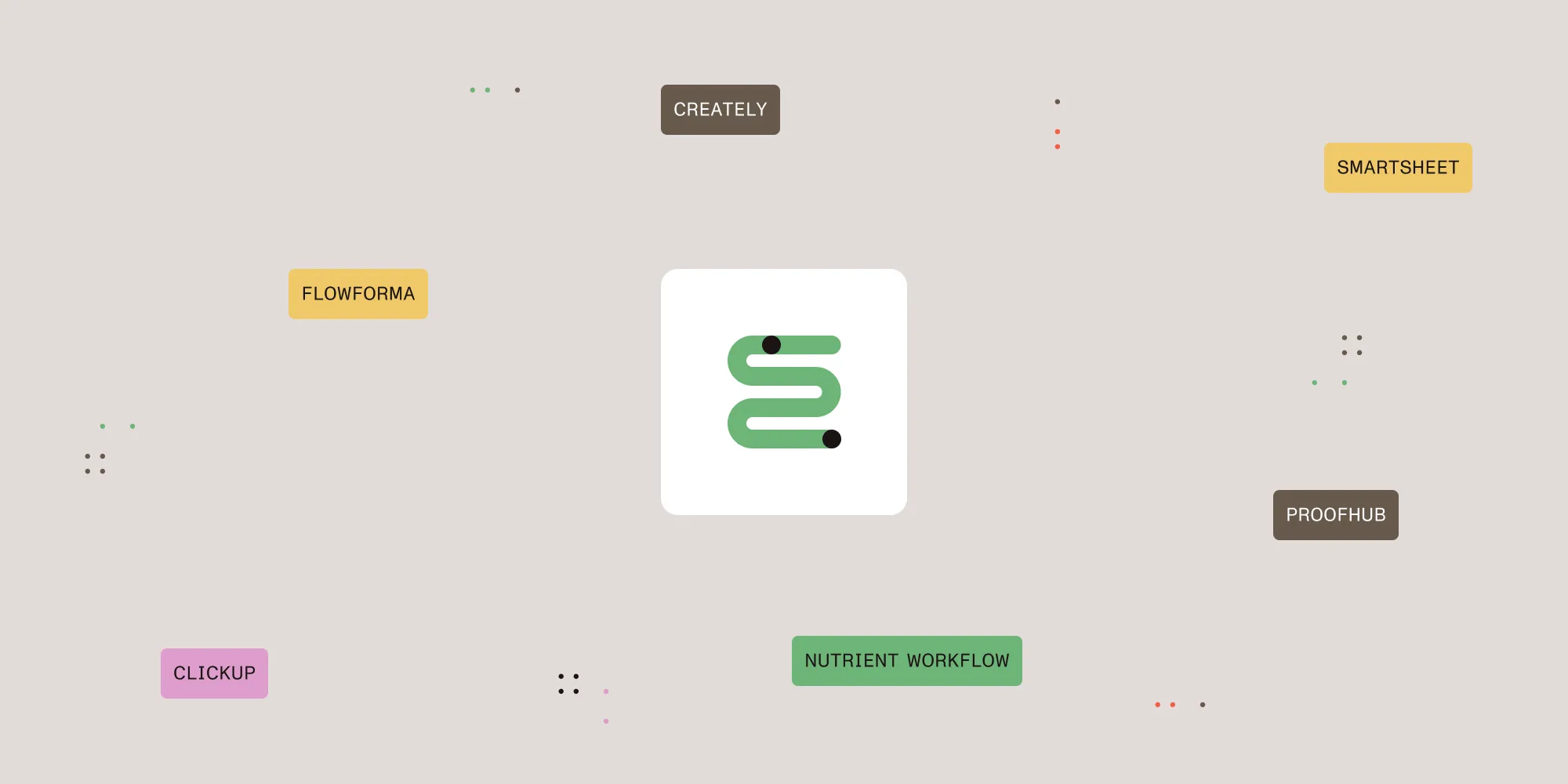
3. Creately
Visual workspace with diagramming tools for mapping processes and organizational structures. Offers a free plan with paid tiers from $5/user/month.
4. ClickUp
Productivity platform combining customizable workflows with task management. Works well for agile teams and marketing operations. Free plan available, paid from $7/user/month.
5. ProofHub
Project management with built-in workflows, time tracking, and file review tools. Flat-rate pricing ($45/month) makes it cost-effective for creative and remote teams.
6. Nutrient Workflow
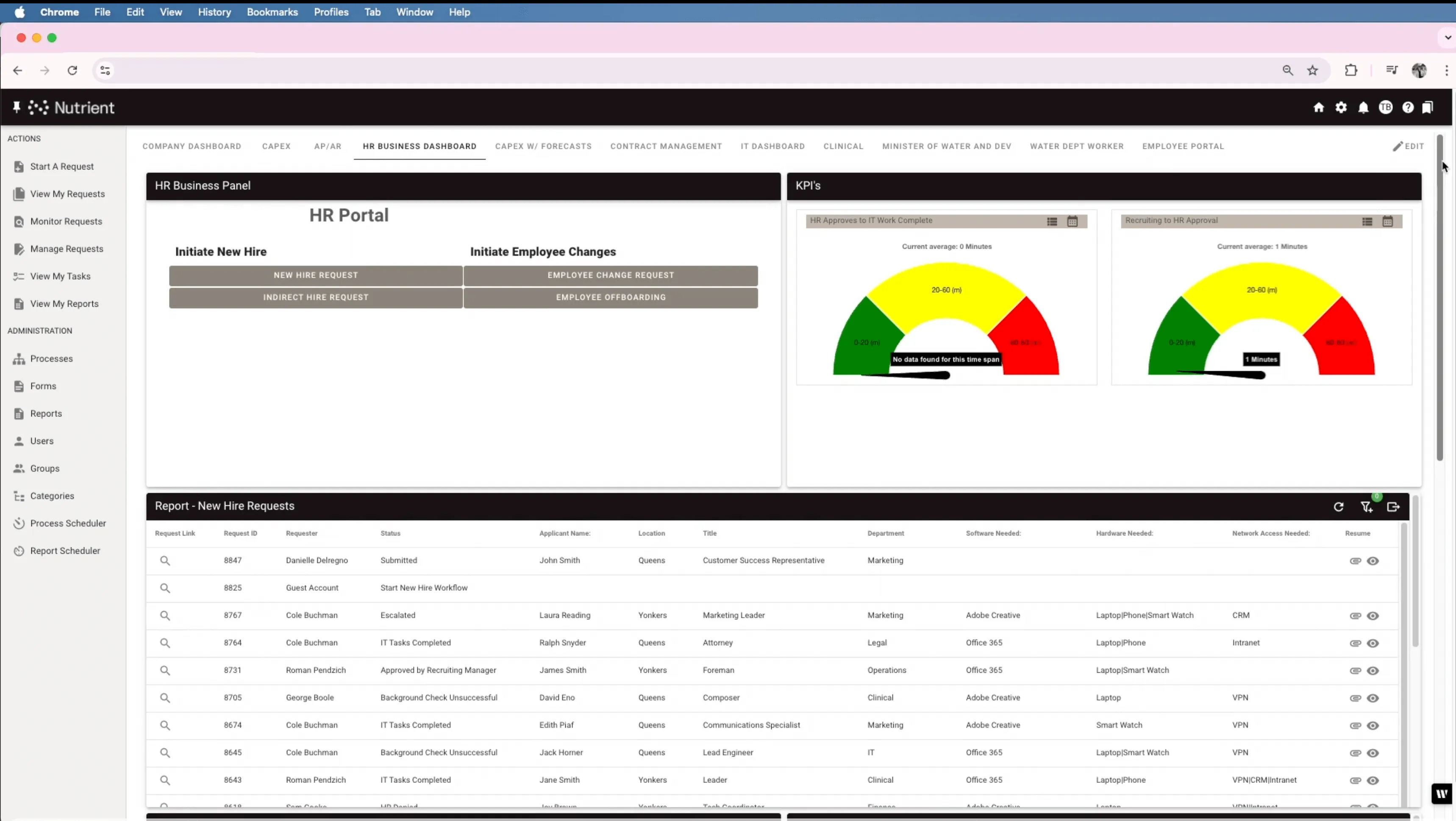
Nutrient Workflow is a workflow automation platform for document-heavy business processes. With its visual Process Builder, businesses can design, automate, and optimize complex workflows without coding — from customer service ticket routing, to contract approvals and compliance workflows.
The platform stands out for its deep document processing capabilities, making it ideal for organizations that rely heavily on forms, PDFs, contracts, and other business documents throughout their workflows.
Nutrient Workflow released significant enhancements in October 2025, including:
- Built-in electronic signing — Collect secure, audit-ready signatures without external tools. Configure signing order, add expiration rules, and verify signer identity through email authentication. Supports both electronic signatures and PAdES digital signatures for legally binding documents.
- AI-powered document processing — Automatically extract data from multiple documents using LLM integration (OpenAI, Claude). Process invoices, contracts, or scanned forms, and auto-populate workflow fields without manual data entry.
- Modern dashboard experience — Real-time widget editing, responsive design across devices, and customizable layouts for monitoring workflow performance and bottlenecks.
- Enterprise-grade SSO — Single sign-on (SSO) support for faster, more secure access with centralized identity management.
- Mobile approvals — Complete tasks, approve requests, and update workflow status from any mobile device with the dedicated mobile app.
Enterprise integrations
Nutrient Workflow connects seamlessly with:
- CRM systems — Salesforce, Microsoft Dynamics, HubSpot
- Help desk tools — ServiceNow, Zendesk, Freshdesk
- Collaboration platforms — Microsoft 365, SharePoint, Slack, Microsoft Teams
- Document systems — DocuSign (now with built-in alternative), Box, Dropbox
- Custom APIs — RESTful API for custom integrations
Key features
- Low-code, drag-and-drop Process Builder
- Built-in electronic and digital signatures
- AI-powered document data extraction
- Multitiered approval workflows
- Business rules engine with conditional logic
- Real-time dashboards and reporting
- Mobile app for iOS and Android
- SLA management and escalation triggers
- Document generation and PDF automation
- Enterprise SSO and security controls
Pricing
Available upon request with flexible deployment options (cloud-hosted or on-premises).
Ideal use cases
Document-heavy business process automation, customer service workflows, compliance processes, contract management, HR onboarding, financial approvals, and healthcare workflows.
What is a process builder?
A process builder turns flowcharts into automated workflows using a drag-and-drop interface. Configure business rules, set up task routing, and trigger actions — all without writing code.
Comparison of workflow design software
| Feature | Smartsheet(opens in a new tab) | FlowForma(opens in a new tab) | Creately(opens in a new tab) | ClickUp(opens in a new tab) | ProofHub(opens in a new tab) | Nutrient Workflow |
|---|---|---|---|---|---|---|
| Best for | Project management | Business process automation | Visual process mapping | Agile project management | Team collaboration | Business process automation |
| Interface | Spreadsheet style | No-code process builder | Visual workspace | Task-based UI | All-in-one dashboard | Drag-and-drop process builder |
| Automation | No-code workflows | Business rules engine | Limited | Advanced automation | Task automation | Process automation + AI |
| Collaboration tools | Real-time collaboration | Form-based approvals | Shared workspaces | Team chat and docs | File proofing | Team collaboration |
| Task management | ✔️ | ✔️ | ❌ | ✔️ | ✔️ | ✔️ |
| Workflow customization | ✔️ | ✔️ | ✔️ | ✔️ | ✔️ | ✔️ |
| Built-in signing | ❌ | ❌ | ❌ | ❌ | ❌ | ✔️ (electronic + digital) |
| AI document processing | ❌ | ❌ | ❌ | Limited | ❌ | ✔️ (LLM integration) |
| Mobile app | ✔️ | ❌ | ❌ | ✔️ | ❌ | ✔️ |
| Customer service features | Limited | ❌ | ❌ | Limited | ❌ | ✔️ |
| Integrations | Microsoft, Google, Jira | SharePoint, Office 365 | Slack, Google Drive | Slack, GitHub, Zapier | Google Drive, Dropbox | Salesforce, ServiceNow, Microsoft 365 |
| Pricing | Starts at $14/user/month | Request pricing | Free, paid from $5/user | Free, paid from $5/user | $89/month (flat rate) | Request pricing |
| Free plan | ❌ | ❌ | ✔️ | ✔️ | ❌ | ❌ |
Basic workflow diagramming tools (for design only)
These tools allow you to visually design workflows but don’t include automation capabilities. They’re ideal for creating flowcharts, process diagrams, and business workflows that can be shared with teams.
| Tool | Description | Pricing |
|---|---|---|
| Visio(opens in a new tab) | Microsoft’s diagramming tool integrated with Office 365. | Starts at $5/user/month |
| Lucidchart(opens in a new tab) | Cloud-based diagramming with templates and real-time collaboration. | Starts at $9/user/month |
| draw.io(opens in a new tab) | Free, open source diagramming software with a simple interface. | Free |
Enterprise workflow management software (advanced features)
These platforms are designed for large organizations that require advanced business process management (BPM), integrations, compliance tracking, and AI-driven process automation.
| Tool | Description | Pricing |
|---|---|---|
| Appian(opens in a new tab) | AI-powered workflow automation with enterprise-grade security. | Custom pricing |
| IBM Business Automation Workflow(opens in a new tab) | Scalable BPM software with AI-driven insights. | Custom pricing |
| ServiceNow Workflow(opens in a new tab) | Cloud-based workflow automation for IT, HR, and customer support. | Custom pricing |
| Monday.com(opens in a new tab) | Highly customizable workflow and task management tool. | Starts at $9/user/month |
| Asana(opens in a new tab) | Workflow management for team collaboration and project tracking. | Starts at $10.99/user/month |
Getting started with workflow automation
Before selecting a tool, take these steps:
- Map your current process — Document the existing workflow from start to finish
- Identify bottlenecks — Find where delays, errors, or manual handoffs occur
- Define success metrics — Set baseline measurements for response times, completion rates, and error rates
- Start with one workflow — Pilot with a single process before scaling to others
- Involve your team — Get input from the people who will use the system daily
Selection criteria
When choosing workflow design software, consider:
- Automation vs. mapping — Do you need live automation or just process diagrams?
- Customization level — Simple workflows or complex business rules with conditional logic?
- Team size — Small team collaboration or enterprise-wide deployment?
- Integration requirements — CRM, help desk, Slack, Microsoft 365, or custom APIs?
- Budget — Free plan, per-user subscription, or enterprise pricing?
See Nutrient Workflow in action
If you’re interested in seeing how Nutrient Workflow Automation Platform can help you visualize, automate, and streamline business processes, contact Sales, or try it free for 14 days.
FAQ
Workflow design tools let you visually map business processes and automate them. They improve efficiency by eliminating manual handoffs and reducing errors.
Automation tools execute workflows automatically, while design-only tools create static diagrams. Automation platforms like Nutrient Workflow turn your process maps into live, working systems that route tasks and trigger actions without manual intervention.
Yes. Most modern platforms use drag-and-drop builders and low-code interfaces. Business users can design and deploy workflows without writing code or involving IT.
Small businesses use workflow tools to eliminate spreadsheet tracking, reduce email back-and-forth, and ensure nothing falls through the cracks. The result is faster turnaround times and better customer experiences.
Yes. Draw.io and Lucidchart offer free versions for basic workflow diagramming. For automation, ClickUp and Creately have free plans with limited features.
A process builder is a drag-and-drop interface that turns flowcharts into automated workflows. Instead of drawing static diagrams, you configure live processes that route tasks, send notifications, and trigger actions automatically.
Automation routes tickets to the right team instantly, escalates overdue requests automatically, and tracks SLA compliance in real time. This cuts response times and ensures consistent service quality.
Yes. Nutrient Workflow handles ticket routing, escalation rules, customer onboarding, complaint tracking, and SLA monitoring. It integrates with help desk platforms like ServiceNow and Zendesk.
Yes. Set up business rules to route tickets by issue type, priority level, or team capacity. Add escalation triggers that fire when tickets breach SLA thresholds.