React Native PDF library
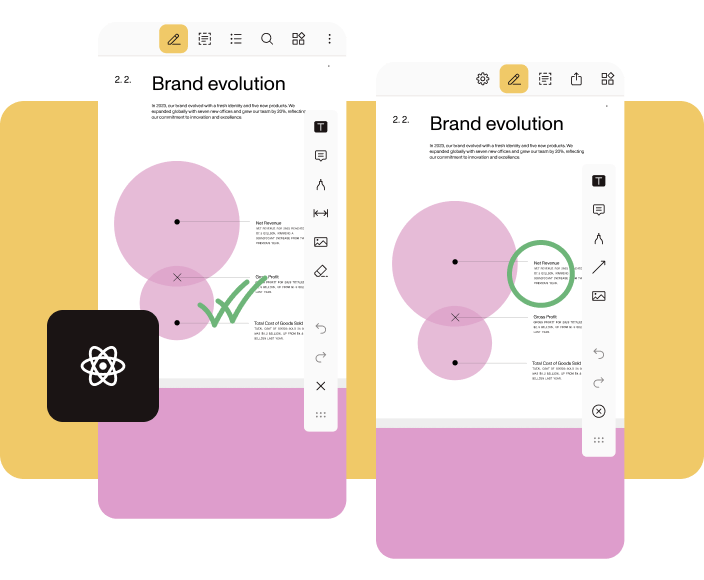
Nutrient React Native SDK provides a unified solution for viewing, annotating, and editing PDFs on both Android and iOS. With a single SDK, developers can seamlessly integrate powerful PDF functionality into any React Native application, ensuring a consistent experience across platforms.
Latest release: Discover what’s new! Check out our changelog for the latest release updates.
Read more →Getting started
The Nutrient React Native dependency is installed from npmjs.com by running yarn add @nutrient-sdk/react-native in your project directory or npm install @nutrient-sdk/react-native if you’re using npm.
Essential guides
Learn how to open a PDF, save a PDF, and customize the UI in your React Native app.
Explore allProgrammatically create annotations
Nutrient React Native SDK offers APIs to manipulate (get, add, and remove) annotations programmatically. To add an ink annotation programmatically, create an InkAnnotation object and use the addAnnotations API. For more information, refer to the programmatically create annotations in React Native guide.
const inkAnnotation: InkAnnotation = new InkAnnotation({    type: 'pspdfkit/ink',    bbox: [89.586334228515625, 98.5791015625, 143.12948608398438, 207.1583251953125],    pageIndex: 0,    isDrawnNaturally: false,    lines: {      intensities: [        [0.5, 0.5, 0.5],        [0.5, 0.5, 0.5],      ],      points: [        [          [92.086334228515625, 101.07916259765625],          [92.086334228515625, 202.15826416015625],          [138.12950134277344, 303.2374267578125],        ],        [          [184.17266845703125, 101.07916259765625],          [184.17266845703125, 202.15826416015625],          [230.2158203125, 303.2374267578125],        ],      ],    }  });
// Add the ink annotation.await this.pdfRef.current?.getDocument()  .addAnnotations([inkAnnotation]);
Programmatically fill PDF form fields
Nutrient React Native SDK enables you to fill form fields programmatically. Each form field has a fully qualified name used to identify and retrieve a specific form field object before filling it. The following example shows how to fill the value of a form field with a fully qualified name (formFieldName) and two radio buttons with fully qualified names (radioFieldName_0 and radioFieldName_1). For more information, refer to the fill PDF form fields programmatically in React Native guide.
this.pdfRef.current?.setFormFieldValue(  'formFieldName',  'Form Field Value',);
// For radio buttons and checkboxes, use `selected` and `deselected`.this.pdfRef.current?.setFormFieldValue('radioFieldName_0', 'selected');this.pdfRef.current?.setFormFieldValue(  'radioFieldName_1',  'deselected',);
Programmatically add a signature
Nutrient React Native SDK enables you to seamlessly integrate electronic signatures into PDF documents within your React Native app. For example, to create an ink signature in iOS, use the following code snippet. For more information, refer to the sign PDFs in React Native guide.
let document: Document = ...
// Create the ink annotation.let annotation = InkAnnotation()annotation.color = UIColor(red: 0.667, green: 0.279, blue: 0.748, alpha: 1)annotation.lineWidth = 3
// Set the stroke data. For example, this would be loaded from user input on another device.// This example code is just hardcoding a stroke with three points.annotation.lines = [    [CGPoint(x: 50, y: 100), CGPoint(x: 100, y: 200), CGPoint(x: 150, y: 150)],]
// Mark this ink annotation as a signature.annotation.isSignature = true
// Add the annotation. By default, it will be added to the first page.document.add(annotations: [annotation])
Customizing PDF viewer
Nutrient React Native SDK offers a few ways to show or hide the UI. For example, the UI view mode can be changed using the userInterfaceViewMode configuration option. The following code snippet shows how to use the automatic view mode. For more information, refer to the guides for customizing the UI.
<NutrientView document={DOCUMENT} configuration={{ userInterfaceViewMode: 'automaticNoFirstLastPage', }} ref={this.pdfRef} fragmentTag="PDF1" style={{ flex: 1 }}/>PDF collaboration
Nutrient Instant is our prebuilt solution for synchronizing annotations across multiple concurrent users, devices, or sessions. It offers developers a self-hosted solution that handles document viewing on any platform, data management, conflict resolution, version tracking, diffing, and merging. It’s a licensable component that’s included as part of Document Engine, which can be used together with Nutrient React Native SDK. For more information, refer to the guides for Instant synchronization.
FAQ
Below are a few frequently asked questions about Nutrient React Native SDK.
Yes. The Nutrient React Native PDF SDK enables extensive customization of the viewer’s UI to align with your app’s design.
Yes. The SDK supports offline usage, enabling users to access and interact with PDF documents without an active internet connection.
Yes. You can try the SDK for free before purchasing a license. Your free trial unlocks the full capabilities of our SDK and includes support from our solutions engineers.
Yes. The PDF viewer in Reader View supports dark mode for a better user experience in low-light environments.
Currently, the SDK is designed for React Native CLI. Expo support requires additional configuration. For more information, refer to the How to use Nutrient React Native SDK with Expo blog post.
Start your free trial for unlimited access and expert support.