AI document classification API for intake and routing
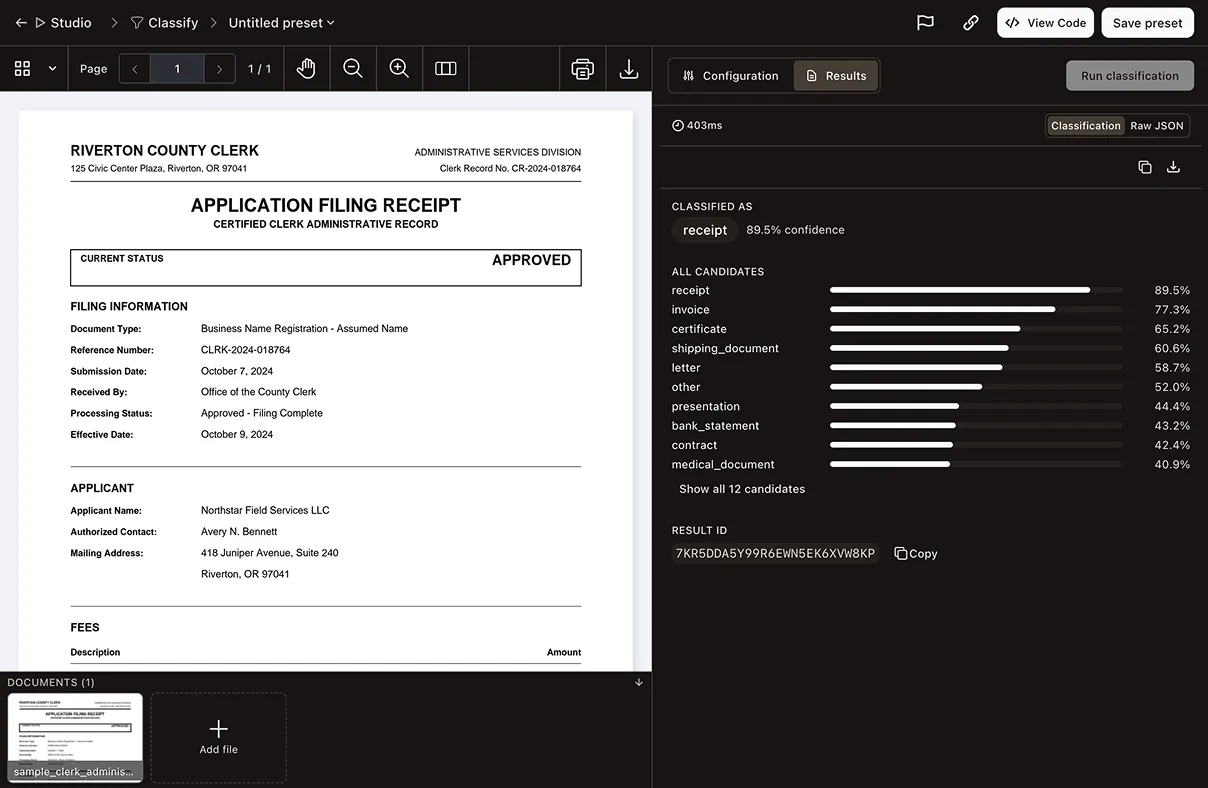
Send a document and a list of labels. The classify endpoint scores the document against each label and returns a ranked list. That makes automated document classification the first step of intake: A queue can route every file before anything is extracted from it. Classification is zero-shot: no training data, no templates.
Trusted by enterprises, governments, and teams building document workflows at scale
Lufthansa
Disney
Autodesk
UBS
Dropbox
IBM
Lufthansa
Disney
Autodesk
UBS
Dropbox
IBM
HOW IT WORKS
Labels in, a ranked list out
Send your labels with the request
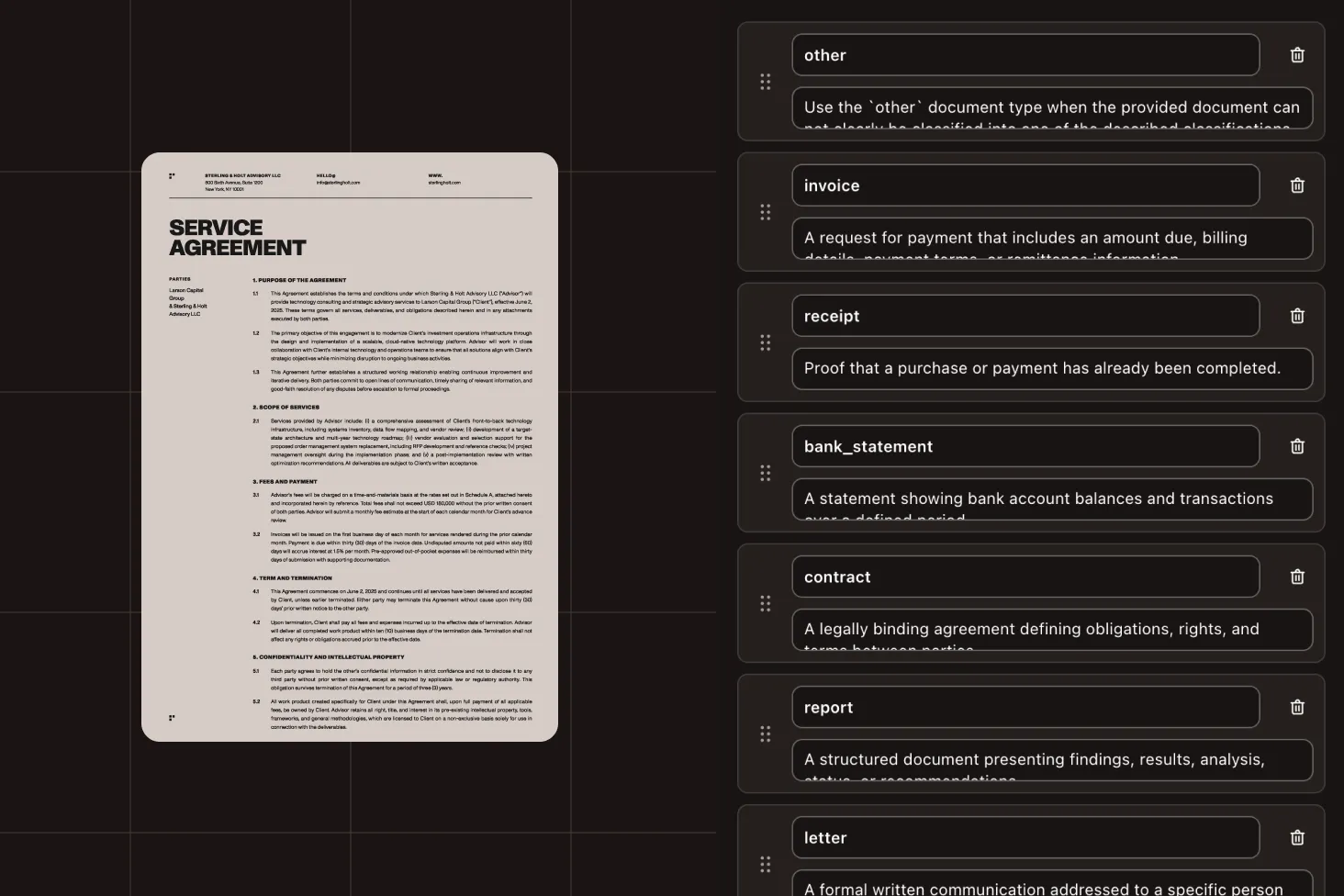
Send at least two labels with the request, or the ID of a classifier you saved in Studio. Each label has a name and an optional description. The classifier scores against the description as much as the name, so a specific description gives a sharper boundary. Upload the file, or pass the URL of a document that’s already hosted.
Text and page images are both scored
Each document is scored from its extracted text and its page images. The Nutrient document decision model does the work: It gives each label its own score instead of generating text, and it runs on Nutrient’s own servers.
Route on the ranking
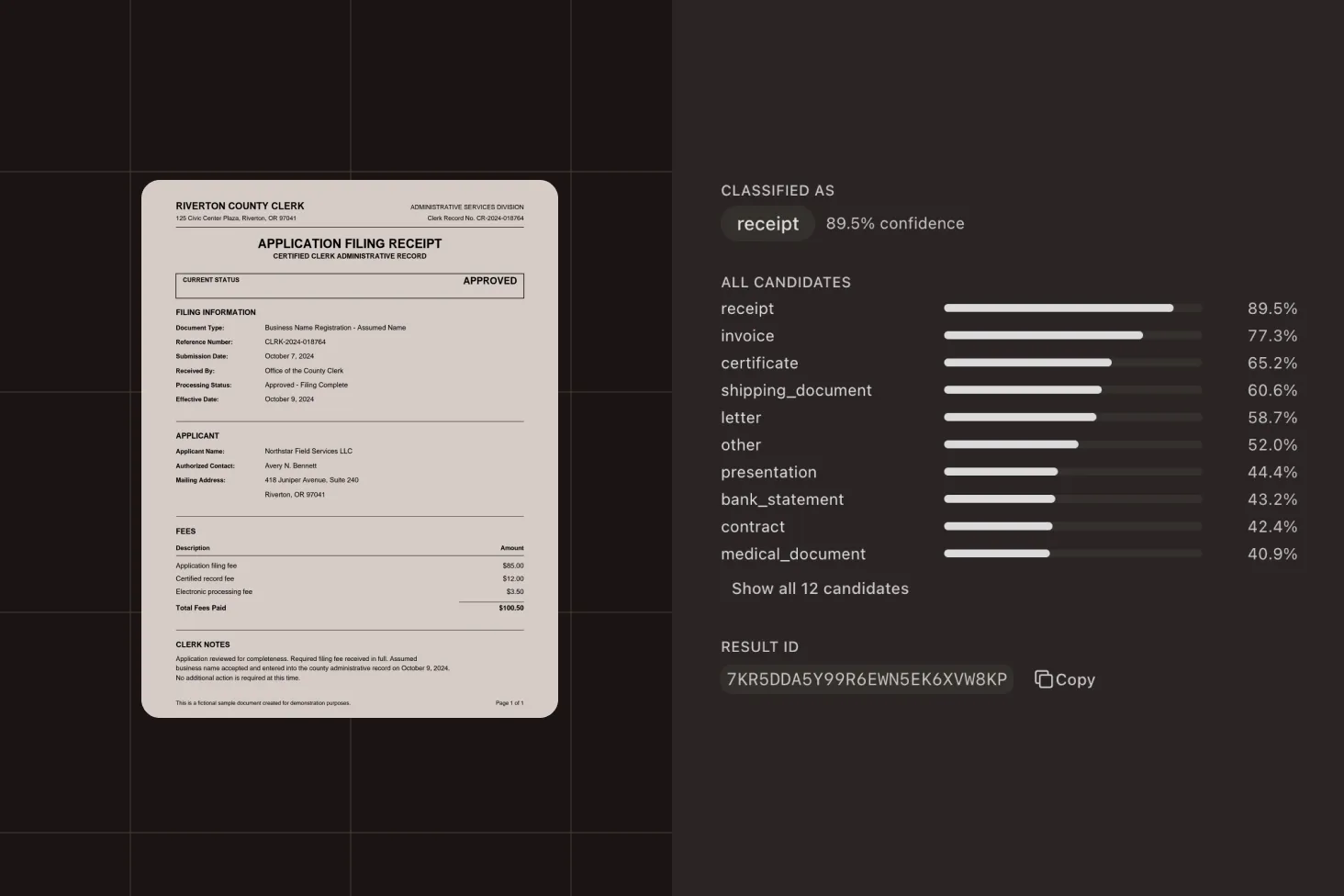
The response gives the top label and every candidate label with its score, highest first. Each score is an independent confidence from 0 to 1, so a document that fits two labels can score high on both. Compare the top score with the runner-up and send close calls to manual review.
ZERO-SHOT
No model to train. No template to maintain.
The API scores each document against the labels in your request, not labels learned from a training set. Switching to a new set of document types means sending a new label list.
ONE CALL
One request in, a ranked list out
POST a file and your labels to /extraction/classify. The response carries the top label, its score when the engine returns one, and the full ranked list.
Request
Multipart upload with labels
curl -X POST https://api.nutrient.io/extraction/classify \ -H "Authorization: Bearer your_api_key_goes_here" \ -F "file=@document.pdf" \ -F 'instructions={"labels":[{"label":"invoice","description":"A commercial invoice or bill."},{"label":"contract","description":"A legal agreement between parties."},{"label":"resume","description":"A résumé or CV from a job applicant."}]}'Response
Top label, plus every candidate
{ "status": 200, "requestId": "req_cl_001", "output": { "classification": { "label": "invoice", "score": 0.92, "predictions": [ { "label": "invoice", "score": 0.92 }, { "label": "contract", "score": 0.14 }, { "label": "resume", "score": 0.03 } ] } }, "metrics": { "processingTimeMs": 1840, "pagesProcessed": 1 }, "usage": { "data_extraction_credits": { "cost": 1, "remainingCredits": 4999 } }}USE CASES
Route documents before you extract them
STUDIO
Try your labels in Studio, and then run them by reference
Open the Classify workbench to run a document against your own labels before wiring the endpoint into a pipeline. Save a label list as a classifier, call it by ID instead of resending the labels, and optionally pin a published version.
PRICING
A flat 1 credit per page
Classification is priced per page, independent of parse mode: A 10-page document costs 10 credits. The free plan includes 5,000 Data Extraction API credits every month, no credit card required.
AI document classification API questions
What does the AI document classification API do?
It scores a document against a list of labels you supply and returns a ranked list of predictions. Teams use it to decide where a document goes before extracting anything from it, so an intake queue can route each file to the right destination.
Do I need training data or templates?
No. Classification is zero-shot: The API scores the document against the labels in your request, not labels learned from a training set. There’s no model to train and no template to maintain, and a new set of document types only needs a new label list.
Does the classify endpoint use an LLM?
No. Classify runs on the Nutrient document decision model, which is trained for document tasks. It reads the extracted text and the page images, gives each label its own score instead of generating text, and runs on Nutrient’s own servers.
Can I classify documents on my Mac instead of calling the API?
Yes, with Nutrient Extract Studio, a desktop app for Apple silicon Macs on macOS Tahoe 26.4 or later. Its classify workspace sorts documents by the labels you define, using the SDK’s built-in classification models on the Mac itself. There’s no AI model or API key to set up, and documents aren’t sent to a model provider.
Each page costs the same flat 1 credit as this endpoint, and Nutrient receives only a usage record for billing: the operation, time, and page count. Classifying needs an internet connection. The first run also downloads about 2.65 GB of classification models. To save a label set as a reusable classifier, use Data Extraction Studio in your browser. Learn about Extract Studio for macOS.
How should I read the scores?
Each score is an independent confidence for that label, from 0 to 1. The scores aren’t a probability distribution and don’t sum to 1, so a cover letter attached to a contract can score high on both labels. Compare the top score with the runner-up and send close calls to manual review; the threshold is yours to choose.
Which file types can I classify?
PDF, PNG, JPEG, and TIFF. Office documents, which the parse and extract endpoints accept, aren’t listed for classify.
How much does classification cost?
A flat 1 credit per page, independent of parse mode. The free plan includes 5,000 Data Extraction API credits every month with no credit card required.
Can I reuse the same labels across requests?
Yes. Save a label list as a classifier in Data Extraction Studio and send its ID instead of the labels. You can pin a published version and set storeRun to true when you want a run kept in your processing history.
What if one file holds several documents?
Split it first. The split endpoint finds where each document in a merged PDF or scan starts and ends, so each one can be classified on its own. Explore document separation.
What happens after a document is classified?
Route it. Then pull the fields you need with the extract endpoint of the same API.
Is the API SOC 2 compliant?
Yes. The API is backed by Nutrient’s broader security practices, including SOC 2 Type 2-audited infrastructure and TLS-encrypted transport — built for use in business-critical and regulated workflows.
Developer resources