Build a document router with the Nutrient DWS Data Extraction Classify endpoint

Table of contents
This builds a document router on top of the Nutrient DWS Data Extraction API’s Classify endpoint:
- No training data, no templates. Classify scores a document against labels supplied in the request. Swapping to a new document type means writing a new label list, not retraining a model.
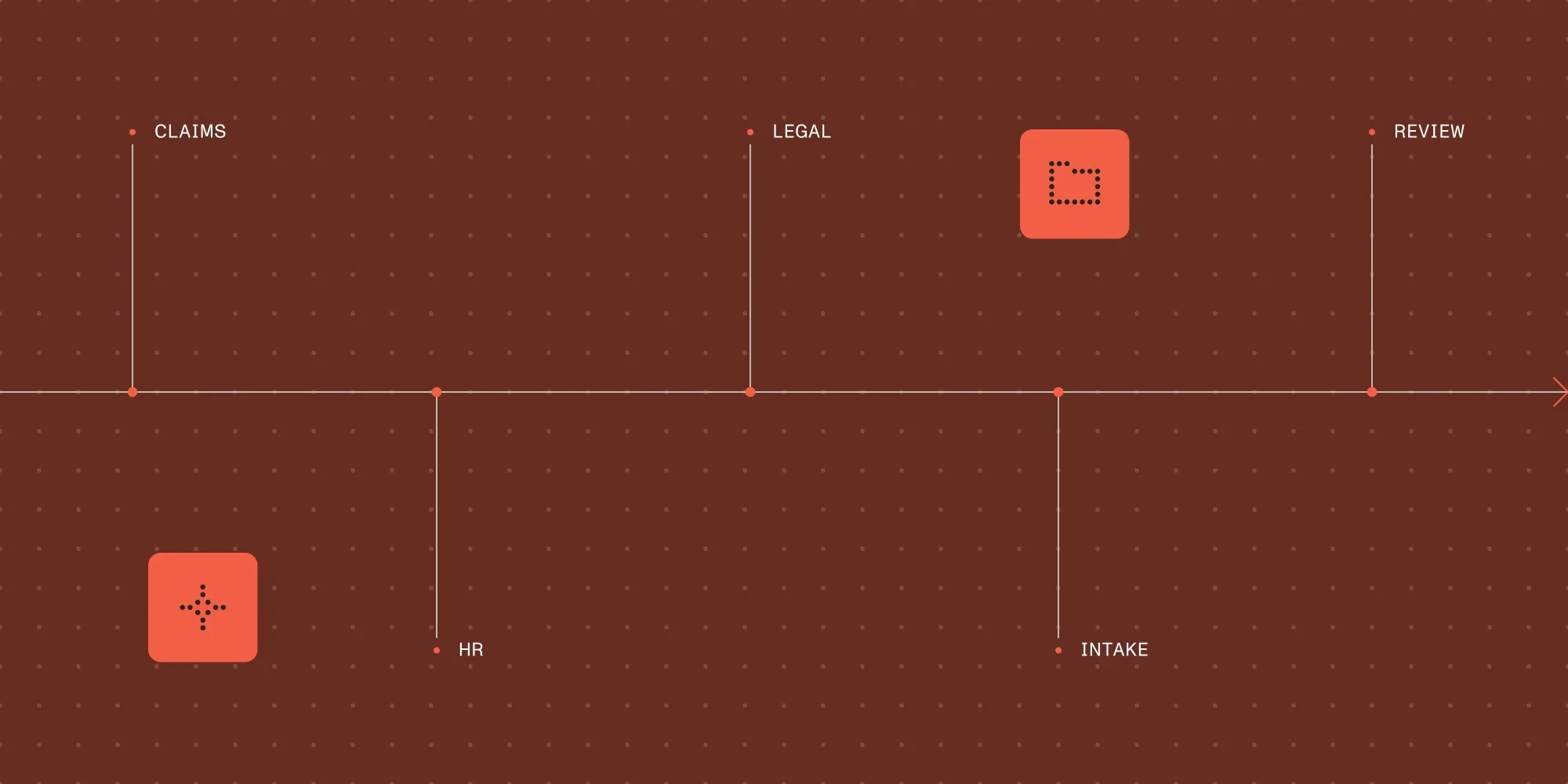
- One router, any domain.
route_document()takes its label-to-destination map as a parameter, so the same function routes insurance claims, legal filings, or HR paperwork — only the labels and routes change. - Independent confidence scores. Each label’s score stands on its own instead of summing to 1 across all labels, so a router can catch a document that plausibly matches two categories instead of silently picking one.
Try Nutrient Data Extraction API
A shared inbox, an upload folder, or an intake API receives files that all look the same on disk — PDFs and images — but need to go to different places: a claims adjuster, a paralegal, an HR system. Manual sorting is what actually causes the backlog in most document-heavy processes, before a single field ever gets extracted.
The Nutrient DWS Data Extraction API recently added a Classify endpoint for exactly this: sorting a document into a caller-defined set of categories, and then routing on the result. It’s a new addition alongside the existing Parse and Extract endpoints.
This is a different product from Nutrient AI Document Processing’s classification feature, which uses template-based DocumentTemplate objects in the .NET and Java SDKs. The Data Extraction Classify endpoint is a hosted REST API scored against labels supplied per request, with no templates to maintain.
How classification works
Classify runs zero-shot: It scores a document against whatever labels arrive in the request, not labels learned from a fixed training set. There’s no model to train and no dataset to maintain — labels can change per request.
A document is scored two ways — once from its extracted text, and once from its page images — and the two scores combine into a ranked list of predictions. Dedicated scoring models do the work, not a generative large language model (LLM) or vision language model (VLM). textWeight and imageWeight control how much each branch contributes; setting either to 0 skips that branch (and its associated text extraction or page rendering) entirely.
Prerequisites
- A Nutrient DWS account and Data Extraction API key from the dashboard(opens in a new tab). The key starts with
pdf_live_. - Python 3.10 or later, plus the
requestsandpython-dotenvpackages (pip install requests python-dotenv). - The key stored in a
.envfile asNUTRIENT_API_KEY=your_data_extraction_api_key_here.classify.pyin the next section loads it withpython-dotenv; the other files below just import fromclassify.py, so the key only needs to be read once.
1. Define candidate labels
A label list is the only thing that changes between domains, so it’s worth getting the descriptions right. The classifier scores against the description as much as the label name, so vague descriptions produce vague boundaries between categories.
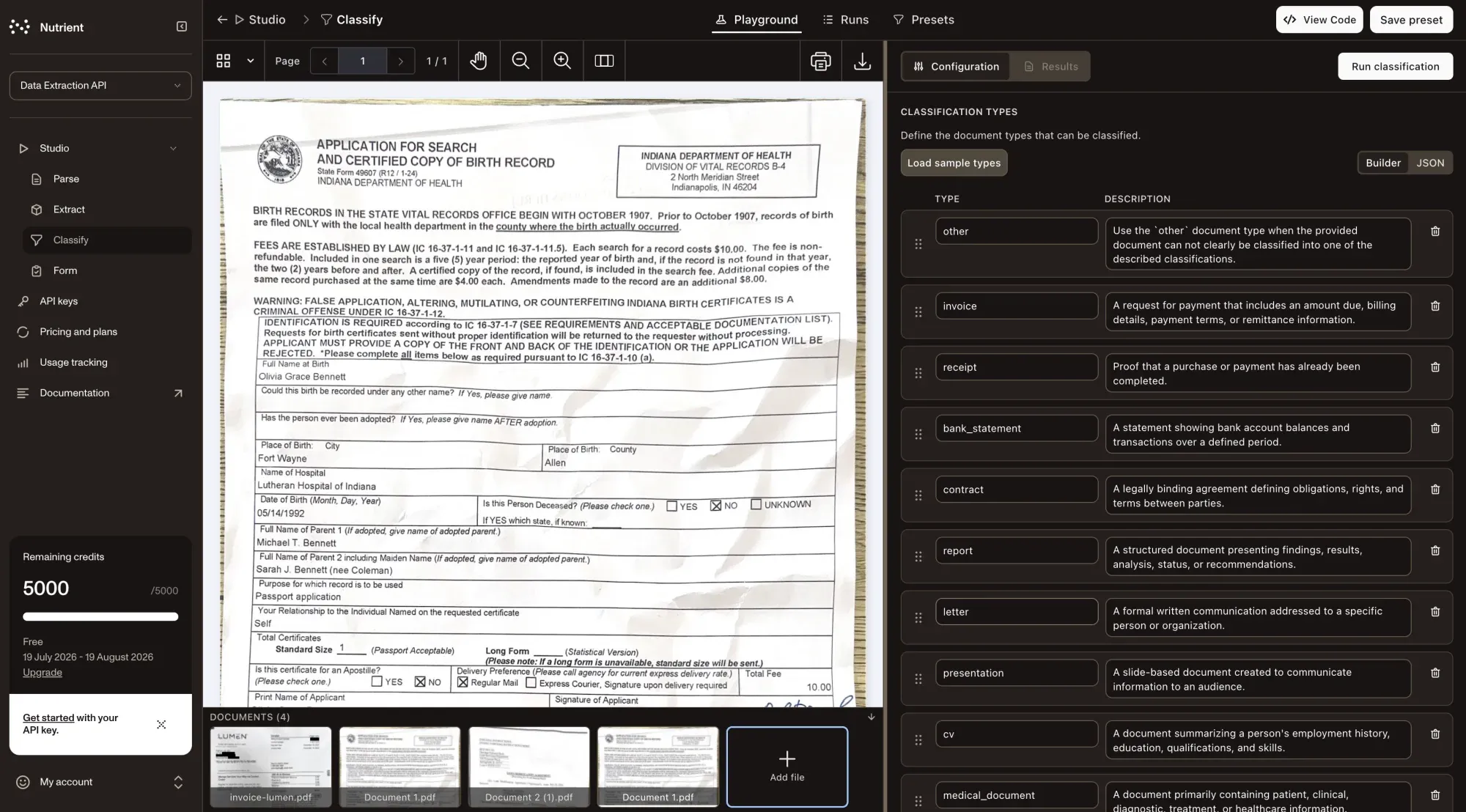
INTAKE_LABELS = [ {"label": "invoice", "description": "A commercial invoice or bill."}, {"label": "contract", "description": "A legal agreement between parties."}, {"label": "resume", "description": "A job applicant's résumé or CV."}, {"label": "correspondence", "description": "A letter or email printed to PDF."},]2. Call the Classify endpoint
POST https://api.nutrient.io/extraction/classify takes the same bearer-token authentication as Parse and Extract, along with the document as either a multipart file upload or a url in a JSON body. The labels array goes in an instructions object alongside two optional knobs — topK caps how many ranked predictions come back, and textWeight/imageWeight (0–1) tune how much each scoring branch counts:
import jsonimport os
import requestsfrom dotenv import load_dotenv
load_dotenv()
API_KEY = os.environ["NUTRIENT_API_KEY"]ENDPOINT = "https://api.nutrient.io/extraction/classify"

def classify_document(file_path: str, labels: list[dict]) -> dict:    """Classify a document against a set of candidate labels."""    instructions = {"labels": labels}    with open(file_path, "rb") as f:        response = requests.post(            ENDPOINT,            headers={"Authorization": f"Bearer {API_KEY}"},            files={"file": f},            data={"instructions": json.dumps(instructions)},        )    return response.json()
A successful call returns HTTP 200 with the top label, its score, and the full ranked list:
{ "status": 200, "requestId": "req_cl_001", "output": { "classification": { "label": "invoice", "score": 0.92, "predictions": [ { "label": "invoice", "score": 0.92 }, { "label": "contract", "score": 0.14 }, { "label": "resume", "score": 0.03 } ] } }, "metrics": { "pagesProcessed": 1 }, "usage": { "data_extraction_credits": { "cost": 1, "remainingCredits": 4999 } }}Each score is an independent confidence for that label, not a slice of a probability distribution — the numbers don’t have to sum to 1. That’s deliberate: A cover letter attached to a contract can legitimately score high on both correspondence and contract, and reading scores independently is what lets a router notice that instead of being forced into a single answer. A rejected or failed call still returns a JSON body — with a matching non-200 status and an errorMessage — which is why the code below checks status in the body rather than reaching for raise_for_status().
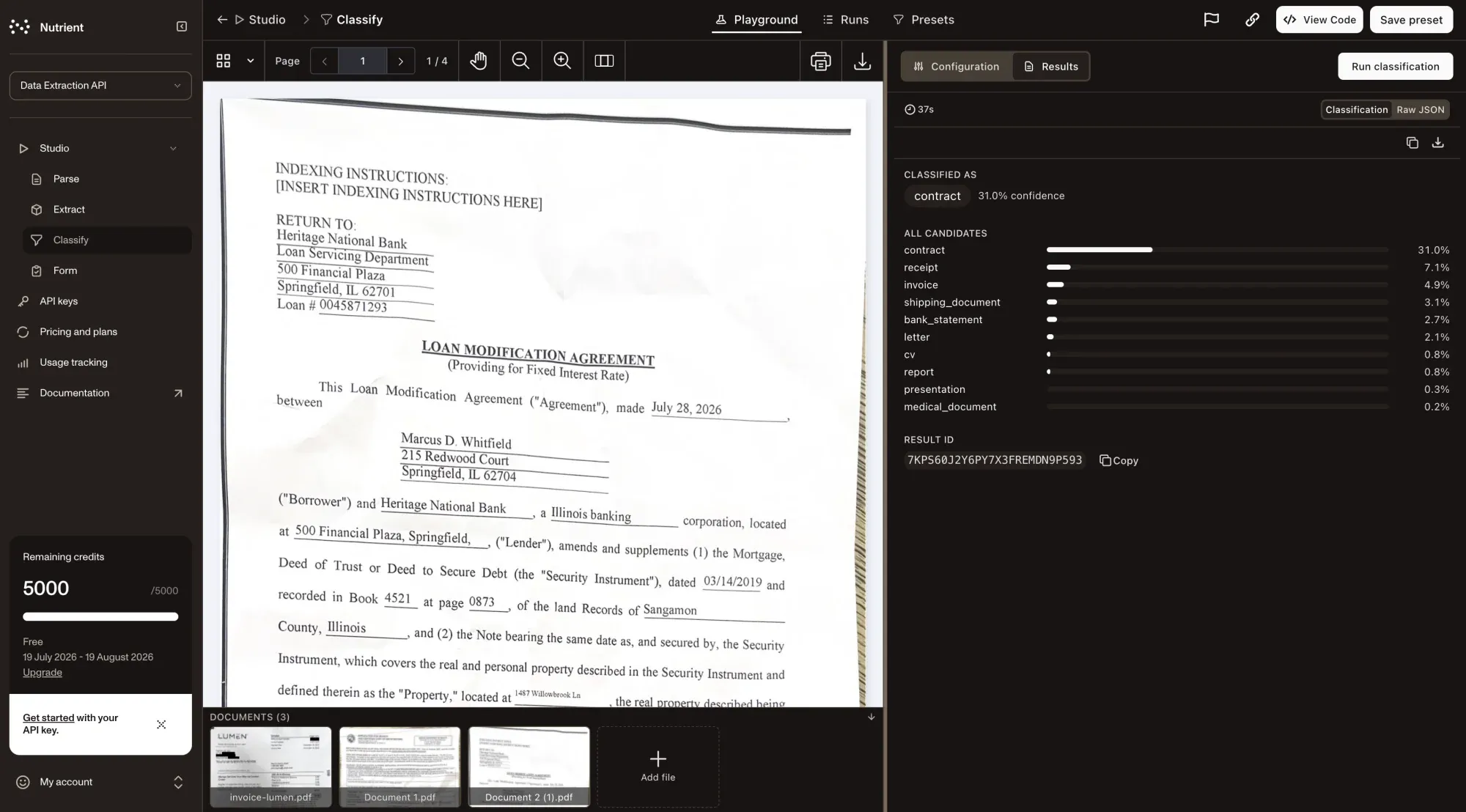
Classify accepts application/pdf, image/png, image/jpeg, and image/tiff. Check the file types guide before building against this list, since supported formats can change as the endpoint matures.
To classify a document already sitting at a public URL, send JSON instead of a file upload:
def classify_from_url(url: str, labels: list[dict]) -> dict: """Classify a document at a public URL against a set of candidate labels.""" response = requests.post( ENDPOINT, headers={ "Authorization": f"Bearer {API_KEY}", "Content-Type": "application/json", }, json={"url": url, "labels": labels}, ) return response.json()3. Route on the result
A router only needs the top label and, ideally, a sense of how close the runner-up came. route_document() takes its label-to-destination map as a plain argument rather than a module-level constant — that’s what lets the same function serve every domain further down this post:
INTAKE_ROUTES = {    "invoice": "queue:accounts-payable",    "contract": "queue:legal-review",    "resume": "queue:recruiting",    "correspondence": "queue:general-intake",}

def route_document(    classification: dict, routes: dict[str, str], ambiguity_gap: float = 0.15) -> dict:    """Map a classify response to a destination, flagging close calls for review."""    top = classification["label"]    predictions = classification["predictions"]    destination = routes.get(top, "queue:manual-review")
    runner_up = predictions[1] if len(predictions) > 1 else None    needs_review = (        runner_up is not None        and (classification["score"] - runner_up["score"]) < ambiguity_gap    )
    return {        "destination": "queue:manual-review" if needs_review else destination,        "predicted_label": top,        "confidence": classification["score"],        "needs_review": needs_review,    }
4. Put it together
The following main.py ties the classifier and the router together: It classifies a file passed on the command line, and then routes and prints the result.
import sys
from classify import classify_documentfrom labels import INTAKE_LABELSfrom router import INTAKE_ROUTES, route_document
if __name__ == "__main__":    file_path = sys.argv[1]    result = classify_document(file_path, INTAKE_LABELS)
    if result.get("status") != 200:        raise RuntimeError(f"Classify failed: {result.get('errorMessage')}")
    decision = route_document(result["output"]["classification"], INTAKE_ROUTES)    print(decision)
Reusing the router across three domains
Nothing above is specific to a generic intake queue. Swapping the labels and the routes dictionary retargets the whole pipeline at a different document mix.
Insurance claim intake
A claims queue mixes forms, medical documentation, and correspondence for every claim filed. Sorting before assignment means adjusters only see documents relevant to their part of the claim:
CLAIM_LABELS = [    {"label": "claim_form", "description": "A completed first-notice-of-loss or claim form."},    {"label": "medical_report", "description": "A medical record, diagnosis, or treatment summary."},    {"label": "police_report", "description": "An official police or incident report."},    {"label": "repair_estimate", "description": "A repair or replacement cost estimate."},    {"label": "correspondence", "description": "A letter or email related to the claim."},]
CLAIM_ROUTES = {    "claim_form": "queue:claims-intake",    "medical_report": "queue:medical-review",    "police_report": "queue:fraud-review",    "repair_estimate": "queue:estimate-approval",    "correspondence": "queue:claims-general",}
result = classify_document(file_path, CLAIM_LABELS)decision = route_document(result["output"]["classification"], CLAIM_ROUTES)
Legal intake
A law firm’s intake mixes contracts, filings, and discovery material from multiple matters. Routing by document type gets each file to the right practice group before anyone reads it:
LEGAL_LABELS = [    {"label": "contract", "description": "A legal agreement between parties."},    {"label": "pleading", "description": "A court filing such as a complaint or motion."},    {"label": "discovery_request", "description": "A discovery request or response."},    {"label": "invoice", "description": "A commercial invoice or bill."},    {"label": "correspondence", "description": "A letter or email between parties."},]
LEGAL_ROUTES = {    "contract": "queue:contract-review",    "pleading": "queue:litigation",    "discovery_request": "queue:discovery",    "invoice": "queue:billing",    "correspondence": "queue:matter-general",}
result = classify_document(file_path, LEGAL_LABELS)decision = route_document(result["output"]["classification"], LEGAL_ROUTES)
HR onboarding
A new-hire packet typically arrives as one batch of scanned pages covering identity, tax, and background-check documents. Classifying at the page or document level splits the batch so each piece lands in the right system:
ONBOARDING_LABELS = [    {"label": "offer_letter", "description": "A signed employment offer letter."},    {"label": "i9_form", "description": "A completed Form I-9, Employment Eligibility Verification."},    {"label": "w4_form", "description": "A completed Form W-4, Employee's Withholding Certificate."},    {"label": "background_check", "description": "A background check or reference check report."},    {"label": "id_document", "description": "A government-issued photo ID or passport."},]
ONBOARDING_ROUTES = {    "offer_letter": "system:hris-records",    "i9_form": "system:compliance-vault",    "w4_form": "system:payroll",    "background_check": "system:compliance-vault",    "id_document": "system:compliance-vault",}
result = classify_document(file_path, ONBOARDING_LABELS)decision = route_document(result["output"]["classification"], ONBOARDING_ROUTES)
Background checks, W-4s, and government IDs are personal and sensitive data. Review the privacy and security guides for how the Data Extraction API handles document content and retention before pointing this pipeline at real employee or claimant documents.
Why the router doesn’t need per-domain code
The three examples above share every line of classify.py and router.py. What changes is data, not logic: a label list the classifier scores against, and a routes dictionary the application already needs to define somewhere. That split is what makes a fourth domain — an expense-report queue, a support-ticket triage inbox — a configuration change instead of a new integration.
The tradeoff is that label quality does all the work. A vague description (“a form”) gives the classifier less to work with than a specific one (“a completed first-notice-of-loss or claim form”), and a boundary that’s ambiguous in the description will show up as ambiguous scores at runtime — which is exactly what ambiguity_gap in route_document() is there to catch.
FAQ
Classify costs a flat 1 credit per page, independent of any parse mode — a 10-page document costs 10 credits. See the pricing guide for current plan thresholds.
Handle 429 responses with backoff, and treat 500 as retryable. Refer to the error handling guide for the full status code reference.
Route anything below a confidence threshold, or with a close runner-up, to a manual-review queue instead of auto-routing it. route_document()’s ambiguity_gap parameter covers the runner-up case; pair it with a minimum absolute score threshold on the top label for documents that don’t clearly match anything.
Where to go next
- Document classification API — Product overview, pricing, and supported inputs.
- Data Extraction API Studio(opens in a new tab) — Try the endpoint interactively before wiring it into a pipeline.
- Data Extraction API overview — Authentication and the full endpoint list.
- Extract endpoint — Pull structured fields once a document has been routed to the right category.
Get started with Nutrient Data Extraction API