AGENT SKILL
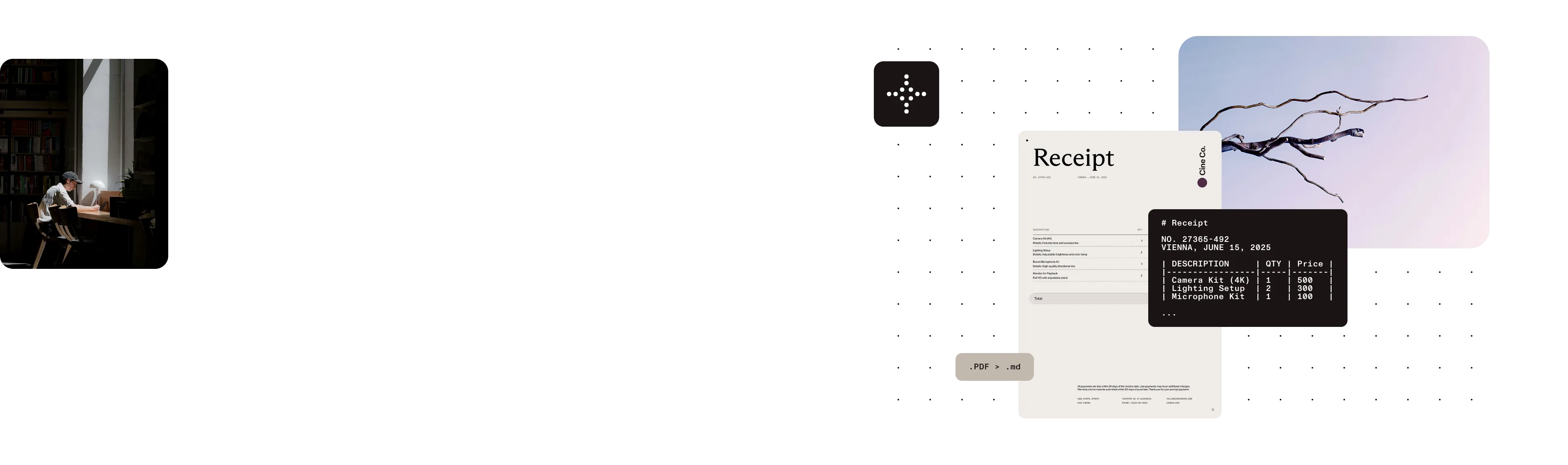
The pdf-to-markdown skill converts PDFs on your computer and preserves headings, lists, tables, and reading order. Use it with Claude, Codex, or another agent.
Structured for agents
Preserves headings, lists, tables, and reading order instead of returning a block of plain text.
Your PDFs stay on your computer
Your PDFs and converted files aren’t uploaded to Nutrient.
Standard is free
Convert PDFs that contain selectable text without an account. Use Vision for scans, handwriting, and complex layouts.
INSTALL
Add the skill to a supported agent, or install the CLI for direct use in a terminal or script.
The Skills CLI installs pdf-to-markdown in Claude Code, Codex, Cursor, Gemini CLI, and other compatible agents.
npx skills add \ pspdfkit-labs/nutrient-skills \ --skill pdf-to-markdownInstall the CLI from npm on macOS with Apple Silicon, Linux, or Windows. Then run nutrient --version to check the installation. Compare Vision plans.
npm install -g @pspdfkit/pdf-to-markdownCOMMANDS
All three commands run on your computer. Standard conversion and search are free.
Preserve headings, lists, tables, and reading order for agents and search systems.
Keep columns and spacing when Markdown isn’t the right output format.
Return the passages that best match a query without converting the PDF again.
BENCHMARKS
Standard is tied for fastest in the benchmark. Vision improves accuracy for difficult pages and still runs faster than Docling.
Standard was measured on 6 July 2026, and Vision was measured on 7 July 2026, both using an Apple M3 Ultra without GPU acceleration. See the GitHub repository for methodology and the latest runs.
The benchmark uses 200 PDFs with selectable text from opendataloader-bench. Vision has the highest score in all four accuracy measures shown here. Standard processes the same set at 0.004 seconds per page. The full methodology is in the benchmark documentation.
The CLI doesn’t upload your PDF or converted output to Nutrient. Usage reports include the conversion mode and input page count, but not file names, paths, document contents, or output. Text you send to an agent is covered by that agent provider’s policies.

STANDARD AND VISION
The Free plan includes 1,000 Vision pages each month. Choose a larger plan when you need more.
STANDARD
Convert PDFs that contain selectable text to Markdown or text. Standard doesn’t use Vision pages and can continue if Nutrient is unavailable.
VISION
Improve scans, handwriting, formulas, and complex layouts. Vision runs on your computer.
It’s an agent skill that converts PDFs to structured Markdown on your computer. It preserves headings, lists, tables, and reading order so an agent can work with the result directly.
Run npx skills add pspdfkit-labs/nutrient-skills --skill pdf-to-markdown. The Skills CLI supports Claude Code, Codex, Cursor, Gemini CLI, and other compatible agents.
Yes. Install the skill with the Skills CLI, or install the PDF-to-Markdown CLI and call it from any agent or script.
The skill converts the PDF before the model reads it. That gives the model explicit headings, lists, tables, and reading order instead of asking it to infer those relationships from raw PDF data.
Standard conversion is free. Each input page uses one Vision page from your monthly allowance, and the Free plan includes 1,000 Vision pages per month. Your PDFs and converted files stay on your computer. Usage reports include the conversion mode and input page count, but not file names, paths, document contents, or output.
Yes. The skill runs in Claude Code, Codex, or as a standalone CLI. The model provider’s policies apply to text you send to it, while the PDF itself stays on your computer.
pdf-to-markdown creates structured Markdown. pdf-to-text creates plain text while preserving columns and spacing. query searches an extracted file and returns the passages that best match a query.
Use Vision for scans, photographs, handwriting, formulas, and complex layouts. Vision runs on your computer.
Standard conversion can continue when Nutrient is unavailable. After Vision connects, it can work offline for one hour and process up to 100 pages before it must reconnect. A document that crosses the 100-page threshold can finish.
MORE FROM NUTRIENT AI
Use PDF to Markdown alongside Nutrient tools for cloud extraction, editing, and document automation.