AGENT SKILL
Generate finished PDFs — and verify the compliance claims
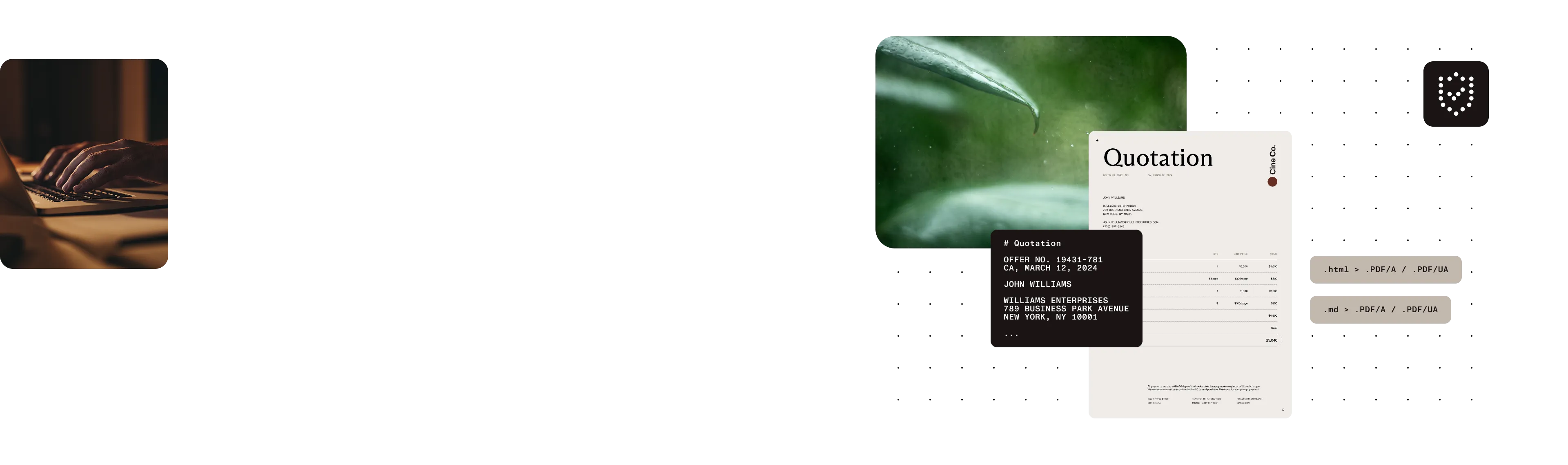
Nutrient’s make-pdf skill turns Markdown or HTML into finished PDFs through the DWS Build API, with accessible PDF/UA, archival PDF/A, watermarks, batch processing, and built-in conformance verification.
PDF/UA and PDF/A in one skill
Generate accessible PDF/UA or archival PDF/A output, across all seven conformance levels.
Compliance is verified, not just claimed
Every compliance build is verified, with optional escalation to a full veraPDF audit.
Batch convert without the risk
Convert a whole directory with four concurrent builds; outputs are never overwritten.
INSTALL
Add the make-pdf plugin to Claude Code
The skill installs from the public Nutrient skills marketplace under its own ID, make-pdf. Set NUTRIENT_API_KEY to a Nutrient API key before running builds; a free trial key is available.
Install from the marketplace
Add the Nutrient skills marketplace. Then install the make-pdf plugin — the install ID matches the skill name. Remediating existing PDFs instead? The remediate-pdf skill installs the same way.
/plugin marketplace add pspdfkit-labs/nutrient-skills/plugin install make-pdf@nutrient-skillsMarkdown or HTML in, finished PDF out
The skill sends Markdown or HTML to the Nutrient DWS Build API at api.nutrient.io/build. Learn more about the underlying conversion workflow in the HTML-to-PDF API documentation.
COMPLIANCE-FIRST OUTPUTS
Generate for accessibility or archiving
A compliance flag starts a build and a verification step, so the output isn’t accepted on a claim alone.
Accessible PDF/UA
Use --accessible for PDF/UA output relevant to Web Content Accessibility Guidelines (WCAG), Americans with Disabilities Act (ADA), and European Accessibility Act (EAA) accessibility work, including the US ADA Title II deadline in April 2026.
Archival PDF/A
Use --pdfa for any of the seven conformance levels from pdfa-1a through pdfa-3u. The default is pdfa-2b.
Diagonal watermarks
Add a diagonal text watermark while generating the PDF.
BUILT-IN VERIFICATION
Treat compliance as evidence, not a checkbox
Every compliance build verifies the finished PDF. The verifier can also inspect any existing PDF or directory of PDFs on its own.
PDF/UA
Check the claim and the document structure
Verification checks the PDF/UA claim marker plus MarkInfo, StructTreeRoot, Lang, DisplayDocTitle, and a non-empty title.
PDF/A
Match identification to the requested level
Verification checks that the PDF/A identification matches the conformance level requested. If veraPDF is installed, the skill escalates either compliance check to a full conformance audit.
Exit code 3 means the PDF was generated but failed verification. The skill keeps the output for inspection instead of hiding the failure.
BATCH AND DOCUMENT WORKFLOWS
Convert a directory, then keep working
Run repeatable document jobs without silently replacing existing files or stopping the whole batch on one error.
BATCH
Four concurrent builds with a per-file result
Point --input at a directory and provide --out. The skill converts every .md and .html file non-recursively; derives titles from frontmatter, the first heading, or the filename; and continues after individual errors before printing a summary. Existing outputs are never overwritten.
CHAINING
Sign, redact, or merge next
Chain the generated PDF with the document-processor-api scripts from the nutrient-dws plugin for signing, redaction, and merging. They use the same NUTRIENT_API_KEY.
RELEASE QUALITY
Adversarial review before release
Step 1 — Adversarial review
A 22-agent adversarial review found 20 confirmed findings in code that had already passed live end-to-end tests.
Step 2 — Fixes and regression testing
The findings resolved to 11 distinct defects, including three silent data-corruption bugs. All defects were fixed and verified with offline regression checks before release.
Step 3 — Live API verification
The skill was then verified against the real API by batch converting and validating three out of three files successfully.
HONEST LIMITS
Know where Chromium stops
Rendering limitations
Rendering uses headless Chromium. CSS running headers and target-counter page-numbered tables of contents aren’t supported.
Frequently asked questions
What is the
make-pdf skill?make-pdf is an AI agent skill that turns Markdown or HTML into finished PDFs with the Nutrient DWS Build API. It supports accessible PDF/UA output, archival PDF/A output, diagonal text watermarks, batch conversion, and built-in conformance verification.
Should I choose PDF/UA or PDF/A?
Choose PDF/UA with --accessible when accessibility is the goal, including work connected to WCAG, ADA, or EAA requirements. Choose PDF/A with --pdfa when long-term archival conformance is the goal. The skill supports all seven levels from pdfa-1a through pdfa-3u and defaults to pdfa-2b.
What does built-in conformance verification check?
After every compliance build, the skill checks the PDF/UA claim marker and structure signals — MarkInfo, StructTreeRoot, Lang, DisplayDocTitle, and a non-empty title — or confirms that PDF/A identification matches the requested level. Exit code 3 means the PDF was generated but failed verification, and the file is kept for inspection. If veraPDF is installed, the skill escalates to a full conformance audit. The verifier can also check an existing PDF or directory of PDFs on its own.
How does batch conversion work?
Point --input at a directory and provide --out. The skill converts every .md and .html file in that directory non-recursively, with four concurrent builds. It derives each title from frontmatter, the first heading, or the filename; continues after individual errors; prints a summary; and never overwrites an existing output.
Do I need an API key?
Yes. The skill calls the Nutrient DWS Build API at api.nutrient.io/build and reads your key from NUTRIENT_API_KEY. You can start with a free trial API key.
What can’t
make-pdf generate?Rendering uses headless Chromium, so CSS running headers and target-counter page-numbered tables of contents aren’t supported.
How is
make-pdf related to pdf-to-markdown?They work in opposite directions. pdf-to-markdown extracts structured Markdown from an existing PDF, while make-pdf generates a finished PDF from Markdown or HTML.
MORE FROM NUTRIENT AI
Keep building document workflows
Generate PDFs through an agent skill, or work directly with Nutrient’s document APIs.
Document AI
Advanced document processing capabilities
Remediate PDF skill
Fix issues in existing PDFs
HTML-to-PDF API
Convert HTML content to PDF format
PDF-to-Markdown skill
Extract structured Markdown from an existing PDF
PDF Editor for Claude
View, edit, fill, and redact PDFs in Claude Cowork
Document AI models
Explore public model cards, demos, and benchmarks