AGENT SKILL
Fix the PDFs you already have
Nutrient’s remediate-pdf skill auto-tags existing PDFs with PDF/UA semantic structure through the dedicated DWS Accessibility API — and the bundled verifier proves what the tagging achieved.
One call, full PDF/UA structure
Adds headings, lists, structured tables, reading order, and artifact marking through one Accessibility API call.
Verified before and after
The bundled verify-pdf.py checks signals like MarkInfo, StructTreeRoot, and Lang before and after tagging.
Free tier included
Auto-tag up to 20 pages a month free, with a 150 MiB limit and quota confirmation.
INSTALL
Install the skill from the marketplace
remediate-pdf installs under its own plugin ID and bundles its verifier. Generating new PDFs too? Install make-pdf the same way. Set NUTRIENT_ACCESSIBILITY_API_KEY before auto-tagging an existing PDF.
Install from the marketplace
Add the Nutrient skills marketplace. Then install the remediate-pdf plugin — the install ID matches the skill name. The skill bundles verify-pdf.py, so checking tagged output needs nothing else installed.
/plugin marketplace add pspdfkit-labs/nutrient-skills/plugin install remediate-pdf@nutrient-skillsExisting PDF in, auto-tagged PDF out
The skill uses the dedicated Nutrient DWS Accessibility API. It’s a product separate from the DWS Build API and requires its own NUTRIENT_ACCESSIBILITY_API_KEY. A Processor key returns a 403 response.
SEMANTIC STRUCTURE
What auto-tagging adds to an existing PDF
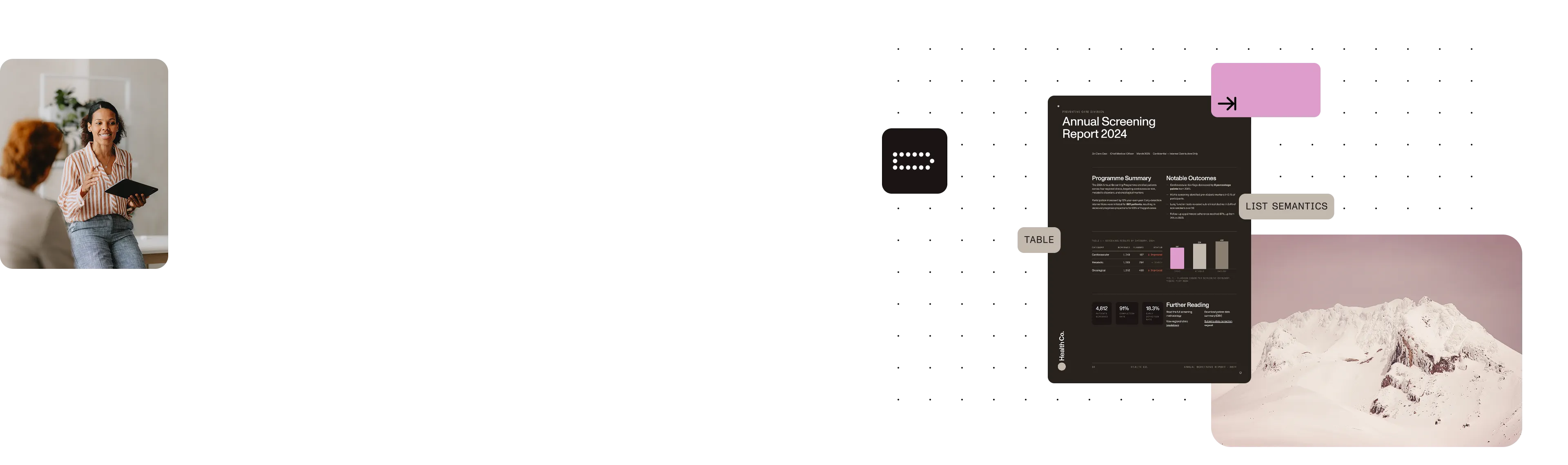
The Accessibility API analyzes the document and adds the structure assistive technology needs to interpret its content and order.
Headings and lists
Add heading structure from H1 through H6 and semantic list structure.
Structured tables
Identify tables with TR, TD, and TH structure.
Reading order and artifacts
Establish reading order and mark content that should be treated as an artifact.
LIVE BEFORE AND AFTER
One auto-tag call changed the verifier verdict to PASS
In a live run, the same structural verifier checked an untagged PDF, and then checked its output after one Accessibility API auto-tag call.
BEFORE: FIVE FAILING CHECKS
The untagged PDF failed every structural signal
It was missing the pdfuaid claim, MarkInfo, StructTreeRoot, Lang, and DisplayDocTitle.
AFTER ONE CALL: VERDICT PASS
Every structural check passed
The remediated output had pdfuaid:part 1, Lang en-US, and its title in XMP. The verifier’s final verdict was PASS.
This is structural PDF/UA-1 verification, not certification. Use an optional full veraPDF audit when deeper conformance evidence is needed.
HONEST LIMITS
Remediated, not certified
PDF/UA conformance
Auto-tagging improves document structure, but it doesn’t guarantee PDF/UA conformance. Nutrient’s benchmark reports approximately 96.5 percent PDF/UA conformance, not 100 percent.
Validate the output
The Accessibility API doesn’t include a conformance validation endpoint. Verify the tagged PDF using the bundled verify-pdf.py script (included with make-pdf) for structural PDF/UA-1 checks, with the option to run a full veraPDF audit.
Human review is still required
Human review remains necessary for accessibility requirements such as alt text. PDF remediation is relevant to Web Content Accessibility Guidelines (WCAG), Americans with Disabilities Act (ADA), European Accessibility Act (EAA), and Section 508 compliance, including the US ADA Title II deadline in April 2026.
Accessibility API requirements
Free tier
Includes 20 auto-tagged pages per month, with a 150 MiB limit and quota confirmation.
API key
Call requires a dedicated NUTRIENT_ACCESSIBILITY_API_KEY.
Compatibility
Processor API keys aren’t supported and will return a 403 Forbidden error.
Frequently asked questions
What is the
remediate-pdf skill?remediate-pdf is an AI agent skill that fixes existing PDFs by using the dedicated Nutrient DWS Accessibility API to add PDF/UA semantic structure, including headings, lists, tables, reading order, and artifact marking.
Which API key does
remediate-pdf need?Set NUTRIENT_ACCESSIBILITY_API_KEY to a key for the Nutrient DWS Accessibility API. This is a separate product and key from the DWS Build API used by make-pdf. A Processor key returns a 403 response.
What are the quota and file-size limits?
The free tier includes 20 auto-tagged pages per month, and the script has a quota-confirmation gate before it makes the call. The maximum input file size is 150 MiB.
Does auto-tagging guarantee accessibility compliance?
No. Auto-tagging improves accessibility but doesn’t guarantee conformance; Nutrient’s benchmark cites approximately 96.5 percent PDF/UA conformance. Treat the output as remediated, not certified. Verify it with the bundled verify-pdf.py (the same verifier ships with make-pdf). Optionally, escalate to a full veraPDF audit, and include human review for needs such as alt text.
How is
remediate-pdf related to make-pdf?They cover different parts of the document lifecycle. remediate-pdf fixes existing PDFs through the Accessibility API, while make-pdf generates new PDFs from Markdown or HTML through the DWS Build API. Each installs under its own plugin ID from the same Nutrient skills marketplace.
How does
remediate-pdf relate to Section 508?The skill’s PDF/UA semantic tagging is relevant to accessibility work connected to Section 508, WCAG, ADA, and EAA requirements. Auto-tagging is a remediation step, not certification, so verification and human review remain necessary.
MORE FROM NUTRIENT AI
Keep building accessible document workflows
Remediate existing PDFs, generate new ones, or work directly with Nutrient’s document and accessibility products.