How to convert HTML to PPTX programmatically

Table of contents
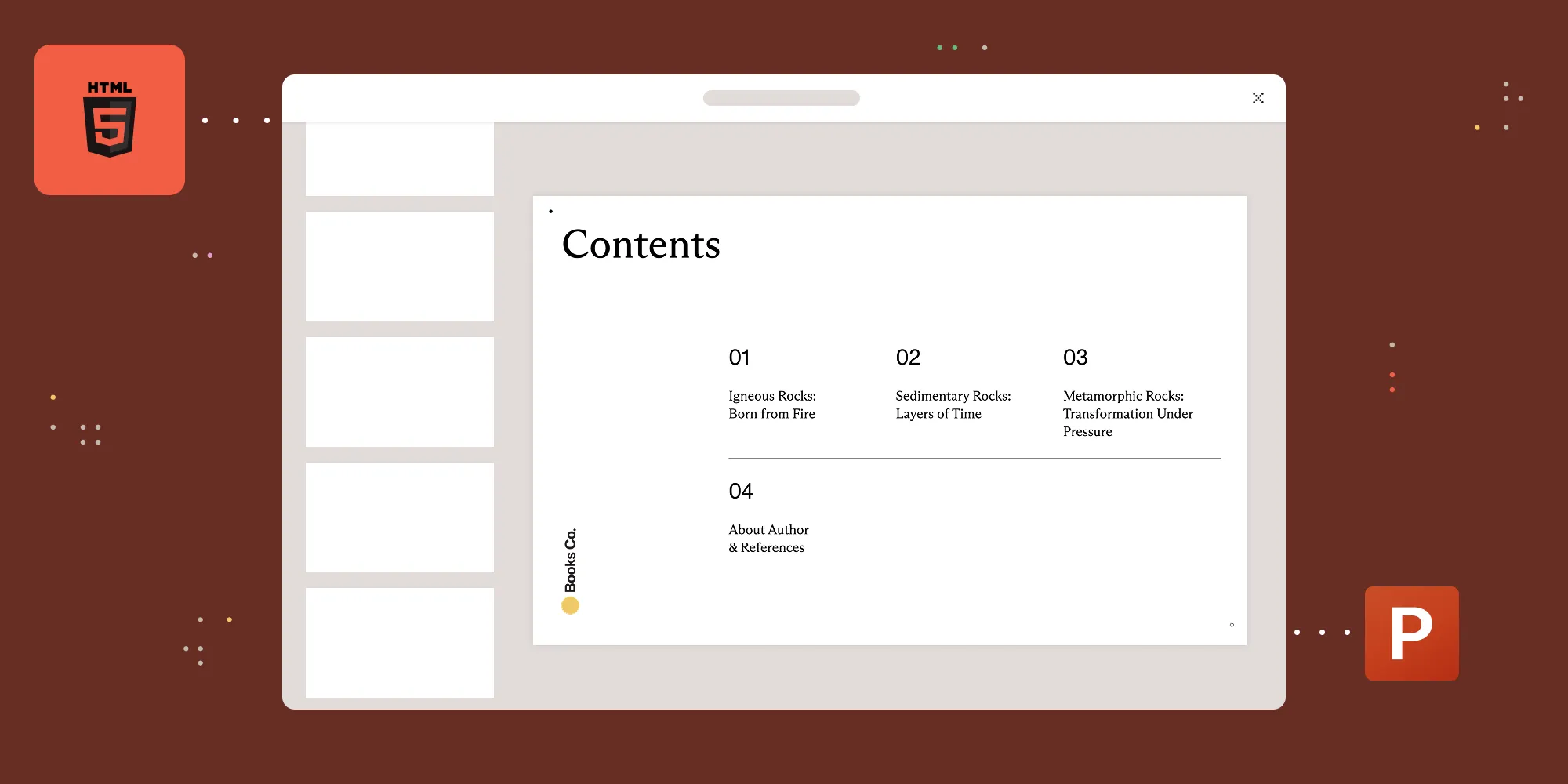
Converting HTML to PPTX turns web markup into an editable PowerPoint file. The Nutrient DWS Processor API does it programmatically — automating deck generation from HTML at any volume, inside an existing document pipeline.
HTML is the format most reporting and dashboard tooling already emits; PowerPoint is the format stakeholders ask for. Converting between them by hand — screenshotting charts, rebuilding tables slide by slide — is the step that keeps recurring reports manual. This guide automates it with a single API call.
What HTML-to-PPTX conversion means
HTML-to-PPTX conversion transforms an HTML file into a PowerPoint Open XML (.pptx) file. Unlike a static image export, a .pptx is an editable presentation that opens in PowerPoint, Keynote, or Google Slides.
The conversion matters most for automated reporting, where dashboards or generated web content need to become presentation decks without manual copy-and-paste.
Why automate HTML-to-PPTX conversion
Building PowerPoint decks by hand doesn’t scale, and it can’t run unattended. A programmatic API turns HTML into editable PPTX inside an existing workflow, so decks are produced automatically:
- Automated reporting — Live dashboards and generated HTML become presentation decks on a schedule, with no manual copy-and-paste.
- Scales with volume — One deck or thousands run through the same endpoint.
- Fits any stack — The conversion runs server-side and routes output straight into downstream systems such as email, storage, or a content management system (CMS).
- Repeatable and consistent — Every deck is generated the same way, removing the formatting drift of manual work.
How to convert HTML to PPTX with an API
The Nutrient DWS Processor API converts HTML to PPTX with a single POST request to the /build endpoint. Send the HTML as the document part and set the output type to pptx. The response is the generated .pptx file.
The examples require a Nutrient API key, available for free — see the DWS Processor getting started guide to create an account and generate one.
On the free plan, converted output is watermarked and the plan includes 50 credits — enough to test the conversion end to end. Enable pay-as-you-go or choose a paid plan to remove the watermark.
The examples below convert a local index.html file to result.pptx:
curl -X POST https://api.nutrient.io/build \ -H "Authorization: Bearer your_api_key_here" \ -o result.pptx \ --fail \ -F document=@index.html \ -F instructions='{ "parts": [ { "html": "document" } ], "output": { "type": "pptx" } }'For Node.js, install axios and form-data before running the same request.
Save this CommonJS example as convert.cjs, install its dependencies with npm install axios form-data, and run it with node convert.cjs:
// This code requires Node.js. Do not run this code directly in a web browser.
const axios = require('axios')const FormData = require('form-data')const fs = require('fs')const { pipeline } = require('node:stream/promises')
const formData = new FormData()formData.append('instructions', JSON.stringify({  parts: [    {      html: "document"    }  ],  output: {    type: "pptx"  }}))formData.append('document', fs.createReadStream('index.html'))
;(async () => {  try {    const response = await axios.post('https://api.nutrient.io/build', formData, {      headers: formData.getHeaders({        'Authorization': 'Bearer your_api_key_here'      }),      responseType: "stream",      timeout: 180000    })
    await pipeline(response.data, fs.createWriteStream("result.pptx"))  } catch (e) {    const body = e.response?.data    const details = body && typeof body.on === 'function'      ? await streamToString(body).catch(() => e.message)      : e.message    console.error(`Conversion failed: ${details}`)    process.exitCode = 1  }})()
function streamToString(stream) {  const chunks = []  return new Promise((resolve, reject) => {    stream.on("data", (chunk) => chunks.push(Buffer.from(chunk)))    stream.on("error", (err) => reject(err))    stream.on("end", () => resolve(Buffer.concat(chunks).toString("utf8")))  })}
For Python, install requests before running this example:
import requestsimport json
response = requests.request(  'POST',  'https://api.nutrient.io/build',  headers = {    'Authorization': 'Bearer your_api_key_here'  },  files = {    'document': open('index.html', 'rb')  },  data = {    'instructions': json.dumps({      'parts': [        {          'html': 'document'        }      ],      'output': {        'type': 'pptx'      }    })  },  stream = True)
if response.ok:  with open('result.pptx', 'wb') as fd:    for chunk in response.iter_content(chunk_size=8096):      fd.write(chunk)else:  print(response.text)  exit()
Each request returns a result.pptx file that opens in any PowerPoint-compatible application.
Include CSS, images, and fonts
Real decks are rarely a bare HTML file — dashboards and reports depend on a stylesheet, images, and often a brand font. The /build endpoint accepts those as additional multipart files, referenced by name in the part’s assets array:
curl -X POST https://api.nutrient.io/build \ -H "Authorization: Bearer your_api_key_here" \ -o result.pptx \ --fail \ -F index.html=@index.html \ -F style.css=@style.css \ -F chart.png=@chart.png \ -F OpenSans-Regular.ttf=@OpenSans-Regular.ttf \ -F instructions='{ "parts": [ { "html": "index.html", "assets": ["style.css", "chart.png", "OpenSans-Regular.ttf"] } ], "output": { "type": "pptx" } }'Each asset name in the array must match the multipart field name it was uploaded under, and the HTML references the files the usual way — a stylesheet link to style.css, an image tag pointing at chart.png, and an @font-face rule for the font. In this example, the assets array makes the separately uploaded CSS, image, and font files available to the HTML. Self-contained inline styles and data URLs don’t require separate uploaded asset parts. The same mechanism is documented in the PDF generation guide, which uses the identical parts structure.
Converting HTML to PPT at scale
“PPT” is used here in the everyday sense — the output is always a modern .pptx file (see the FAQ on legacy .ppt). Because the conversion is a single stateless HTTP call, it slots into any backend that can make a request. A reporting service can generate HTML from live data, post it to the /build endpoint on a schedule, and store the returned deck — with no manual steps.
The parts array also accepts multiple inputs, so several HTML fragments can be combined into one presentation in a single call.
The API allows 100 requests per minute per API key across all plans (test keys are limited to 10 per minute), so high-volume jobs should batch requests and add retry logic with exponential backoff.
FAQ
Yes. HTML converts to an editable .pptx file through an online converter for single files, or through a REST API for automated conversion.
Send the HTML to a conversion API — such as the Nutrient DWS Processor API /build endpoint — with the output type set to pptx, and save the returned file.
PowerPoint doesn’t open raw .html files directly. The HTML has to be converted to .pptx first.
The API outputs .pptx (PowerPoint Open XML), not the legacy .ppt format. That’s rarely a limitation: Every PowerPoint version since 2007, plus Keynote and Google Slides, opens .pptx natively, and PowerPoint can resave a .pptx as .ppt if a legacy system requires it.
Embedding displays a live webpage inside a slide, usually through an add-in, and the content isn’t editable as slide elements. Converting HTML to PPTX produces a standalone, editable presentation from the markup — text and layout become real slide content that works offline.
The Nutrient DWS Processor API’s free tier includes 50 credits, enough to test the conversion end to end before paying anything. Sign up, send a /build request with "output": {"type": "pptx"}, and download the result.
Conclusion
Converting HTML to PPTX turns web content into editable presentations. Online converters cover occasional manual jobs, while a REST API handles recurring, high-volume conversion inside an automated pipeline. To try it, see the HTML-to-PPTX API.