How to delete PDF pages using PHP

Table of contents

Delete PDF pages using our delete PDF page PHP API. Create a free account, get API credentials, and implement page deletion using cURL. Remove pages to save storage space or delete confidential information.
This tutorial shows how to delete PDF pages using our delete PDF page PHP API. The free plan includes 50 credits. Different operations consume different credit amounts, so the number of documents you can process varies. Create a free account(opens in a new tab) to access your API key.
Why delete PDF pages?
Deleting PDF pages is essential for document workflows that require removing sensitive or unnecessary content. Common use cases include:
- Data privacy compliance — Remove pages containing confidential information before sharing documents externally, ensuring sensitive data doesn’t leave your organization.
- Storage optimization — Delete unnecessary pages to reduce file size and cloud storage costs, which is especially important for high-volume document processing.
- Document preparation — Remove draft pages, cover sheets, or annotations before final distribution to clients or stakeholders.
- Automated processing — Filter out specific page ranges as part of backend document workflows, streamlining document management pipelines.
- Content curation — Extract relevant sections by removing everything else, creating focused documents for specific audiences or purposes.
The delete PDF page API automates this process in your workflow.
Nutrient DWS Processor API
Deleting PDF pages is one of 30+ operations available through our PDF API tools. Combine deletion with other tools to build complex document processing workflows:
- Converting MS Office files and images into PDFs before removing pages
- Removing pages from two documents before merging them
- Deleting pages and then watermarking and flattening PDFs
After creating your account, you can access all our PDF API tools.
Step 1 — Creating a free account on Nutrient
Go to our website(opens in a new tab), where you’ll see the page below, prompting you to create your free account.
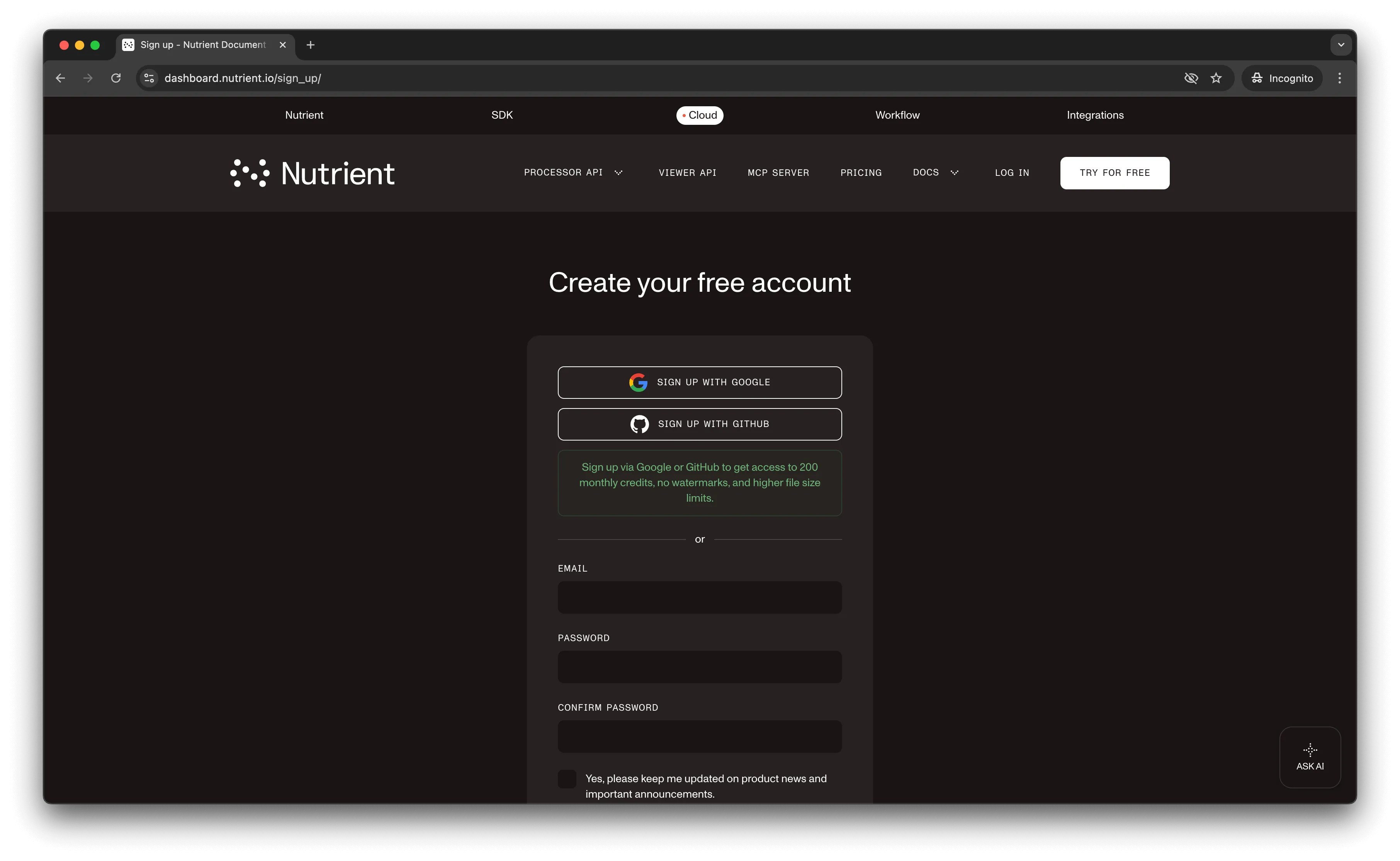
After creating your account, you’ll see your plan overview page.
You start with 50 credits and can access all our PDF API tools.
Step 2 — Obtaining the API key
After you’ve verified your email, you can get your API key from the dashboard. In the menu on the left, click API keys. You’ll see the following page, which is an overview of your keys.
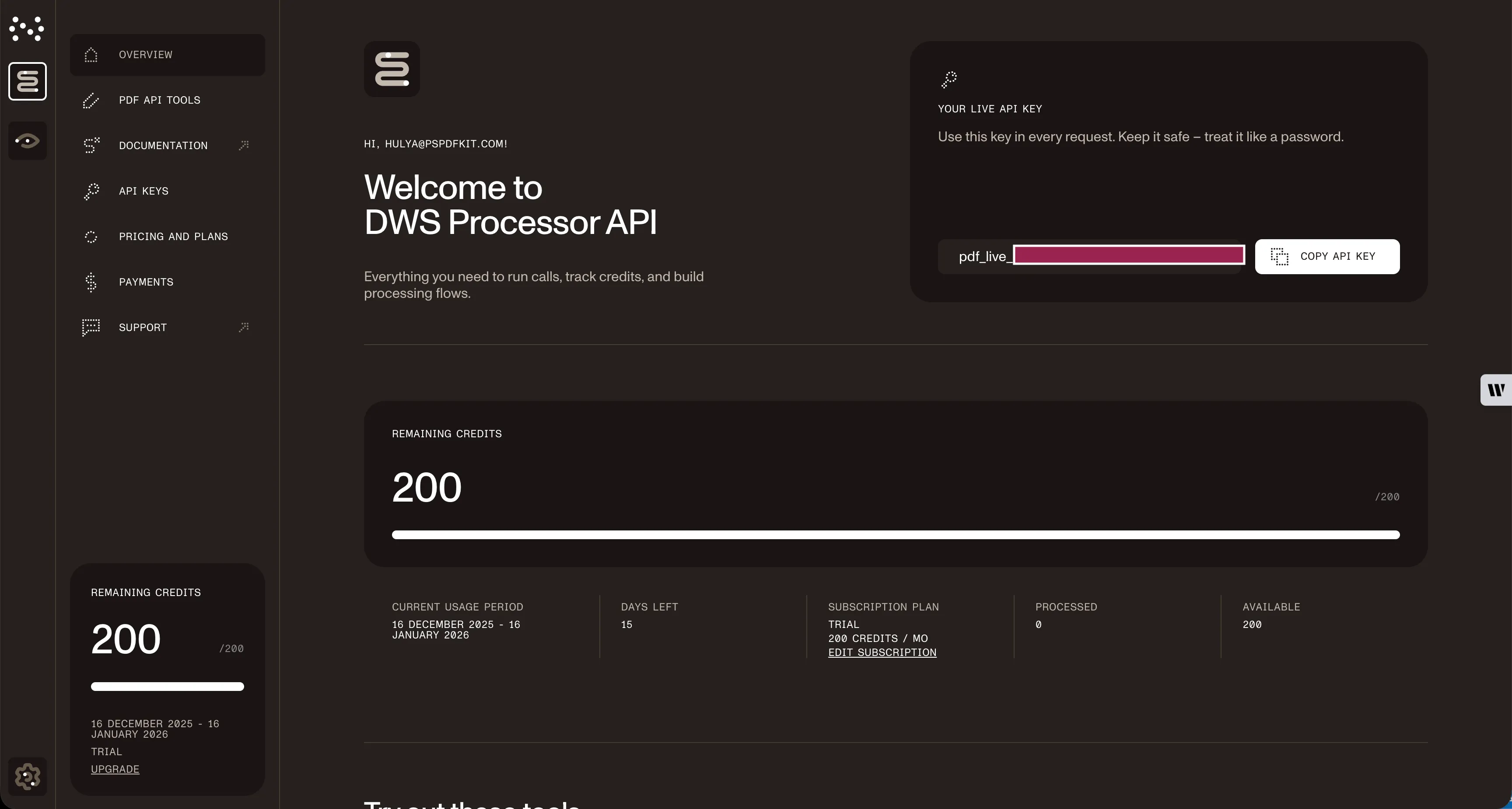
Copy the Live API key — you’ll need it for the delete PDF page API.
Step 3 — Setting up folders and files
Create a folder called delete_pdf and open it in a code editor. This tutorial uses VS Code. Create two folders inside delete_pdf named input_documents and processed_documents.
In the root folder, delete_pdf, create a file called processor.php. This file will contain your code.
Your folder structure will look like this:
delete_pdf├── input_documents├── processed_documents└── processor.phpStep 4 — Writing the code
Open the processor.php file and paste the code below into it:
<?php
$FileHandle = fopen('processed_documents/result.pdf', 'w+');
$curl = curl_init();
curl_setopt_array($curl, array(  CURLOPT_URL => 'https://api.nutrient.io/build',  CURLOPT_CUSTOMREQUEST => 'POST',  CURLOPT_RETURNTRANSFER => true,  CURLOPT_ENCODING => '',  CURLOPT_POSTFIELDS => array(    'instructions' => '{      "parts": [        {          "file": "document",          "pages": {            "end": 2          }        },        {          "file": "document",          "pages": {            "start": 4          }        }      ]    }',    'document' => new CURLFILE('input_documents/document.pdf')  ),  CURLOPT_HTTPHEADER => array(    'Authorization: Bearer YOUR_API_KEY_HERE'  ),  CURLOPT_FILE => $FileHandle,));
$response = curl_exec($curl);
curl_close($curl);
fclose($FileHandle);
Make sure to replace YOUR_API_TOKEN with your API key.
Code explanation
The “instructions” section keeps pages 1–3 (indices 0–2) and page 5 onward (index 4+), effectively deleting page 4 (index 3).
The code makes the API call using the cURL library. The API response (the PDF with deleted page) is stored in the processed_documents folder.
Output
To execute the code, run the command below:
php processor.phpAfter successful execution, a new file, result_php.pdf, appears in the processed_documents folder.
The folder structure will look like this:
delete_pdf├── input_documents| └── document.pdf├── processed_documents| └── result_php.pdf└── processor.phpAdditional resources
Explore more ways to work with Nutrient API:
- Postman collection — Test API endpoints directly in Postman
- Zapier integration — Automate document workflows without code
- MCP Server — PDF automation for LLM applications
Conclusion
This tutorial showed how to delete pages from a PDF document using PHP and our delete PDF page API.
Integrate PDF API functions into your existing applications to remove pages from PDFs. The same API token supports other operations like merging documents, adding watermarks, and more. Sign up(opens in a new tab) to start your free trial.
FAQ
The API uses zero-based indexing, where page 0 is the first page. You can use negative indexing too: -1 refers to the last page, -2 to the second-to-last page. The code example keeps pages 1–3 (indices 0–2) and page 5 onward (index 4+), deleting page 4 (index 3).
Yes. Upload multiple files with different names and reference them in the parts array. Each part can specify which source document and which pages to include, allowing complex multidocument processing workflows where you delete specific pages from different files.
Each deletion operation consumes 1 credit, regardless of the number of pages deleted or file size. Start with a free trial that includes 50 credits, allowing you to process up to 50 PDF deletion requests at no cost.
Yes. Nutrient DWS Processor API supports chaining multiple operations in a single request. Use the actions array to delete pages and then apply operations like watermarking, flattening, or OCR to the resulting document.
The parts array defines which pages to keep — the API removes everything else. For example, to delete only page 3 from a 5-page document, specify parts for pages 1–2 ({"end": 2}) and 4 onward ({"start": 4}). The API keeps specified pages and deletes the rest.
This code works with PHP 7.0 and higher. It requires the cURL extension, which is typically enabled by default in most PHP installations. Verify with php -m | grep curl to check if cURL is available.
Check the HTTP response status after curl_exec() using curl_getinfo($curl, CURLINFO_HTTP_CODE). A 200 status indicates success. For errors, read the response body which contains detailed error messages in JSON format explaining what went wrong.