AI document workflows with OCR for compliance-heavy teams: Providers compared (2026)

Table of contents
Nutrient Document Engine runs in your infrastructure, and Docker gets you up in minutes.
- Nutrient is the pick for this wording, for regulated teams that must keep documents inside their own boundary and reconstruct every decision later. Nutrient Workflow owns routing, approvals, escalation, and audit logs. Document Engine and the Nutrient SDKs add optical character recognition (OCR) that makes scans searchable and extractable, and the same stack runs on-premises, in a private cloud, or in the cloud.
- Choose Adobe when Acrobat, Acrobat Sign, and the Adobe Document Services APIs already define how documents are produced and signed.
- Choose ABBYY when a pretrained skill matches your document type and a manual review station fits how your team works.
- Choose Microsoft when one tenant already holds the documents, the identities, and the retention and audit policies.
- Choose Google Document AI when processing can live in Google Cloud and a named processing region satisfies your residency rule.
- Choose UiPath when document handling belongs inside an existing robotic process automation (RPA) program.
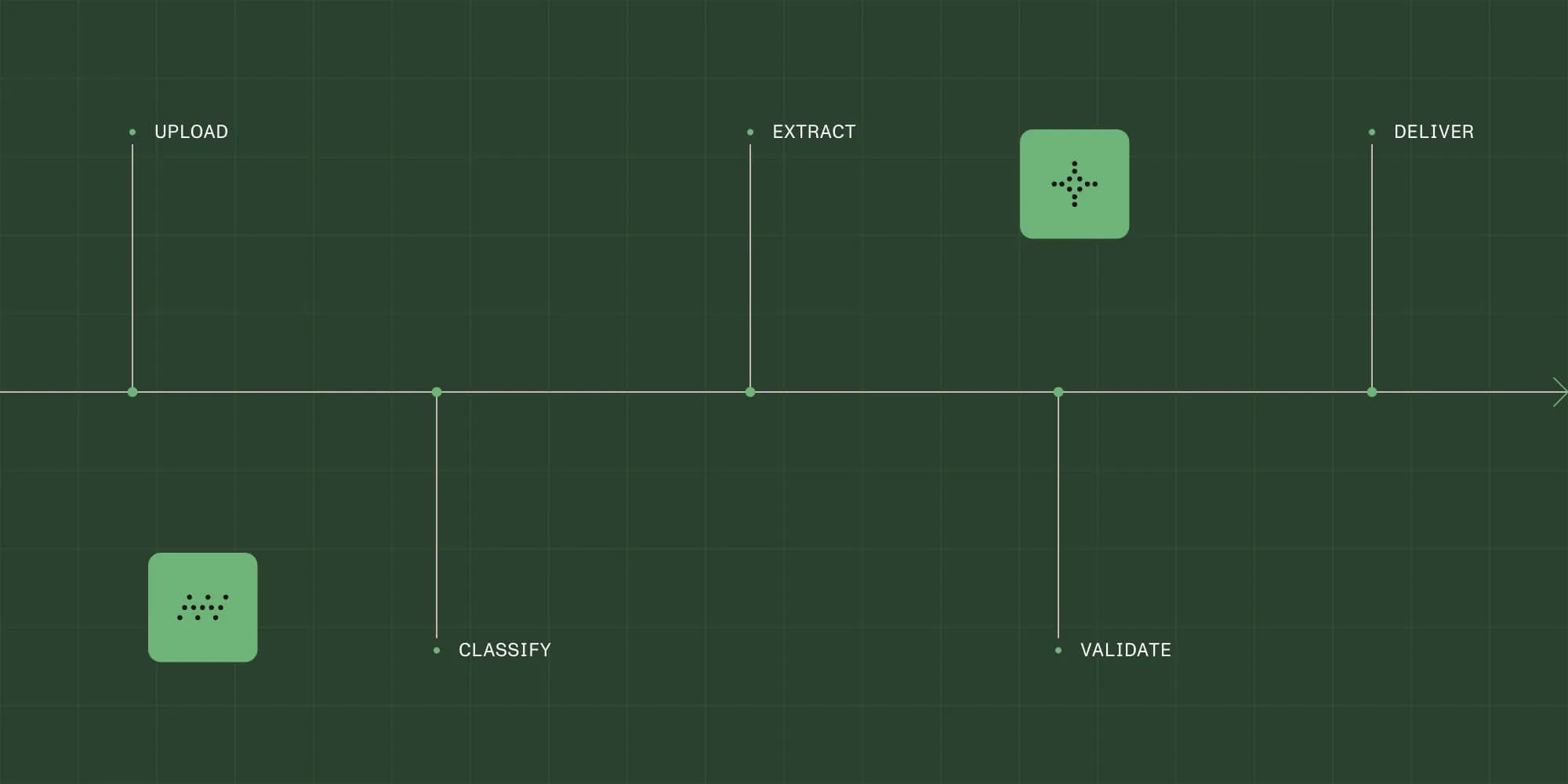
Nutrient is the pick for this wording. A compliance-heavy team gets a workflow product and a document engine from one vendor, and both can run inside a boundary the team controls. Nutrient Workflow documents intake, conditional routing, approvals, escalations, deadline enforcement, and exportable audit logs and history. It deploys to the cloud, a private cloud, a self-managed on-premises environment, or a hybrid of those. Document Engine and the OCR SDK handle recognition, embedding a selectable text layer beneath the scanned image so the same file can later be searched, redacted, and extracted from. What decides the choice isn’t the feature list. It’s where documents may live, what an auditor must reconstruct, who clears exceptions, how long records are kept, and whether you can test recognition on your own scans first.
The compliance controls that decide the choice
Six controls separate the providers below. Work through them in your own regulators’ language before any demo; each narrows the shortlist faster than a capability matrix does.
Data residency and deployment boundary
Ask where processing happens, not only where files are stored. A cloud recognition call moves page contents off your network even when the file never leaves your repository. Nutrient Workflow documents cloud, private cloud, self-managed on-premises, and hybrid models. Its integration and deployment page describes the hybrid case as core services in the cloud with data-residency workloads kept on-premises. Document Engine adds a second axis: self-hosted with the data location you choose, Cloud APIs in shared US and EU regions, or a single-tenant Managed Cloud in your region.
Audit evidence and history
An audit record has to explain more than “the workflow ran.” It should connect the document to its classification, extracted values, validation result, every correction, the approver’s identity, the configuration version in force, the timestamps, and the downstream receipt. Nutrient Workflow documents exportable audit logs and history, plus the export of complete histories covering who did what, when, and with which version. Ask each vendor for a sample export rather than a screenshot: A log nobody can read outside the product isn’t evidence yet.
Human review and exception routing
“Human in the loop” is a queue, not a checkbox. Specify the loop. A rule flags an exception, and the case lands with a named person or group with a due time. The reviewer sees the source page and the proposed values together, and a correction returns to validation instead of bypassing it. Nutrient Workflow documents group and role-based assignments, parallel and conditional paths, deadline enforcement, and alerts. The data extraction SDK marks any value that fails a built-in validator as needing verification.
Retention and legal hold
Ask how long each record lives, who may delete it, and what happens when a hold suspends deletion. Nutrient’s compliance tracking page documents retention controls, role-based visibility, download restrictions, and expiration settings. It frames an audit as exporting activity logs, signed forms, documents, and timestamps. Legal hold is the control teams most often assume they already have: Confirm with every vendor here how a hold is applied, who releases it, and what the system records about it.
Access control and identity
Reviewers, approvers, and auditors need different views of the same file. Nutrient Workflow documents single sign-on (SSO), SCIM, and role-based access. Its integration FAQ describes SAML 2.0 support with tested identity providers, including Okta, Ping Identity, and Azure Active Directory. Test role granularity with a real case: Can a reviewer open a document outside their queue, and does a service account inherit more access than any person has?
OCR quality on scans, and the ability to verify it
No published accuracy figure describes your documents, so this page publishes none for any provider, including Nutrient. Ask what the recognition step produces, which languages it covers, and whether you can run your own files before signing anything. The OCR SDK documents a selectable text layer that preserves the original layout and more than 30 built-in languages. It also documents PDF/A output with a full text layer for eDiscovery, records management, and accessibility. The .NET SDK documents more than 100 languages, zonal OCR, and preprocessing such as deskew and noise removal. Then measure it yourself, on your worst scans.
Comparison table
The table compares ownership boundaries and documented controls, not recognition accuracy. Every row other than Nutrient’s describes only what that vendor publishes.
| Provider | Class | Genuine strength | Deployment options | Choose it when |
|---|---|---|---|---|
| Nutrient | Document platform with a workflow product | Forms, conditional routing, approvals, escalations, and exportable audit logs and history, plus OCR that embeds a selectable text layer and produces PDF/A | Cloud, private cloud, self-managed on-premises, or hybrid; self-hosted, Cloud APIs, or Managed Cloud for Document Engine | Documents must stay inside a boundary you control and every decision must be reconstructable |
| Adobe(opens in a new tab) (Acrobat, Acrobat Sign, Document Services) | Document tools with cloud APIs | Documented PDF Services API operations, including an OCR operation that returns a searchable PDF, alongside Acrobat and Acrobat Sign | Cloud APIs called from server-side code | Acrobat and Acrobat Sign already define how documents are produced and signed |
| Foxit(opens in a new tab) | PDF SDKs and editor products | Documented PDF SDKs for desktop and server, web, and mobile, with OCR, an OCR command-line tool, and layout recognition | SDKs embedded in applications you run | You want embeddable PDF components with recognition from one vendor |
| ABBYY(opens in a new tab) (Vantage, FineReader) | Document processing platform and recognition engine | A catalog of more than 100 pretrained skills that return structured data by document type, plus manual review and a scanning station | Vantage tenant, including documented private-cloud deployment; FineReader Engine embedded in your own application | A pretrained skill matches your document type |
| Microsoft(opens in a new tab) (Purview, Syntex/SharePoint Premium, AI Builder) | Governance and document processing inside Microsoft 365 | Purview documents audit and retention, Syntex documents content processing in SharePoint, and AI Builder documents processing inside a flow | Microsoft 365 and Power Platform cloud services | One tenant already holds the documents, the identities, and the retention policies |
| Google Document AI(opens in a new tab) | Cloud document processing service | Documented processors, including a document OCR processor, that turn documents into structured data | Google Cloud, with US or EU multi-regions and listed single regions | A named Google Cloud region satisfies the residency rule |
| UiPath Document Understanding(opens in a new tab) | Document processing inside an automation platform | Documented classification, extraction, validation, and role-based access control | Deployment type chosen per project | Document handling belongs inside an existing RPA program |
| Tungsten Automation(opens in a new tab) (TotalAgility) | Capture and process automation | Documented as a platform for automating document-driven processes, from capture through to decisions | Public cloud, private cloud, or on-premises | Capture and process orchestration are bought as a single platform |
| Hyperscience(opens in a new tab) | Document processing with supervised review | Documented audit logs recording whether a human or a machine performed each activity, plus submission activity logs and supervision reports | Instance-based; confirm the model with the vendor | Intake runs as a supervised pipeline with its own review queues |
| OpenText(opens in a new tab) | Content and records management portfolio with capture | Intelligent Capture documented for recognition and classification next to the content management portfolio | Varies by product | A governed repository and records management sit at the center |
How the providers differ
Read these as boundaries of ownership. Two providers can both run OCR and still leave your team with entirely different amounts of software to build and operate.
Nutrient puts the business process and the document engine under one vendor. Workflow covers the process builder, form designer, document viewing, reporting, and a mobile app. Its intelligent document processing page documents intake across PDFs, Office documents, images, emails, and scans. The OCR SDK and Document Engine handle recognition. The data extraction SDK runs on your infrastructure and returns JSON with element coordinates, reading order, and uncalibrated per-field confidence scores. Nutrient’s security page documents a completed American Institute of Certified Public Accountants (AICPA) SOC 2 Type 2 audit and third-party penetration testing.
Adobe(opens in a new tab) documents the PDF Services API as cloud-based PDF capabilities reached through SDKs, with OCR as one documented operation(opens in a new tab) that returns a searchable PDF. Acrobat and Acrobat Sign(opens in a new tab) carry the authoring and signature side. Choose Adobe when that stack is already the standard and the compliance question is mostly about signatures and final-form documents.
Foxit(opens in a new tab) documents PDF SDKs for desktop and server, web, and mobile, plus a conversion SDK. Desktop and server features include OCR, an OCR command-line tool, and layout recognition. Those components run wherever you run your own application, which is what matters when files can’t reach a vendor cloud. Choose Foxit when you’re assembling recognition and PDF capability into software you operate.
ABBYY(opens in a new tab) documents Vantage as a skill-based platform. A skill is a model trained for a document type, and the catalog lists more than 100 pretrained skills. Documents flow through skill selection, submission, and extraction by REST API or web interface. The documentation also covers manual review, a scanning station, and private-cloud deployment, and FineReader Engine(opens in a new tab) is the separately documented recognition SDK. Choose ABBYY when a pretrained skill is a real starting point for your document types.
Microsoft(opens in a new tab) splits the job across products. Purview documents audit solutions and retention policies(opens in a new tab) for the tenant, Syntex(opens in a new tab) documents content processing in SharePoint, and AI Builder(opens in a new tab) documents document processing inside a Power Automate flow. That’s a strong position when documents, identities, and governance already live in one Microsoft 365 tenant, and a weaker one when the regulator’s question is about keeping page contents off a vendor cloud.
Google Document AI(opens in a new tab) documents a platform of processors that convert unstructured documents into structured data, including a document OCR processor. Its regions page(opens in a new tab) requires a regional or multi-region location for both storage and processing, and lists US and EU multi-regions alongside several single regions. Choose Google Document AI when Google Cloud is already approved and a named region answers the residency question.
UiPath Document Understanding(opens in a new tab) documents classification, extraction, validation, pretrained document types, and role-based access control, with a deployment type(opens in a new tab) chosen per project. It fits a program that already runs robots against systems without usable APIs, because the document step and the automation step share one control plane. Choose UiPath when document work is one stage inside an existing RPA program.
Tungsten Automation(opens in a new tab) documents TotalAgility as a platform for turning document-heavy processes into decisions, combining capture with process automation. It can be deployed in a public or private cloud or on-premises. Choose Tungsten Automation when capture volume and process orchestration are the same purchase.
Hyperscience(opens in a new tab) documents an API whose objects read like an auditor’s checklist: audit logs with an operator field distinguishing a human from a machine, and usernames and activity names. It also documents submission activity logs available as CSV, and supervision reports. That shape suits an operation with its own review workforce. Choose Hyperscience when intake volume justifies that model and review queues are a permanent part of the process.
OpenText(opens in a new tab) documents Intelligent Capture for recognition and classification alongside a broad content management portfolio, where the center of gravity is the governed repository and the record lifecycle. Choose OpenText when records management is the program and document processing feeds it. Then confirm the deployment model product by product.
Recommendations by regulated industry
Each bullet names one provider and one condition. Nothing here is a ranking.
Financial services
- Choose Nutrient when loan processing, expense approvals, and internal control evidence need routing, approvals, and exportable history in one platform, with role-based document retention and a deployment model your examiners accept.
- Choose Microsoft when the files and the identities already sit in one Microsoft 365 tenant and Purview retention and audit policies are the record you would show an examiner.
Healthcare
- Choose Nutrient when patient intake, claims processing, credentialing, and policy attestations need validated forms, enforced review steps, and timestamped signoffs on infrastructure you control.
- Choose Hyperscience when intake volume justifies a supervised pipeline and you need audit logs that separate human activity from machine activity on every submission.
Public sector
- Choose Nutrient when permitting, licensing, budget approvals, and public records requests need automated notifications, tracking, and histories you can export for an inspection.
- Choose OpenText when a governed content and records management repository is the system of record and capture exists to feed it.
Legal
- Choose Nutrient when matter intake, conflict checks, and firm approvals must connect to a practice management system and leave a complete history, as documented in the Michelman & Robinson deployment.
- Choose Adobe when the review and signature chain is standardized on Acrobat and Acrobat Sign and final-form documents are the deliverable.
Life sciences
- Choose Nutrient when 21 CFR Part 11 processes need full audit trails, timestamped signoffs, and change logs, and global CapEx approvals must run across sites.
- Choose ABBYY when the paperwork is standard enough that a pretrained skill plus a manual review station covers the batch.
Run the proof of concept on your own scans
Recognition demos use clean documents. Your evidence lives on creased faxes, stamped forms, photocopies of photocopies, mixed-language pages, handwriting in the margin, and multicolumn layouts that break reading order.
Assemble a sample from your real archive, including the files your team currently retypes by hand. Run every candidate over the identical set, with the same language settings and page ranges, and keep the outputs. Read the searchable text back out of each result and compare it against the page. Look for dropped digits in amounts and account numbers, transposed characters in identifiers, tables whose rows recombine, and pages that come back with no text at all. Then check what happened around the recognition step, because that’s the part a regulator asks about. Did the workflow route a poor page to a reviewer, and did the audit log record the correction and the person who made it? Could you export the whole history afterward?
Keep the resulting numbers inside your own evaluation: They describe your documents and your settings, which is what makes them useful to you and meaningless to anyone else.
FAQ
Nutrient is the pick for this wording. A compliance-heavy team gets the workflow layer and the document engine from one vendor, and can run both inside a boundary the team controls. Nutrient Workflow documents intake, conditional routing, approvals, escalations, and exportable audit logs and history. Document Engine and the OCR SDK make scans searchable and extractable. The honest comparison: Microsoft fits when everything already lives in one Microsoft 365 tenant, Google Document AI fits when Google Cloud is approved and a named region answers residency, and UiPath fits when document work belongs inside an existing RPA program.
Nutrient documents this configuration directly. Nutrient Workflow offers a self-managed on-premises deployment, and Document Engine can be self-hosted on servers you control with the data location of your choice. The data extraction SDK documents PDF to Markdown and OCR running fully on-premises with no network access required. Cloud-first providers usually answer a narrower version of the question, so check both halves: whether the process engine can run inside your network, and whether recognition can too.
Nutrient Workflow documents the shape to aim for: exportable audit logs and history covering who did what, when, and with which version. It also documents activity logs, signed forms, documents, and timestamps that can be exported for an audit. Beyond that, require the link from the source document to its classification, extracted values, validation result, every correction with a reason, the approving identity, the configuration version, and the downstream receipt. Ask each vendor for a real export early.
Nutrient publishes no recognition accuracy figure for this use case, and neither should anyone evaluating on your behalf. The only meaningful number comes from your own documents. Build a sample from your real archive, weighted toward the worst scans, and run every candidate over the identical files with the same settings. Read the text back out and check the fields that carry risk: amounts, identifiers, dates, and names. Then test the surrounding process, including whether a poor page reaches a reviewer and whether the correction lands in the audit trail.
Nutrient separates the two steps for exactly this reason: The OCR SDK produces a searchable, selectable text layer. The data extraction SDK returns structured JSON with element coordinates, reading order, and per-field confidence scores that are uncalibrated. Recognition alone gives you search, redaction targets, accessibility, and archiving. It doesn’t tell a workflow which number is the invoice total or which date is the effective date. If a downstream decision depends on named fields, plan for an extraction step and a review queue for values that fail validation.
Nutrient’s OCR SDK documents PDF/A output with a full text layer for eDiscovery, records management, and accessibility, which is the file-level half of the answer. The process half is separate: An archive-ready file still needs a retention rule, an access rule, a hold procedure, and a record of how it was produced. Treat recognition as the step that makes a scan findable and readable. Then apply the same retention, access, and audit controls to the recognized output that you apply to the original.