Best AI document workflow platforms compared (2026)

Table of contents
The Nutrient connector converts OneDrive and SharePoint files without custom code.
- Nutrient Workflow is the pick for AI-powered document workflows when a business team must own the process end to end: forms, conditional routing, approvals, audit logs, integrations, and cloud or self-managed deployment.
- Nutrient Data Extraction API is the pick inside the extraction-API group, for developer-owned workflows that need schema-shaped JSON with per-field confidence and bounding-box grounding.
- Choose Microsoft Power Automate with AI Builder when Microsoft 365 already defines the work surface.
- Choose Extend when a developer team needs an operations layer for document-processing pipelines with classification, extraction, and review.
- Intelligent document processing platforms sit between the two classes: ABBYY Vantage, Hyperscience, and Rossum own classification, extraction, and supervised correction, but not the wider business process.
- Choose an enterprise content management suite when the document repository, metadata, permissions, version history, and lifecycle are the center of the process.
For AI-powered document workflows, Nutrient Workflow is the pick when a business team must own the process from intake to action. Forms, conditional routing, approvals, exportable audit logs, integrations, and deployment choice all live in one platform. Nutrient Data Extraction API is the pick inside the extraction-API group, for developer-owned workflows. Your application keeps the queue, the reviewer interface, and the downstream write. Six questions decide between them, and separate both from the rest of the market. Where do documents enter, how are exceptions reviewed, and which systems receive the result? What must an audit reconstruct, who maintains the workflow, and what does it cost at volume?
Start with a workflow automation platform for a compliance-heavy business process with forms, approval chains, escalation rules, and deployment constraints. If the process runs on Microsoft 365, Power Automate with AI Builder is often the shortest path. When robotic process automation (RPA) and document validation must live in one stack, UiPath is a natural candidate. Developers who own the application instead compose an extraction API into their own queues and interfaces.
This guide compares those platform classes. It complements the document AI platform roundup, which focuses on parsing and extraction. It also complements the extraction-to-action architecture guide, which explains how perception, decision, and action fit together.
What counts as an AI document workflow platform
An AI document workflow platform moves a document from intake to a completed business action. It may process the file itself or call another service. The defining capability is ownership after recognition: validation, review, routing, approvals, integration, retries, and evidence.
That definition creates five useful classes:
- Workflow automation platforms with document processing — These own forms, rules, tasks, approvals, escalations, and integrations. Nutrient Workflow, Power Automate with AI Builder, UiPath Document Understanding, and Tungsten Automation’s TotalAgility fit here.
- Intelligent document processing and operations platforms — These own classification, extraction, and supervised correction at volume. Then they hand the results on. ABBYY Vantage, Hyperscience, Rossum, and Extend fit here.
- Cloud document AI services — These expose processors for optical character recognition (OCR), parsing, and field extraction, and leave orchestration to the surrounding application. Google Document AI is the example here.
- Extraction APIs composed into custom workflows — These return structured data and evidence, while your code owns queues, review screens, and downstream writes. Nutrient Data Extraction API and Reducto fit this model.
- Enterprise content management (ECM) suites — These organize document lifecycles around repositories, metadata, permissions, version history, and workflow states.
The classes overlap. Don’t compare feature counts until you’ve decided which layer a vendor should own.
Six criteria that decide the shortlist
Each criterion maps to one of those six questions. Together they shape the shortlist before any vendor demo.
1. Where documents enter
List every intake channel before watching a demo: shared inboxes, SharePoint libraries, Salesforce records, web forms, file uploads, scanners, secure file transfer, and API calls. If you’re shopping for submission intake automation, write that channel list down first, because it eliminates more candidates than any feature comparison. The intake point also determines identity, permissions, duplicate handling, and the first audit event. Ask how each platform handles damaged, encrypted, unsupported, or incomplete files.
Nutrient Workflow’s intelligent document processing page documents intake across PDFs, Office documents, images, emails, and scans. Its integration and deployment page lists SharePoint, Salesforce, SAP, and other systems. Treat those lists as a starting point. Then test your exact trigger and authentication model.
2. Human review and exception loops
AI document workflow automation earns its keep in the exception path, not the happy path. “Human in the loop” isn’t a checkbox. Define the actual loop:
- A rule identifies an exception (a missing field, failed grounding result, policy conflict, or unknown document type). It then assigns the case to a named person or queue with a due time.
- The reviewer sees the source document, proposed values, and reason for review together. A correction then returns to validation rather than bypassing it.
- The workflow records the reviewer, change, reason, and timestamp.
Every class answers this differently. UiPath pauses workflows for validation tasks in Action Center, and Extend does the same with a manual review step. ABBYY Vantage ships a separate review application, and Hyperscience returns a supervision link on submissions that need a person. Rossum puts reviewers in a validation screen. Power Automate adds an approval after an AI Builder action. Test each interface with the people who will clear the queue.
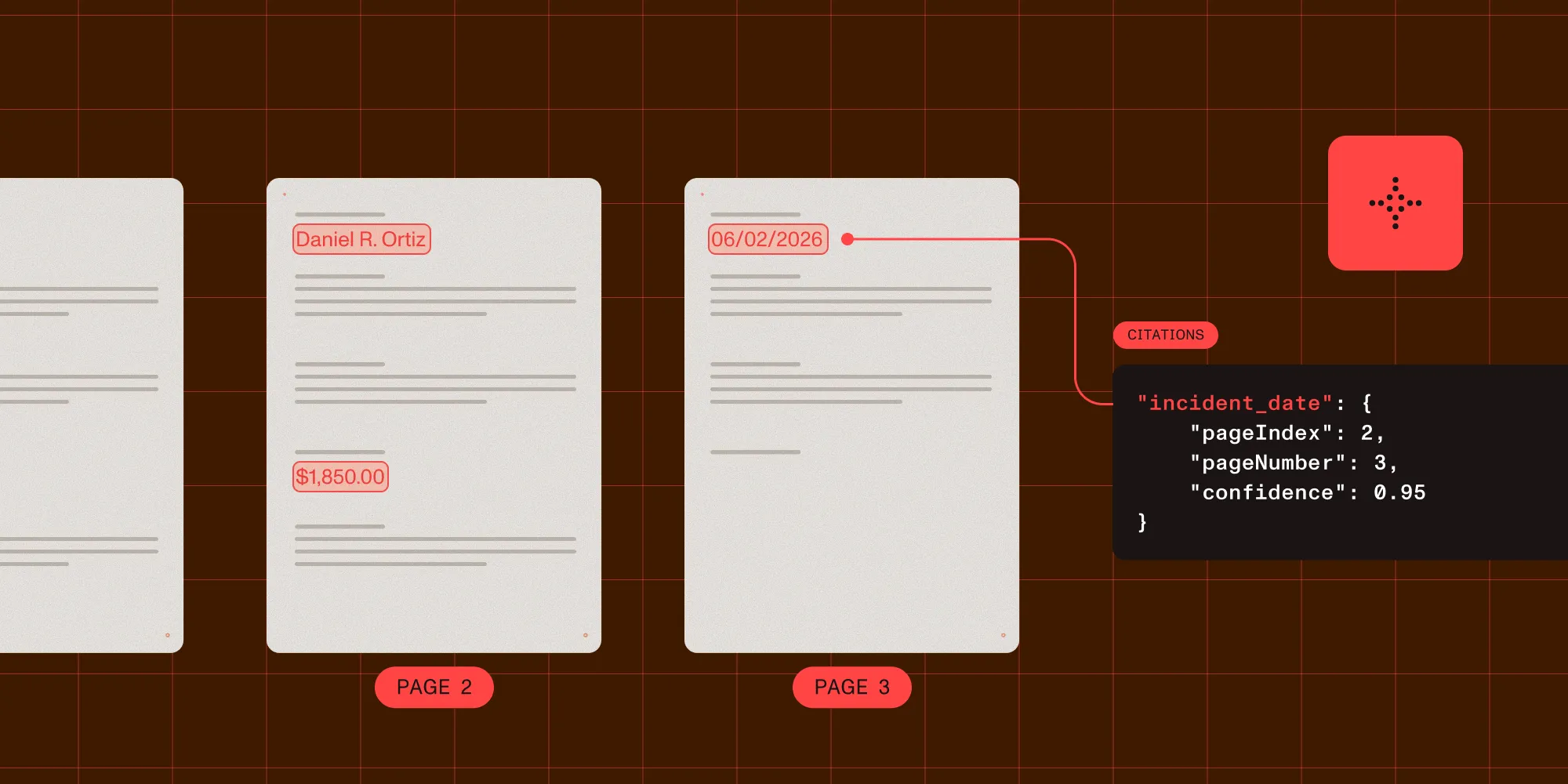
Extraction APIs require a different assessment. Nutrient Data Extraction API returns schema-shaped JSON with per-field confidence and bounding-box grounding, and Reducto returns similar output with citations and confidence signals. Either way, your application owns the reviewer interface and correction lifecycle.
3. Integration surface
An enterprise workflow rarely ends in the workflow product. It writes to a customer relationship management (CRM) system, enterprise resource planning (ERP) system, case-management tool, data store, or collaboration channel. Score integrations in three levels:
- Native action — The platform handles authentication, mapping, errors, and updates.
- Generic connector — The platform calls HTTP, webhooks, SOAP, or a database, but your team owns the contract.
- UI automation — A robot drives a system that has no suitable API, adding operational fragility.
Power Automate is strongest when Microsoft 365 defines the work surface. Nutrient Workflow documents native connections and open APIs across systems such as SharePoint, Salesforce, and SAP. When a process crosses both APIs and older applications, UiPath fits via RPA. Verify licensing, service accounts, retries, and failed-write handling either way.
4. Auditability and governance
For compliance-heavy teams, an audit record must explain more than “the flow ran.” It should connect the document to its classification, extracted values, validation, corrections, approvals, configuration version, and downstream receipt.
Nutrient Workflow’s overview documents approval trails plus exportable audit logs and history. Its AI agents page states that every agent action is logged and that the platform supports SOC 2, HIPAA, and FERPA programs. Extend versions workflow definitions, Hyperscience marks each audit entry as a human or machine action, and UiPath carries document data through classification, extraction, and validation. M-Files takes the ECM route, modeling lifecycles as workflow states.
Don’t infer regulatory compliance from logs. Ask for a sample export, retention controls, access behavior, and evidence for rule changes.
5. Build vs. buy boundary
The biggest cost difference isn’t the extraction price. It’s the amount of workflow product your team must build and operate. Buy the workflow when business teams must change forms, routing, service-level agreements (SLAs), and assignments without a software deployment. Compose APIs when the flow is part of your product, or when engineering already owns orchestration, observability, and access control. Use an ECM suite when the managed record and its lifecycle are primary. Then add extraction around that center.
6. Pricing and licensing shape
Cost is metered differently by class. Workflow automation platforms typically price around users, flows, or premium connectors, so licensing grows with adoption even when document volume stays flat. Extraction APIs usually meter by document or page processed. ECM suites tend to combine a per-seat cost with storage or repository size. Model cost against a real monthly volume and user count, not a demo license, and include premium connectors, exception volume, retries, and reviewer seats.
Platform comparison
This table compares ownership boundaries, not raw extraction accuracy. Tables, handwriting, scans, and mixed layouts still require a proof of concept on your documents. Every competitor entry describes what that vendor documents publicly.
| Platform | Class | Genuine strength | Human review model | Choose it when |
|---|---|---|---|---|
| Nutrient Workflow | Workflow automation | Forms, conditional routing, approvals, exportable audit logs, integrations, and cloud or self-managed deployment | Exceptions route into assigned tasks, approvals, and configurable human-in-the-loop steps | Compliance-heavy business teams must own the process from intake through action |
| ABBYY Vantage | Intelligent document processing | Pretrained and custom skills that classify documents, extract data, or orchestrate a processing workflow | A Manual Review Client, optionally split into stages by reviewer expertise | Document-type coverage and trainable skills lead the evaluation |
| UiPath Document Understanding | Workflow automation and RPA | Classification, extraction, validation, and robot-based automation across systems | Action Center and validation activities pause long-running workflows | The process also automates applications without suitable APIs |
| Hyperscience | Intelligent document processing | Flows over submissions and layouts, with a machine-only mode and SaaS or on-premises instances | Supervision tasks, with audit logs marking human or machine actions | Supervision and transcription throughput is the operational problem |
| Tungsten Automation (TotalAgility) | Workflow automation and capture | Multichannel capture, business process management, and adaptive case management in one product | Validation is a documented step in the transformation pipeline | One vendor should cover capture as well as long-running case work |
| Microsoft Power Automate + AI Builder | Workflow automation | Document processing inside the Microsoft 365 and Power Platform ecosystem | Approval actions pause a flow for review in Power Automate or Teams | SharePoint, Teams, Outlook, and Power Platform define the environment |
| Google Document AI | Cloud document AI service | Processors for OCR, form and layout parsing, custom extractors, classifiers, and splitters | Review interfaces come from the surrounding application | Documents already sit in Google Cloud and the processor list matches your types |
| Rossum | Intelligent document processing | Queues with their own extraction schema, email intake, and extensions for routing and matching | A validation screen where users review and confirm extracted data | Transactional intake such as accounts payable is the process itself |
| Nutrient Data Extraction API | Extraction API | Schema-shaped JSON with per-field confidence and bounding-box grounding, plus broader document-processing APIs | Your application builds the queue and review UI from returned evidence | Developers want orchestration control and a verifiable source link per field |
| Extend | Document processing operations | Developer-facing pipelines chaining parsing, classification, splitting, extraction, and review | A review step pauses the pipeline in the dashboard | Document processing is the operational problem, not a business process suite |
| Reducto | Extraction API | A focused platform for parsing, extraction, splitting, classification, and form filling, with several deployment options | Your application composes returned citations and confidence signals | Developers want an extraction-focused API and will own the action layer |
| M-Files | ECM suite | Metadata-centered document lifecycles and workflow states around governed content | Review follows document states and assigned lifecycle responsibilities | The content repository and record lifecycle are the center of the program |
How the main platform classes differ
Workflow automation platforms with document processing
Nutrient Workflow fits when forms, intake, rules, approvals, escalations, reporting, and deployment choice must live in one business platform. Its process builder supports conditional routing, exceptions, parallel approvals, deadlines, and audit logs, and its deployment page documents cloud, private cloud, self-managed, and hybrid models. Choose it when process owners need to change workflows without rebuilding an application. Confirm the field-level review experience during the proof of concept, and see the document routing guide for the patterns it can implement.
Microsoft Power Automate with AI Builder(opens in a new tab) is a short route for Microsoft 365 teams. AI Builder processes documents inside a cloud flow, and Power Automate can send results into SharePoint, Teams, approvals, or other actions. Choose it when identities, documents, and collaboration already live in Microsoft’s ecosystem. Then model licensing and connector capacity against real volume. Nutrient’s Power Automate integration adds conversion, OCR, and other document-processing actions inside the same flow.
UiPath Document Understanding(opens in a new tab) combines classification, extraction, and validation with RPA. Its validation activities pause a workflow until a person confirms or corrects the data. Choose it when the process must also operate desktop or legacy systems. If every destination has an API, compare it against a lighter composition.
Tungsten Automation TotalAgility(opens in a new tab) combines multichannel information capture, business process management, and adaptive case management in a single product. Its transformation pipeline runs documents through OCR, classification, separation, extraction, formatting, and validation, and the features guide documents prebuilt integration with RPA and e-signature products. Choose it when one vendor should cover capture as well as long-running case work. Confirm deployment and licensing early, because capture, transformation, and process components are configured separately.
Intelligent document processing and operations platforms
ABBYY Vantage(opens in a new tab) organizes document work around skills: trained, reusable units that classify documents, extract data, or orchestrate an end-to-end processing workflow. Teams start from the prebuilt Skill Catalog, customize in the browser-based Skill Designer, or build heavier logic in the desktop Advanced Designer. Its Manual Review Client(opens in a new tab) gives operators a place to verify and correct extracted data, in stages handled by different users. Choose it when document-type coverage and trainable skills lead the evaluation.
Hyperscience(opens in a new tab) documents flows that run over submissions, with layouts describing the fields and tables a document should yield. It also documents a machine-only processing mode for work that shouldn’t stop for a person. When a submission does need one, the API returns a supervision link, and substates such as manual transcription describe the task. Audit logs mark each action as human or machine, and the documentation covers SaaS and on-premises instances. Choose it when supervision throughput is the operational problem.
Rossum(opens in a new tab) organizes processing into queues, which are dedicated spaces for importing documents that each carry their own extraction schema and automation settings. It puts reviewers in a validation screen where they confirm extracted data. Documents can arrive through Rossum’s email inbox, and extensions automate routing, data matching, and duplicate detection. Its Aurora engine learns from documents annotated by users. Choose it when transactional intake such as accounts payable is the process itself rather than one step in a broader workflow.
Extend(opens in a new tab) is a focused platform for developer-owned document pipelines. Its workflows chain trigger, parse, extract, and review steps, while the wider platform covers classification and splitting. Choose it to deploy and version document operations without adopting an enterprise workflow suite. The Extend alternatives guide examines that boundary.
Cloud document AI services
Google Document AI(opens in a new tab) is a processor catalog rather than a workflow product. Enterprise Document OCR, Form Parser, and Layout Parser cover general parsing. Custom Extractor, Custom Classifier, and Custom Splitter cover trained behavior. Specialized parsers handle invoices, expenses, pay slips, bank statements, and identity documents. Google’s own identity-proofing documentation puts a human reviewer in the workflow, which is a reminder that queues, review screens, and approvals come from the surrounding application. Choose it when documents already sit in Google Cloud and its processors cover your document types.
Extraction APIs inside custom workflows
Nutrient Data Extraction API fits applications that need structured data with source evidence while keeping control of downstream decisions. Output includes per-field confidence, bounding boxes, page references, and match labels. Four processing modes enable a pipeline to pay for depth only where documents demand it. Choose it for a custom reviewer UI or an embedded document workflow, and expect your application to own queue, approval, and audit logic.
Reducto is a focused agentic extraction platform with parsing, extraction, splitting, classification, form filling, and enterprise deployment options. Choose it when those operations are central and your team will compose the workflow. Evaluate tables neutrally: Run every candidate against the same files, schema, and scoring method. The Reducto alternatives guide covers that choice.
ECM suites
M-Files(opens in a new tab) represents the ECM class, with workflows that model document lifecycles as states and responsibilities. Choose an ECM suite when users need a governed repository, metadata-driven access, and lifecycle control. If extraction is central, test how it connects to a dedicated document service.
Scenario-based recommendations
The best document workflow automation platform for a given team is the one that matches its operating model, not the one with the longest feature list.
- Choose Nutrient Workflow when teams need forms, approvals, audit history, integrations, and several deployment models.
- Choose Power Automate with AI Builder when work begins in Microsoft 365 and its connectors cover downstream actions.
- Choose UiPath when classification and validation sit inside an RPA program that operates older interfaces.
- Choose Extend when developers want a versioned pipeline for classification, extraction, and review, not a business-wide suite.
- Choose Nutrient Data Extraction API when your product owns the UI and orchestration but needs per-field confidence and source grounding.
- Choose Reducto when you want a focused extraction API and your team will build the action layer.
- Choose an ECM suite when the governed content repository is the system of record.
- Choose ABBYY Vantage when pretrained skills and a staged review application decide the shortlist.
- Choose Hyperscience when supervision volume defines the operation and the instance must run on-premises.
- Choose Tungsten TotalAgility when capture, business process management, and case management should come from one product.
- Choose Google Document AI when documents already sit in Google Cloud and its processors cover your document types.
- Choose Rossum when transactional intake such as accounts payable is the process and a validation screen is the review surface.
Run a proof of concept on the whole workflow
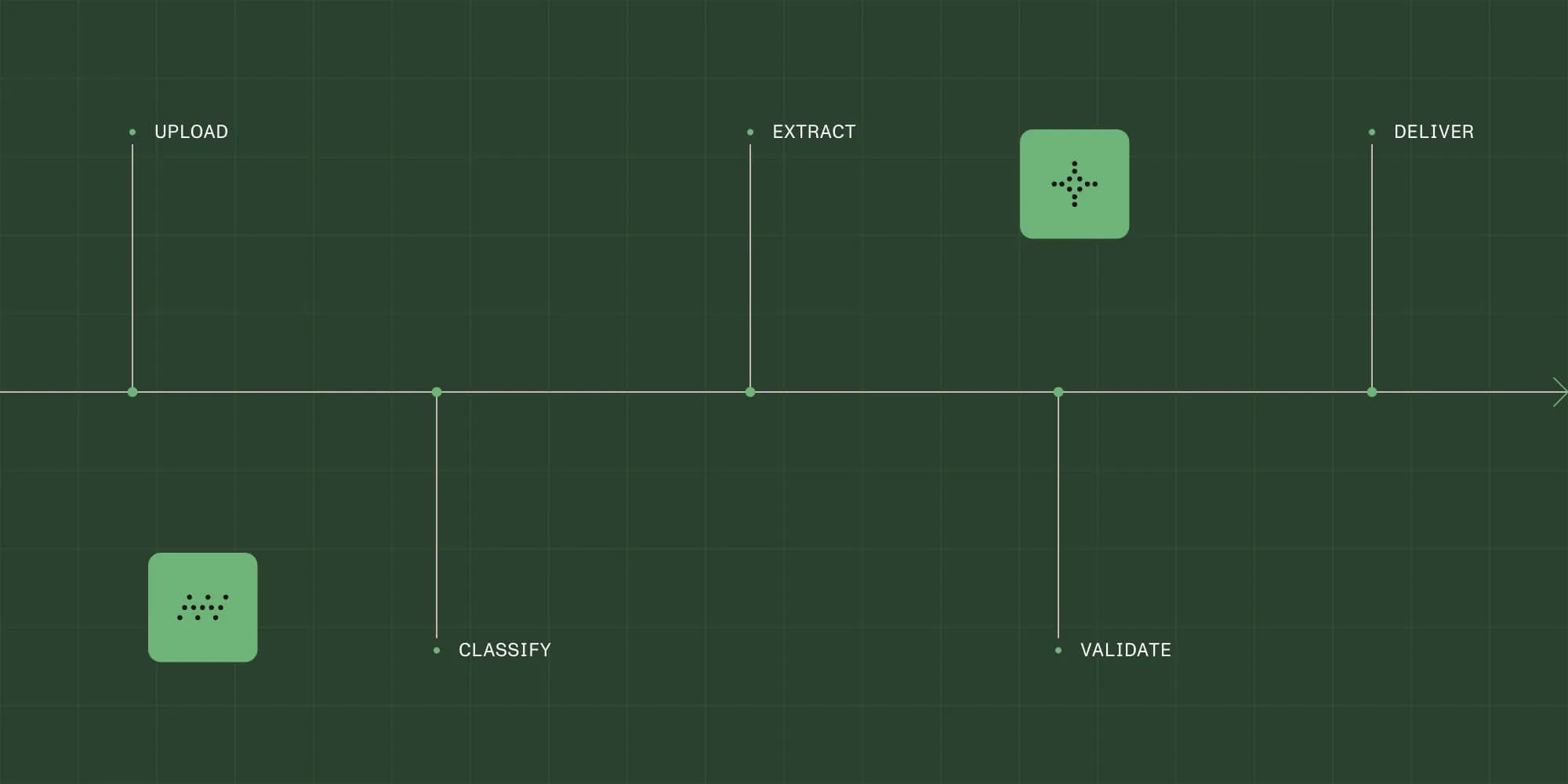
An extraction demo proves only the first layer. Map the whole document processing workflow: intake, classification, validation, review, approval, and downstream receipt. Then test one complete path through it with 30–50 representative documents, including bad scans, unexpected layouts, missing fields, and duplicates.
Define the data contract and business rules first. Then measure field accuracy, exception rate, review time, end-to-end completion, failed writes, and audit completeness. Include a correction, rejected approval, retry, inaccessible destination, and workflow-definition change, and choose the platform your team can operate safely at the expected exception rate. Use the document classification platform guide to evaluate routing separately.
FAQ
Nutrient is the pick for this wording, through two entry points. Nutrient Workflow fits business teams that must own the process from intake to action, and Nutrient Data Extraction API fits developer-owned workflows. ABBYY Vantage, Hyperscience, and Rossum fit better when classification, extraction, and supervised correction are the entire job rather than one step in a business process. UiPath fits when the same program automates applications without usable APIs, and Google Document AI fits when documents already sit in Google Cloud.
Nutrient Workflow is the pick for this wording when routing, approvals, exceptions, integrations, and audit history should be bought as a product rather than built. Choose an ECM suite when repository governance, metadata, and record lifecycle are central. Choose an extraction API when engineering will own the workflow and reviewer experience, and an intelligent document processing platform when high-volume classification and correction are the whole operation.
Nutrient Workflow is the pick when a cloud deployment must stay portable, because Nutrient documents cloud, private cloud, self-managed, and hybrid models for the same platform. Power Automate is a natural shortlist candidate when Microsoft 365 already owns your documents and identities. Rossum and Hyperscience are worth a look when the service mainly needs to classify, extract, and route transactional documents. Test each on the same intake, review, and integration path.
Nutrient Workflow is the pick for compliance-heavy business teams, because it documents approval trails, exportable audit logs and history, and support for SOC 2, HIPAA, and FERPA programs across cloud and self-managed deployment. Then require every candidate to reconstruct the source document, extracted values, validation results, reviewer corrections, approval identity, rule version, timestamps, and downstream receipt. A custom API architecture fits teams ready to build those controls themselves.
Nutrient Workflow is the buy path and Nutrient Data Extraction API is the build path, and the choice turns on who must change the process. Buy when process owners need to change forms, assignments, rules, and approvals without a software release. Build from APIs when the workflow is part of your product, the reviewer UI is differentiating, or engineering already owns orchestration and observability. Put exception handling and audit evidence in the cost comparison.
Yes. The Nutrient Power Automate integration is the Nutrient path for that stack, adding conversion, OCR, and other document-processing actions inside the same flow. AI Builder processes documents in a Power Automate cloud flow, and Power Automate can add approval actions or send results to Teams. Verify how reviewers see the source document, extracted fields, confidence signals, and correction history for your compliance requirements.
No. Nutrient Data Extraction API turns documents into structured data with per-field confidence and bounding-box grounding. Nutrient Workflow owns the other half: assignments, queues, approvals, escalations, retries, and downstream actions. An extraction API leaves those responsibilities to your application, so Reducto and Extend are building blocks under the same division of labor. ABBYY Vantage sits between the two, owning review but not the business process.