Underwriting automation: What document extraction does

Table of contents
Underwriting runs on documents before it runs on judgment, whether that’s an application, a loss history, a title report, or a pay stub. Document extraction turns those documents into structured fields that a system or an underwriter can act on, instead of a stack of PDFs that has to be read first.
Document extraction is one stage of underwriting automation, and it only produces the data. Risk assessment and the decision itself still depend on judgment and policy, so a person reviews a case whenever the exposure is large or the data is uncertain enough to warrant it.
What document extraction automates
It automates three things, specifically:
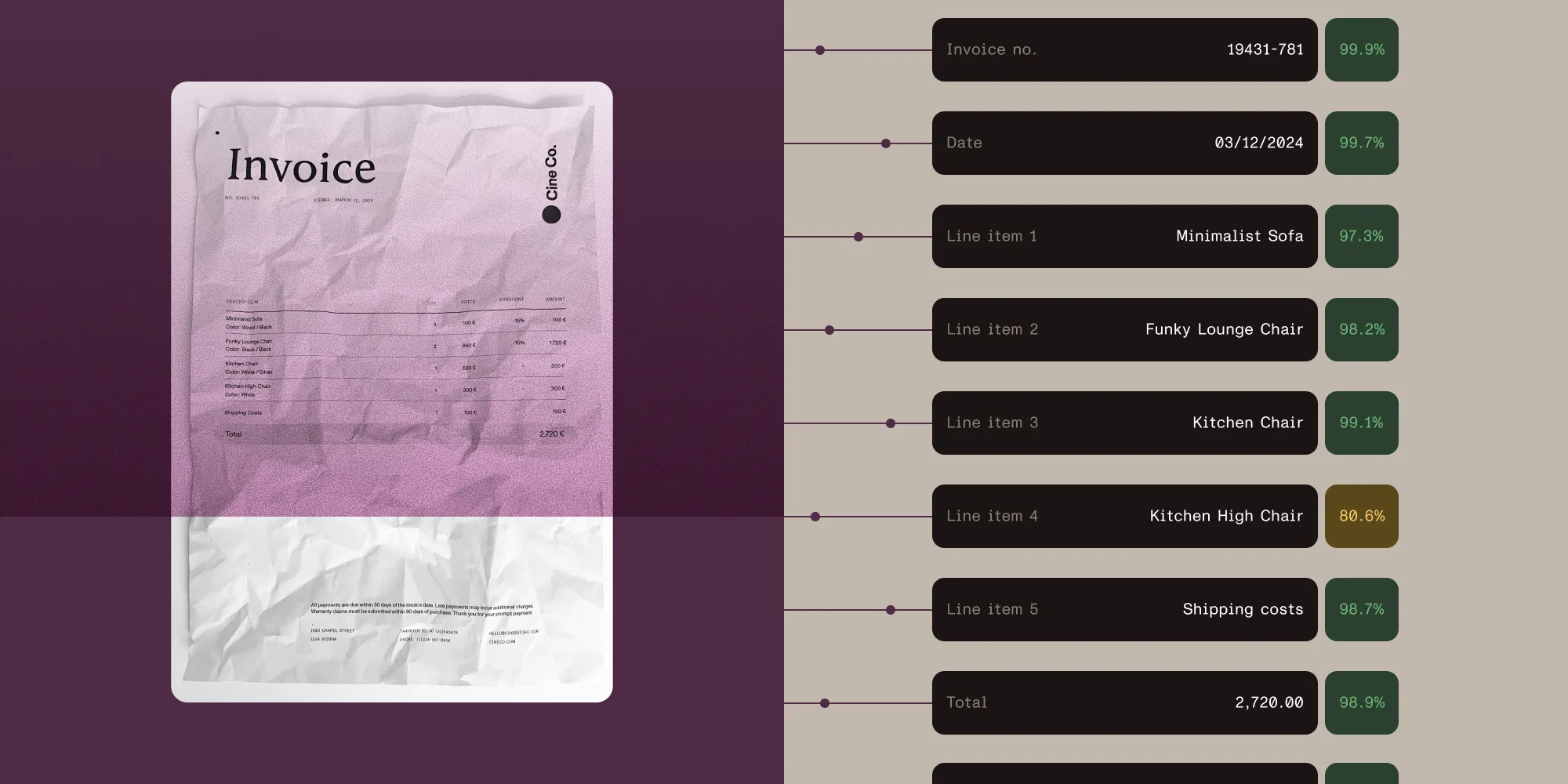
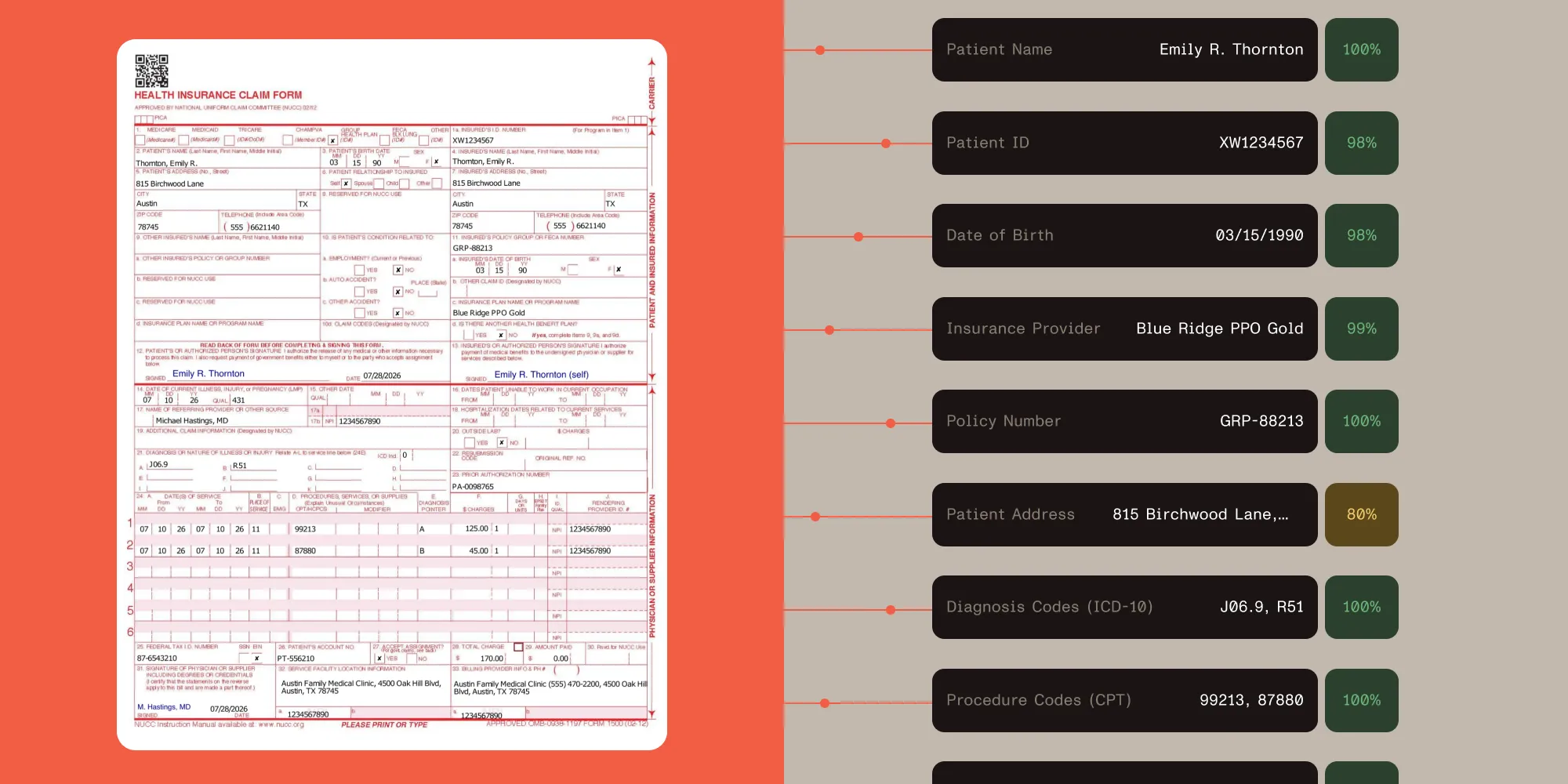
Reading the document. A submission arrives as a scan, a PDF, or a photograph, and the values on it (names, dates, amounts, coverage limits) get pulled into named fields instead of staying as text on a page.
Flagging what’s missing or inconsistent. A required field missing from the document, or a value that conflicts with another field in the submission, is a signal worth surfacing before the file moves forward.
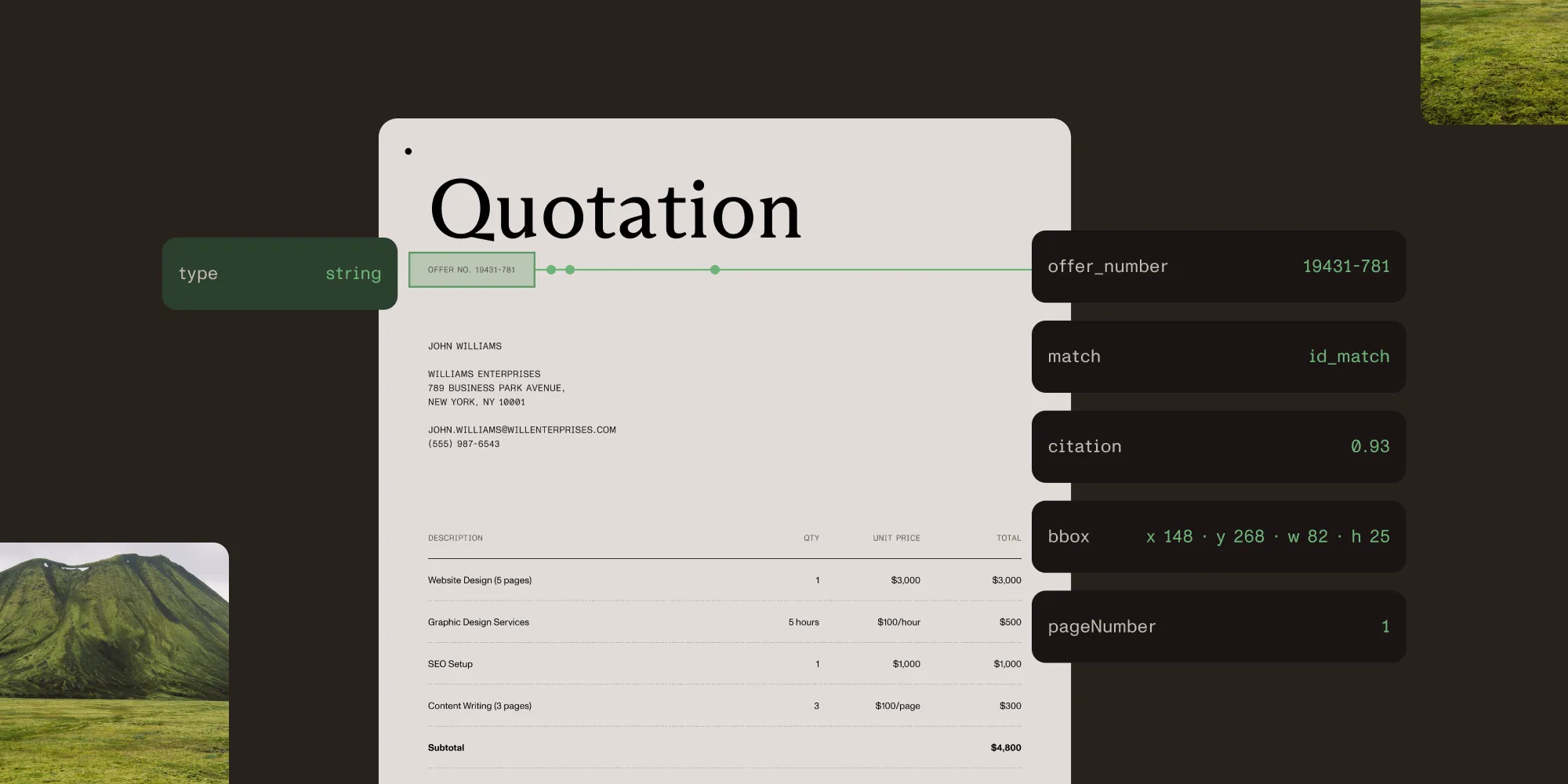
Pointing back to the source. Each extracted value can carry the page and the region of the document it came from, so a reviewer can check a specific field in seconds instead of reading the whole file again.
It doesn’t automate whether the risk is acceptable. That judgment stays with underwriting policy and the underwriter, informed by the data that extraction produced.
Where extraction fits in the workflow
Underwriting intake follows roughly the same shape across lines of business:
- Submission — An application, a claim, or a set of supporting documents arrives, often as a bundle of several different document types.
- Document collection — The file is assembled: application form, financial statements, prior loss history, supporting evidence.
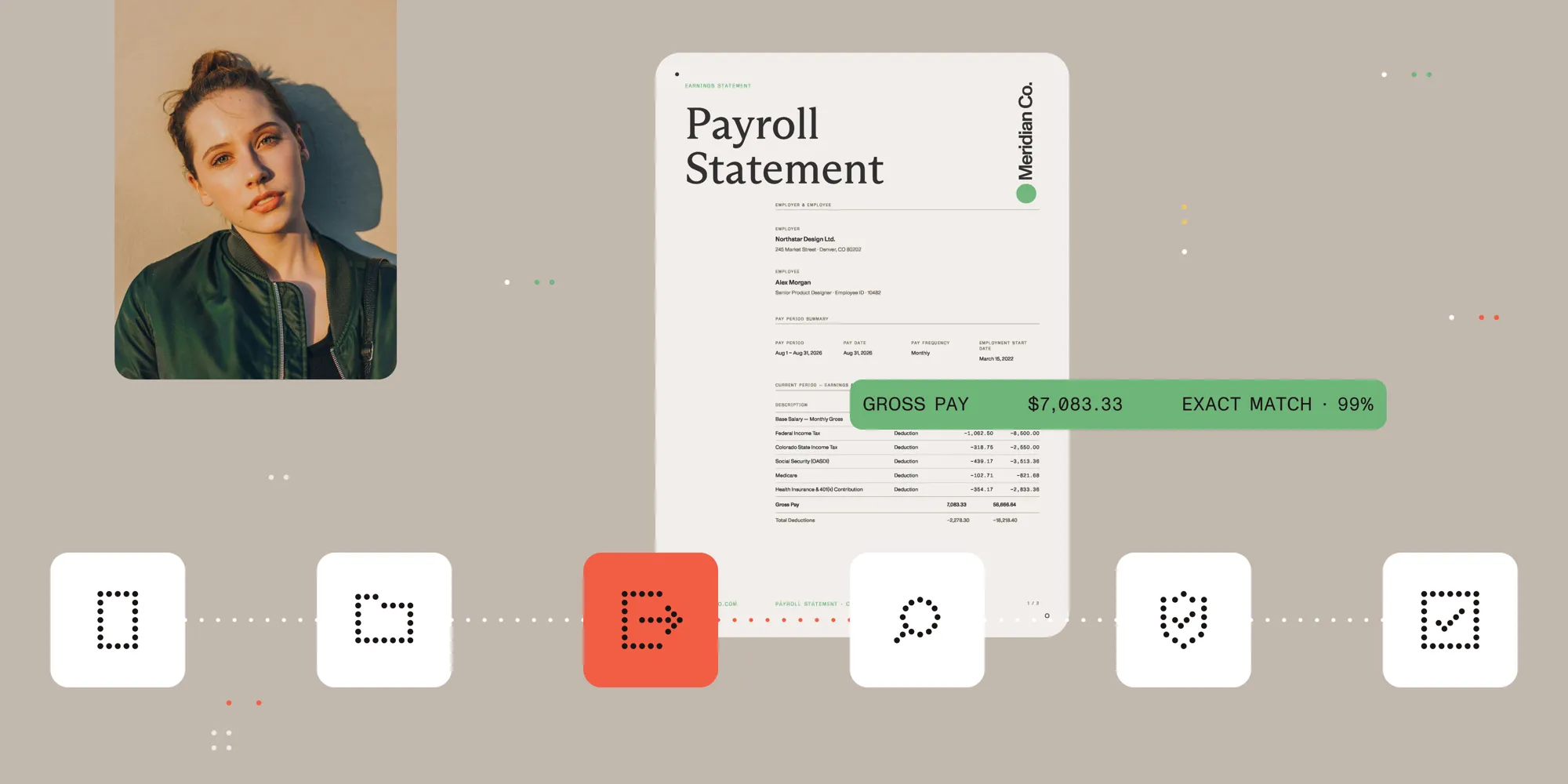
- Extraction — Each document is parsed against the fields that document type is expected to carry.
- Verification — Extracted values are checked against each other and against expectations. A stated income and a supporting pay stub should agree.
- Risk assessment — An underwriter, or a rules engine, evaluates the verified data against policy.
- Decision — Approve, decline, or refer for further review.
Extraction sits at stage three, and it feeds stage four directly. If a field’s source can’t be checked, “verified” just means “not checked yet.”
Why the source matters more than the value
An extracted number is easy to produce and easy to get wrong in a way that looks fine. A stated income of $85,000 reads identically whether it was pulled from a pay stub or misread from a stray number in a footer.
The difference becomes checkable when extraction adds three things to the value: a match label describing how it was found (an exact match, an approximate one, called a fuzzy match in the API, or not found at all), a confidence score, and the page and coordinates the value came from. An exact match at high confidence can move forward without a second look, and an approximate match, a low score, or a field the extraction never found is what verification exists to catch. Having the source region means catching it costs a glance instead of a reread of the whole file.
This is what document extraction contributes to an underwriting workflow. It doesn’t remove judgment; it concentrates judgment on the fields that need it instead of on reconfirming the ones that don’t.
Where this shows up by line of business
Underwriting documents differ by product, though the extraction problem stays the same:
- Mortgage — 1003 application, Closing Disclosure, and supporting income documents, where a single field’s evidence can span more than one page.
- Insurance — ACORD certificates, applications, and loss runs, where a coverage limit has to reconcile against a stated minimum before a policy is bound.
- Commercial lending — Financial statements and supporting schedules, where the numbers on one document need to agree with the numbers on another.
The pattern holds across all three: Document extraction turns submitted paperwork into structured, source-traced data, and that data is what lets verification and risk assessment run without rereading every document by hand. It doesn’t decide whether a risk is acceptable. It gives the underwriter and the rules engine a starting point that can be checked in seconds instead of reconstructed from scratch.
FAQ
Document extraction for underwriting reads submitted documents (applications, financial statements, loss histories) and converts their values into structured fields, so the verification and risk assessment stages of underwriting can work with data instead of unstructured pages.
No. Extraction produces verified, structured data, but the risk decision (whether to approve, decline, or refer a submission) still depends on underwriting policy and on a person reviewing the case whenever the exposure or the uncertainty warrants it.
Extraction reads a value off a document, while verification checks that value against other values in the same submission or against policy requirements. Verification is only meaningful if the extracted value can be traced back to where it came from. Otherwise, there’s nothing to check it against.
A field a document should contain but doesn’t, or a value that conflicts with another field in the same submission, should be flagged rather than silently passed through. That flag is what routes a submission to manual review instead of an automatic decision.
Related reading
- Data Extraction API — Schema-defined extraction with per-field citations
- Mortgage document processing API — Extracting loan terms, income verification, and closing disclosure fields
- Lending document data extraction API — Financial statements and supporting schedules
- Insurance document data extraction API — ACORD certificates, claims, and loss runs
- What is intelligent data extraction? — Match types, confidence scores, and source citations explained
- Citations and confidence — The full citation object returned for every extracted field
- Accuracy benchmarks — 200 PDFs with hand-annotated ground truth, rescored on every release