LlamaIndex vs. LangChain vs. Haystack for RAG

Table of contents
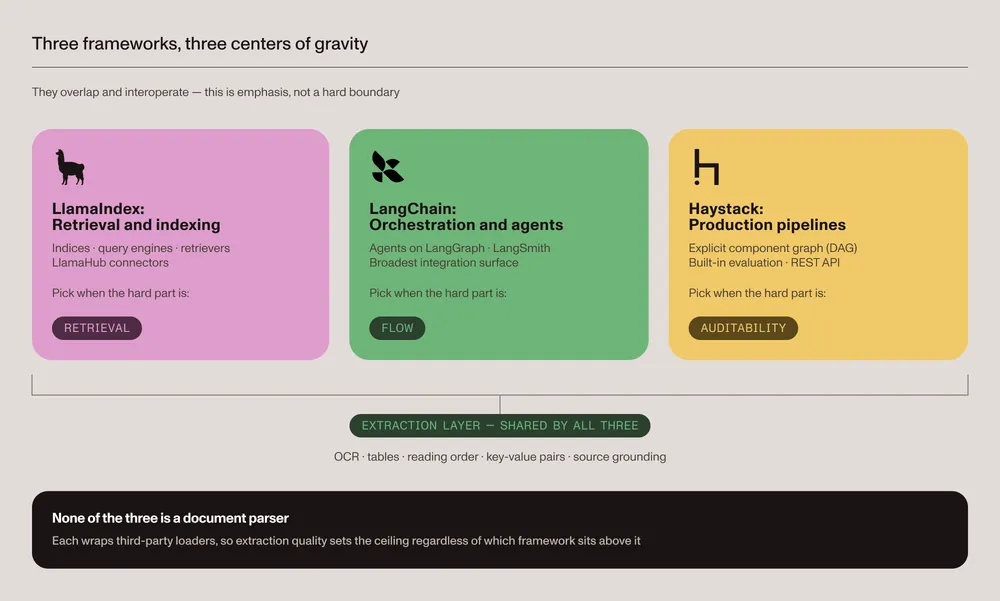
- LlamaIndex — Start here when the application is centered on indexing and retrieving private data.
- LangChain — Start here when the application needs agents, tools, and integrations built on the LangGraph runtime.
- Haystack — Start here when an explicit component pipeline, evaluation, and deployment flexibility are priorities.
- Test document parsing separately — The configured parser affects retrieval quality when the source material includes PDFs, scans, tables, or complex layouts.
Retrieval-augmented generation (RAG) connects a large language model (LLM) to external information at query time. LlamaIndex, LangChain, and Haystack can all build that workflow, but they expose different abstractions and make different tradeoffs.
The practical difference shows up when you change the application: replace a retriever, add a tool call, or inspect a failed answer. The examples below show how each framework connects those steps. The comparison then covers evaluation, deployment, and the cost of switching.
What each framework is for
LlamaIndex describes its open source framework as a way to build agents over private data. Its indexes, retrievers, query engines, and data connectors make it a natural option for retrieval-centered applications. Workflows add event-driven orchestration for agents. See the LlamaIndex framework documentation(opens in a new tab).
LangChain provides standard interfaces for models, tools, retrieval, and agents. Since LangChain v1, its main Python package has focused on a high-level agent abstraction that runs on LangGraph. Retrieval components remain available for both two-step and agentic RAG. See the LangChain v1 overview(opens in a new tab) and retrieval documentation(opens in a new tab).
Haystack, maintained by deepset, is an open source AI orchestration framework for agents, RAG, and multimodal search. Applications are assembled as explicit pipelines of components such as converters, retrievers, routers, prompt builders, generators, and evaluators. See the Haystack introduction(opens in a new tab).
The frameworks at a glance
| Dimension | LlamaIndex | LangChain | Haystack |
|---|---|---|---|
| Primary abstraction | Indexes, retrievers, and query engines | Agents, tools, and runnable components | Components connected in explicit pipelines |
| RAG support | Retrieval-centered APIs and managed tools | Two-step, agentic, and hybrid RAG patterns | Modular retrieval and generation pipelines |
| Agent support | Workflows and agent APIs | High-level agents on the LangGraph runtime | Agent and tool components |
| Evaluation and observability | Evaluation modules and integrations | LangSmith tracing and evaluation | Evaluator components and tracing integrations |
| API deployment | Custom services or LlamaCloud | Custom services or LangSmith Deployment | Hayhooks or Haystack Enterprise Platform |
| Core license | MIT | MIT | Apache-2.0 |
| Good starting point | Data-intensive, retrieval-centered systems | Tool-heavy agents and mixed application flows | Explicit, inspectable production pipelines |
The licenses in the table apply to the core open source repositories: LlamaIndex(opens in a new tab), LangChain(opens in a new tab), and Haystack(opens in a new tab). Managed services have separate commercial terms.
Architecture and programming model
LlamaIndex offers high-level retrieval defaults. A developer can load documents, build a vector index, and create a query engine with a small amount of code. The framework also exposes lower-level retrievers, storage integrations, and Workflows when the application needs more control.
LangChain v1 centers on agents built on LangGraph, while langchain-core provides composable interfaces for prompts, models, tools, and runnable sequences. Legacy chain APIs moved to the separate langchain-classic package, so older examples that import chains from langchain.chains are no longer current.
Haystack treats the pipeline as the main application object. Components declare their inputs and outputs, and the pipeline connects them as a directed graph. This structure makes intermediate stages visible and allows teams to test or replace individual components.
A minimal RAG pipeline in each framework
The following examples use the same data.txt source, OpenAI embeddings, and question. They demonstrate programming style rather than performance because default chunking, retrieval parameters, and model behavior still differ.
Before running an example, use Python 3.10 or later, set OPENAI_API_KEY, and create a UTF-8 text file named data.txt. Install only the packages for the framework being tested:
python -m pip install llama-indexpython -m pip install langchain langchain-community langchain-openai langchain-text-splitterspython -m pip install haystack-aiLlamaIndex — High-level retrieval defaults:
from llama_index.core import Settings, SimpleDirectoryReader, VectorStoreIndexfrom llama_index.embeddings.openai import OpenAIEmbeddingfrom llama_index.llms.openai import OpenAI
Settings.embed_model = OpenAIEmbedding(model="text-embedding-3-small")Settings.llm = OpenAI(model="gpt-4.1-mini")
documents = SimpleDirectoryReader(input_files=["data.txt"]).load_data()index = VectorStoreIndex.from_documents(documents)query_engine = index.as_query_engine()
print(query_engine.query("What changed in Q2 revenue?"))
LangChain — Composable runnable pipeline:
from langchain_community.document_loaders import TextLoaderfrom langchain_core.output_parsers import StrOutputParserfrom langchain_core.prompts import ChatPromptTemplatefrom langchain_core.runnables import RunnablePassthroughfrom langchain_core.vectorstores import InMemoryVectorStorefrom langchain_openai import ChatOpenAI, OpenAIEmbeddingsfrom langchain_text_splitters import RecursiveCharacterTextSplitter
documents = TextLoader("data.txt", encoding="utf-8").load()splits = RecursiveCharacterTextSplitter(    chunk_size=1000,    chunk_overlap=200,).split_documents(documents)retriever = InMemoryVectorStore.from_documents(    splits,    OpenAIEmbeddings(model="text-embedding-3-small"),).as_retriever()
def format_documents(retrieved_documents):    return "\n\n".join(document.page_content for document in retrieved_documents)
prompt = ChatPromptTemplate.from_template(    "Answer from the context only:\n\n{context}\n\nQuestion: {question}")chain = (    {        "context": retriever | format_documents,        "question": RunnablePassthrough(),    }    | prompt    | ChatOpenAI(model="gpt-4.1-mini")    | StrOutputParser())
print(chain.invoke("What changed in Q2 revenue?"))
Haystack — Explicit component pipeline:
This example uses Haystack 3.x. Its migration guide(opens in a new tab) replaces the removed OpenAIGenerator with OpenAIChatGenerator.
from pathlib import Path
from haystack import Pipeline, Documentfrom haystack.components.builders import PromptBuilderfrom haystack.components.embedders import OpenAIDocumentEmbedder, OpenAITextEmbedderfrom haystack.components.generators.chat import OpenAIChatGeneratorfrom haystack.components.preprocessors import DocumentSplitterfrom haystack.document_stores.in_memory import InMemoryDocumentStorefrom haystack.components.retrievers.in_memory import InMemoryEmbeddingRetriever
store = InMemoryDocumentStore(embedding_similarity_function="cosine")documents = [Document(content=Path("data.txt").read_text(encoding="utf-8"))]documents = DocumentSplitter(    split_by="word",    split_length=1000,    split_overlap=200,).run(documents=documents)["documents"]documents = OpenAIDocumentEmbedder(    model="text-embedding-3-small").run(documents=documents)["documents"]store.write_documents(documents)
prompt_template = """Answer from the context only.
Context:{{ documents | map(attribute="content") | join("\n\n") }}
Question: {{ query }}"""
pipeline = Pipeline()pipeline.add_component(    "query_embedder",    OpenAITextEmbedder(model="text-embedding-3-small"),)pipeline.add_component(    "retriever",    InMemoryEmbeddingRetriever(document_store=store),)pipeline.add_component("prompt_builder", PromptBuilder(template=prompt_template))pipeline.add_component("llm", OpenAIChatGenerator(model="gpt-4.1-mini"))pipeline.connect("query_embedder.embedding", "retriever.query_embedding")pipeline.connect("retriever.documents", "prompt_builder.documents")pipeline.connect("prompt_builder.prompt", "llm.messages")
question = "What changed in Q2 revenue?"result = pipeline.run(    {        "query_embedder": {"text": question},        "prompt_builder": {"query": question},    })
print(result["llm"]["replies"][0].text)
Agents and orchestration
LangChain v1 provides a high-level agent API on the LangGraph runtime. LangGraph adds state, durable execution, streaming, persistence, and human-in-the-loop controls for workflows that need them.
LlamaIndex offers agent APIs and event-driven Workflows that integrate with its data and retrieval features. Haystack provides an Agent component and tool abstractions that can run inside a pipeline.
Evaluation, observability, and deployment
All three can be operated in production, but they package the supporting tools differently.
- LlamaIndex — Includes evaluation modules and observability integrations. LlamaCloud adds managed parsing, ingestion, indexing, and a hosted retrieval API applications can call directly instead of self-hosting that layer.
- LangChain — Integrates with LangSmith for tracing, evaluation, and agent deployment. LangSmith’s tracing SDK also works with the other two frameworks for teams standardizing on one observability tool.
- Haystack — Includes statistical and model-based evaluator components(opens in a new tab). It supports tracing integrations(opens in a new tab), while Hayhooks(opens in a new tab) can expose pipelines as REST APIs.
Before choosing a deployment option, check how it handles persistent state, access control, failed requests, and trace retention. These requirements extend beyond the framework’s pipeline API.
Ecosystem, managed services, and licensing
The three core frameworks can be self-hosted under their open source licenses; infrastructure and model usage still have costs. Their surrounding managed products include LlamaCloud(opens in a new tab), LangSmith(opens in a new tab), and Haystack Enterprise Platform(opens in a new tab), which adds a visual pipeline builder and managed deployment on top of the open source framework. Each product has its own pricing, deployment options, and service limits, so compare those separately from the open source license.
LangChain and LlamaIndex both maintain broad integration catalogs. Haystack also supports model providers, document stores, retrievers, evaluators, and deployment integrations. Count the integrations the project will actually use instead of choosing from the size of a catalog.
How to choose
Use the main requirement to narrow the shortlist:
| If the main requirement is… | Start by evaluating… |
|---|---|
| High-level indexing and retrieval over private data | LlamaIndex |
| Agent and tool orchestration on LangGraph | LangChain |
| An explicit, inspectable component pipeline | Haystack |
| Managed parsing and ingestion in the LlamaIndex stack | LlamaCloud |
| Tracing and evaluation across mixed frameworks | LangSmith |
| Visual pipeline development and managed deployment | Haystack Enterprise Platform |
Treat this as a starting point, not a verdict. Build the same small workflow in the leading options. Then evaluate it with representative documents and queries.
What switching later costs
Plain-text prompts, application-owned schemas, and evaluation datasets are easier to reuse than framework-specific objects. Prompt templates and structured-output schemas may still need adaptation. Retrieval concepts also map across frameworks, but their implementations need to be rewritten against different interfaces. Orchestration code is more coupled because a LangGraph state graph, LlamaIndex Workflow, and Haystack pipeline represent control flow differently.
To limit that coupling, keep domain logic in plain Python functions and use framework components as adapters around it. Additionally, store prompts and evaluation data outside framework-specific objects when practical.
Why document parsing needs a separate test
The framework coordinates ingestion and retrieval, but it doesn’t determine the quality of every configured parser. LlamaIndex offers its first-party LlamaParse service, while LangChain document loaders and Haystack converters can use several built-in or third-party parsing tools. An accuracy number for an unqualified framework would therefore be misleading.
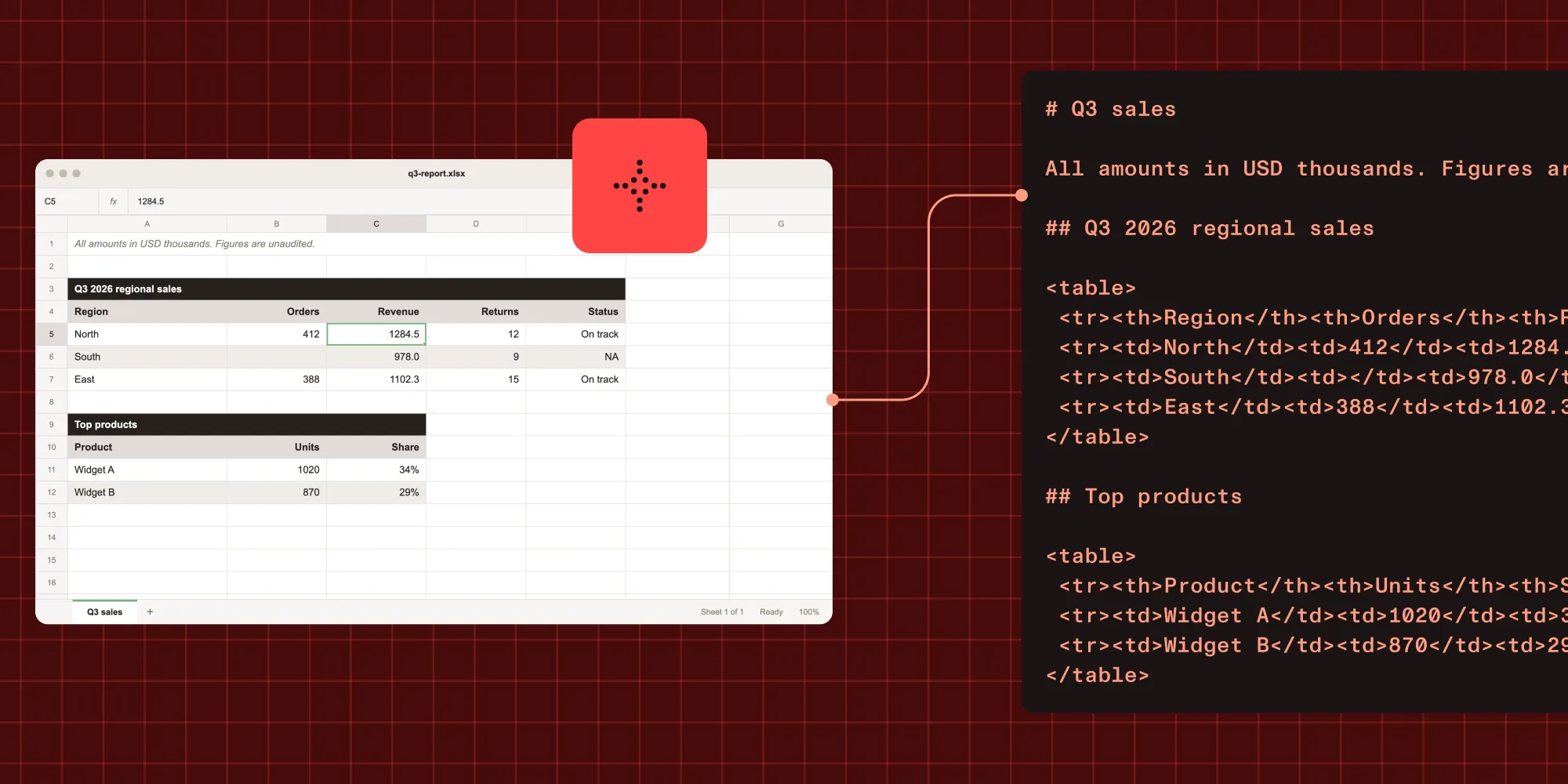
Parsing errors propagate through the rest of a RAG pipeline. Lost reading order, flattened tables, or missing optical character recognition (OCR) text can produce incomplete chunks and poor retrieval, even when the framework is configured correctly.
Use a representative test set to compare the actual parser configuration. Measure structure preservation, retrieval relevance, answer faithfulness, latency, and cost rather than attributing parsing accuracy to the orchestration framework.
For a reproducible extraction evaluation example, see our benchmark methodology.
Where Nutrient fits
Nutrient Data Extraction API is one parsing option for document-heavy RAG pipelines. Its spatial output contains typed elements with coordinates, detection confidence, and page references. A separate schema-based extraction request can return source citations and confidence signals for individual fields.
The managed API accepts PDFs, scans, images, and Office files. To use its output in any of the three frameworks, map the extracted text and metadata into that framework’s document objects before indexing.
Try it on a document
Install the Python requests package with python -m pip install requests, save a PDF as document.pdf, and replace YOUR_API_KEY with a Nutrient API key. The following request parses the PDF into spatial elements:
import json
import requests
with open("document.pdf", "rb") as document:    response = requests.post(        "https://api.nutrient.io/extraction/parse",        headers={"Authorization": "Bearer YOUR_API_KEY"},        files={"file": document},        data={            "instructions": json.dumps(                {"mode": "understand", "output": {"format": "spatial"}}            )        },        timeout=60,    )
response.raise_for_status()print(response.json())
Get an API key(opens in a new tab) and follow the RAG ingestion guide to connect the output to an existing pipeline.
Conclusion
Build one representative workflow in your two leading options. Inspect the retrieved chunks and failed answers. Then compare latency, cost, and the work needed to change a pipeline step. For document-heavy applications, test the parser on the same files before committing to the rest of the stack.
FAQ
The LlamaIndex example above uses fewer lines because its query engine supplies more defaults. That is a property of these examples, not a measure of development effort across projects. The easiest option for a production project still depends on existing integrations, deployment requirements, and team experience.
Use LlamaIndex when data ingestion, indexing, and retrieval are central. Evaluate LangChain when the application needs agents and tools across several systems.
Yes, but combine them only when a specific capability justifies the extra dependencies and operational complexity. Keep the boundary explicit: Pass plain text and metadata between components, and adapt each framework’s document types at that boundary.
There is no universal winner. Compare the frameworks against the project’s hosting, security, observability, latency, evaluation, and maintenance requirements. Use the same documents and queries when testing each implementation.