Mortgage document extraction: Closing Disclosure, 1003, RMA

Table of contents
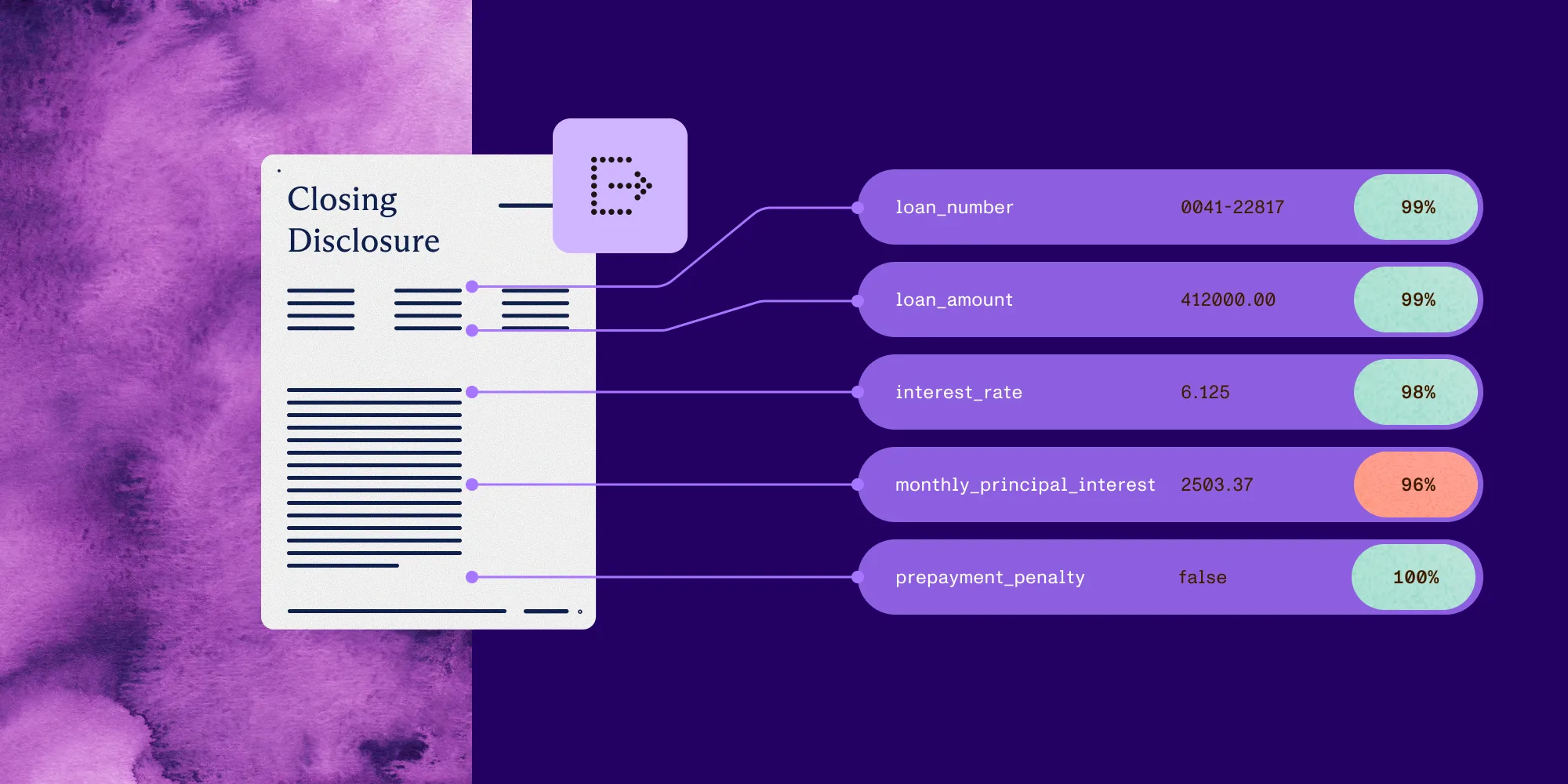
Structured output with per-field confidence scores through the Nutrient Data Extraction API.
A mortgage packet can run 150–200 pages: the 1003 loan application, W-2s, pay stubs, bank statements, an appraisal report, a title commitment, and a Closing Disclosure. The Closing Disclosure alone is five regulated pages of loan terms, projected payments, and closing costs. Every figure has to reach the loan origination system (LOS) before underwriting can start, and without automation, someone keys it all in by hand.
This tutorial builds a mortgage document extraction pipeline in Python with Nutrient Data Extraction API. It covers three document types: the Closing Disclosure, the 1003 Uniform Residential Loan Application, and the Request for Mortgage Assistance (RMA). Together they account for most data extraction work in a loan file. The RMA is a loss mitigation form with multicolumn financial tables. The finished pipeline extracts, validates, and routes loan data with source-grounded confidence scores.
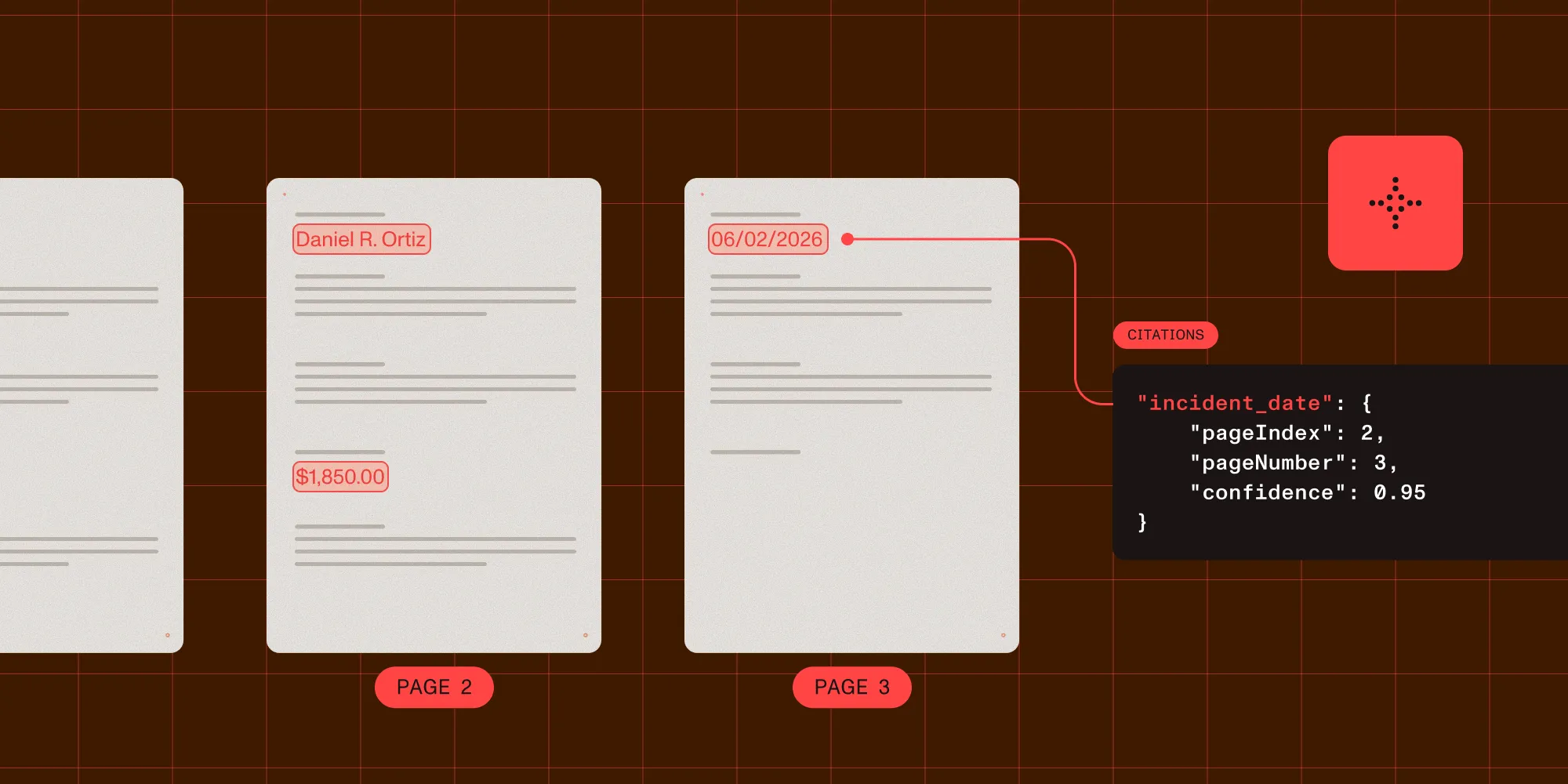
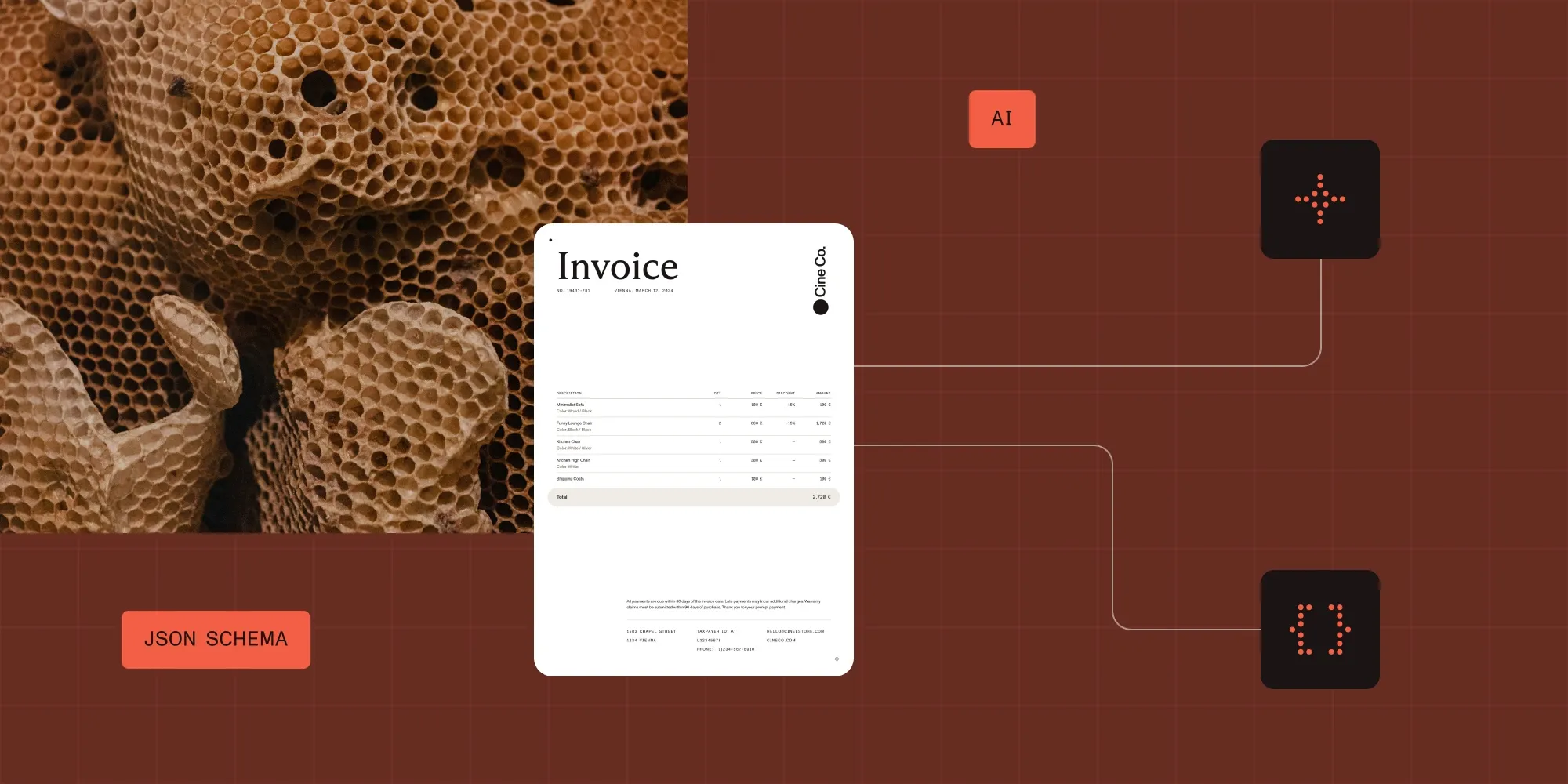
A loan packet can run 150–200 pages. One JSON Schema per document type turns the Closing Disclosure, the 1003, and the RMA into typed JSON. Every value returns a page number, a bounding box, a confidence score, and a match type. Read match type together with confidence. A fuzzy match at 0.98 on a loan amount is a confident read of something similar, so gating on both stops a transposed digit from reaching an origination system. Underwriting readiness gates on a required-field set rather than every field. An advisory low-confidence read on a hardship narrative therefore doesn’t hold up a file whose critical figures are clean. At 15 credits a page in understand mode, sending only the pages that carry schema fields reduces cost as well as latency.
What you’re building
The pipeline handles three document types common to mortgage workflows:
Closing Disclosure — This five-page standardized form is required by TILA-RESPA Integrated Disclosure (TRID) at closing. It’s highly structured but dense with regulated data: loan terms, projected payments, closing costs broken into dozens of line items, and loan calculations that include the annual percentage rate (APR).
1003 Loan Application — This is the Uniform Residential Loan Application (URLA). The multisection form covers borrower identity, employment, income, assets, liabilities, and property details. It’s usually digital-native in modern LOS flows but still arrives as a scanned fax at smaller lenders.
RMA Form — This is the Making Home Affordable Request for Mortgage Assistance. The loss mitigation document has multicolumn financial tables that cover income, expenses, and a hardship narrative. The table density makes it difficult for naive optical character recognition (OCR).
Each document type gets its own schema. The extraction function, response parser, confidence gating, and validation logic are shared.
Prerequisites
- A Nutrient API key — Get one free here
- Python 3.10+
requests(pip install requests)- Sample mortgage documents: The Consumer Financial Protection Bureau (CFPB) publishes public Closing Disclosure samples, and the nutrient-extraction-samples(opens in a new tab) repository has an RMA demo with a test document in
demos/rma_extraction/
Step 1: The extraction request
The API takes a multipart POST with exactly two parts: file, the document bytes, and instructions, a JSON string. Authentication is a bearer token. The same function handles all three document types.
import jsonimport requests
API_KEY = "your_api_key_here"EXTRACT_URL = "https://api.nutrient.io/extraction/extract"

def extract(file_path: str, schema: dict, mode: str = "understand") -> dict:    instructions = {        "schema": schema,        "parseConfig": {"mode": mode},        "options": {"includeCitations": True},    }    with open(file_path, "rb") as f:        response = requests.post(            EXTRACT_URL,            headers={"Authorization": f"Bearer {API_KEY}"},            files={                "file": (file_path, f, "application/pdf"),                "instructions": (None, json.dumps(instructions), "application/json"),            },            timeout=300,        )    response.raise_for_status()    return response.json()
parseConfig.mode sets the processing mode. Citations are on by default, and options.includeCitations makes that explicit: Every extracted field returns a bounding box. Setting it to False drops the source coordinates, and the stacking review UI described at the end of this tutorial depends on them.
instructions must be a JSON string sent as its own multipart part with content type application/json, not a nested form body. Passing files= and json= to requests in the same call doesn’t work. requests builds the body from json and then silently overwrites it with the multipart encoding, so the schema never reaches the server, and no error is raised.
The 300-second timeout accounts for slow scanned documents. Multipage scanned Closing Disclosures can take tens of seconds, and the committed sample response for a single page reports metrics.processingTimeMs: 18411.
Choosing a mode, and what it costs
There are four modes. The extract endpoint charges the mode’s parse rate plus 6 credits a page for extraction:
| Mode | Cost per page | What it does |
|---|---|---|
text | 7 credits | Reads existing text. Born-digital documents only, no OCR. |
structure | 7.5 credits | Runs OCR before producing output. Scans and images. |
understand | 15 credits | Adds form semantics for complex layouts. |
agentic | 24 credits | Vision-language analysis for visual or ambiguous content. |
understand is the default for every document in this tutorial. Closing Disclosures arrive as correspondent lender scans, 1003s arrive in every format from digital PDF to partially handwritten fax, and RMAs are usually faxed by borrowers. All of them depend on the form semantics that structure doesn’t provide.
At 15 credits a page, a 200-page packet in understand mode costs 3,000 credits, so plan for the cost. Don’t send the whole packet, rather, send only the pages that carry schema fields, which for an appraisal report is typically the first few. Choose the mode per intake channel rather than per document. A lender that receives born-digital Closing Disclosures over a direct integration can run text at less than half the cost. The same mode on a faxed copy returns nothing worth gating.
The processing modes guide states a caveat that explains why this tutorial gates every field.
Even in agentic mode, recognition of an ambiguous word can be confident but wrong — the model may settle on a plausible word that differs from what was actually written. For high-stakes fields, check the per-element confidence scores and add a human review step where accuracy is critical.
A smarter mode narrows the gap but never closes it, so every field still needs a gate.
Error handling and retries
Define this before the pipeline, because everything below calls safe_extract rather than extract directly:
import timefrom requests.exceptions import HTTPError, Timeout

class ExtractionError(Exception):    pass

class DocumentUnprocessableError(ExtractionError):    pass

def safe_extract(    file_path: str,    schema: dict,    mode: str = "understand",    max_retries: int = 3,) -> dict:    for attempt in range(max_retries):        try:            return extract(file_path, schema, mode)
        except HTTPError as e:            status = e.response.status_code
            if status == 429:                time.sleep(2**attempt)  # 1s, 2s, 4s.
            elif status == 400:                raise DocumentUnprocessableError(                    f"Unprocessable document: {file_path}. "                    "Check for password protection, corruption, unsupported format, or a schema error. "                    "Do not retry — route to manual review."                ) from None
            elif status == 408:                raise ExtractionError(                    f"Extraction of {file_path} exceeded the five-minute processing limit. "                    "Split the file and send only the pages that carry schema fields."                ) from None
            elif status == 401:                raise ExtractionError("Invalid API key — check your credentials") from None
            else:                raise
        except Timeout:            if attempt < max_retries - 1:                time.sleep(1)            else:                raise ExtractionError(                    f"Extraction timed out for {file_path} after {max_retries} attempts. "                    "Large appraisal reports may need the file split before processing."                ) from None
    raise ExtractionError(f"Max retries exceeded for {file_path}")
Appraisal reports, especially FNMA 1004s with embedded photos, can be large. If appraisals time out consistently, send only the data pages. This is more reliable than raising the timeout, and it’s also considerably cheaper, since billing is per page processed.
Log requestId and metrics.pagesProcessed on every call. Support asks for the request ID, and the page count determines billing.
Part 1: The Closing Disclosure
The Closing Disclosure comes first because the schema, response parser, and validator built here carry over to the other two forms.
Why the Closing Disclosure first
The Closing Disclosure is the highest-stakes mortgage document for extraction. TRID regulates it, and the CFPB standardizes its fields, positions, and labels, so schema design is straightforward. The content is still dense: five pages, multiple columns on some pages, dozens of fee line items, and several figures that appear in more than one place. The schema for this form sets the pattern for the other two.
Step 2: Define the Closing Disclosure schema
The API takes plain JSON Schema. Dates are "type": "string" with "format": "date", because there is no "date" type. Booleans are "type": "boolean", and enums are "type": "string" with an enum array.
The page references in the descriptions below guide the extraction to the right region on a five-page form. They follow the Closing Disclosure’s layout, which differs from the Loan Estimate’s. The Loan Estimate carries a “Comparisons” table on page 3 that contains APR and total interest percentage (TIP). On the Closing Disclosure, those two figures are in the “Loan Calculations” box on page 5. A description that points at the wrong form’s section degrades accuracy.
closing_disclosure_schema = { "type": "object", "properties": { # Page 1 header block. "borrower_name": { "type": "string", "description": "Borrower full name from the page 1 header block.", }, "property_address": { "type": "string", "description": "Property address from the page 1 header block.", }, "closing_date": { "type": "string", "format": "date", "description": "Closing Date from the Closing Information block on page 1.", }, "lender_name": { "type": "string", "description": "Lender name from the Transaction Information block on page 1.", }, "loan_number": { "type": "string", "description": "Loan ID number from the Loan Information block on page 1.", }, "loan_term_years": { "type": "integer", "description": "Loan Term in years from the Loan Information block on page 1.", }, "loan_product": { "type": "string", "description": "Product from the Loan Information block on page 1, for example Fixed Rate or Adjustable Rate.", }, # Page 1 — Loan Terms box. "loan_amount": { "type": "number", "description": "Loan Amount from the Loan Terms box on page 1.", }, "interest_rate": { "type": "number", "description": "Interest Rate percentage from the Loan Terms box on page 1.", }, "monthly_principal_interest": { "type": "number", "description": "Monthly Principal & Interest from the Loan Terms box on page 1.", }, "prepayment_penalty": { "type": "boolean", "description": "Whether the loan has a prepayment penalty, from the YES or NO checkbox in the Loan Terms box on page 1.", }, "balloon_payment": { "type": "boolean", "description": "Whether the loan has a balloon payment, from the YES or NO checkbox in the Loan Terms box on page 1.", }, # Page 1 — Projected Payments. "estimated_total_monthly_payment": { "type": "number", "description": "Estimated Total Monthly Payment from the Projected Payments table on page 1.", }, # Page 1 — Costs at Closing. "closing_costs": { "type": "number", "description": "Closing Costs from the Costs at Closing box on page 1.", }, "cash_to_close": { "type": "number", "description": "Cash to Close from the Costs at Closing box on page 1.", }, # Page 5 — Loan Calculations. "apr": { "type": "number", "description": "Annual Percentage Rate (APR) from the Loan Calculations box on page 5.", }, "total_interest_percentage": { "type": "number", "description": "Total Interest Percentage (TIP) from the Loan Calculations box on page 5.", }, }, "required": [ "loan_amount", "interest_rate", "apr", "borrower_name", "property_address", "closing_date", "cash_to_close", ],}prepayment_penalty and balloon_payment are Booleans, so the response carries true or false rather than the string “YES”. boolean is a supported schema type, and resolving a checkbox to a Boolean during extraction is better than parsing “YES” downstream.
Money is a bare number in this schema. The sample repository models money as an object with an amount and an ISO 4217 currency code, which is the right default. The Closing Disclosure is a US-only regulated form denominated in dollars by statute, so a currency field would be a constant on every record. On any schema that might see a non-US document, use the object form.
Step 3: Parse the source-grounded response
The response separates values from evidence:
{ "status": 200, "requestId": "…", "metrics": { "pagesProcessed": 5, "processingTimeMs": 18411 }, "output": { "data": { "…": "values, shaped exactly like your schema" }, "metadata": { "…": "evidence, shaped exactly like your schema" }, "pages": [{ "width": 1700, "height": 2200 }] }}output.metadata mirrors the shape of the schema instead of listing fields flat. Every leaf carries a match key, along with bbox, confidence, confidenceComponents, pageIndex (zero-based), pageNumber (one-based), and source_bboxes, which lists the individual document blocks the value was assembled from.
from typing import Any, Iterator

def walk_fields(    data: Any,    metadata: Any,    path: str = "",) -> Iterator[tuple[str, Any, dict]]:    """Yield (json_path, value, metadata_node) for every leaf field.
    output.metadata mirrors the schema, so nested objects recurse and    arrays produce one entry per element.    """    if isinstance(metadata, dict) and "match" in metadata:        yield path, data, metadata
    elif isinstance(metadata, dict):        for key, child_meta in metadata.items():            child_value = data.get(key) if isinstance(data, dict) else None            child_path = f"{path}.{key}" if path else key            yield from walk_fields(child_value, child_meta, child_path)
    elif isinstance(metadata, list):        for index, child_meta in enumerate(metadata):            child_value = (                data[index] if isinstance(data, list) and index < len(data) else None            )            yield from walk_fields(child_value, child_meta, f"{path}[{index}]")

def parse_mortgage_result(response: dict) -> dict[str, dict]:    """Return {json_path: {value, match, confidence, page, bbox, source_bboxes}}."""    output = response["output"]    fields = {}    for path, value, meta in walk_fields(output["data"], output["metadata"]):        fields[path] = {            "value": value,            "match": meta.get("match"),            "confidence": meta.get("confidence", 0.0),            "page": meta.get("pageNumber"),            "bbox": meta.get("bbox"),            "source_bboxes": meta.get("source_bboxes", []),        }    return fields
For the flat schemas in this tutorial, the path is just the field name. The same walker handles nested objects and repeating rows without modification, which matters as soon as the pipeline grows to include fee line items or multiple pay stubs.
Step 4: Validate Closing Disclosure data
The validator tests for None instead of falsiness. cash_to_close can legitimately be 0, and on a cash-out refinance it can be negative, but if not value reports both as missing.
It also scopes the APR check to fixed-rate loans. On a fixed-rate loan, APR must be at least the note rate because APR includes fees. On an adjustable-rate loan, APR can fall below the initial rate when the loan is expected to reprice downward. Flagging apr < rate unconditionally therefore produces false positives on every adjustable-rate mortgage (ARM) in the pipeline.
def _value(fields: dict[str, dict], key: str):    """Return a field's value, or None when the field is absent or unresolved."""    field = fields.get(key)    return field.get("value") if field else None

def validate_closing_disclosure(fields: dict[str, dict]) -> tuple[bool, list[str]]:    errors: list[str] = []
    required = [        "loan_amount",        "interest_rate",        "apr",        "borrower_name",        "property_address",        "closing_date",        "cash_to_close",    ]    for key in required:        if _value(fields, key) is None:            errors.append(f"Missing required field: {key}")
    rate = _value(fields, "interest_rate")    apr = _value(fields, "apr")    product = (_value(fields, "loan_product") or "").lower()    is_fixed = "fixed" in product
    # APR includes fees, so on a fixed-rate loan it cannot be below the note rate.    # On an ARM it can be, when the loan is expected to reprice downward.    if rate is not None and apr is not None and is_fixed and apr < rate:        errors.append(            f"APR ({apr}%) is below the note rate ({rate}%) on a fixed-rate loan — "            "verify manually, this is usually an extraction error"        )
    loan_amount = _value(fields, "loan_amount")    if loan_amount is not None and not (10_000 <= loan_amount <= 5_000_000):        errors.append(            f"Loan amount ${loan_amount:,.0f} outside the expected range — verify"        )
    return not errors, errors
The loan-amount bounds are a placeholder for a real policy range. An earlier version of this validator also flagged a fixed-rate APR more than three points above the note rate. That check fires routinely on small-balance and high-fee loans, and a check that produces false positives on legitimate files trains reviewers to ignore it. Set bounds from the actual product mix, or omit them.
Part 2: The 1003 loan application
The 1003 holds borrower identity, income, employment, assets, and liabilities. It’s a multipage, multisection form with two versions in active use: the legacy Fannie Mae 1003, and the redesigned URLA, which became mandatory in March 2021. The two layouts differ significantly, but the extraction handles both without separate code paths because the schema describes fields semantically rather than by position.
urla_schema = { "type": "object", "properties": { # Section 1a — Borrower Information. "borrower_first_name": { "type": "string", "description": "Borrower first name from Section 1a.", }, "borrower_last_name": { "type": "string", "description": "Borrower last name from Section 1a.", }, "borrower_date_of_birth": { "type": "string", "format": "date", "description": "Borrower date of birth from Section 1a.", }, "borrower_citizenship": { "type": "string", "enum": [ "us_citizen", "permanent_resident_alien", "non_permanent_resident_alien", ], "description": "Citizenship status checkbox from Section 1a.", }, # Section 1b — Current Address. "current_address": { "type": "string", "description": "Borrower current street address from Section 1b.", }, "years_at_current_address": { "type": "number", "description": "Number of years at the current address from Section 1b.", }, "housing_status": { "type": "string", "enum": ["own", "rent", "no_primary_housing_expense"], "description": "Housing status checkbox from Section 1b.", }, # Section 1b/2a — Employment and income. "employer_name": { "type": "string", "description": "Current employer name from the employment section.", }, "employment_start_date": { "type": "string", "format": "date", "description": "Start date at the current employer.", }, "self_employed": { "type": "boolean", "description": "Self-employed checkbox in the employment section.", }, "monthly_base_income": { "type": "number", "description": "Monthly base employment income from the gross monthly income table.", }, "monthly_total_income": { "type": "number", "description": "Total monthly income from all sources, from the bottom of the gross monthly income table.", }, # Section 2a — Assets. "checking_savings_total": { "type": "number", "description": "Total value of checking and savings accounts from the assets section.", }, # Section 4a — Loan and Property Information. "loan_purpose": { "type": "string", "enum": ["purchase", "refinance", "cash_out_refinance", "other"], "description": "Loan purpose from Section 4a.", }, "property_address": { "type": "string", "description": "Subject property address from Section 4a.", }, "property_value": { "type": "number", "description": "Estimated property value or purchase price from Section 4a.", }, "loan_amount_requested": { "type": "number", "description": "Loan amount requested from Section 4a.", }, }, "required": [ "borrower_first_name", "borrower_last_name", "monthly_total_income", "property_address", "loan_amount_requested", ],}borrower_citizenship and housing_status use enum, so they’re safe to consume without normalization. The response is one of the declared values, or the field is unresolved. Section numbers differ between the legacy 1003 and the URLA, so the descriptions above name the section where the two agree and describe the field semantically where they don’t.
A deliberate omission: The Social Security number
The schema above has no Social Security number (SSN) field because adding one is harder than it looks.
An earlier version of this tutorial declared borrower_ssn_last4 with the description “last 4 digits only.” That doesn’t work, because extraction locates values that exist in the document and doesn’t transform them. The form contains a full SSN, so a field that asks for the last four digits asks the model to truncate. Nothing guarantees the returned value is truncated, and the bbox and source_bboxes for that field point at the region that contains the full number either way. Storing the citation therefore stores a pointer to the full SSN, even if the value came back partial.
If SSN matching is required, truncate the value in your own code and drop the citation:
def redact_ssn_field(fields: dict[str, dict], key: str = "borrower_ssn") -> dict[str, dict]:    """Reduce an extracted SSN to its last four digits and discard its citation.
    The bbox points at the full number in the source document, so it is dropped    rather than persisted alongside a partial value.    """    field = fields.get(key)    if not field or field.get("value") is None:        return fields
    digits = "".join(c for c in str(field["value"]) if c.isdigit())    fields[key] = {        **field,        "value": digits[-4:] if len(digits) >= 4 else None,        "bbox": None,        "source_bboxes": [],    }    return fields
For most origination workflows, don’t extract the SSN at all. The LOS record usually already supports last-four matching. A pipeline that never sees a full SSN has a smaller compliance surface than one that sees it and discards it.
Part 3: The RMA form
Borrowers in trouble file an RMA to request a modification, forbearance, or short sale, and its multicolumn financial tables are exactly where naive OCR pipelines fall apart. The nutrient-extraction-samples(opens in a new tab) repository includes a working RMA demo in demos/rma_extraction/. Run it before writing an implementation, because it ships with a cached live response that you can inspect without spending credits.
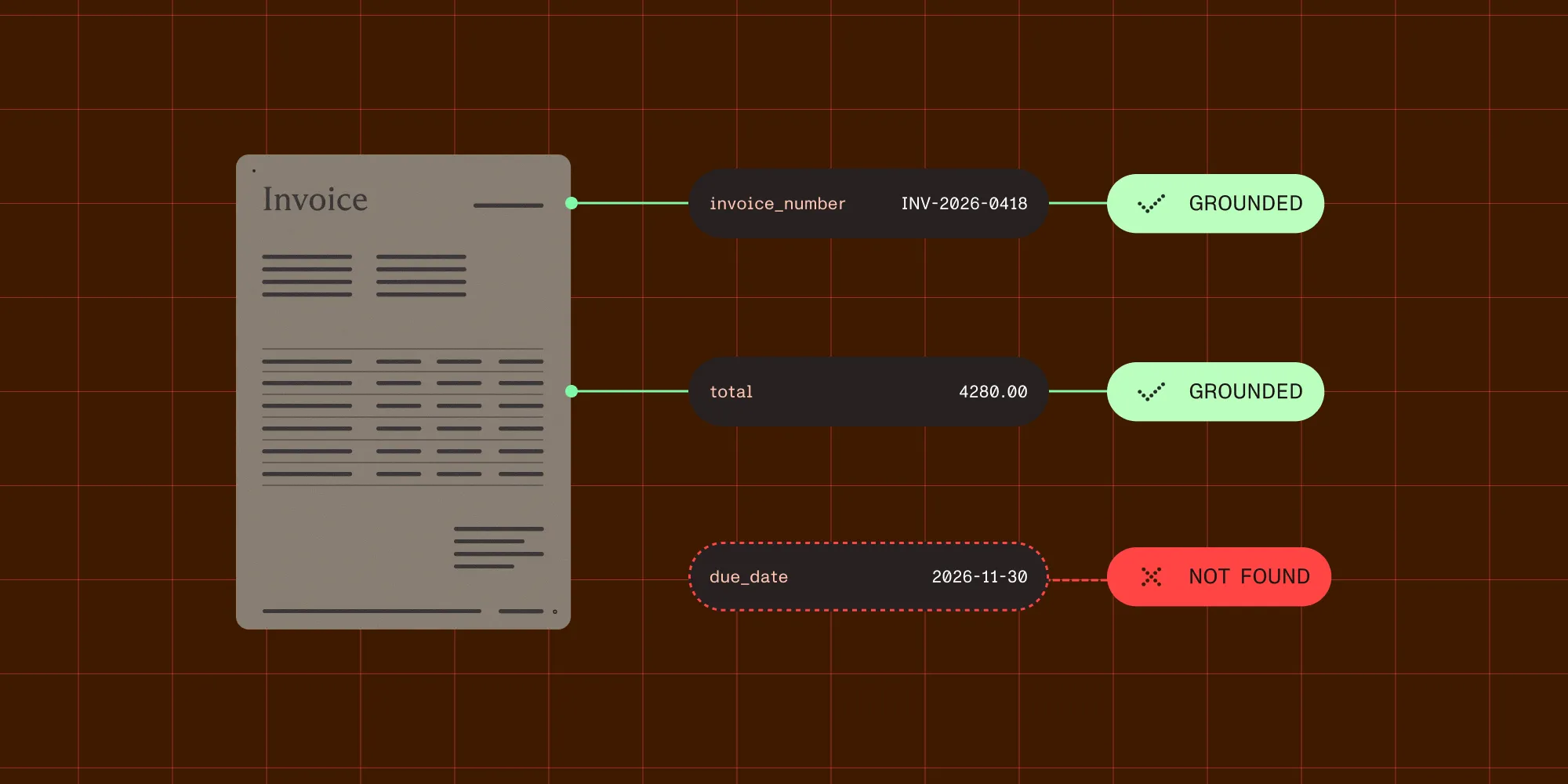
rma_schema = { "type": "object", "properties": { "borrower_name": {"type": "string", "description": "Borrower full name."}, "loan_number": { "type": "string", "description": "Loan or account number as printed on the form.", }, "property_address": {"type": "string"}, "loan_servicer": {"type": "string", "description": "Mortgage servicer name."}, # Income and expense tables. "borrower_monthly_gross_income": { "type": "number", "description": "Borrower monthly gross income from the income section table.", }, "coborrower_monthly_gross_income": { "type": "number", "description": "Co-borrower monthly gross income from the income section table, if present.", }, "monthly_housing_expenses": { "type": "number", "description": "Total monthly housing expenses including mortgage, taxes and insurance.", }, "other_monthly_expenses": { "type": "number", "description": "Other monthly debt obligations: car loans, student loans, credit cards.", }, # Hardship information. "hardship_type": { "type": "string", "description": "Type of hardship as checked or written by the borrower, for example unemployment, divorce or medical.", }, "hardship_start_date": { "type": "string", "format": "date", "description": "Date the hardship began.", }, "assistance_requested": { "type": "string", "description": "Type of assistance requested: modification, forbearance, short sale or deed-in-lieu.", }, }, "required": ["borrower_name", "loan_number", "borrower_monthly_gross_income"],}The co-borrower fields show how the API behaves on a partially completed form. A single borrower who submits an RMA leaves the entire co-borrower column blank. The response then reports coborrower_monthly_gross_income with match: "not_found" instead of guessing a plausible number or silently omitting the key. The next section builds its gating on that distinction between absent, uncertain, and wrong values.
Part 4: Confidence gating and underwriting readiness
A transposed digit on a loan amount is a material error, so loan amounts and rates tolerate effectively no misreads. A hardship description carries lower stakes and, being prose, legitimately resolves as an approximate match. Thresholds therefore have to vary by field.
Acceptable match types differ by field too, not just the thresholds.
# Numeric and identifier fields: exact single-block matches only.EXACT_ONLY = {"id_match"}
# Default: exact, including values assembled across blocks.DEFAULT_MATCHES = {"id_match", "id_match_multiblock"}
# Prose fields: an approximate match is expected, because the extraction is# locating a phrase of natural language rather than a discrete token.NARRATIVE_MATCHES = {"id_match", "id_match_multiblock", "fuzzy_match"}
FIELD_MATCHES = {    "loan_amount": EXACT_ONLY,    "loan_amount_requested": EXACT_ONLY,    "interest_rate": EXACT_ONLY,    "apr": EXACT_ONLY,    "total_interest_percentage": EXACT_ONLY,    "cash_to_close": EXACT_ONLY,    "closing_costs": EXACT_ONLY,    "loan_number": EXACT_ONLY,    "borrower_date_of_birth": EXACT_ONLY,    "hardship_type": NARRATIVE_MATCHES,    "assistance_requested": NARRATIVE_MATCHES,    "loan_product": NARRATIVE_MATCHES,}
MORTGAGE_THRESHOLDS = {    "loan_amount": 0.97,    "interest_rate": 0.97,    "apr": 0.97,    "loan_amount_requested": 0.97,    "cash_to_close": 0.97,    "total_interest_percentage": 0.97,    "loan_number": 0.95,    "borrower_date_of_birth": 0.95,    "closing_date": 0.95,    "borrower_name": 0.93,    "property_address": 0.93,    "monthly_total_income": 0.93,    "borrower_monthly_gross_income": 0.93,    "hardship_type": 0.85,    "assistance_requested": 0.85,}
DEFAULT_THRESHOLD = 0.90
# Fields that must be present and clean before a file can move to underwriting.# Everything else can be reviewed in parallel without blocking.UNDERWRITING_REQUIRED = {    "loan_amount",    "interest_rate",    "borrower_name",    "property_address",    "closing_date",    "monthly_total_income",}

def _leaf_key(path: str) -> str:    """"fees[0].amount" -> "amount"."""    return path.split(".")[-1].split("[")[0]

def check_underwriting_readiness(fields: dict[str, dict]) -> dict:    """Assess whether a parsed loan file can move to underwriting.
    Only the fields in UNDERWRITING_REQUIRED gate readiness. Problems on any    other field are surfaced for review but do not block the file.    """    auto_approved: dict[str, Any] = {}    blocking: dict[str, dict] = {}    advisory: dict[str, dict] = {}
    for path, field in fields.items():        leaf = _leaf_key(path)        threshold = MORTGAGE_THRESHOLDS.get(            path, MORTGAGE_THRESHOLDS.get(leaf, DEFAULT_THRESHOLD)        )        acceptable = FIELD_MATCHES.get(path, FIELD_MATCHES.get(leaf, DEFAULT_MATCHES))        match = field["match"]        confidence = field["confidence"]
        problem = None        if match == "not_found" or field["value"] is None:            problem = {**field, "reason": "not_found"}        elif match not in acceptable:            problem = {**field, "reason": f"match_{match}"}        elif confidence < threshold:            problem = {                **field,                "reason": "low_confidence",                "threshold": threshold,                "gap": round(threshold - confidence, 3),            }
        if problem is None:            auto_approved[path] = field["value"]        elif path in UNDERWRITING_REQUIRED or leaf in UNDERWRITING_REQUIRED:            blocking[path] = problem        else:            advisory[path] = problem
    return {        "ready_for_underwriting": not blocking,        "status": "ready" if not blocking else "stacking_required",        "auto_approved": auto_approved,        "blocking_review": blocking,        "advisory_review": advisory,        "review_count": len(blocking) + len(advisory),    }
Readiness depends on the required set, not on every field. An earlier version blocked the file when any field fell below threshold, so a hardship_type at 0.84 held up a loan whose underwriting-critical figures were all clean. With a five-page Closing Disclosure and a 20-field schema, that version almost never reported ready.
The match check runs before the confidence check. A fuzzy_match at 0.98 on a loan number is a confident read of something similar, not of the right value. Confidence alone can’t distinguish the two, which is how a transposed digit reaches an LOS.
The gap field makes the review queue sortable. A field at confidence: 0.88 against a 0.90 threshold has gap: 0.02 and needs only a quick look. A field at 0.61 has gap: 0.29 and probably needs the document reopened. Sorting by gap lets a stacking team work the queue worst-first instead of top to bottom.
Part 5: Processing a full mortgage packet
The code below combines the pieces. It extracts, parses, gates, and validates each document, and then it summarizes the whole packet.
from enum import Enum

class LoanDocType(Enum):    CLOSING_DISCLOSURE = "closing_disclosure"    LOAN_APPLICATION = "loan_application"    RMA = "rma"

SCHEMAS = {    LoanDocType.CLOSING_DISCLOSURE: closing_disclosure_schema,    LoanDocType.LOAN_APPLICATION: urla_schema,    LoanDocType.RMA: rma_schema,}

def process_loan_document(file_path: str, doc_type: LoanDocType) -> dict:    """Extract, parse, gate, and validate a single mortgage document."""    try:        response = safe_extract(file_path, SCHEMAS[doc_type])    except DocumentUnprocessableError as e:        return {            "status": "unprocessable",            "ready_for_underwriting": False,            "doc_type": doc_type.value,            "file": file_path,            "error": str(e),        }
    fields = parse_mortgage_result(response)    result = check_underwriting_readiness(fields)
    validation_errors: list[str] = []    if doc_type is LoanDocType.CLOSING_DISCLOSURE:        _, validation_errors = validate_closing_disclosure(fields)
    # A file that fails internal consistency is not ready, however clean the reads were.    if validation_errors:        result["ready_for_underwriting"] = False        result["status"] = "validation_failed"
    return {        "doc_type": doc_type.value,        "file": file_path,        **result,        "validation_errors": validation_errors,        "request_id": response.get("requestId"),        "pages_processed": response.get("metrics", {}).get("pagesProcessed"),    }

def process_loan_packet(packet: dict[str, LoanDocType]) -> dict:    """Process a full loan packet — a mapping of file paths to document types.
    Results are keyed by file path, not document type: a real packet routinely    contains several documents of the same type (an initial and a final Closing    Disclosure, multiple pay stubs), and keying by type silently drops all but    the last.    """    results: dict[str, dict] = {}
    for file_path, doc_type in packet.items():        results[file_path] = process_loan_document(file_path, doc_type)
    blocked = [        path for path, r in results.items() if not r.get("ready_for_underwriting")    ]
    return {        "packet_status": "ready" if not blocked else "stacking_required",        "documents": results,        "blocked_documents": blocked,        "total_review_items": sum(r.get("review_count", 0) for r in results.values()),        "total_pages_processed": sum(            r.get("pages_processed") or 0 for r in results.values()        ),    }

packet = {    "loan_file/closing_disclosure_initial.pdf": LoanDocType.CLOSING_DISCLOSURE,    "loan_file/closing_disclosure_final.pdf": LoanDocType.CLOSING_DISCLOSURE,    "loan_file/1003_urla.pdf": LoanDocType.LOAN_APPLICATION,}
summary = process_loan_packet(packet)
print(f"Packet status: {summary['packet_status']}")print(f"Blocked documents: {summary['blocked_documents']}")print(f"Fields needing review: {summary['total_review_items']}")print(f"Pages billed: {summary['total_pages_processed']}")
Return total_pages_processed from the start, because it’s the billed quantity. On a 200-page packet, sending only the pages that matter is the difference between a few hundred credits and 3,000.
Reviewing flagged fields with bounding boxes
Every extracted value carries a bbox, which is all a stacking review interface needs to get started. When a field lands in blocking_review, the UI can:
- Open the source document at
field["page"] - Draw a highlight box at the
bboxcoordinates - Show the extracted
value, itsmatchtype, and itsconfidencealongside - Let the reviewer confirm or correct in a single action
Reviewers confirm a highlighted region instead of searching the document for the field. For a team that processes hundreds of packets a day, the time saved scales per field rather than per document.
source_bboxes handles the harder cases. A figure assembled from more than one region, such as a total read across a column or a name split across two lines, reports every contributing block. The reviewer then sees all the evidence instead of a single box that only partly explains the value.
A note on document storage
Loan files carry income, employment, and identity data, so settle how the API stores them before production traffic.
The API keeps each processing run, input document and extracted output included, so that run history can be viewed and managed. Runs can be deleted, and they expire automatically after a retention period that depends on the plan.
Whether anything is kept beyond that depends on the plan. Data retention is a plan-level setting for the subscription, not a request parameter, so nothing in the code above changes it. On plans where retention is enabled, a copy is also kept internally and used to operate, improve, and develop the service, including to train and evaluate models. That copy is separate from run history and isn’t removed by deleting a run. On plans where retention isn’t enabled, documents aren’t retained for those purposes.
That distinction matters for loan files. The API privacy policy states that Nutrient doesn’t seek special-category or sensitive personal data for retention or training. It names government-identification data specifically and says such data shouldn’t be submitted for those purposes. Together with the Social Security number section above, this means a loan intake pipeline belongs on a plan without data retention.
If a document has already gone through on the wrong plan, deletion is available. The policy commits to removing a file from storage, backups, and any training dataset on request to legal@nutrient.io.
For the exact terms, rely on the privacy guide and the API privacy policy. The security guide covers transport and access controls.
Schema keyword limits
The API accepts only these JSON Schema keywords: type (one of object, array, string, number, integer, boolean), properties, required, items, description, enum on string fields, and format: "date" on string fields.
The API rejects everything else, including $ref, $defs, allOf/anyOf/oneOf, validation ranges such as minimum and maxLength, conditional schemas, and any format value other than date. Schemas are also closed. The response contains only declared properties, as though additionalProperties: false were set, and sending additionalProperties explicitly causes a rejection.
For a mortgage pipeline, this means numeric bounds can’t be expressed in the schema. loan_amount can’t carry a minimum, so the range check lives in validate_closing_disclosure. The schema declares shape, and the validator enforces policy.
What’s next
- Test in Studio — The mortgage extraction API page has a live browser demo, so you can upload a Closing Disclosure or 1003 and see the extraction before writing code
- Run the RMA sample — Clone nutrient-extraction-samples(opens in a new tab) and run
demos/rma_extraction/for a complete working example with visual output and a cached response - Accuracy benchmarks — 200 PDFs with hand-annotated ground truth, rescored on every release
- Schema reference — Defining a schema lists every supported keyword and the ones that are rejected
Related reading
- What should a document extraction confidence score actually tell you? — Why a source-grounded score behaves differently from a model-decisiveness score
- PDF data extraction developer guide — Parse modes, schema design, and how citations fit the wider pipeline
- Citations and confidence — The full citation object, match labels, and coordinate space