KYC document extraction: Build a pipeline in Python

Table of contents
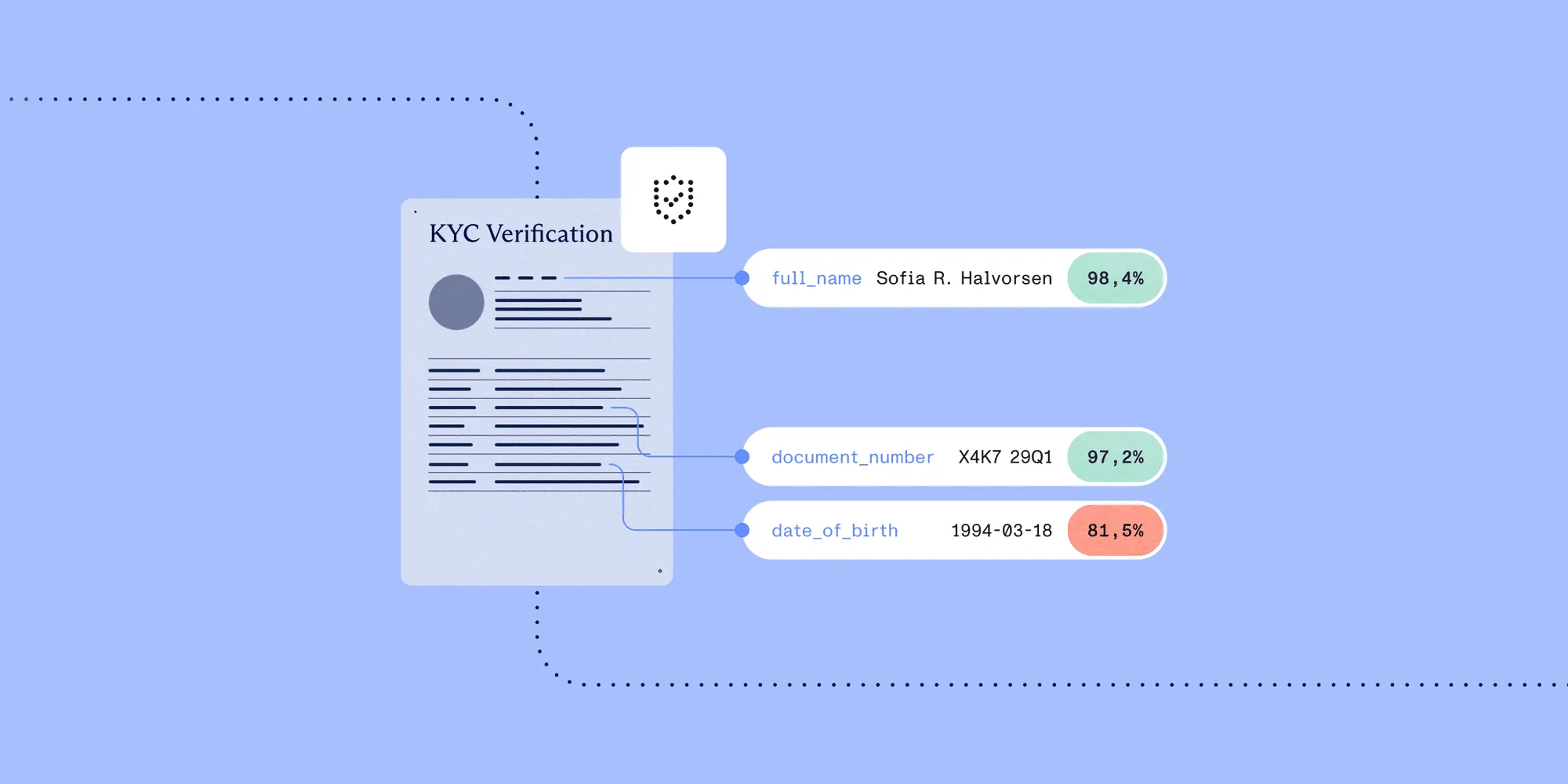
Structured output with per-field confidence scores through the Nutrient Data Extraction API.
When a user uploads their passport during onboarding, several things need to happen in quick succession: The document gets read, specific fields get pulled out, confidence levels get checked, and the application either continues automatically or lands in a human review queue, depending on what the extraction found. If any of those steps are slow, opaque, or error-prone, the whole onboarding funnel suffers.
This tutorial walks through building that pipeline with the Nutrient Data Extraction API. You’ll send a real identity document, define a typed schema for the fields you care about, parse the source-grounded response, and wire up a review queue gated on both confidence and match type. By the end, you’ll have a working Python implementation you can adapt directly to your stack.
Identity documents can be extracted into typed JSON with a JSON Schema that names each field, and every value comes back with a page number, a bounding box, a confidence score, and a match type describing how it was found. The match type is what makes automation safe: A fuzzy match at high confidence on a passport number is a confident read of something similar, and confidence alone can’t distinguish it from an exact read. Gate on both, route identifier fields on exact matches only, and send everything else to a reviewer with the coordinates needed to check it in seconds.
What you’re building
The finished pipeline does four things.
- Accepts an identity document (passport, driver’s license, or national ID)
- Sends it to the extraction API with a JSON Schema that specifies exactly which fields to extract
- Parses the source-grounded response — every field comes back with a value, a match type, a confidence score, and a bounding box locating that value on the original page
- Routes the result: Fields that matched exactly and clear the confidence threshold pass through automatically; everything else joins a review queue with enough context for a human reviewer to act without rereading the whole document
Nothing is silently accepted. Low-confidence and approximate reads are escalated with provenance intact, not dropped.
Prerequisites
- A Nutrient API key — Get one free here
- Python 3.10+
requests(pip install requests)- A sample identity document — The nutrient-extraction-samples(opens in a new tab) repository has test documents you can use, or use any synthetic or redacted ID for development
Step 1: Your first extraction request
The API takes a multipart POST with exactly two parts: file, the document bytes; and instructions, a JSON string describing what to do with it. Authentication is a bearer token.
import jsonimport requests
API_KEY = "your_api_key_here"EXTRACT_URL = "https://api.nutrient.io/extraction/extract"

def extract(file_path: str, schema: dict, mode: str = "understand") -> dict:    instructions = {        "mode": mode,        "schema": schema,        "citationsEnabled": True,    }    with open(file_path, "rb") as f:        response = requests.post(            EXTRACT_URL,            headers={"Authorization": f"Bearer {API_KEY}"},            files={                "file": (file_path, f, "application/pdf"),                "instructions": (None, json.dumps(instructions), "application/json"),            },            timeout=300,        )    response.raise_for_status()    return response.json()
Three details in that call are easy to get wrong.
citationsEnabled: True is what produces the bounding boxes. Citations are opt-in. Leave this out and the response still contains values, but no source coordinates — which removes the entire basis for the review queue built in Step 4.
instructions is a JSON string, not a nested form body. It goes over the wire as its own multipart part with content type application/json. Passing files= and json= to requests in the same call doesn’t do this. requests builds the body from json and then silently overwrites it with the multipart encoding, so the schema never reaches the server. The response comes back as if no schema had been supplied, and no error is raised.
The 300-second timeout is deliberate. A photographed ID in understand mode takes tens of seconds; a sample response for a one-page form reports metrics.processingTimeMs: 18411.
Choosing a mode
There are four modes, priced per page. The prices below include extraction:
| Mode | Price per page | What it does |
|---|---|---|
text | $0.007 | Reads existing text. Born-digital documents only, no optical character recognition (OCR). |
structure | $0.0075 | Runs OCR before producing output. Scans and images. |
understand | $0.015 | Adds form semantics and key-value relationships. |
agentic | $0.024 | Vision-language analysis for visual or ambiguous content. |
Identity documents in the real world are scanned at varying resolutions, photographed at angles, and sometimes laminated in ways that create glare. For anything that might come from a phone camera, understand mode is the right default: It applies OCR correction and reads the field semantics that structure doesn’t. Only where a document needs multistep reasoning to resolve is agentic mode worth the higher price.
The gap between structure at $0.0075 and understand at $0.015 is worth planning around, but the choice is made per channel, not per document. A mode that skips form semantics on a passport photo returns something, and what it returns isn’t reliable enough to gate on.
The processing modes guide states one caveat directly, and the rest of this tutorial follows from it:
Even in agentic mode, recognition of an ambiguous word can be confident but wrong — the model may settle on a plausible word that differs from what was actually written. For high-stakes fields, check the per-element confidence scores and add a human review step where accuracy is critical.
No mode removes the need for gating. A higher mode narrows the gap; it doesn’t close it.
Step 2: Define your extraction schema
The API takes plain JSON Schema. A schema tells the extraction exactly which fields to pull and what types they should be, such as the expiry date as a date, the document number as a string, and the document type constrained to three known values.
kyc_schema = { "type": "object", "properties": { "full_name": { "type": "string", "description": "Full legal name as printed on the document.", }, "date_of_birth": { "type": "string", "format": "date", "description": "The holder's date of birth.", }, "document_number": { "type": "string", "description": "Passport number, driver's license number, or national ID number.", }, "expiry_date": { "type": "string", "format": "date", "description": "Document expiration date.", }, "issuing_country": { "type": "string", "description": "Country, state, or province that issued the document.", }, "document_type": { "type": "string", "enum": ["passport", "driver_license", "national_id"], "description": "Type of identity document.", }, "nationality": { "type": "string", "description": "Nationality as printed on the document. Passports only.", }, }, "required": [ "full_name", "date_of_birth", "document_number", "expiry_date", "document_type", ],}Two notes apply to the schema.
description does real work. It guides the extraction toward the right region when a document has several date fields (issue date, birth date, expiry date) or several name fields (given name, surname, full name). The sample repository’s CMS-1500 schema goes as far as naming the box number on the form ("The insured's ID number found in Box 1a."). Being that specific measurably improves accuracy. If a form has numbered fields, put the numbers in.
enum constrains a string; it isn’t a type of its own. document_type above is "type": "string" with an enum array. The same applies to dates: there is no "date" type; it’s "type": "string" with "format": "date".
Nested objects and arrays work as they do anywhere in JSON Schema, using properties and items. That matters for the response shape in the next step.
Step 3: Parse the source-grounded response
The response separates the values from the evidence:
{ "status": 200, "requestId": "…", "configuration": { "apiVersion": "2026-05-25", "mode": "understand", "engine": { "requestedEngineVersion": "stable" } }, "metrics": { "pagesProcessed": 1, "processingTimeMs": 18411 }, "output": { "data": { "…": "values, shaped exactly like your schema" }, "metadata": { "…": "evidence, shaped exactly like your schema" }, "pages": [{ "width": 1700, "height": 2200 }] }}output.data holds the values. output.metadata holds the evidence and mirrors the shape of the schema, which determines how you write the parser. A nested object in the schema produces nested metadata; an array produces a list of metadata nodes. It isn’t a flat list of fields.
Every leaf in output.metadata looks like this:
{ "bbox": { "x": 1030, "y": 302, "width": 127, "height": 22 }, "confidence": 0.95, "confidenceComponents": { "groundingScore": 0.95, "source": "no-logprobs" }, "match": "id_match", "pageIndex": 0, "pageNumber": 1, "source_bboxes": [ { "bbox": { "x": 1029.7, "y": 302, "width": 127.6, "height": 22 }, "block_id": "b87", "pageIndex": 0, "pageNumber": 1 } ]}Note that pageIndex is zero-based and pageNumber is one-based. Both are provided so you don’t have to guess which convention a viewer expects. bbox is the region to highlight. source_bboxes lists the individual document blocks the value was assembled from, which is how a value can legitimately have more than one source region.
The match field makes gating correct
Alongside the confidence score, each field reports how it was found:
match | Meaning |
|---|---|
id_match | Matched exactly, within a single block of the document |
id_match_multiblock | Matched exactly, assembled across several blocks |
id_match_partial | Part of the value matched |
fuzzy_match | Matched approximately |
not_found | The field genuinely isn’t present in the document |
A confidence of 0.96 on an exact match and 0.96 on a fuzzy match aren’t the same claim. For a document number used downstream as a unique identifier, an approximate match at high confidence is exactly the failure to prevent, and confidence alone won’t catch it.
Walking both trees together
Because metadata mirrors the schema, the parser recurses. A leaf is any dict carrying a match key:
from typing import Any, Iterator

def walk_fields(    data: Any,    metadata: Any,    path: str = "",) -> Iterator[tuple[str, Any, dict]]:    """Yield (json_path, value, metadata_node) for every extracted leaf field.
    output.metadata mirrors the schema, so nested objects recurse and arrays    produce one entry per element — e.g. "service_lines[0].procedure_code".    """    if isinstance(metadata, dict) and "match" in metadata:        yield path, data, metadata
    elif isinstance(metadata, dict):        for key, child_meta in metadata.items():            child_value = data.get(key) if isinstance(data, dict) else None            child_path = f"{path}.{key}" if path else key            yield from walk_fields(child_value, child_meta, child_path)
    elif isinstance(metadata, list):        for index, child_meta in enumerate(metadata):            child_value = (                data[index] if isinstance(data, list) and index < len(data) else None            )            yield from walk_fields(child_value, child_meta, f"{path}[{index}]")

def parse_kyc_result(response: dict) -> dict[str, dict]:    """Return {json_path: {value, match, confidence, page, bbox}}."""    output = response["output"]    fields = {}    for path, value, meta in walk_fields(output["data"], output["metadata"]):        fields[path] = {            "value": value,            "match": meta.get("match"),            "confidence": meta.get("confidence", 0.0),            "page": meta.get("pageNumber"),            "bbox": meta.get("bbox"),            "source_bboxes": meta.get("source_bboxes", []),        }    return fields
For the flat know-your-customer (KYC) schema in Step 2, the paths are just field names. The same walker handles a schema with nested objects or repeating rows without modification, which is what you’ll need the moment the pipeline grows past identity documents.
Step 4: A review queue gated on match type and confidence
This step is the compliance control in the pipeline. A high-accuracy API with no gating is still a liability: You’re silently accepting every read, and the rare misread causes a downstream problem that’s hard to trace.
# Fields required on every document type. Type-specific requirements# (`nationality` for passports, `issuing_country` for driver's licenses) are# validated separately in Step 5, once `document_type` is known — a bare# `not_found` on one of those here isn't escalated on its own.REQUIRED_FIELDS = {"full_name", "date_of_birth", "document_number", "expiry_date"}
# Match types considered safe to accept without review, per field.# Anything not listed uses `DEFAULT_ACCEPTABLE_MATCHES`. Start conservative# and add entries here once you've seen how a field behaves on your own# documents.DEFAULT_ACCEPTABLE_MATCHES = {"id_match"}
ACCEPTABLE_MATCHES = {    "full_name": {"id_match", "id_match_multiblock"},    "document_type": {"id_match", "fuzzy_match"},    "issuing_country": {"id_match", "fuzzy_match"},}
DEFAULT_THRESHOLD = 0.90
# Per-field thresholds. Anything not listed uses `DEFAULT_THRESHOLD`.THRESHOLDS = {    "full_name": 0.92,    "date_of_birth": 0.95,    "document_number": 0.95,    "expiry_date": 0.90,    "document_type": 0.85,}

def gate_fields(parsed: dict[str, dict]) -> dict:    auto_approved: dict[str, Any] = {}    needs_review: dict[str, dict] = {}
    for path, field in parsed.items():        match = field["match"]        confidence = field["confidence"]        threshold = THRESHOLDS.get(path, DEFAULT_THRESHOLD)        acceptable = ACCEPTABLE_MATCHES.get(path, DEFAULT_ACCEPTABLE_MATCHES)
        if match == "not_found" or field["value"] is None:            if path in REQUIRED_FIELDS:                needs_review[path] = {**field, "reason": "not_found"}        elif match not in acceptable:            needs_review[path] = {**field, "reason": f"match_{match}"}        elif confidence < threshold:            needs_review[path] = {**field, "reason": "low_confidence"}        else:            auto_approved[path] = field["value"]
    return {        "status": "approved" if not needs_review else "review_required",        "auto_approved": auto_approved,        "review_queue": needs_review,        "document_type": (            auto_approved.get("document_type")            or needs_review.get("document_type", {}).get("value")        ),    }
Three cases, three different reasons, and the reviewer sees which one applied. not_found on a required field is a different problem from a fuzzy_match at 0.97 — the first means the document is incomplete; the second means the read needs a human eye. Collapsing both into “low confidence” throws away the distinction.
The bbox and page data in needs_review is what makes the reviewer’s job tractable. Instead of asking a human to reread a whole passport scan, the review UI opens the document, jumps to field["page"], and draws a highlight at field["bbox"]. The reviewer sees exactly the region in question and either confirms or corrects it.
Step 5: Document-type validation
Different ID types have different required fields. Once document_type is known, type-specific validation can run before anything passes downstream:
from datetime import date, datetime

def validate_by_document_type(parsed: dict[str, dict]) -> tuple[bool, list[str]]:    doc_type = parsed.get("document_type", {}).get("value")    errors: list[str] = []
    universal_required = [        "full_name",        "date_of_birth",        "document_number",        "expiry_date",    ]    for field in universal_required:        if not parsed.get(field, {}).get("value"):            errors.append(f"Missing required field: {field}")
    expiry = parsed.get("expiry_date", {}).get("value")    if expiry:        try:            if datetime.fromisoformat(expiry).date() < date.today():                errors.append(f"Document expired on {expiry}")        except ValueError:            errors.append(f"Could not parse expiry date: {expiry}")
    if doc_type == "passport" and not parsed.get("nationality", {}).get("value"):        errors.append("Nationality required for passports")
    if doc_type == "driver_license" and not parsed.get("issuing_country", {}).get("value"):        errors.append("Issuing state or country required for driver's licenses")
    return not errors, errors
Step 6: Error handling and retry logic
Production KYC pipelines process high volumes and need to handle transient failures. The common failure modes are rate limiting (429), unprocessable documents (422 — usually a corrupted file or unsupported format), and timeouts on large scans.
import timefrom requests.exceptions import HTTPError, Timeout

class ExtractionError(Exception):    pass

class DocumentUnprocessableError(ExtractionError):    pass

def safe_extract(file_path: str, schema: dict, max_retries: int = 3) -> dict:    for attempt in range(max_retries):        try:            return extract(file_path, schema)
        except HTTPError as e:            status = e.response.status_code
            if status == 429:                wait = 2**attempt  # 1s, 2s, 4s.                print(f"Rate limited — waiting {wait}s before retry {attempt + 1}/{max_retries}")                time.sleep(wait)
            elif status == 422:                raise DocumentUnprocessableError(                    f"Document could not be processed: {file_path}. "                    f"Check that the file is a supported format and is not password-protected."                ) from None
            elif status == 401:                raise ExtractionError("Invalid API key — check your credentials") from None
            else:                raise
        except Timeout:            if attempt < max_retries - 1:                print(f"Request timed out — retrying ({attempt + 1}/{max_retries})")                time.sleep(1)            else:                raise ExtractionError("Extraction timed out after max retries") from None
    raise ExtractionError(f"Extraction failed after {max_retries} attempts")
Don’t retry a 422. If the API can’t process a document, retrying won’t help — the document needs human inspection. Surface these separately so an operations team can look at them.
Two things are worth logging on every call, both straight off the response body: requestId, which is what Support will ask for, and metrics.pagesProcessed, which is what gets billed.
Putting it together
The full pipeline, with exactly one API call per document:
def kyc_pipeline(file_path: str) -> dict:    """Run a KYC document through extraction, gating, and validation.
    Returns:        {            "status": "approved" | "review_required" | "validation_failed" | "unprocessable",            "auto_approved": {path: value, ...},            "review_queue": {path: {value, match, confidence, page, bbox, reason}, ...},            "validation_errors": [...],   # only when `status == "validation_failed"`.            "document_type": str | None,            "request_id": str,            "pages_processed": int,        }    """    try:        response = safe_extract(file_path, kyc_schema)    except DocumentUnprocessableError as e:        return {"status": "unprocessable", "error": str(e)}
    parsed = parse_kyc_result(response)    result = gate_fields(parsed)
    if result["status"] == "approved":        valid, errors = validate_by_document_type(parsed)        if not valid:            result["status"] = "validation_failed"            result["validation_errors"] = errors
    result["request_id"] = response.get("requestId")    result["pages_processed"] = response.get("metrics", {}).get("pagesProcessed")    return result

result = kyc_pipeline("passport_sample.pdf")
if result["status"] == "approved":    print("Auto-approved:", result["auto_approved"])else:    print(f"{result['status']} — {len(result.get('review_queue', {}))} field(s):")    for path, field in result.get("review_queue", {}).items():        print(            f"  {path}: {field['value']!r} "            f"(match: {field['match']}, confidence: {field['confidence']:.2f}, "            f"reason: {field['reason']})"        )
The document is extracted once. A pipeline that calls the extraction from both the gating function and the wrapper doubles latency and cost without changing the result, so it’s worth checking for in your own version.
Choosing thresholds
A common question: Is a 0.94 confidence score good enough? It depends on the risk attached to the field, and on the match type it arrives with. Practical starting points:
| Field | Threshold | Acceptable matches | Notes |
|---|---|---|---|
full_name | 0.92 | id_match, id_match_multiblock | Names legitimately span blocks |
date_of_birth | 0.95 | id_match | Misreads have compliance consequences |
document_number | 0.95 | id_match | Used as a unique identifier — must be exact |
expiry_date | 0.90 | id_match | Validated again in Step 5 anyway |
document_type | 0.85 | id_match, fuzzy_match | Constrained by enum, so a fuzzy match is still one of three known values |
issuing_country | 0.90 | id_match, fuzzy_match | Often abbreviated or in a second script |
The pattern that matters: Fields used as identifiers take exact matches only, while fields constrained by an enum can tolerate a fuzzy match, because the enum bounds the damage. A fuzzy match on a document number can be any string. A fuzzy match on document_type is still one of passport, driver_license, or national_id.
A reasonable rollout is to leave every field on DEFAULT_ACCEPTABLE_MATCHES = {"id_match"}, log what lands in review for two weeks, and add entries to ACCEPTABLE_MATCHES per field once you can see how they behave on your own document mix.
Two-sided documents
Driver’s licenses in many jurisdictions carry data on both sides. If the upload flow accepts images, collect both sides as separate files and extract each independently, merging the parsed results before gating. Note that this is two API calls, so it bills as two documents — worth knowing before it shows up on an invoice.
def kyc_pipeline_two_sided(front_path: str, back_path: str) -> dict: merged: dict[str, dict] = {} for path in (front_path, back_path): response = safe_extract(path, kyc_schema) for field_path, field in parse_kyc_result(response).items(): existing = merged.get(field_path) # Keep whichever side produced the better-grounded read. Confidence # only breaks a tie within the same match type — a higher-confidence # `fuzzy_match` must never outrank an `id_match`. if ( existing is None or (field["match"] == "id_match" and existing["match"] != "id_match") or ( field["match"] == existing["match"] and field["confidence"] > existing["confidence"] ) ): merged[field_path] = field return gate_fields(merged)A note on document storage
Identity documents are sensitive, and the API’s storage behavior is documented rather than implied. Processing runs — both the input document and the extracted output — are stored as a product feature so run history can be viewed and managed. Runs can be deleted, and they expire automatically after a retention period that depends on the plan.
Whether anything is kept beyond that depends on the plan. Data retention is set per subscription plan, not per request, so nothing in the code above changes it. On plans where retention is enabled, a copy is also kept internally and used to operate, improve, and develop the service, including to train and evaluate models; that copy is separate from run history and isn’t removed by deleting a run. On plans where retention isn’t enabled, documents aren’t retained for those purposes.
For identity documents, the policy is explicit. The API privacy policy states that Nutrient doesn’t seek special-category or sensitive personal data, naming government-identification data specifically, for retention or training, and that such data shouldn’t be submitted for those purposes.
Taken together, those two points mean a KYC pipeline belongs on a plan without data retention. Confirm the account’s configuration before the first real customer document. The privacy guide and the API privacy policy are authoritative.
If a document has already gone through on the wrong plan, deletion is available: The policy commits to removing a file from storage, backups, and any training dataset on request to legal@nutrient.io.
Logging requestId on every call is worth doing regardless: It ties an onboarding decision back to a specific extraction run without storing the document a second time.
Schema keyword limits
The API accepts only these JSON Schema keywords: type (one of object, array, string, number, integer, boolean), properties, required, items, description, enum on string fields, and format: "date" on string fields.
Everything else is rejected — $ref, $defs, allOf/anyOf/oneOf, validation ranges such as minimum and maxLength, conditional schemas, and any format value other than date. Schemas are also closed: The response contains only declared properties, as though additionalProperties: false were set, and sending additionalProperties explicitly causes a rejection.
The practical consequence is that format rules live in the validator, not the schema. A passport number can’t be constrained by pattern in the schema; it gets checked in Python after extraction.
Full details are in the guide on defining a schema.
What’s next
- Try it now — The KYC extraction API page has a live Studio demo for testing your own documents in a browser before writing code
- Runnable samples — The nutrient-extraction-samples(opens in a new tab) repository has self-contained Python demos, including the
common/api.pytransport this tutorial’s request code follows, as well as cached live responses you can inspect without paying for new requests - Accuracy benchmarks — WholeDoc Bench, Nutrient’s own benchmark of 480 documents with human-approved answer keys, updated each season
- Other document types — The same API and the same pipeline handle the rest of an onboarding document stack, such as utility bills, bank statements, and income verification. See the Data Extraction API overview
Related reading
- What should a document extraction confidence score actually tell you? — Why a source-grounded score behaves differently from a model-decisiveness score
- PDF data extraction developer guide — Parse modes, schema design, and how citations fit the wider pipeline
- Citations and confidence — The full citation object, match labels, and coordinate space