Medical record extraction: CMS-1500 and discharge summaries

Table of contents
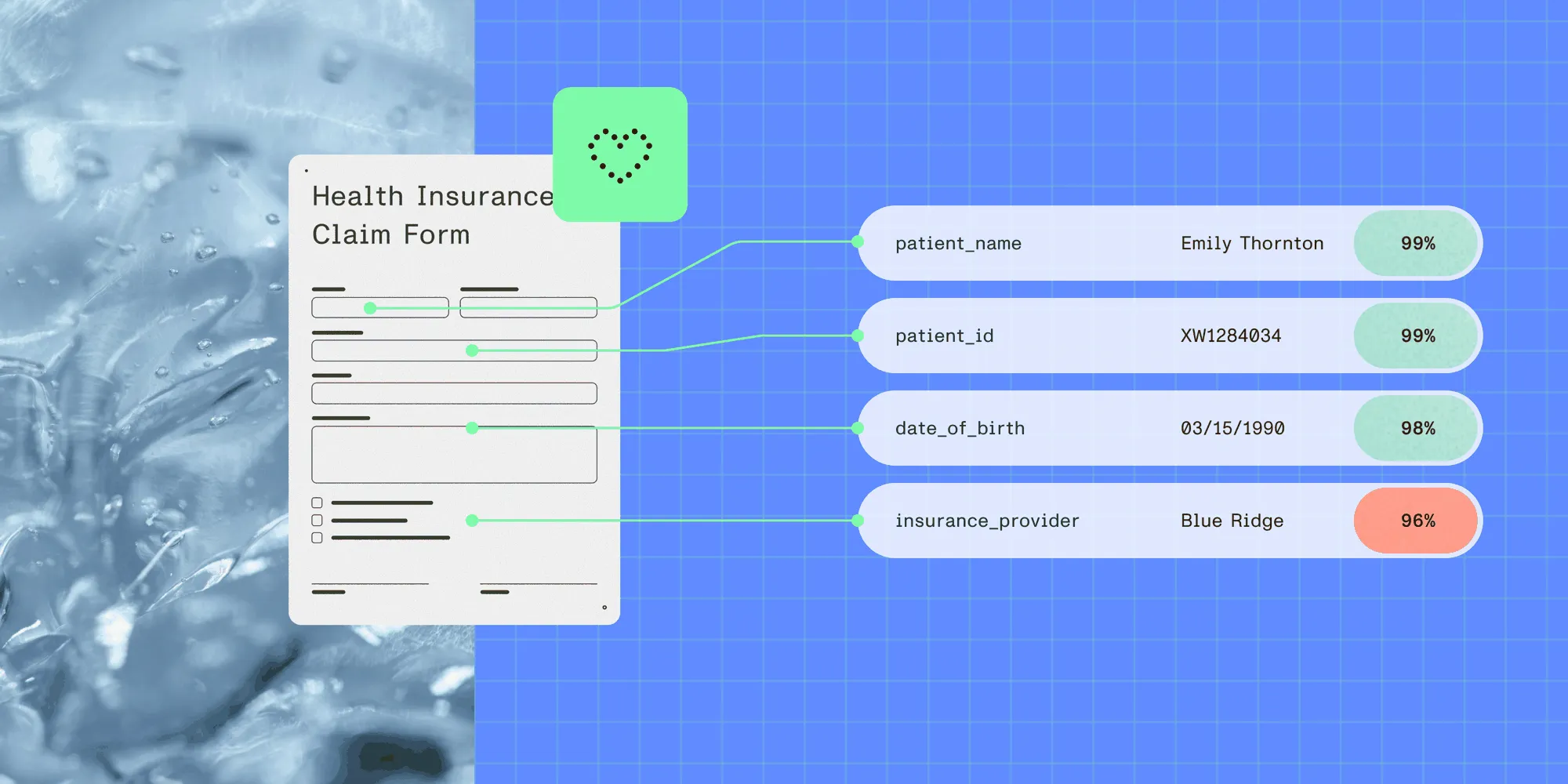
Structured output with per-field confidence scores through the Nutrient Data Extraction API.
Medical records arrive in many formats: discharge summaries typed in clinical shorthand, CMS-1500 claim forms printed and faxed, lab reports generated by half a dozen different laboratory information system (LIS) vendors, and intake forms filled out by hand. Electronic health record (EHR) systems, billing platforms, and clinical data warehouses expect structured data. The gap between the two — the extraction step — is where most teams either spend significant manual labor or accept data quality that’s too low.
This tutorial builds a document extraction pipeline for clinical records using the Nutrient Data Extraction API. You’ll handle two distinct document archetypes: structured forms like the CMS-1500 health insurance claim, and unstructured narrative text like discharge summaries. Both use the same API surface, and only the schema you define and the validation you apply downstream change.
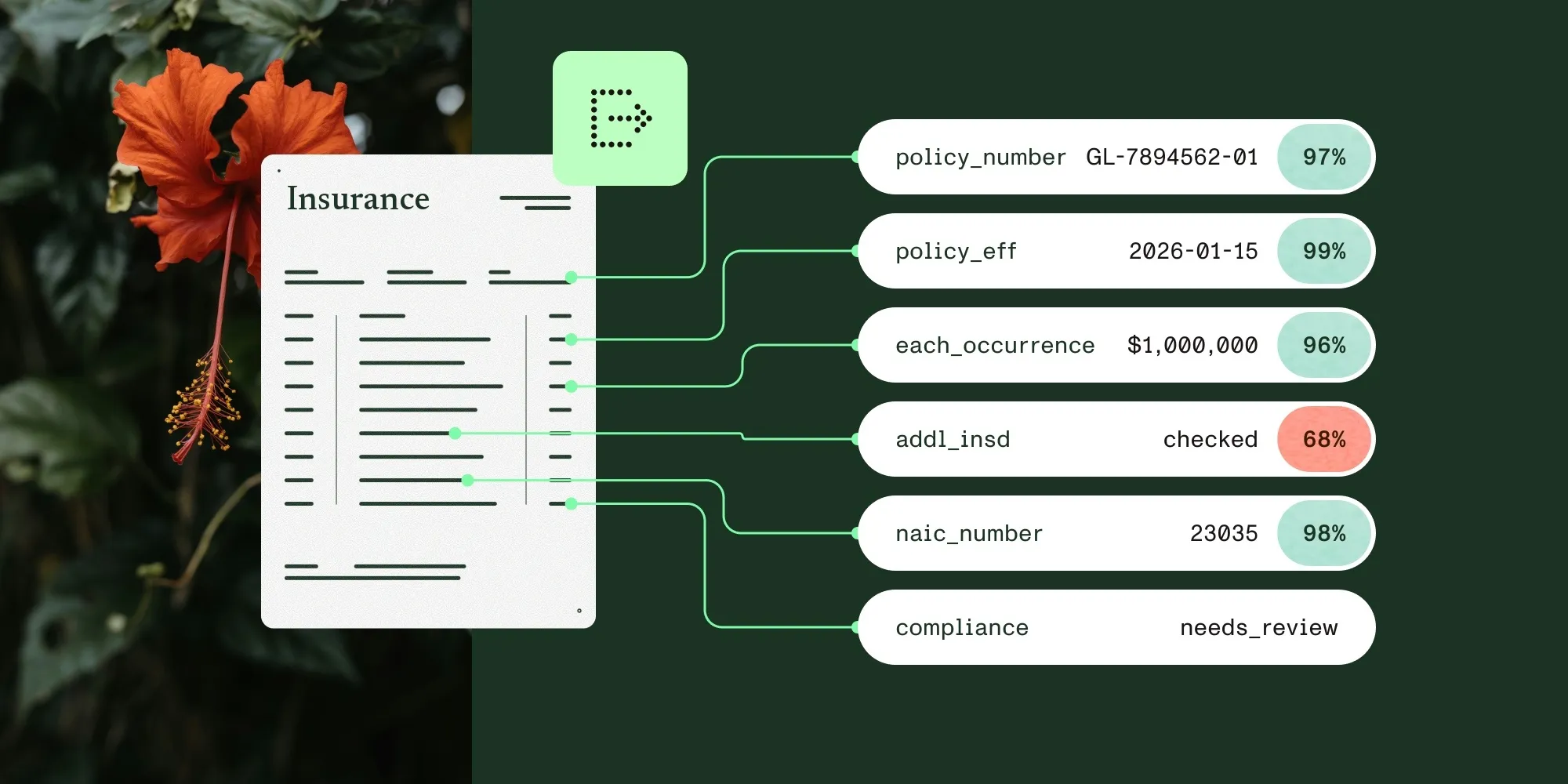
Clinical documents split into two archetypes — dense standardized forms like the CMS-1500, and free-text narrative like a discharge summary — and one JSON Schema per archetype covers both. Every extracted value returns a page number, a bounding box, a confidence score, and a match type describing how it was found, and the match type is what makes gating correct: A fuzzy match at 0.96 on a provider’s National Provider Identifier (NPI) is a confident read of something that merely looks like a 10-digit number. Identifiers are gated on exact matches only, clinical prose can tolerate an approximate one, and format validation runs after extraction because the schema declares shape rather than rules.
What you’re building
The pipeline processes two categories of clinical document:
Structured forms — Documents with a fixed layout, labeled fields, and tables. The CMS-1500 is the canonical example: a dense grid of boxes encoding diagnosis codes, procedure codes, provider identifiers, and billing amounts. These forms are standardized but arrive as faxed scans at widely varying quality.
Unstructured narrative — Free-text clinical notes like discharge summaries. There’s no fixed layout, field positions aren’t predictable, and the same information might appear anywhere in the document. Patient name, admission and discharge dates, diagnoses, and medications are all present — but embedded in prose written by a clinician.
For both document types, the extraction output is the same: a typed JSON object with per-field match types, confidence scores, and bounding boxes that anchor each value to its exact location in the source document.
Prerequisites
- A Nutrient API key — Get one free here
- Python 3.10+
requests(pip install requests)- Sample medical documents: The nutrient-extraction-samples(opens in a new tab) repository includes a CMS-1500 demo with a test document and runnable extraction code.
Building the extraction pipeline
This section covers the request that every document type shares and the error handling that wraps it.
Step 1: The extraction request
The API takes a multipart POST with exactly two parts: file, the document bytes, and instructions, a JSON string. Authentication is a bearer token. This shape is the same for every document type in this tutorial.
import jsonimport requests
API_KEY = "your_api_key_here"EXTRACT_URL = "https://api.nutrient.io/extraction/extract"

def extract(file_path: str, schema: dict, mode: str = "understand") -> dict:    instructions = {        "mode": mode,        "schema": schema,        "citationsEnabled": True,    }    with open(file_path, "rb") as f:        response = requests.post(            EXTRACT_URL,            headers={"Authorization": f"Bearer {API_KEY}"},            files={                "file": (file_path, f, "application/pdf"),                "instructions": (None, json.dumps(instructions), "application/json"),            },            timeout=300,        )    response.raise_for_status()    return response.json()
Three details in this request are easy to get wrong.
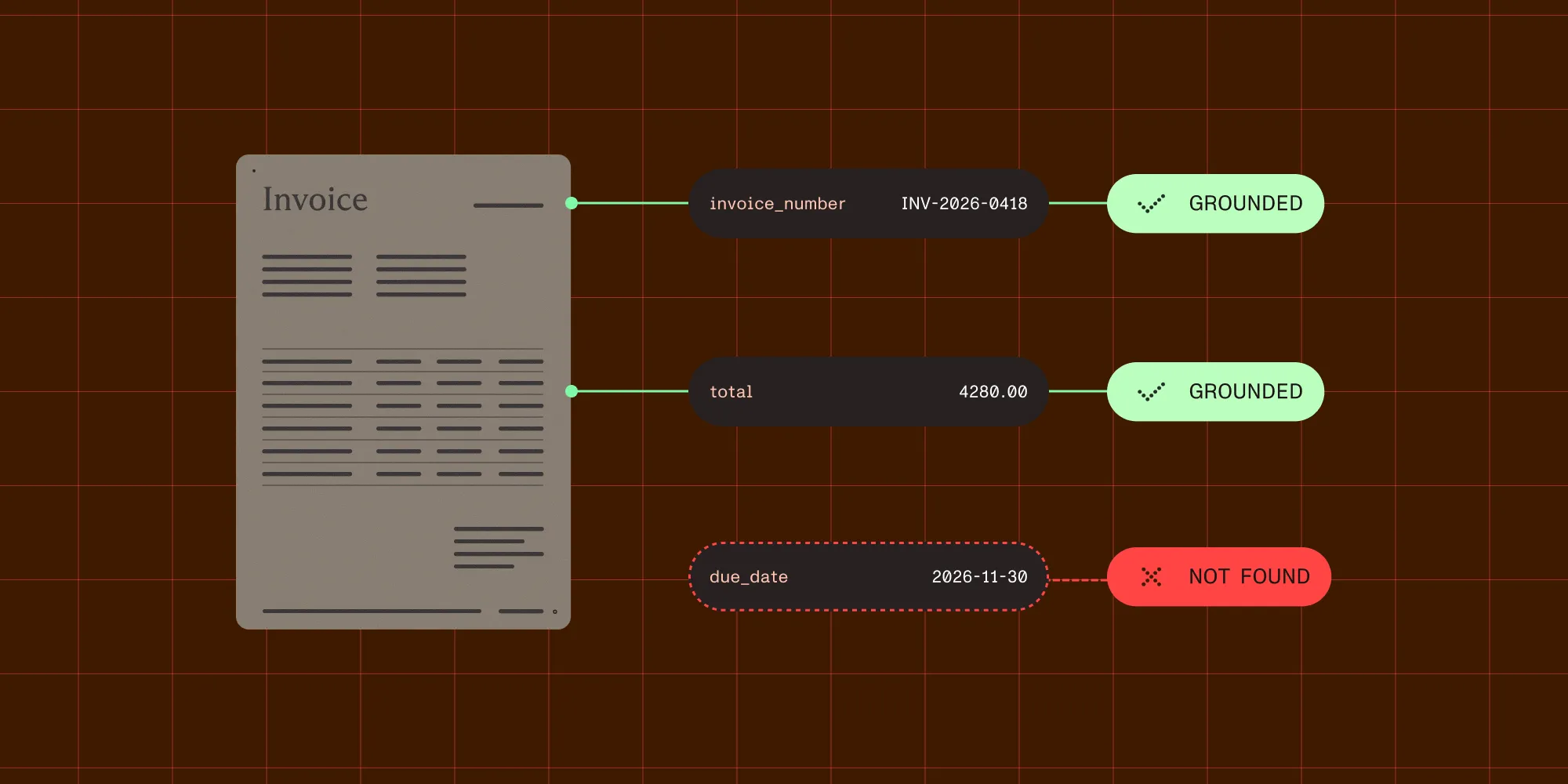
citationsEnabled: True is required for bounding boxes. Without it, the response still contains values, but no source coordinates — which removes the entire basis for the review queue built later in this tutorial.
instructions is a JSON string, not a nested form body. It goes over the wire as its own multipart part with content type application/json. Passing files= and json= to requests in the same call doesn’t do this — requests builds the body from json and then silently overwrites it with the multipart encoding, so the schema never reaches the server and the response comes back as if none had been supplied. No error is raised.
The 300-second timeout is deliberate. Medical documents in understand mode — especially multipage scanned CMS-1500s — can take tens of seconds. The committed sample response for a one-page form reports metrics.processingTimeMs: 18411.
Error handling and retries
Define this before the pipeline, because everything below calls safe_extract rather than extract directly:
import timefrom requests.exceptions import HTTPError, Timeout

class ExtractionError(Exception):    pass

class DocumentUnprocessableError(ExtractionError):    pass

def safe_extract(    file_path: str,    schema: dict,    mode: str = "understand",    max_retries: int = 3,) -> dict:    for attempt in range(max_retries):        try:            return extract(file_path, schema, mode)
        except HTTPError as e:            status = e.response.status_code
            if status == 429:                wait = 2**attempt  # 1s, 2s, 4s.                print(f"Rate limited — waiting {wait}s before retry {attempt + 1}/{max_retries}")                time.sleep(wait)
            elif status == 422:                raise DocumentUnprocessableError(                    f"Document could not be processed: {file_path}. "                    "Common causes: password-protected PDF, corrupted file, unsupported format. "                    "Route to manual data entry — retrying will not help."                ) from None
            elif status == 401:                raise ExtractionError("Invalid API key — check your credentials") from None
            else:                raise
        except Timeout:            if attempt < max_retries - 1:                print(f"Request timed out — retrying ({attempt + 1}/{max_retries})")                time.sleep(1)            else:                raise ExtractionError("Extraction timed out after max retries") from None
    raise ExtractionError(f"Extraction failed after {max_retries} attempts")
Don’t retry a 422. Surface unprocessable documents separately from rate-limit failures so an operations team can investigate the file directly.
Log two things off every response: requestId, which is what support will ask for, and metrics.pagesProcessed, which is what gets billed.
Part 1: Structured forms — The CMS-1500
This part explains what makes the CMS-1500 hard to extract. It then defines a schema, parses the response, and validates the fields.
What makes the CMS-1500 hard
The CMS-1500 is the standard professional claim form, maintained by the National Uniform Claim Committee (NUCC) and administered by the Centers for Medicare and Medicaid Services (CMS). One printed page carries 33 numbered items, with completion instructions on the reverse. It looks simple until you try to parse it:
- The form is usually encountered as a fax-to-scan, not a digital PDF.
- Item 21 holds up to 12 International Classification of Diseases, Tenth Revision, Clinical Modification (ICD-10-CM) diagnosis codes in slots A through L — extracting them as an array requires understanding table structure, not just reading text.
- Item 24 is a six-row table of service lines, each with date of service, place of service, Current Procedural Terminology (CPT) or Healthcare Common Procedure Coding System (HCPCS) code, diagnosis pointer, and charge amount.
- Many items use checkboxes (Medicare, Medicaid, TRICARE) that need to be read as selected or unselected state, not as text.
Generic optical character recognition (OCR) fails on all of these. The API’s understand mode handles the layout semantics: It reads a checkbox as a checkbox, reads table rows as rows, and uses the field descriptions in the schema to resolve ambiguous regions.
Step 2: Define the CMS-1500 schema
The API takes plain JSON Schema. There is no "date" type — dates are "type": "string" with "format": "date". Enums are "type": "string" with an "enum" array. Nested objects use properties; arrays use items.
MONEY = {    "type": "object",    "properties": {        "amount": {"type": "number"},        "iso_4217_currency_code": {"type": "string"},    },    "required": ["amount", "iso_4217_currency_code"],}
cms1500_schema = {    "type": "object",    "properties": {        # Patient information (items 2, 3).        "patient_name": {            "type": "string",            "description": "Patient's full name from item 2, last name first.",        },        "patient_date_of_birth": {            "type": "string",            "format": "date",            "description": "Patient date of birth from item 3.",        },        "patient_sex": {            "type": "string",            "enum": ["male", "female"],            "description": "Patient sex checkbox from item 3.",        },        # Insurance information (items 1, 1a).        "insurance_type": {            "type": "string",            "enum": [                "medicare",                "medicaid",                "tricare",                "champva",                "group_health",                "feca",                "other",            ],            "description": "Insurance type checkbox from item 1.",        },        "insured_id_number": {            "type": "string",            "description": "The insured's ID number found in item 1a.",        },        # Diagnosis codes (item 21).        "diagnosis_codes": {            "type": "array",            "items": {"type": "string"},            "description": "ICD-10-CM diagnosis codes from item 21, slots A through L.",        },        # Service lines (item 24).        "procedure_lines": {            "type": "array",            "description": "Service lines from item 24, one entry per row.",            "items": {                "type": "object",                "properties": {                    "date_of_service": {                        "type": "string",                        "format": "date",                        "description": "Date of service from column A.",                    },                    "place_of_service": {                        "type": "string",                        "description": "Place of service code from column B.",                    },                    "procedure_code": {                        "type": "string",                        "description": "CPT or HCPCS procedure code from column D.",                    },                    "diagnosis_pointer": {                        "type": "string",                        "description": "Diagnosis code pointer or pointers from column E.",                    },                    "line_charges": {                        **MONEY,                        "description": "Charges for this service line from column F.",                    },                    "rendering_provider_npi": {                        "type": "string",                        "description": "NPI of the rendering provider from column J.",                    },                },                "required": ["date_of_service", "procedure_code", "line_charges"],            },        },        # Provider information (items 31, 33a).        "rendering_provider_name": {            "type": "string",            "description": "Physician or supplier name from item 31.",        },        "billing_provider_npi": {            "type": "string",            "description": "Billing provider NPI from item 33a.",        },        # Charges.        "total_charge": {            **MONEY,            "description": "Total charge from item 28.",        },    },    "required": [        "patient_name",        "diagnosis_codes",        "procedure_lines",        "billing_provider_npi",    ],}
Three notes apply to this schema.
description guides extraction. Item numbers — "The insured's ID number found in item 1a." — help the extraction locate values precisely in a dense grid. If a form has numbered fields, put the numbers in. The sample repository’s CMS-1500 schema does exactly this, and it improves accuracy.
Money is an object, not a bare number. line_charges and total_charge both carry an amount and an ISO 4217 currency code. A bare "type": "number" throws away the currency, which is fine right up until the first non-USD claim. This follows the pattern in the sample repository.
Don’t ask the schema to compute. An earlier version of this schema included a top-level date_of_service_from described as “earliest date of service across all procedure lines.” That’s a derivation, not an extraction — it has no single source region on the page, so it can’t carry a meaningful bounding box or match type. Compute aggregates client-side from the extracted rows.
Step 3: Parse the source-grounded response
The response separates values from evidence:
{ "status": 200, "requestId": "…", "metrics": { "pagesProcessed": 1, "processingTimeMs": 18411 }, "output": { "data": { "…": "values, shaped exactly like your schema" }, "metadata": { "…": "evidence, shaped exactly like your schema" }, "pages": [{ "width": 1700, "height": 2200 }] }}output.metadata mirrors the shape of the schema, not a flat list of fields. A nested object produces nested metadata; an array produces a list of metadata nodes. Every leaf carries a match key, along with bbox, confidence, confidenceComponents, pageIndex (zero-based), pageNumber (one-based), and source_bboxes listing the individual document blocks the value was assembled from.
The parser therefore recurses:
from typing import Any, Iterator

def walk_fields(    data: Any,    metadata: Any,    path: str = "",) -> Iterator[tuple[str, Any, dict]]:    """Yield (json_path, value, metadata_node) for every extracted leaf field.
    output.metadata mirrors the schema, so nested objects recurse and arrays    produce one entry per element — e.g. "procedure_lines[0].procedure_code".    """    if isinstance(metadata, dict) and "match" in metadata:        yield path, data, metadata
    elif isinstance(metadata, dict):        for key, child_meta in metadata.items():            child_value = data.get(key) if isinstance(data, dict) else None            child_path = f"{path}.{key}" if path else key            yield from walk_fields(child_value, child_meta, child_path)
    elif isinstance(metadata, list):        for index, child_meta in enumerate(metadata):            child_value = (                data[index] if isinstance(data, list) and index < len(data) else None            )            yield from walk_fields(child_value, child_meta, f"{path}[{index}]")

def parse_medical_result(response: dict) -> dict[str, dict]:    """Return {json_path: {value, match, confidence, page, bbox, source_bboxes}}."""    output = response["output"]    fields = {}    for path, value, meta in walk_fields(output["data"], output["metadata"]):        fields[path] = {            "value": value,            "match": meta.get("match"),            "confidence": meta.get("confidence", 0.0),            "page": meta.get("pageNumber"),            "bbox": meta.get("bbox"),            "source_bboxes": meta.get("source_bboxes", []),        }    return fields
Scalar fields produce a plain path — "patient_name", "billing_provider_npi". Array elements produce indexed paths — "diagnosis_codes[0]". Nested fields inside a repeating row produce both — "procedure_lines[0].procedure_code", "procedure_lines[0].line_charges.amount".
Step 4: The match field
Every metadata leaf reports how the value was found:
match | Meaning |
|---|---|
id_match | Matched exactly, within a single block |
id_match_multiblock | Matched exactly, assembled across blocks |
id_match_partial | Part of the value matched |
fuzzy_match | Matched approximately |
not_found | The field isn’t present in the document |
For clinical data, this distinction decides whether a read is safe to trust. A provider NPI at 0.96 confidence via id_match is a reliable read. The same confidence via fuzzy_match means the extraction found something shaped like a 10-digit number without matching it exactly — and an NPI with a transposed digit fails claims adjudication.
Step 5: Validate CMS-1500 fields
CMS-1500 data feeds billing and claims adjudication, so errors here cause claim rejections. Two things this validator does that a naive one doesn’t:
It normalizes ICD-10-CM codes before checking them. Item 21 is frequently printed without the decimal point, so E119 and E11.9 are the same code arriving in two forms.
It checks the NPI check digit, not just the length. A 10-digit regex passes a transposed digit, which is the exact failure named in Step 4. NPIs carry a Luhn check digit computed over the identifier prefixed with 80840, so a real integrity check is about eight lines.
import re
# ICD-10-CM: letter, digit, then digit OR letter (C4A, D3A, M1A are all valid),# optionally followed by a decimal and up to four alphanumeric characters.ICD10_PATTERN = re.compile(r"^[A-Z][0-9][0-9A-Z](\.[0-9A-Z]{1,4})?$")
# CPT is five digits; HCPCS Level II is a letter plus four digits (J1100, A0428).# Item 24D accepts both. An optional trailing modifier character is allowed.PROCEDURE_PATTERN = re.compile(r"^(\d{5}|[A-Z]\d{4})[A-Z0-9]?$")
NPI_PATTERN = re.compile(r"^\d{10}$")

def normalize_icd10(code: str) -> str:    """Item 21 is often printed without the decimal point."""    code = str(code).strip().upper().replace(" ", "")    if "." not in code and len(code) > 3:        code = f"{code[:3]}.{code[3:]}"    return code

def is_valid_npi(npi: str) -> bool:    """Validate an NPI's Luhn check digit, not just its length.
    The check digit is Luhn over "80840" + the first nine digits.    """    npi = str(npi).strip()    if not NPI_PATTERN.match(npi):        return False    digits = [int(d) for d in "80840" + npi[:9]]    total = 0    for index, digit in enumerate(reversed(digits)):        if index % 2 == 0:            digit *= 2            if digit > 9:                digit -= 9        total += digit    return (10 - total % 10) % 10 == int(npi[9])

def validate_cms1500(fields: dict[str, dict]) -> tuple[bool, list[str]]:    errors: list[str] = []
    for required in ["patient_name", "billing_provider_npi"]:        if not fields.get(required, {}).get("value"):            errors.append(f"Missing required field: {required}")
    # Diagnosis codes arrive as diagnosis_codes[0], [1], …    codes = [        field["value"]        for path, field in fields.items()        if path.startswith("diagnosis_codes[") and field.get("value")    ]    if not codes:        errors.append("Missing required field: diagnosis_codes")    for code in codes:        if not ICD10_PATTERN.match(normalize_icd10(code)):            errors.append(f"Invalid ICD-10-CM code format: {code!r}")
    # One prefix per service line: "procedure_lines[0]", "procedure_lines[1]", …    line_prefixes = sorted(        {path.split(".")[0] for path in fields if path.startswith("procedure_lines[")}    )    for prefix in line_prefixes:        procedure = fields.get(f"{prefix}.procedure_code", {}).get("value")        if procedure and not PROCEDURE_PATTERN.match(str(procedure).strip().upper()):            errors.append(f"Invalid CPT/HCPCS code in {prefix}: {procedure!r}")
        line_npi = fields.get(f"{prefix}.rendering_provider_npi", {}).get("value")        if line_npi and not is_valid_npi(line_npi):            errors.append(f"NPI failed check digit in {prefix}: {line_npi!r}")
    billing_npi = fields.get("billing_provider_npi", {}).get("value")    if billing_npi and not is_valid_npi(billing_npi):        errors.append(f"Billing provider NPI failed check digit: {billing_npi!r}")
    return not errors, errors
Part 2: Unstructured narrative — Discharge summaries
Discharge summaries are the more difficult case. A clinician writes a narrative note covering admission reason, course of treatment, procedures performed, medications at discharge, and follow-up instructions. The structure is loose, abbreviations are common, and the same information might appear in several places with slightly different wording.
The extraction uses schema field descriptions as semantic guides — “the primary diagnosis as stated by the attending physician” tells the extraction what to look for and roughly where in the document it tends to sit.
discharge_schema = { "type": "object", "properties": { "patient_name": { "type": "string", "description": "Patient's full name, usually in the document header.", }, "date_of_birth": {"type": "string", "format": "date"}, "medical_record_number": { "type": "string", "description": "MRN or patient ID number from the document header.", }, "admission_date": { "type": "string", "format": "date", "description": "Date the patient was admitted.", }, "discharge_date": { "type": "string", "format": "date", "description": "Date the patient was discharged.", }, "primary_diagnosis": { "type": "string", "description": "Primary or admitting diagnosis as stated by the attending physician.", }, "secondary_diagnoses": { "type": "array", "items": {"type": "string"}, "description": "Secondary or comorbid diagnoses listed in the document.", }, "procedures_performed": { "type": "array", "items": {"type": "string"}, "description": "Surgical or clinical procedures performed during the stay.", }, "medications_at_discharge": { "type": "array", "items": {"type": "string"}, "description": "Medications the patient was discharged on, from the discharge medication list.", }, "attending_physician": { "type": "string", "description": "Name of the attending physician, usually near the end of the document.", }, "discharge_disposition": { "type": "string", "description": "Where the patient was discharged to: home, SNF, rehab, and so on.", }, "follow_up_instructions": { "type": "string", "description": "Follow-up appointments or instructions given at discharge.", }, }, "required": [ "patient_name", "medical_record_number", "admission_date", "discharge_date", ],}What source grounding means for clinical text
For a structured form, bbox points to a box on the page. For narrative text, it points to the specific sentence or paragraph where the value was found — and source_bboxes lists every block that contributed, which is how a diagnosis stated across two sentences can still be traced.
That distinction matters in clinical contexts. When a downstream system asks where a diagnosis came from, or a clinician or auditor questions a value, the bounding box enables the reviewer to highlight the exact passage, so the answer is the sentence on page 2 rather than “the model said so.”
This differs from a large language model (LLM) generating a summary. Generation produces text that may be accurate but can’t be traced. Source-grounded extraction locates values that exist in the document and reports where they are.
Part 3: Confidence gating for clinical data
Medical data needs tighter gates than most domains. A misread medication name or a transposed diagnosis code has direct patient-safety implications if it reaches a clinical system unchecked.
Gating works on both confidence and match type, and the acceptable match types differ by field. An identifier must match exactly. A narrative span may not.
# Identifiers: exact single-block matches only.IDENTIFIER_MATCHES = {"id_match"}
# Default for most fields: exact, including values assembled across blocks.DEFAULT_MATCHES = {"id_match", "id_match_multiblock"}
# Narrative spans: an approximate match is expected, because the extraction is# locating a phrase of natural language rather than a discrete token.NARRATIVE_MATCHES = {"id_match", "id_match_multiblock", "fuzzy_match"}
FIELD_MATCHES = {    "medical_record_number": IDENTIFIER_MATCHES,    "date_of_birth": IDENTIFIER_MATCHES,    "patient_date_of_birth": IDENTIFIER_MATCHES,    "billing_provider_npi": IDENTIFIER_MATCHES,    "rendering_provider_npi": IDENTIFIER_MATCHES,    "insured_id_number": IDENTIFIER_MATCHES,    "procedure_code": IDENTIFIER_MATCHES,    "primary_diagnosis": NARRATIVE_MATCHES,    "secondary_diagnoses": NARRATIVE_MATCHES,    "procedures_performed": NARRATIVE_MATCHES,    "discharge_disposition": NARRATIVE_MATCHES,    "follow_up_instructions": NARRATIVE_MATCHES,}
CLINICAL_THRESHOLDS = {    "patient_name": 0.95,    "date_of_birth": 0.97,    "patient_date_of_birth": 0.97,    "medical_record_number": 0.97,    "admission_date": 0.93,    "discharge_date": 0.93,    "primary_diagnosis": 0.92,    "secondary_diagnoses": 0.90,    "medications_at_discharge": 0.93,    "procedures_performed": 0.90,    "attending_physician": 0.90,    "discharge_disposition": 0.88,    "follow_up_instructions": 0.85,    "rendering_provider_npi": 0.97,    "billing_provider_npi": 0.97,    "insured_id_number": 0.95,    "procedure_code": 0.95,}
DEFAULT_THRESHOLD = 0.90

def _leaf_key(path: str) -> str:    """"procedure_lines[0].procedure_code" -> "procedure_code"."""    return path.split(".")[-1].split("[")[0]

def gate_clinical_fields(fields: dict[str, dict]) -> dict:    auto_approved: dict[str, Any] = {}    needs_review: dict[str, dict] = {}
    for path, field in fields.items():        leaf = _leaf_key(path)        threshold = CLINICAL_THRESHOLDS.get(            path, CLINICAL_THRESHOLDS.get(leaf, DEFAULT_THRESHOLD)        )        acceptable = FIELD_MATCHES.get(path, FIELD_MATCHES.get(leaf, DEFAULT_MATCHES))        match = field["match"]
        if match == "not_found" or field["value"] is None:            needs_review[path] = {**field, "reason": "not_found"}        elif match not in acceptable:            needs_review[path] = {**field, "reason": f"match_{match}"}        elif field["confidence"] < threshold:            needs_review[path] = {                **field,                "reason": "low_confidence",                "threshold": threshold,            }        else:            auto_approved[path] = field["value"]
    return {        "status": "approved" if not needs_review else "review_required",        "auto_approved": auto_approved,        "review_queue": needs_review,    }
The three reasons call for three different reviewer actions. not_found on medical_record_number means the document doesn’t contain the field — review for completeness. A fuzzy_match at 0.97 on medications_at_discharge means the extraction read something shaped like a drug name without matching it exactly — open the bbox and check that region. A low_confidence means the read itself was ambiguous. Collapsing all three into one “failed” state throws away information the reviewer needs.
This table shows the threshold and acceptable matches for several fields:
| Field | Threshold | Acceptable matches |
|---|---|---|
medical_record_number | 0.97 | exact only |
billing_provider_npi | 0.97 | exact only |
date_of_birth | 0.97 | exact only |
procedure_code | 0.95 | exact only |
patient_name | 0.95 | exact, including multiblock |
medications_at_discharge | 0.93 | exact, including multiblock |
primary_diagnosis | 0.92 | exact or fuzzy |
follow_up_instructions | 0.85 | exact or fuzzy |
The principle: Fields consumed as identifiers take exact matches only; fields that are spans of clinical prose can tolerate an approximate match, because a fuzzy read of a narrative phrase degrades gracefully, while a fuzzy read of an NPI does not. A reasonable rollout starts stricter than the table above — IDENTIFIER_MATCHES everywhere — logs what lands in review for two weeks, and relaxes per field once the behavior on a real document mix is visible.
Part 4: Processing mode and cost
There are four modes, and they differ in both capability and price:
| Mode | Cost per page | What it does |
|---|---|---|
text | 1 credit | Reads existing text. Born-digital documents only, no OCR. |
structure | 1.5 credits | Runs OCR before producing output. Scans and images. |
understand | 9 credits | Adds form semantics and key-value relationships. |
agentic | 18 credits | Vision-language analysis for visual and ambiguous content. |
For clinical documents, understand is the right default. Faxed CMS-1500 scans, typed discharge summaries, and handwritten intake forms are all scanned, photographed, or handwritten, and all of them depend on the form semantics that structure doesn’t provide.
The cost difference is worth planning around: understand is six times the price of structure per page. A born-digital claim form that genuinely contains text can run in text mode for a ninth of the cost — but a mode that skips OCR on a faxed scan returns nothing useful, so this is a decision to make per intake channel rather than per document.
The agentic mode is worth the doubling only where a document needs multistep reasoning: charts, diagrams, or a layout ambiguous enough that a single pass can’t resolve it.
One caveat from the processing modes guide explains why this tutorial gates every output.
Even in agentic mode, recognition of an ambiguous word can be confident but wrong — the model may settle on a plausible word that differs from what was actually written. For high-stakes fields, check the per-element confidence scores and add a human review step where accuracy is critical.
No mode removes the need for gating. A higher mode narrows the gap; it doesn’t close it.
Part 5: Building the full pipeline
The function below extracts a document, parses the response, gates each field, and validates CMS-1500 results, all with a single API call per document:
from enum import Enum

class ClinicalDocType(Enum):    CMS_1500 = "cms_1500"    DISCHARGE_SUMMARY = "discharge_summary"

SCHEMAS = {    ClinicalDocType.CMS_1500: cms1500_schema,    ClinicalDocType.DISCHARGE_SUMMARY: discharge_schema,}

def process_clinical_document(file_path: str, doc_type: ClinicalDocType) -> dict:    """Extract, parse, gate, and validate a single clinical document.
    Makes exactly one API call.    """    try:        response = safe_extract(file_path, SCHEMAS[doc_type])    except DocumentUnprocessableError as e:        return {"status": "unprocessable", "doc_type": doc_type.value, "error": str(e)}
    fields = parse_medical_result(response)    result = gate_clinical_fields(fields)
    if doc_type is ClinicalDocType.CMS_1500 and result["status"] == "approved":        valid, errors = validate_cms1500(fields)        if not valid:            result["status"] = "validation_failed"            result["validation_errors"] = errors
    result["doc_type"] = doc_type.value    result["request_id"] = response.get("requestId")    result["pages_processed"] = response.get("metrics", {}).get("pagesProcessed")    return result

result = process_clinical_document("cms1500_scan.pdf", ClinicalDocType.CMS_1500)
if result["status"] == "approved":    print("Auto-approved:", len(result["auto_approved"]), "fields")else:    print(f"{result['status']} — {len(result.get('review_queue', {}))} field(s) need review:")    for path, field in result.get("review_queue", {}).items():        print(            f"  {path}: {field['value']!r} "            f"(match: {field['match']}, confidence: {field['confidence']:.2f}, "            f"reason: {field['reason']})"        )
Note that validation runs only when gating has already approved every field. If a value is heading to human review anyway, format-checking it first adds noise without adding information.
Handling PHI
Clinical documents are protected health information (PHI), so how the API stores them matters before any production traffic. The behavior is documented, and the documentation answers this directly.
Processing runs are stored as a product feature. Both the input document and the extracted output are kept so run history can be viewed and managed. Runs can be deleted, and they expire automatically after a retention period that depends on the plan.
Whether anything is retained beyond that depends on the plan. Data retention is a plan-level setting, indicated for the subscription — not a request parameter, so nothing in the code above changes it. On plans where retention is enabled, a copy is also kept internally and used to operate, improve, and develop the service, including to train and evaluate models; that copy is separate from run history and isn’t removed by deleting a run. On plans where retention isn’t enabled, documents aren’t retained for those purposes.
For health data, the policy is explicit. The API privacy policy states that Nutrient doesn’t seek special-category or sensitive personal data — naming health data specifically — for retention or training, and that such data should not be submitted for those purposes.
Read together, those two points give a clear answer rather than a judgment call: A pipeline carrying PHI belongs on a plan without data retention. Confirm the account’s configuration and the terms of any business associate agreement (BAA) before the first real patient document goes through. The privacy guide and the API privacy policy are the authoritative statements; the security guide covers transport and access controls.
If a document has already gone through on the wrong plan, deletion is available: The policy commits to removing a file from storage, backups, and any training dataset on request to legal@nutrient.io.
Two practical notes for the pipeline itself:
- Log
requestIdon every call. It ties a downstream clinical record back to a specific extraction run without storing the document a second time, which is the cheapest audit trail available. - Run deletion is an API-side action, not a local one. If the workflow calls for removing a document after ingestion, deleting the run has to be an explicit step — completing the pipeline doesn’t do it.
If PHI can’t leave the network at all, the hosted API is the wrong tool regardless of retention settings. A fully on-premises alternative — self-hosted Document Engine plus local intelligent content recognition, no external API call — is covered in extracting patient data on-premises. It’s a different product with a different contract, so none of the request or response code above carries over.
Schema keyword limits
The API accepts only these JSON Schema keywords: type (one of object, array, string, number, integer, boolean), properties, required, items, description, enum on string fields, and format: "date" on string fields. Everything else is rejected, including $ref, $defs, allOf/anyOf/oneOf, validation ranges such as minimum and maxLength, conditional schemas, and any format value other than date.
Two consequences for the schemas above. The MONEY object is repeated by dictionary spread rather than referenced with $ref, because $ref is rejected. And range and length validation happens in validate_cms1500, not in the schema, for the same reason — the schema declares shape, and the validator enforces rules.
Schemas are also treated as closed: The response contains only declared properties, as though additionalProperties: false were set. Don’t send additionalProperties — a request containing it is rejected.
For full details, refer to the defining a schema guide.
What’s next
- Test in Studio — The medical extraction API page has a live browser demo. Try the CMS-1500 extraction interactively before writing any code.
- Run the sample code — The nutrient-extraction-samples(opens in a new tab) repository includes a working CMS-1500 demo with test documents, extraction code, cached live responses, and interactive HTML output.
- Accuracy benchmarks — 200 PDFs with hand-annotated ground truth, rescored on every release
- Other document types — The same API and the same pipeline handle lab reports, explanations of benefits (EOBs), and prior authorization forms. See the Data Extraction API overview.
Related reading
- What should a document extraction confidence score actually tell you? — Why a source-grounded score behaves differently from a model-decisiveness score
- PDF data extraction developer guide — Parse modes, schema design, and how citations fit the wider pipeline
- How to extract data from patient documents on-premises with local AI — The same clinical problem where PHI can’t leave the network
- Citations and confidence — The full citation object, match labels, and coordinate space