How to extract data from patient documents on-premises with local AI

Table of contents
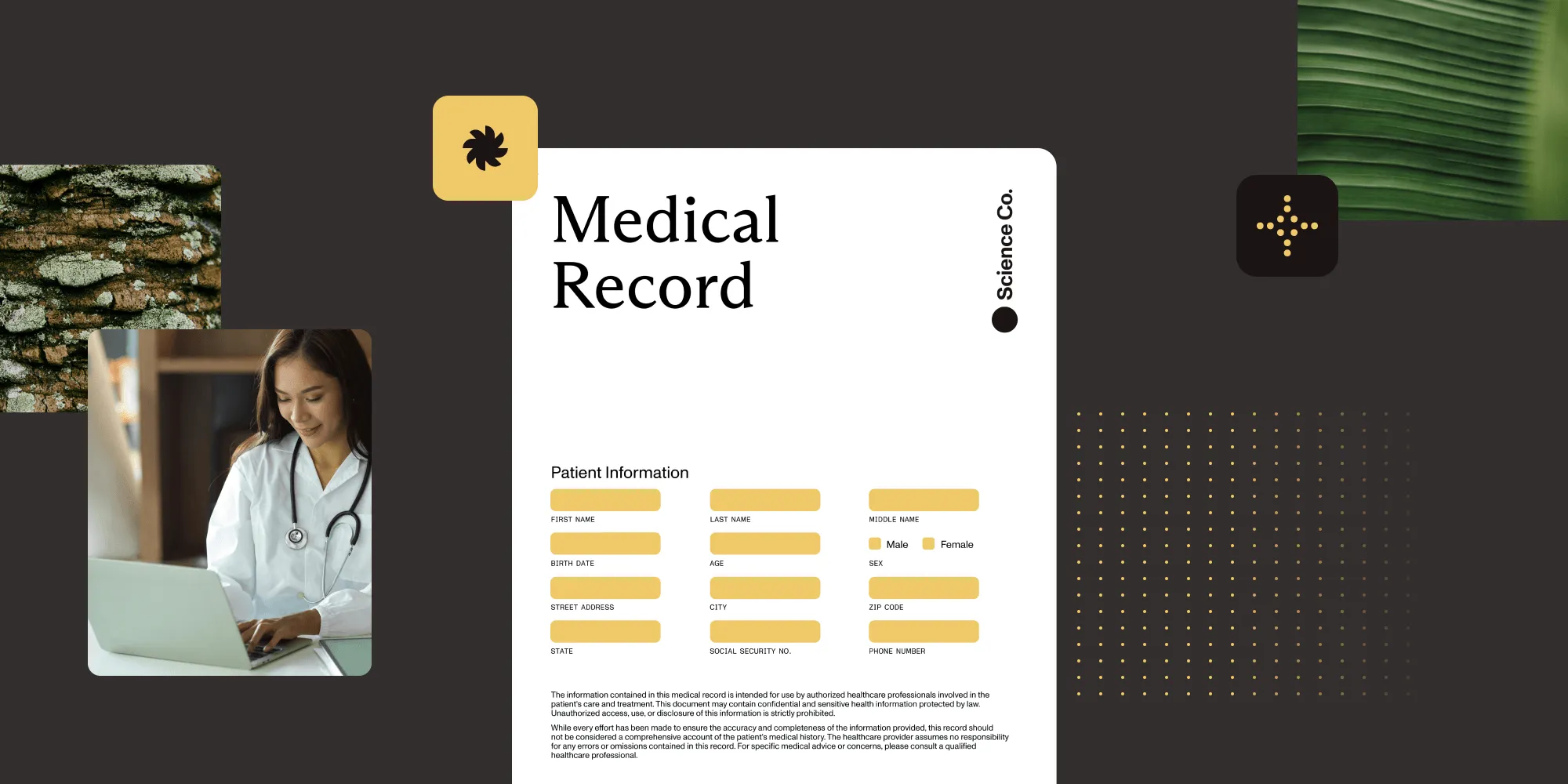
Patient documents contain protected health information (PHI) that often can’t leave the network of the covered entity. This tutorial builds a document AI pipeline that runs entirely on-premises: a self-hosted Document Engine for storage and processing, plus local intelligent content recognition (ICR) that extracts structured data without any external API call. Cloud enhancement stays opt-in.
Healthcare teams process a constant stream of scanned intake forms, lab reports, and referral letters. Extracting structured data from those documents is a task AI handles well, but most document AI services require uploading the file to a vendor-hosted model. For protected health information governed by the Health Insurance Portability and Accountability Act (HIPAA(opens in a new tab)), that upload is often not an option.
This tutorial covers the alternative: an on-premises pipeline where the model runs next to the data, so a patient record is understood without ever leaving the covered entity’s network — the same principle behind automated PII removal that keeps sensitive fields in-house.
What “on-premises” means for patient documents
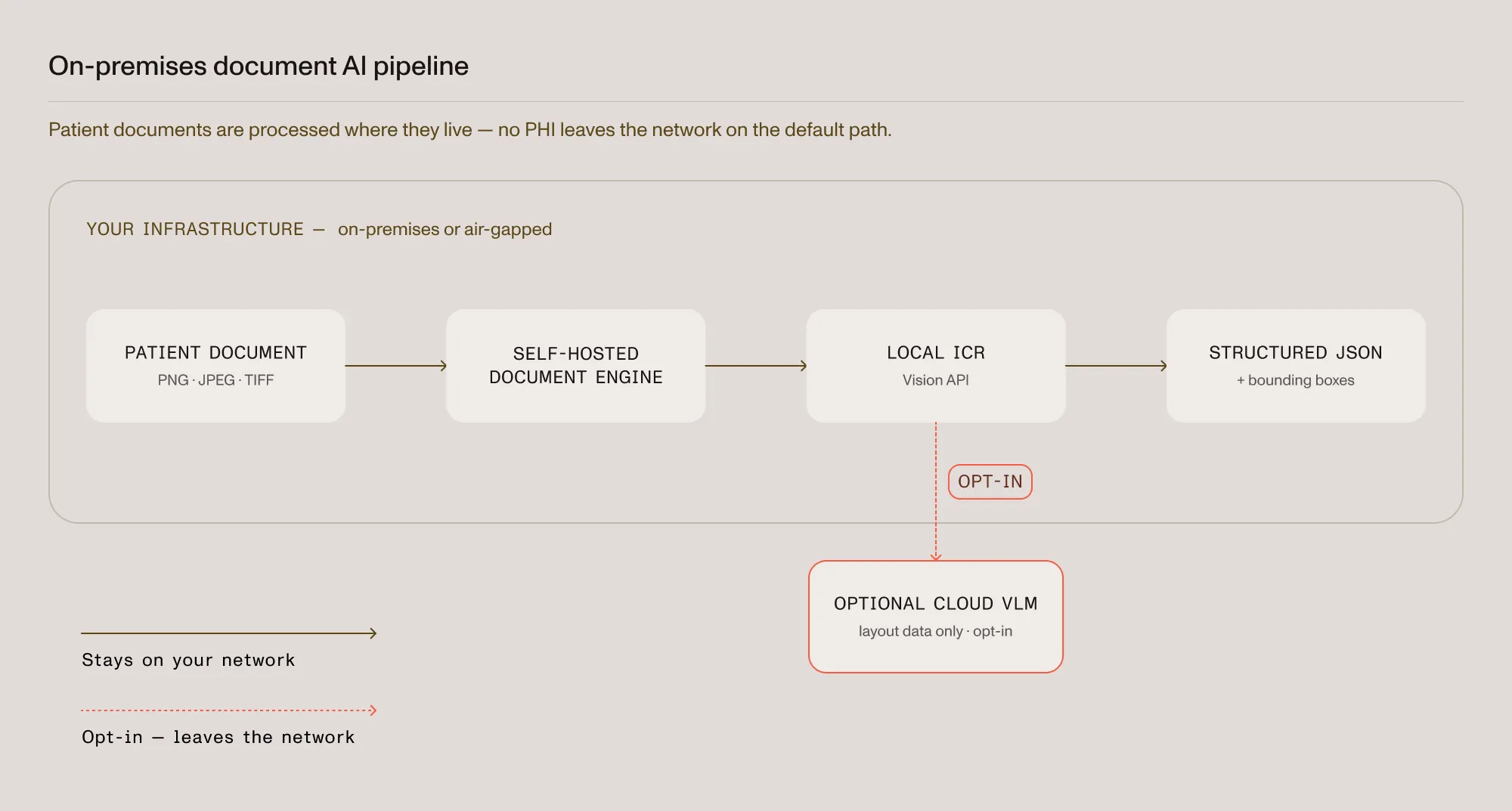
A private pipeline has two parts, and both must stay inside the network for the guarantee to hold:
- Self-hosted Document Engine — Handles storage, rendering, and orchestration inside the owner’s infrastructure rather than a managed cloud.
- Local ICR extraction — Analyzes layout, tables, and handwriting using AI models that run on local hardware, returning structured JSON with no external call.
When both run on-premises, a scanned intake form is processed end to end without a network hop to a third party.
Prerequisites
- A Kubernetes(opens in a new tab) cluster or Docker(opens in a new tab) host inside the network where PHI is permitted
- Python 3.8 or higher
- Nutrient Python SDK (
pip install nutrient-sdk) - A sample patient document (PNG, JPEG, or TIFF) for testing
Step 1 — Deploy a self-hosted Document Engine
Document Engine is self-hosted, so storage and processing stay on local infrastructure. Deploy it with the method that matches the environment:
- Deploy with Kubernetes for a clustered, production setup
- Deploy with Helm for a chart-based install
Follow the deployment overview for configuration, and confirm the instance is reachable only from inside the network before processing live documents.
Step 2 — Configure local ICR extraction
With the engine in place, extraction runs through the Nutrient Data Extraction SDK, exposed in Python as the Vision class. ICR is the default engine and runs locally, so the following configuration keeps every document on local hardware (see the local ICR extraction guide for the full reference):
from nutrient_sdk import Document, Vision, VisionEngine
with Document.open("patient-intake-form.png") as document:    # ICR runs locally and is the default engine — no external calls.    document.settings.vision_settings.engine = VisionEngine.ICR    vision = Vision.set(document)    content_json = vision.extract_content()  # structured JSON, all processing stays local.
Step 3 — Extract structured data from an intake form
extract_content() returns JSON with layout and semantic structure — paragraphs, tables, and key-value regions — plus a bounding box for every element. Write it to disk and add error handling for production use:
from nutrient_sdk import Document, Vision, VisionEngine, VisionException
try:    with Document.open("patient-intake-form.png") as document:        document.settings.vision_settings.engine = VisionEngine.ICR        vision = Vision.set(document)        content_json = vision.extract_content()
        with open("intake-form.json", "w") as f:            f.write(content_json)except VisionException as error:    # Log and handle extraction failures (unreadable file, missing models, etc.).    print(f"Extraction failed: {error}")
The bounding box on each extracted value makes the output auditable: Any field on the parsed form traces back to the exact region of the source page, which supports review interfaces and record-keeping. For a deeper walkthrough of the extraction output across engines, see how to build a document extraction pipeline.
Keeping the pipeline compliant
On-premises processing addresses a key requirement — PHI stays inside the covered entity’s environment — but a compliant deployment depends on the surrounding controls:
- Network isolation — Restrict the Document Engine instance to internal traffic so no document is reachable externally.
- Traceability — Retain the element-level coordinates from extraction for audit and review.
- Access control — Apply the organization’s existing authentication and authorization to the pipeline.
Running extraction on-premises keeps PHI within the covered entity’s control, which is what HIPAA-regulated workloads typically require. The overall compliance posture still depends on how the full system is configured and operated.
When VLM enhancement is worth it
Local ICR handles most real-world layouts. For unusually complex documents, an opt-in tier enhanced by a vision language model (VLM) can improve accuracy further, and the pipeline owner controls whether it activates. That VLM tier points to an external endpoint: A self-hosted local server, with GPU acceleration when available, keeps the enhanced tier inside the network, while a cloud provider — sent only layout data, not the raw document — remains available as an alternative. The tradeoffs are compared in document AI vs. traditional OCR. For workloads with strict data residency rules, the local tiers — including a self-hosted VLM endpoint — keep the entire pipeline in-house; teams that can accept a hosted endpoint can use the Data Extraction API instead.
The Nutrient products in this pipeline
The pipeline is built from three Nutrient components:
- Data Extraction SDK — Runs the extraction engines. Local ICR (the default) performs layout analysis, table extraction, handwriting recognition, and reading-order detection on local hardware, turning a scanned form into structured JSON without a document leaving the machine. An opt-in VLM tier is available for the hardest layouts.
- Self-hosted Document Engine — Stores, renders, and orchestrates documents inside the network. Running it in-house is what lets the pipeline operate on-premises or air-gapped, keeping PHI under the organization’s control.
- Data Extraction API — A fully hosted option for teams that don’t require on-premises processing, offering the same structured extraction through a managed endpoint.
For a healthcare team, the practical benefit is control over where processing happens: Sensitive documents can be handled entirely in-house, while the same tools remain available as a managed service where that is acceptable.
Start a free trial Talk to our teamRead the Holyoke Medical Center story
FAQ
Yes. With a self-hosted Document Engine and local ICR extraction, scanned patient documents are stored and analyzed inside the covered entity’s network, and the default extraction path makes no external API call.
Local ICR runs on local hardware, so extraction can operate without internet access once the engine and models are deployed. Air-gapped(opens in a new tab) operation depends on the surrounding deployment being fully self-contained.
ICR returns JSON with layout and semantic elements — paragraphs, tables with cell coordinates, key-value regions, and reading order — plus a bounding box for every element, so each value maps back to its location on the page.
No. Local ICR covers most layouts on its own. For the hardest cases, an opt-in VLM tier handles the rest: Point it at a self-hosted local endpoint and nothing leaves the network, or use a cloud provider instead and only layout data is sent, never the raw document.
For the broader argument behind this approach, read [the case for private document AI][private-ai]; for more on document automation in the sector, see the future of healthcare document automation.