Configure scroll direction and page transitions in the Flutter viewer
Configure the page transition, scroll direction, and page layout of a NutrientDocumentView through its configuration, which takes a NutrientViewConfiguration. Refer to the Nutrient view configuration(opens in a new tab) API reference for details.
When you use pageTransition, scrollDirection, and pageLayoutMode together, follow these constraints.
Use scroll per spread page transition
When you use the scroll per spread page transition, also called jump, no constraints apply:
- The page scroll direction can be either
horizontalorvertical. - If you use the vertical scroll direction,
pageLayoutModecan besingle,double, orautomatic.
The following example configures the scroll per spread page transition:
NutrientViewConfiguration( pageTransition: PageTransition.scrollPerSpread, // Set the `scrollPerSpread` page transition. scrollDirection: ScrollDirection.vertical, // Can also be `horizontal`. pageLayoutMode: PageLayoutMode.single, // Can also be `double` or `automatic`.)Use scroll continuous page transition
When you use the scroll continuous page transition, follow these constraints:
- The page scroll direction can be either
horizontalorvertical. - If you use the vertical scroll direction,
pageLayoutModecan besingle,double, orautomatic. - If you use the horizontal scroll direction, the SDK forces
pageLayoutModetosingle.
The following example configures the scroll continuous page transition:
NutrientViewConfiguration( pageTransition: PageTransition.scrollContinuous, // Set the `scrollContinuous` page transition. scrollDirection: ScrollDirection.vertical, // Can also be `horizontal`.)Expose settings in the user interface
To enable users to change these options at runtime, expose the settings menu. On iOS, add the settings button to the toolbar through IOSViewConfiguration. The settings menu presents the page transition, scroll direction, and page layout options. On Android, the settings action is available from the toolbar overflow menu. Refer to the iOS view configuration(opens in a new tab) API reference for details.
NutrientViewConfiguration( iosConfig: IOSViewConfiguration( rightBarButtonItems: ['settingsButtonItem'], ),)The settings menu shows these options on Android and iOS.
| Android | iOS |
|---|---|
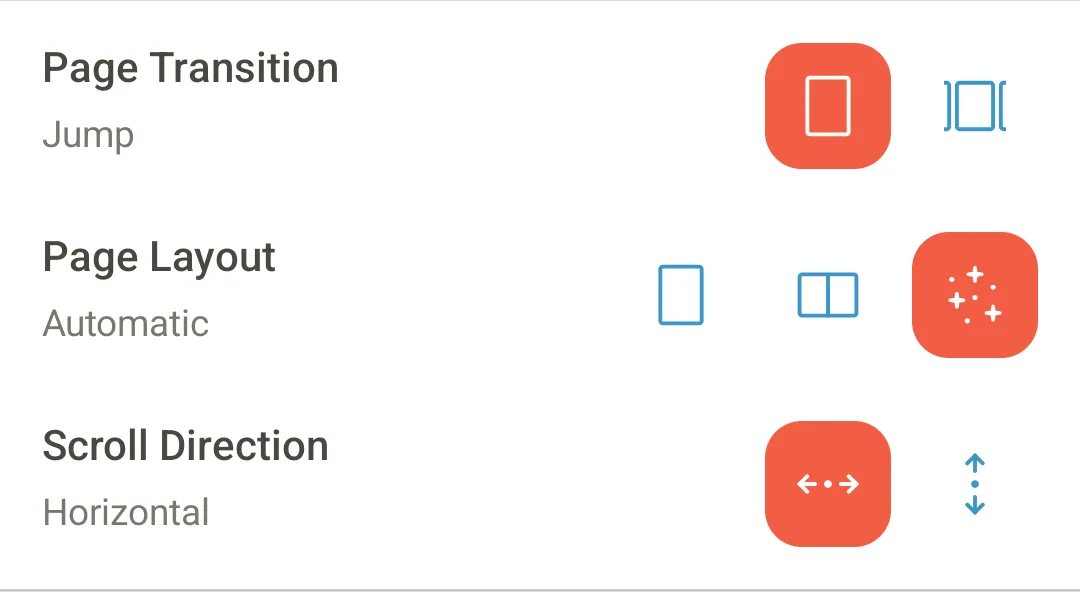 | 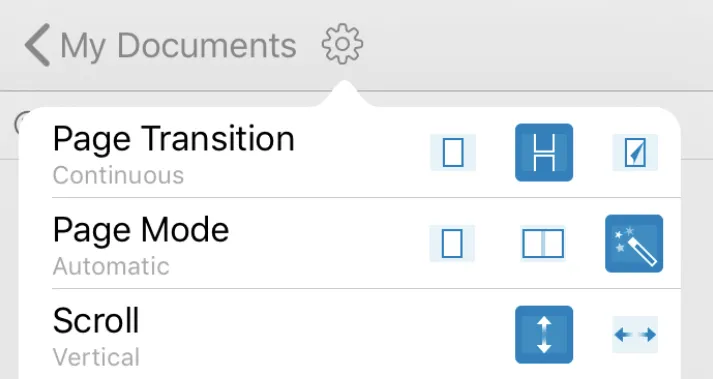 |
The legacy PdfConfiguration.settingsMenuItems option, which determines the entries shown in the settings menu, is part of the deprecated method-channel API and isn’t available on NutrientViewConfiguration.