Creating and filling PDF forms programmatically in JavaScript

Table of contents
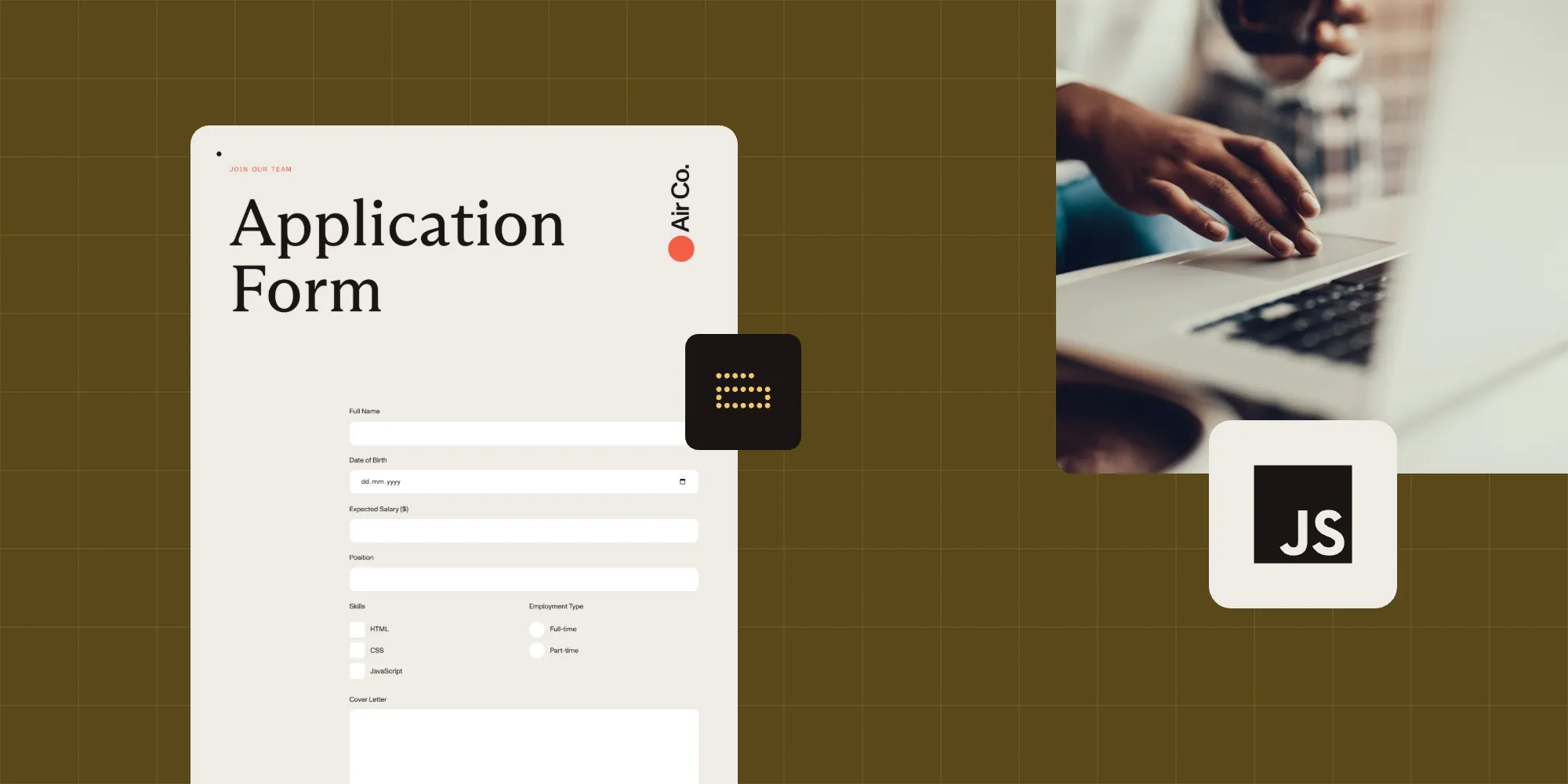
Create PDF forms with text fields, checkboxes, radio buttons, and signatures using Nutrient Web SDK. Fill forms programmatically from Instant JSON, XFDF, or a database.
PDF forms automate data collection for applications, contracts, surveys, and onboarding workflows. This tutorial shows how to create form fields programmatically and populate them with data.
What you’ll build:
- Text inputs, checkboxes, radio buttons, and a signature field
- Prefilled forms using JSON or XFDF
- Database-driven form population
Display a PDF
Create a project directory:
Terminal window mkdir CreatingPdfFormscd CreatingPdfFormsnpm init -yInstall Nutrient and Vite:
Terminal window npm install @nutrient-sdk/viewernpm install -D vite
The useCDN: true option loads SDK assets from Nutrient’s CDN, so no manual asset copying is required.
Add a PDF document named
document.pdfto your project’s root directory.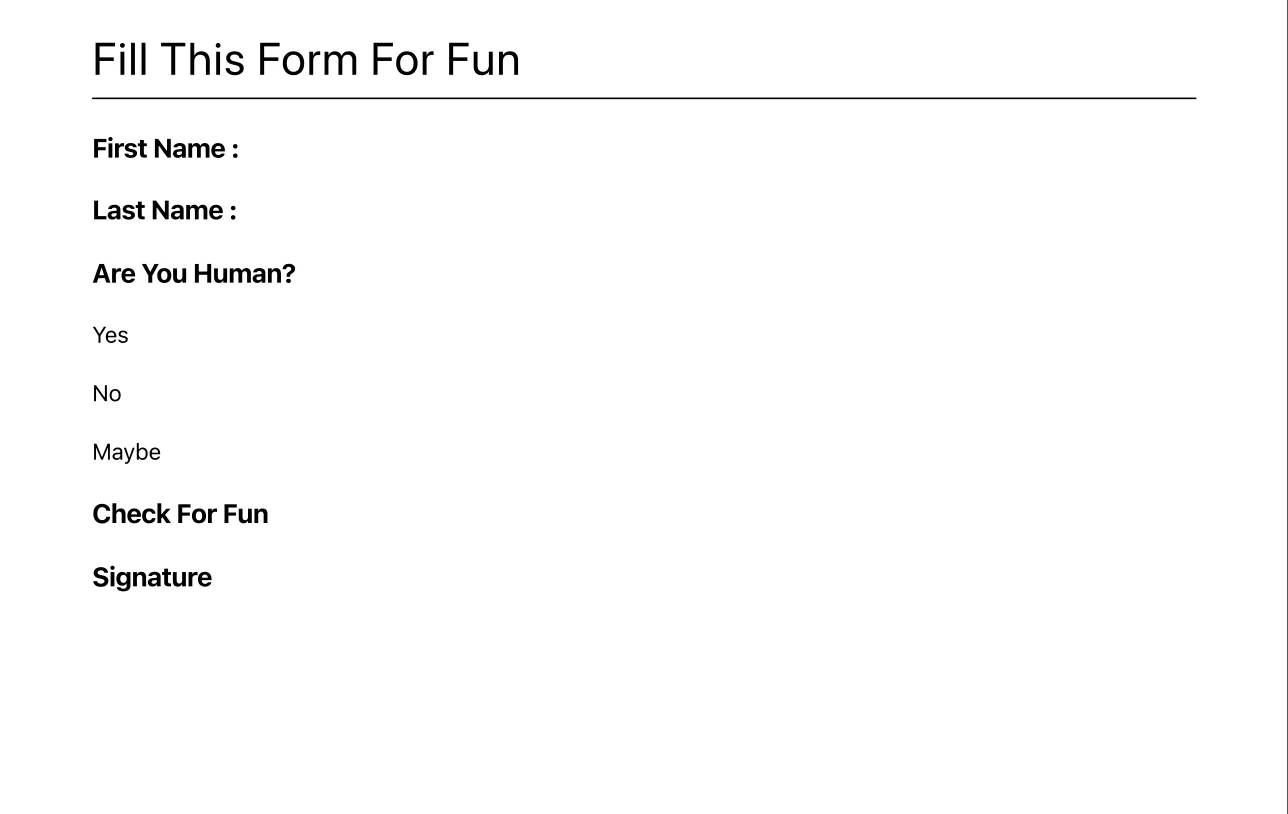
Create
index.htmlandindex.js:Terminal window touch index.html index.jsAdd this to
index.js:(async () => {const NutrientViewer = (await import("@nutrient-sdk/viewer")).default;const container = document.getElementById("pspdfkit");NutrientViewer.load({container,document: "document.pdf",useCDN: true,}).then((instance) => {console.log("Nutrient loaded", instance);}).catch((error) => {console.error(error.message);});})();Add this to
index.html:<!DOCTYPE html><html><head><title>PDF Forms</title><meta name="viewport" content="width=device-width, initial-scale=1.0" /></head><body><div id="pspdfkit" style="width: 100%; height: 100vh;"></div><script type="module" src="index.js"></script></body></html>Start the dev server:
Terminal window npx vite
Add form fields
Each form field needs two parts: a widget annotation (position and size) and a form field (type and behavior).
The widget annotation defines where the field appears:
const firstNameWidget = new NutrientViewer.Annotations.WidgetAnnotation({ id: NutrientViewer.generateInstantId(), pageIndex: 0, formFieldName: "First Name", boundingBox: new NutrientViewer.Geometry.Rect({ left: 115, top: 98, width: 200, height: 25, }),});The form field defines the field type and links to the widget:
const firstNameFormField = new NutrientViewer.FormFields.TextFormField({ name: "First Name", annotationIds: new NutrientViewer.Immutable.List([firstNameWidget.id]),});Create both together:
await instance.create([firstNameWidget, firstNameFormField]);This is the signature field:
const signatureWidget = new NutrientViewer.Annotations.WidgetAnnotation({  id: NutrientViewer.generateInstantId(),  pageIndex: 0,  boundingBox: new NutrientViewer.Geometry.Rect({    left: 43,    top: 325,    width: 150,    height: 75,  }),  formFieldName: "Signature",});
const signatureFormField = new NutrientViewer.FormFields.SignatureFormField({  name: "Signature",  annotationIds: new NutrientViewer.Immutable.List([signatureWidget.id]),});
await instance.create([signatureWidget, signatureFormField]);
Radio buttons and checkboxes use multiple widget annotations for different values:
// Radio button widgets.const yesRadioWidget = new NutrientViewer.Annotations.WidgetAnnotation({  id: NutrientViewer.generateInstantId(),  pageIndex: 0,  formFieldName: "Human",  boundingBox: new NutrientViewer.Geometry.Rect({    left: 80, top: 188, width: 20, height: 20,  }),});
const noRadioWidget = new NutrientViewer.Annotations.WidgetAnnotation({  id: NutrientViewer.generateInstantId(),  pageIndex: 0,  formFieldName: "Human",  boundingBox: new NutrientViewer.Geometry.Rect({    left: 80, top: 214, width: 20, height: 20,  }),});
const maybeRadioWidget = new NutrientViewer.Annotations.WidgetAnnotation({  id: NutrientViewer.generateInstantId(),  pageIndex: 0,  formFieldName: "Human",  boundingBox: new NutrientViewer.Geometry.Rect({    left: 80, top: 240, width: 20, height: 20,  }),});
const radioFormField = new NutrientViewer.FormFields.RadioButtonFormField({  name: "Human",  annotationIds: new NutrientViewer.Immutable.List([    yesRadioWidget.id,    noRadioWidget.id,    maybeRadioWidget.id,  ]),  options: new NutrientViewer.Immutable.List([    new NutrientViewer.FormOption({ label: "Yes", value: "1" }),    new NutrientViewer.FormOption({ label: "No", value: "2" }),    new NutrientViewer.FormOption({ label: "Maybe", value: "3" }),  ]),  defaultValue: "Maybe",});
// Checkboxconst checkBoxWidget = new NutrientViewer.Annotations.WidgetAnnotation({  id: NutrientViewer.generateInstantId(),  pageIndex: 0,  formFieldName: "Fun",  boundingBox: new NutrientViewer.Geometry.Rect({    left: 128, top: 269.5, width: 20, height: 20,  }),});
const checkBoxFormField = new NutrientViewer.FormFields.CheckBoxFormField({  name: "Fun",  annotationIds: new NutrientViewer.Immutable.List([checkBoxWidget.id]),  options: new NutrientViewer.Immutable.List([    new NutrientViewer.FormOption({ label: "FunCheck", value: "1" }),  ]),});
await instance.create([  yesRadioWidget, noRadioWidget, maybeRadioWidget, radioFormField,  checkBoxWidget, checkBoxFormField,]);
Here’s a complete example for creating all form fields:
(async () => { const NutrientViewer = (await import("@nutrient-sdk/viewer")).default; const container = document.getElementById("pspdfkit");
NutrientViewer.load({ container, document: "document.pdf", useCDN: true, }) .then(async (instance) => { console.log("Nutrient loaded", instance);
164 collapsed lines
// Creating the first name text form field. const firstNameWidget = new NutrientViewer.Annotations.WidgetAnnotation( { id: NutrientViewer.generateInstantId(), pageIndex: 0, formFieldName: 'First Name', boundingBox: new NutrientViewer.Geometry.Rect({ left: 115, top: 98, width: 200, height: 25, }), }, );
const firstNameFormField = new NutrientViewer.FormFields.TextFormField({ name: 'First Name', annotationIds: new NutrientViewer.Immutable.List([ firstNameWidget.id, ]), });
// Creating the last name text form field. const lastNameWidget = new NutrientViewer.Annotations.WidgetAnnotation({ id: NutrientViewer.generateInstantId(), pageIndex: 0, formFieldName: 'Last Name', boundingBox: new NutrientViewer.Geometry.Rect({ left: 115, top: 128, width: 200, height: 25, }), });
const lastNameFormField = new NutrientViewer.FormFields.TextFormField({ name: 'Last Name', annotationIds: new NutrientViewer.Immutable.List([ lastNameWidget.id, ]), });
// Creating a new radio button form field. const yesRadioWidget = new NutrientViewer.Annotations.WidgetAnnotation({ id: NutrientViewer.generateInstantId(), pageIndex: 0, formFieldName: 'Human', boundingBox: new NutrientViewer.Geometry.Rect({ left: 80, top: 188, width: 20, height: 20, }), });
const noRadioWidget = new NutrientViewer.Annotations.WidgetAnnotation({ id: NutrientViewer.generateInstantId(), pageIndex: 0, formFieldName: 'Human', boundingBox: new NutrientViewer.Geometry.Rect({ left: 80, top: 214, width: 20, height: 20, }), });
const maybeRadioWidget = new NutrientViewer.Annotations.WidgetAnnotation( { id: NutrientViewer.generateInstantId(), pageIndex: 0, formFieldName: 'Human', boundingBox: new NutrientViewer.Geometry.Rect({ left: 80, top: 240, width: 20, height: 20, }), }, );
const radioFormField = new NutrientViewer.FormFields.RadioButtonFormField( { name: 'Human', annotationIds: new NutrientViewer.Immutable.List([ yesRadioWidget.id, noRadioWidget.id, maybeRadioWidget.id, ]), options: new NutrientViewer.Immutable.List([ new NutrientViewer.FormOption({ label: 'Yes', value: '1', }), new NutrientViewer.FormOption({ label: 'No', value: '2', }), new NutrientViewer.FormOption({ label: 'Maybe', value: '3', }), ]), defaultValue: 'Maybe', }, );
// Creating a new checkbox form field. const checkBoxWidget = new NutrientViewer.Annotations.WidgetAnnotation({ id: NutrientViewer.generateInstantId(), pageIndex: 0, formFieldName: 'Fun', boundingBox: new NutrientViewer.Geometry.Rect({ left: 128, top: 269.5, width: 20, height: 20, }), });
const checkBoxFormField = new NutrientViewer.FormFields.CheckBoxFormField( { name: 'Fun', annotationIds: new NutrientViewer.Immutable.List([ checkBoxWidget.id, ]), options: new NutrientViewer.Immutable.List([ new NutrientViewer.FormOption({ label: 'FunCheck', value: '1', }), ]), }, );
// Creating a new signature form field. const signatureWidget = new NutrientViewer.Annotations.WidgetAnnotation( { id: NutrientViewer.generateInstantId(), pageIndex: 0, boundingBox: new NutrientViewer.Geometry.Rect({ left: 43, top: 325, width: 150, height: 75, }), formFieldName: 'Signature', }, );
const signatureFormField = new NutrientViewer.FormFields.SignatureFormField( { name: 'Signature', annotationIds: new NutrientViewer.Immutable.List([ signatureWidget.id, ]), }, );
await instance.create([ firstNameWidget, firstNameFormField, lastNameWidget, lastNameFormField, yesRadioWidget, noRadioWidget, maybeRadioWidget, radioFormField, checkBoxWidget, checkBoxFormField, signatureWidget, signatureFormField, ]); }) .catch((error) => { console.error(error.message); });})(); 
Now, export the resulting document and use it in the next section to fill out the form fields. To do that, add the following after instance.create();:

instance.exportPDF().then((buffer) => { const blob = new Blob([buffer], { type: "application/pdf" }); const url = URL.createObjectURL(blob); const a = document.createElement("a"); a.href = url; a.download = "document.pdf"; a.click(); URL.revokeObjectURL(url);});Refresh your app in the browser to get a copy of the document with the form fields.
Fill forms with Instant JSON
Now that you have a form with fields, let’s explore how to populate them programmatically with data.
Use the exported PDF from the previous section. First, check what fields exist:
const formFieldValues = instance.getFormFieldValues();console.log(formFieldValues); 
Keys are field names, and values are null, string, or Array<string>.
Pass form values in the instantJSON option:
instantJSON: { format: "https://pspdfkit.com/instant-json/v1", formFieldValues: [ { name: "First Name", value: "John", type: "pspdfkit/form-field-value", v: 1, }, { name: "Last Name", value: "Appleseed", type: "pspdfkit/form-field-value", v: 1, }, { name: "Human", value: "3", type: "pspdfkit/form-field-value", v: 1, }, { name: "Fun", value: "1", type: "pspdfkit/form-field-value", v: 1, }, ],}Signature fields require an ink annotation instead of a value. The code below draws a simple “X” signature by creating two diagonal lines within the signature field’s boundaries:
// The name of the signature field you want.//const formFieldName = 'Signature';
// First, get all `FormFields` in the `Document`.//const formFields = await instance.getFormFields();
// Get a signature form with the specific name you want.//const field = formFields.find(  (formField) =>    formField.name === formFieldName &&    formField instanceof NutrientViewer.FormFields.SignatureFormField,);
// In this example, assume the widget you need is on the first page.//const annotations = await instance.getAnnotations(0);
// Find that widget.//const widget = annotations.find(  (annotation) =>    annotation instanceof NutrientViewer.Annotations.WidgetAnnotation &&    annotation.formFieldName === field.name,);
// Make a new ink annotation.//const annotation = new NutrientViewer.Annotations.InkAnnotation({  pageIndex: 0,  lines: NutrientViewer.Immutable.List([    NutrientViewer.Immutable.List([      new NutrientViewer.Geometry.DrawingPoint({        x: widget.boundingBox.left + 10,        y: widget.boundingBox.top + 10,      }),      new NutrientViewer.Geometry.DrawingPoint({        x: widget.boundingBox.left + widget.boundingBox.width - 10,        y: widget.boundingBox.top + widget.boundingBox.height - 10,      }),    ]),    NutrientViewer.Immutable.List([      new NutrientViewer.Geometry.DrawingPoint({        x: widget.boundingBox.left + widget.boundingBox.width - 10,        y: widget.boundingBox.top + 10,      }),      new NutrientViewer.Geometry.DrawingPoint({        x: widget.boundingBox.left + 10,        y: widget.boundingBox.top + widget.boundingBox.height - 10,      }),    ]),  ]),  boundingBox: widget.boundingBox,  isSignature: true,});
instance.create(annotation);
Here’s a complete example for filling form fields and adding a signature:
(async () => { const NutrientViewer = (await import("@nutrient-sdk/viewer")).default; const container = document.getElementById("pspdfkit");
NutrientViewer.load({ container, document: "document.pdf", useCDN: true, instantJSON: { format: "https://pspdfkit.com/instant-json/v1", formFieldValues: [ { name: "First Name", value: "John", type: "pspdfkit/form-field-value", v: 1 }, { name: "Last Name", value: "Appleseed", type: "pspdfkit/form-field-value", v: 1 }, { name: "Human", value: "3", type: "pspdfkit/form-field-value", v: 1 }, { name: "Fun", value: "1", type: "pspdfkit/form-field-value", v: 1 }, ], }, }) .then(async (instance) => { console.log("Nutrient loaded", instance);
31 collapsed lines
// Get the signature field. const formFields = await instance.getFormFields(); const field = formFields.find( (f) => f.name === "Signature" && f instanceof NutrientViewer.FormFields.SignatureFormField ); if (!field) return;
// Get the widget annotation. const annotations = await instance.getAnnotations(0); const widget = annotations.find( (a) => a instanceof NutrientViewer.Annotations.WidgetAnnotation && a.formFieldName === field.name ); if (!widget) return;
// Create an ink annotation as the signature. const annotation = new NutrientViewer.Annotations.InkAnnotation({ pageIndex: 0, lines: NutrientViewer.Immutable.List([ NutrientViewer.Immutable.List([ new NutrientViewer.Geometry.DrawingPoint({ x: widget.boundingBox.left + 10, y: widget.boundingBox.top + 10 }), new NutrientViewer.Geometry.DrawingPoint({ x: widget.boundingBox.left + widget.boundingBox.width - 10, y: widget.boundingBox.top + widget.boundingBox.height - 10 }), ]), NutrientViewer.Immutable.List([ new NutrientViewer.Geometry.DrawingPoint({ x: widget.boundingBox.left + widget.boundingBox.width - 10, y: widget.boundingBox.top + 10 }), new NutrientViewer.Geometry.DrawingPoint({ x: widget.boundingBox.left + 10, y: widget.boundingBox.top + widget.boundingBox.height - 10 }), ]), ]), boundingBox: widget.boundingBox, isSignature: true, });
instance.create(annotation); }) .catch((error) => { console.error(error.message); });})(); 
Fill forms with XFDF
XFDF is an XML format for form data:
(async () => {  const NutrientViewer = (await import("@nutrient-sdk/viewer")).default;  const container = document.getElementById("pspdfkit");
  const XFDF = `<?xml version="1.0" encoding="UTF-8"?><xfdf xml:space="preserve" xmlns="http://ns.adobe.com/xfdf/">  <annots></annots>  <fields>    <field name="First Name"><value>John</value></field>    <field name="Last Name"><value>Appleseed</value></field>    <field name="Human"><value>3</value></field>    <field name="Fun"><value>1</value></field>  </fields></xfdf>`;
NutrientViewer.load({ container, document: "document.pdf", useCDN: true, XFDF, });})(); 
Fill forms from a database
Fetch user data from your API and convert it to Instant JSON:
// Example response from `/user` endpoint.{ "firstName": "John", "lastName": "Appleseed", "human": "3", "fun": "1" }(async () => { const NutrientViewer = (await import("@nutrient-sdk/viewer")).default; const container = document.getElementById("pspdfkit");
// Fetch user data from your server. const response = await fetch("https://[YOUR-SERVER]/user"); const { firstName, lastName, human, fun } = await response.json();
// Convert to Instant JSON format. const instantJSON = { format: "https://pspdfkit.com/instant-json/v1", formFieldValues: [ { v: 1, type: "pspdfkit/form-field-value", name: "First Name", value: firstName }, { v: 1, type: "pspdfkit/form-field-value", name: "Last Name", value: lastName }, { v: 1, type: "pspdfkit/form-field-value", name: "Human", value: human }, { v: 1, type: "pspdfkit/form-field-value", name: "Fun", value: fun }, ], };
NutrientViewer.load({ container, document: "document.pdf", useCDN: true, instantJSON, });})(); 
FAQ
Nutrient supports text fields, checkboxes, radio buttons, signature fields, combo boxes (dropdowns), and list boxes. Each type has a corresponding class like TextFormField, CheckBoxFormField, and SignatureFormField.
Use instance.getFormFieldValues() to get all values as an object where keys are field names and values are the current entries. For individual fields, use instance.getFormFields() to access field properties.
Instant JSON is Nutrient’s native format — it’s compact and supports all Nutrient features, including annotations. XFDF is an Adobe standard XML format with broader compatibility across PDF tools. Use Instant JSON for Nutrient-only workflows and XFDF when exchanging data with other PDF software.
Yes. Set the required property to true when creating a form field:
const field = new NutrientViewer.FormFields.TextFormField({ name: "Email", required: true, annotationIds: new NutrientViewer.Immutable.List([widget.id]),});Use instance.exportPDF() to get the PDF as an ArrayBuffer. You can then create a download link or send it to your server:
const buffer = await instance.exportPDF();const blob = new Blob([buffer], { type: "application/pdf" });Conclusion
You now have a PDF form with text fields, checkboxes, radio buttons, and signatures that can be prefilled from JSON, XFDF, or your database. Use this to build document workflows, onboarding forms, or contract signing apps.
Try the forms demo or explore the forms documentation.