Nutrient Java SDK
Need pricing or implementation help? Talk to Sales.
PDF FORM FILLING IN JAVA
Document document = Document.open("form.pdf");PdfEditor editor = PdfEditor.edit(document);PdfFormFieldCollection formFields = editor.getFormFieldCollection();
// Fill a text field.PdfFormField textField = formFields.findByFullName("Name");if (textField != null) { ((PdfTextField) textField).setValue("John Doe");}
// Check a checkbox.PdfFormField checkbox = formFields.findByFullName("Agree");if (checkbox != null) { ((PdfCheckBoxField) checkbox).setIsChecked(true);}
editor.saveAs("filled_form.pdf");Document document = Document.open("form.pdf");PdfEditor editor = PdfEditor.edit(document);PdfFormFieldCollection formFields = editor.getFormFieldCollection();
// Select a radio button option.PdfFormField radio = formFields.findByFullName("PaymentMethod");if (radio != null) { ((PdfRadioButtonField) radio).setSelectedOption("CreditCard");}
// Select a dropdown item.PdfFormField combo = formFields.findByFullName("Country");if (combo != null) { ((PdfComboBoxField) combo).setSelectedValue("Germany");}
editor.saveAs("filled_form.pdf");Document document = Document.open("form.pdf");PdfEditor editor = PdfEditor.edit(document);PdfFormFieldCollection formFields = editor.getFormFieldCollection();
// Lock a field after approval.PdfFormField approved = formFields.findByFullName("ApprovedBy");if (approved != null) { approved.setIsReadOnly(true);}
// Mark a field as required.PdfFormField name = formFields.findByFullName("FullName");if (name != null) { name.setIsRequired(true);}
editor.saveAs("updated_form.pdf");USE CASES
Customer data, application details, or policy information lives in a database. The SDK fills PDF forms from that data — text fields, checkboxes, dropdowns — without requiring users to type anything.
Insurance claims, HR onboarding packets, or tax documents often need the same template filled with different data. Iterate the form field collection in a loop and process entire batches from CSV or database records.
Once a form has been reviewed and approved, certain fields need to become immutable. Programmatically set fields to read-only so they remain visible but reject further user input.
Mark critical fields as required so PDF viewers display validation indicators and prevent submission when those fields are empty. Apply the rule across all text fields at once with batch processing.
Populate text fields with string values and set checkbox states. Look up fields by their fully qualified name and set values with type-specific methods.
Choose radio button options, dropdown items, and list box entries. Radio buttons support mutually exclusive selection; list boxes support single or multiple selection.
Control field behavior by setting read-only flags, marking fields as required, and reading default values. Navigate parent-child field hierarchies.
Iterate the entire form field collection and apply operations conditionally by field type. Fill, validate, or lock fields in bulk using standard Java loops.
ADVANCED CAPABILITIES
The SDK covers the full lifecycle of PDF form fields — fill values, edit properties, enforce validation, lock sections, and navigate hierarchical field structures. All operations work with standard Java patterns and exception handling.
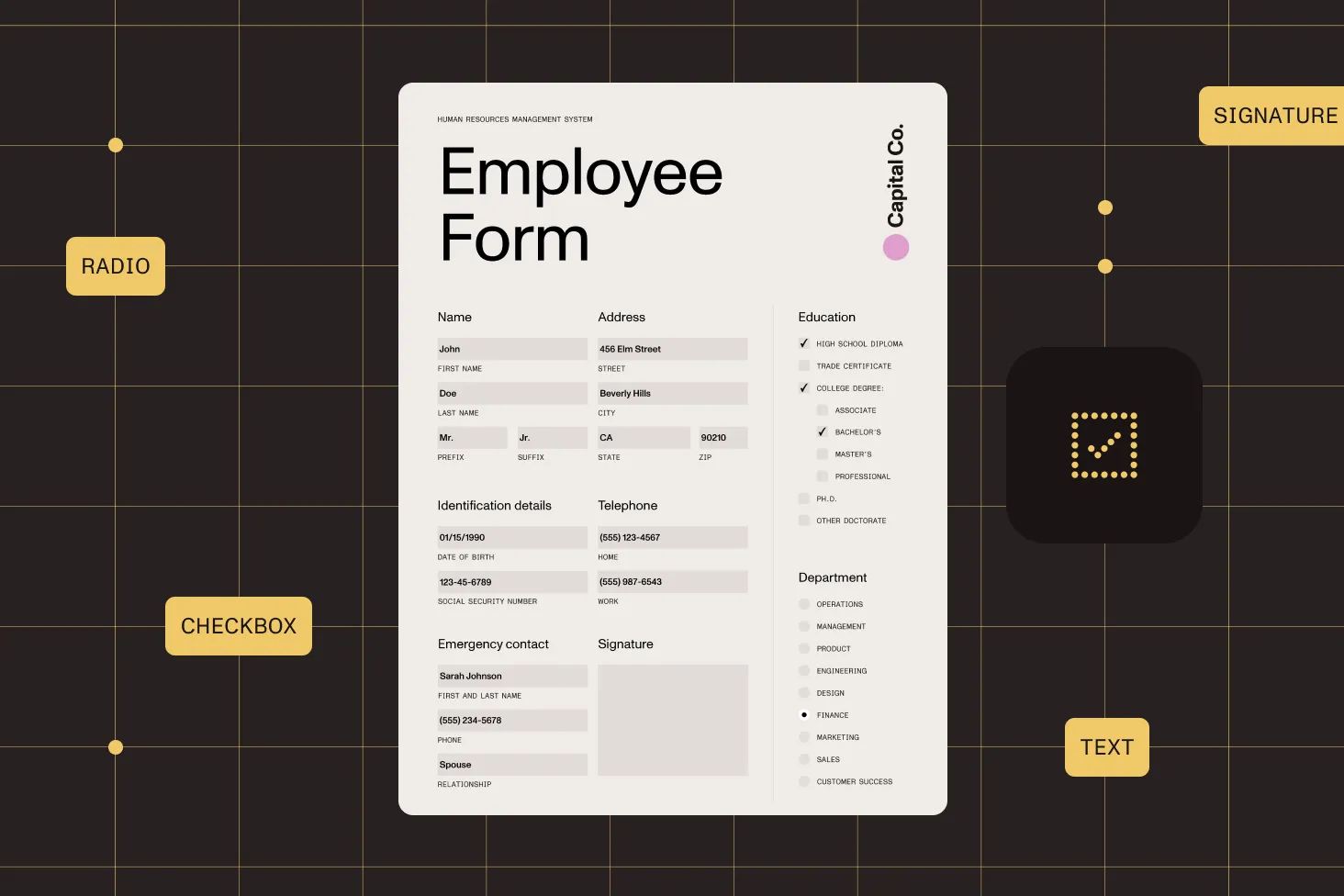
Form fields can have parent-child relationships. Navigate these structures to access nested fields grouped under parent containers like address or contact sections.
Terminal fields have associated widget annotations that define their visual appearance and page position. Access these for appearance customization and layout analysis.
Create text fields, checkboxes, radio button groups, dropdowns, list boxes, push buttons, and signature fields from scratch and add them to any page.
Documents opened with try-with-resources are closed automatically. The editor handles all internal state management, so you only manage your business logic.
The best fit depends on your needs, but a strong Java PDF forms library should fill and create every standard field type, edit field properties, batch process at scale, and run as a plain Java dependency on your own infrastructure. Nutrient Java SDK does all of this — fill text fields, checkboxes, radio buttons, dropdowns, and list boxes; set read-only and required flags; and add new fields to existing PDFs. Get started with Nutrient Java SDK to evaluate it in your own project.
Open a document, create an editor, and retrieve the form field collection. Look up fields by their fully qualified name, cast to the specific field type, and set the value. Save the document when done. The SDK handles field parsing, type validation, and appearance updates. See the form filling guide for complete Java examples.
Look up the field by name, verify the field type, and cast to the appropriate type. For radio buttons, select an option by its export value; the SDK automatically deselects the previous option. For combo boxes (dropdowns), select by matching the value to one of the predefined options. See the form filling guide.
Find the field by name and set its read-only flag. The field remains visible in PDF viewers but rejects user input. This is commonly used to lock fields after approval or to display reference data that shouldn’t be edited. See the editing field properties guide.
Find the field and set its required flag. PDF viewers typically display visual indicators (borders, asterisks) for required fields and can prevent submission when they’re empty. You can apply this across all text fields at once using batch iteration. See the editing field properties guide.
Yes. The SDK is a standard Java library, so you can iterate through records in a loop and fill each form from a database, CSV, or any data source. Each form follows the same pattern: open, fill fields, save. The form field collection supports iteration and conditional logic for type-specific handling.
The SDK supports text fields, checkboxes, radio buttons, combo boxes (dropdowns), list boxes, push buttons, and signature fields. You can fill existing fields, edit their properties, and add new fields of any type to a document. See the add form fields guide for creating new fields.
Form fields can have parent-child relationships — for example, an Address parent with Street, City, and Zip children. Check whether a field is terminal (leaf node with a value) or a parent with children. Parent fields expose a child count and indexed access to each child field. See the editing field properties guide.
Yes. The SDK supports creating all standard form field types — text fields (single and multiline), checkboxes, radio button groups, combo boxes, list boxes, push buttons, and signature fields — and adding them to any page. See the add form fields guide.
FREE TRIAL
Start filling and editing PDF forms in Java in minutes — no payment information required.
Also available for
More Java SDK capabilities




