Extract invoice data from PDF in Python and validate totals

Table of contents
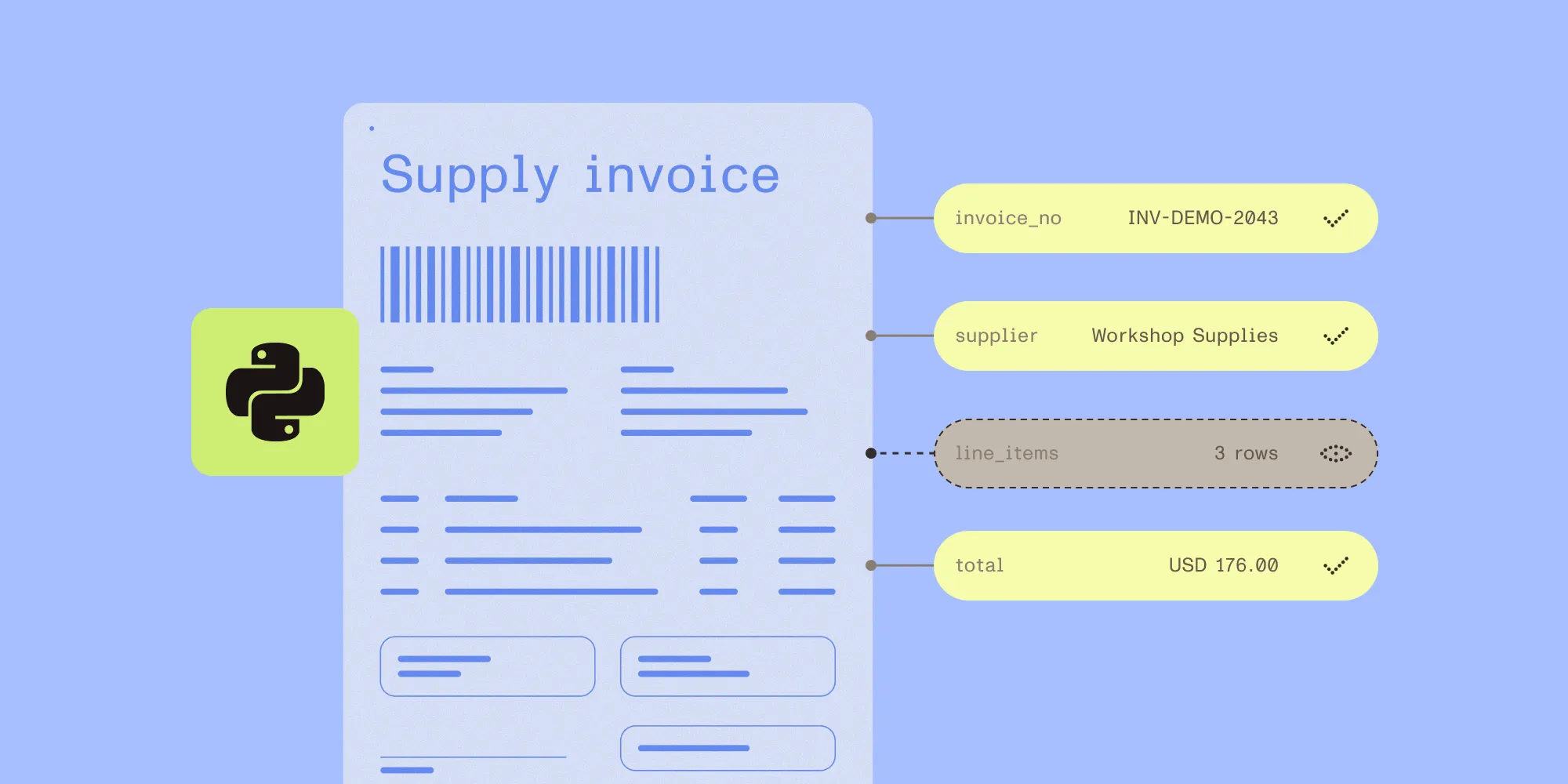
Structured output with per-field confidence scores through the Nutrient Data Extraction API.
- Extract invoice headers and line items with a JSON Schema.
- Use Python’s
Decimaltype to check line amounts and totals. - Preserve the original response and inspect citations alongside the PDF.
- Keep results pending human review, even when every arithmetic check passes.
Invoice data extraction turns a PDF into fields an application can use. Before those fields reach an accounting system, check whether every line item is present and whether the amounts agree with the source invoice.
This tutorial uses Nutrient Data Extraction API to extract a fictional invoice in Python. The application checks quantities, prices, subtotal, tax, and total, and it saves the source citations for human review. Nutrient performs extraction; the Python code implements the validation rules.
What the example checks
The sample invoice contains three rows in USD. Prices exclude tax, and there are no discounts or additional charges.
| Description | Quantity | Unit price | Amount |
|---|---|---|---|
| Archive folders | 4 | 12.50 | 50.00 |
| Storage boxes | 2 | 30.00 | 60.00 |
| Packing labels | 5 | 10.00 | 50.00 |
The subtotal is USD 160.00, tax is USD 16.00, and the total is USD 176.00. These are the expected values printed in the fictional fixture.
The validator checks three relationships: quantity multiplied by unit price equals the line amount, line amounts sum to the subtotal, and subtotal plus tax equals the total. It also flags missing fields, empty line items, invalid decimal text, and any currency other than USD.
Passing these checks establishes arithmetic consistency. A wrong quantity paired with a matching wrong line amount still passes. A reviewer must compare the extracted fields and row count with the PDF.
Set up the Python example
The example requires Python 3.10 or later and a Data Extraction API key from the Nutrient dashboard(opens in a new tab). The live extraction command uploads the sample PDF to Nutrient, which bills per page processed. For rates, refer to the pricing guide. The local validation command doesn’t call the API.
Download and unzip the complete example. It contains extract_invoice.py, invoice.pdf, example-response.json, and sample-extraction.json. example-response.json is a hand-authored test fixture with no citations; it isn’t an API response captured from a live request. sample-extraction.json holds output from the live test described below.
Open a terminal in the unzipped folder. Create a virtual environment and install requests:
python3 -m venv .venvsource .venv/bin/activatepython3 -m pip install requestsOn Windows PowerShell, use py -m venv .venv and .venv\Scripts\Activate.ps1 instead of the first two commands. After activation, use python for the remaining Python commands.
For macOS or Linux, set the key in the same terminal without placing it in shell history:
printf 'Data Extraction API key: 'stty -echoread -r NUTRIENT_API_KEYstty echoprintf '\n'export NUTRIENT_API_KEYFor PowerShell, enter it through a secure prompt:
$key = Read-Host "Data Extraction API key" -AsSecureString$env:NUTRIENT_API_KEY = [System.Net.NetworkCredential]::new("", $key).PasswordKeep the key out of source files, frontend code, and shared output. This example reads the environment variable directly; it doesn’t load a .env file.
Define invoice fields without inventing missing values
The script’s SCHEMA describes the invoice header, totals, and nested line_items array. Field descriptions ask for printed values. Numeric values use strings such as "12.50", so Python can construct decimals without a binary floating-point conversion.
def field(kind, description):    return {"type": kind, "description": description}

SCHEMA = {    "type": "object",    "properties": {        "invoice_number": field("string", "Invoice identifier exactly as printed."),        "supplier_name": field("string", "Name of the supplier issuing the invoice."),        "currency": field("string", "Currency code explicitly printed on the invoice. Do not infer from a currency symbol alone."),        "subtotal": field("string", "Printed subtotal before tax. Decimal digits with a dot, no grouping separators or currency symbols."),        "tax": field("string", "Printed total tax amount, including a printed zero. Decimal digits with a dot, no grouping separators or currency symbols."),        "total": field("string", "Printed invoice total including tax, not an outstanding balance. Decimal digits with a dot, no grouping separators or currency symbols."),        "line_items": {            "type": "array",            "description": "Every printed line-item row in source order. Do not include subtotal, tax, or total rows.",            "items": {                "type": "object",                "properties": {                    "description": field("string", "Printed line-item description."),                    "quantity": field("string", "Printed quantity as decimal digits with a dot when needed."),                    "unit_price": field("string", "Printed unit price before tax, as decimal digits with a dot."),                    "amount": field("string", "Printed line amount before tax, as decimal digits with a dot."),                },            },        },    },}
The extraction schema intentionally leaves fields optional. If tax is absent, the application needs to flag that absence rather than assume zero. The API can omit optional fields, and the local validator separately requires the values used by this example.
The request uses POST /extraction/extract, with the PDF in the file multipart field and JSON instructions in the instructions field. It selects understand mode and explicitly enables citations. This excerpt from extract_invoice.py builds the instructions and sends the request:
instructions = { "schema": SCHEMA, "instructions": "Copy only printed values. Omit missing fields; do not calculate, repair, or invent them. Keep every line-item row in source order. Normalize numeric text only as described in the schema.", "parseConfig": {"mode": "understand"}, "options": {"includeCitations": True},}with pdf.open("rb") as source: response = requests.post( "https://api.nutrient.io/extraction/extract", headers={"Authorization": f"Bearer {api_key}"}, files={"file": (pdf.name, source, "application/pdf")}, data={"instructions": json.dumps(instructions)}, timeout=(10, 330), )For new workflows, Nutrient recommends explicitly selecting auto in parseConfig.mode for per-page routing. Without a mode, the API uses understand. This example retains understand because that’s the mode used in the recorded invoice test. Results and cost in auto mode haven’t been measured for this sample. The parse configuration guide explains how to choose a mode.
The invoice extraction guide introduces the endpoint and schema structure, and the schema guide lists supported keywords. Application rules such as amount ranges belong in the validator.
Extract the invoice and save its evidence
Run the script from the folder containing the downloaded files:
python3 extract_invoice.py extract invoice.pdf invoice-runThe command creates a new invoice-run directory with two files:
| File | Contents |
|---|---|
response.json | The original API JSON response, including extracted data, citations, and page metadata. |
review.json | Extracted values, validation issues, citation flags, source file hash, and pending_human_review status. |
The script refuses to reuse an existing output directory. After an HTTP error, it exits without saving a response but leaves the empty directory; use a new directory name for the next attempt. If the response JSON has an unexpected status value, the script saves it as response.json for inspection. A timeout doesn’t prove that the service never processed the request.
Successful extraction doesn’t approve an invoice for payment. The script creates a review report and makes no accounting-system writes.
Check line items and totals with Decimal
The validator reads each numeric string with Decimal. For this fixture, unit prices and money amounts have at most two decimal places. Each line uses ROUND_HALF_UP to round the quantity multiplied by the unit price to cents.
These checks from validate_invoice compare each line, the subtotal, and the total:
if quantity is not None and price is not None and amount is not None: expected = (quantity * price).quantize(Decimal("0.01"), rounding=ROUND_HALF_UP) if expected != amount: issue(f"{prefix}.amount", f"Quantity times unit price is {expected}, extracted amount is {amount}.")if rows and len(amounts) == len(rows) and totals["subtotal"] is not None: expected = sum(amounts, Decimal("0")) if expected != totals["subtotal"]: issue("subtotal", f"Line amounts sum to {expected}, extracted subtotal is {totals['subtotal']}.")if all(value is not None for value in totals.values()): expected = totals["subtotal"] + totals["tax"] if expected != totals["total"]: issue("total", f"Subtotal plus tax is {expected}, extracted total is {totals['total']}.")The download contains the full validator and error handling. Run its local check against the hand-authored fixture first:
python3 extract_invoice.py check example-response.json baseline-review.jsonThe fixture produces zero validation issues. Its citation flags are expected because it deliberately contains no source metadata.
To test a total mismatch, make a separate copy with total changed from "176.00" to "175.00":
import jsonfrom pathlib import Path
fixture = json.loads(Path("example-response.json").read_text(encoding="utf-8"))fixture["output"]["data"]["total"] = "175.00"with Path("wrong-total.json").open("x", encoding="utf-8") as target:    json.dump(fixture, target, indent=2)
Save this code as make_mismatch.py in the same folder. Run it and check the modified fixture:
python3 make_mismatch.pypython3 extract_invoice.py check wrong-total.json mismatch-review.jsonThe report flags total: Subtotal plus tax is 176.00, but the supplied total is 175.00. This test verifies local validation behavior; it doesn’t measure extraction accuracy.
The same checks flag a missing row when the extracted subtotal still includes that row. They can’t detect every omitted row if several extracted values change together. Source comparison remains necessary.
Review citations beside the invoice
Open invoice.pdf and invoice-run/review.json beside each other. Each scalar field has its own entry, including paths such as line_items[0].unit_price.
The script flags absent, partial, or approximate source matches, along with missing page locations. It accepts id_match and id_match_multiblock as recognized match labels without treating them as proof of correctness. It preserves the full citation object, including optional confidence information, without applying an arbitrary confidence cutoff.
Check the supplier, invoice number, currency, every row, and all totals against the PDF. Missing values appear in validation_issues; citation flags apply to values that were returned. A field omitted entirely still needs attention, even though there’s no citation entry to display for it.
When building source highlighting into an application, use the matching page dimensions when converting citation coordinates. Don’t assume every bounding box is expressed in PDF points. Refer to the coordinate spaces and citations guides.
Corrections need a separate record that preserves the extracted value, corrected value, reviewer, time, and reason. Rerun validation after a correction. A citation describes the original extraction; it doesn’t automatically verify a replacement value. The downloadable script stops at the review report and doesn’t implement correction storage or approval.
What we verified
On 13 October 2026, we ran the downloadable script against this one-page fictional invoice in understand mode. All 18 extracted scalar values matched the expected values, and the report contained zero validation issues and zero citation flags.
We also checked all 18 cited regions against the rendered PDF. Each contained the corresponding value. The invoice number, supplier, and currency shared a larger header region, so a citation isn’t necessarily a tight box around one value.
Download the sample extraction output to inspect output.data, output.metadata, and output.pages. This file retains those parts of the live response and omits request identifiers, usage, and account-related metadata.
Separately, 18 local tests covered mismatched totals, a missing row, missing tax, malformed numbers, unsupported currency, rounding, nested citations, response errors, and overwrite protection.
Neither test establishes accuracy for other layouts, scans, discounts, or currencies.
Adapt validation to other invoices
This example supports one deliberately limited invoice model. Before using it with other invoices, define the rules for those documents.
| Invoice difference | Rule to add or change |
|---|---|
| Discounts, shipping, or other charges | Extract each adjustment explicitly and include it in reconciliation. |
| Tax-inclusive prices | Replace the tax-exclusive formula with the document’s calculation method. |
| More precise unit prices or another currency | Define permitted precision and rounding rules before changing the checks. |
| Credit notes or negative quantities | Handle signed values and document type explicitly. |
| Multiple tax rates | Extract and reconcile the separate tax bases and tax amounts. |
| Purchase orders or supplier records | Add reference-data matching before approval. |
The code doesn’t establish tax correctness, supplier legitimacy, duplicate-invoice status, or authorization to pay. Those require additional data and application rules. Test representative documents with known expected values before changing review policy.
Build the next step with Nutrient
Use Nutrient Data Extraction API to turn invoice PDFs into fields with source evidence. Get an API key from the Data Extraction dashboard(opens in a new tab), and run the downloadable example with the fictional invoice. Compare the output with the document before processing real invoices.
For a review screen inside an application, explore Nutrient’s document interfaces. The application still owns validation rules, reviewer permissions, corrections, approval, and export. The extraction-to-action workflow article explains how those responsibilities fit together.
FAQ
Send the invoice PDF to the Nutrient Data Extraction API with a JSON Schema that describes the header fields, totals, and line items. In Python, post the file and the instructions to /extraction/extract with requests. Then read the extracted values from output.data and the citations from output.metadata.
A float stores most decimal amounts as binary approximations, so sums such as line totals can drift by fractions of a cent. Python’s Decimal, built from strings such as "12.50", keeps exact cent values and supports explicit rounding such as ROUND_HALF_UP.
Check that quantity multiplied by unit price equals each line amount, that the line amounts sum to the subtotal, and that subtotal plus tax equals the total. Flag missing fields instead of assuming zero, and keep the result pending human review: Matching arithmetic doesn’t prove the values match the source document.