Nutrient SDK product updates for Q4 2025

Table of contents
The final quarter of 2025 capped off a year of transformation. Where Q3 laid the groundwork for intelligence and inclusivity, Q4 delivered the payoff: AI that runs entirely on users’ devices, architecture modernization that future-proofs cross-platform apps, and backend improvements that make everything faster.
Three themes defined this release:
- On-device intelligence — AI Assistant now runs locally on iOS using Apple Foundation Models, no server required.
- Platform evolution — React Native New Architecture support arrived, Android modernized its theming system, and iOS added precision tools for technical workflows.
- Backend muscle — Document Engine conversions run up to 3x faster, OCR expanded to 120+ languages, and deployment is now simpler with CDN-hosted assets.
This past quarter wasn’t about adding features for the sake of features. It was about removing the barriers that slowed teams down — infrastructure complexity, platform migration friction, and the overhead of maintaining AI pipelines.
On-device AI Assistant: Intelligence without infrastructure
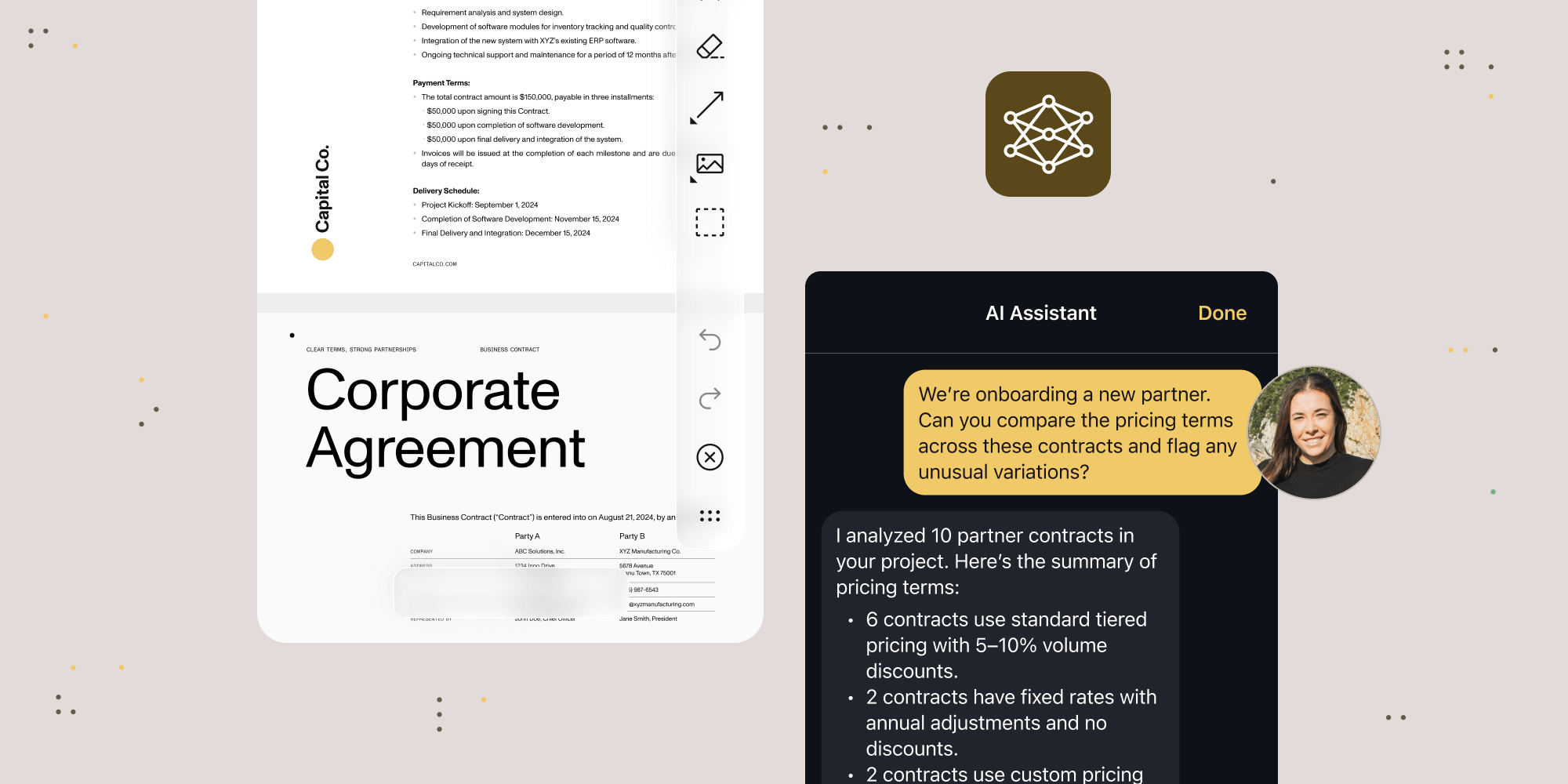
When Apple announced Foundation Models in June, we saw an opportunity to fundamentally change how AI-powered document features work. The result? On-device AI Assistant for iOS, shipped in Nutrient iOS SDK 26.2.
This isn’t a stripped-down version of our server-based AI Assistant — it’s a complete reimplementation of the AI pipeline that runs entirely on the device. Users can ask questions about documents using natural language, get intelligent answers, and never send a single byte to external servers.
The technical challenge wasn’t just integrating Apple’s large language model; it was managing context windows efficiently so the feature worked smoothly, even in documents with huge numbers of pages. We spent significant time handling the context window of Apple’s model to ensure the experience felt native.
What you get:
- Zero server dependencies — No AI Assistant server to deploy, configure, or maintain
- Privacy by design — Document content never leaves the device
- Simple integration — Add a single button to your toolbar and you’re done
- iOS 26 native design — Liquid Glass styling with capsule-shaped floating buttons that match the platform aesthetic
- Large document support — Optimized context window management handles documents with huge numbers of pages
The best part? You can try it today without writing code. Our PDF Viewer app on the App Store(opens in a new tab) includes on-device AI Assistant — just make sure Apple Intelligence is enabled on your device.
We’re continuing to invest heavily in AI Assistant server for the most advanced capabilities, but on-device AI Assistant offers a streamlined path for teams that want AI-powered document features without infrastructure overhead.
Compare AI Assistant server and on-device options to choose the best fit for your use case.
React Native New Architecture: Future-proof your cross-platform apps
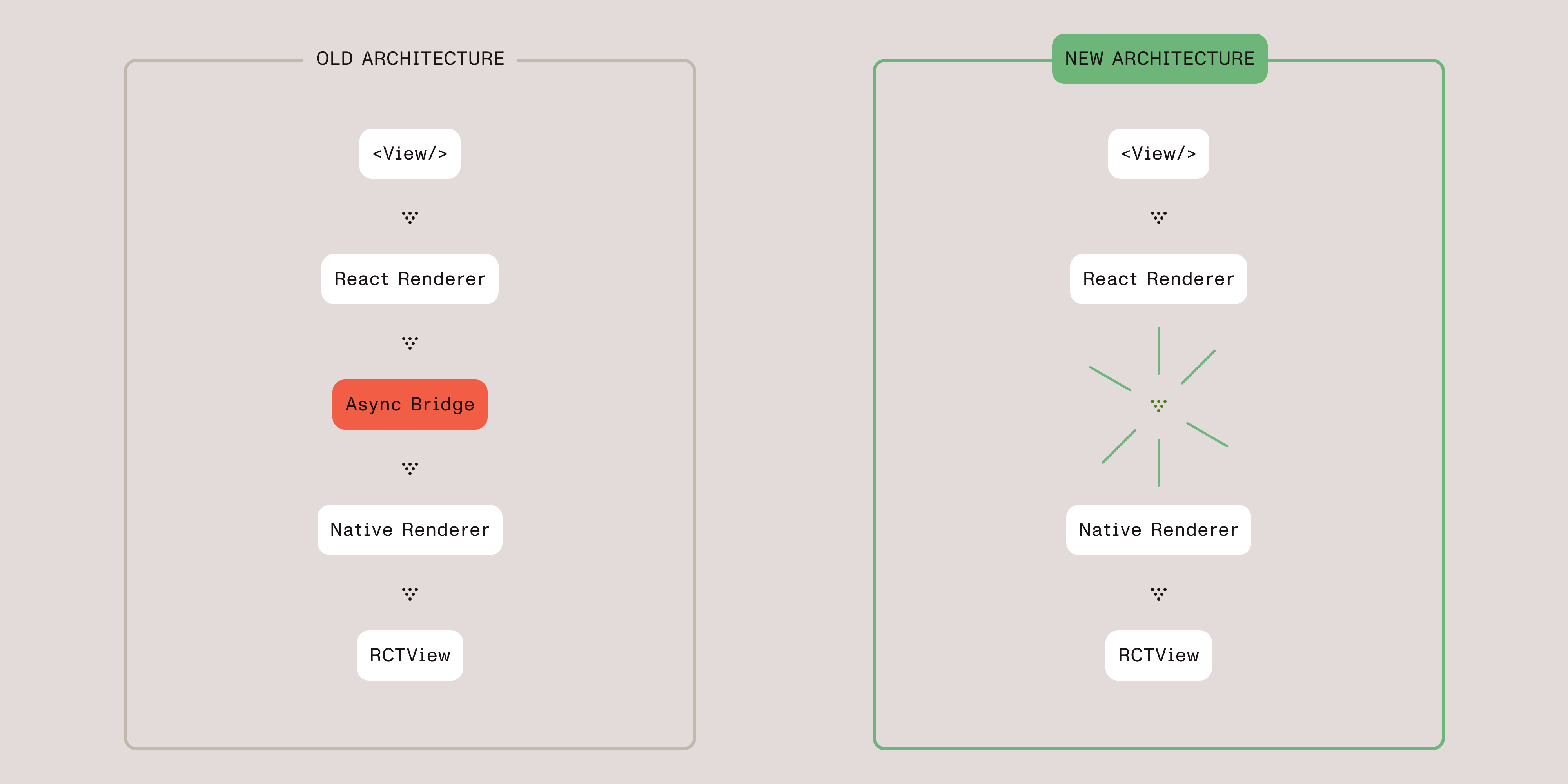
React Native’s New Architecture represents the biggest change to the framework since its release. With the JavaScript Interface (JSI) replacing the bridge, apps get synchronous native calls, better type safety, and significant performance improvements. But migration has been a challenge for complex native modules.
Nutrient React Native SDK 4 solves that. Full New Architecture support is here, with zero compromises on backward compatibility.
What this means for your team:
- New Architecture ready — When you enable New Architecture in your React Native app, Nutrient just works
- No migration pain — Internal detection handles the switch automatically; your existing code continues to function
- Type-safe callbacks — Event handling is now fully typed for better developer experience
- Latest platform targets — Updated to the latest iOS and Android SDK versions
If you’re still on the old architecture, no changes are required. The SDK detects your configuration and adapts. But when you’re ready to migrate, Nutrient won’t be the blocker.
The API has been cleaned up too — configuration options are better organized, toolbar customization is simpler, and document operations are more logically grouped.
Review the React Native 4 migration guide for detailed upgrade instructions.
Document Engine: 3x faster conversions and 120+ OCR languages
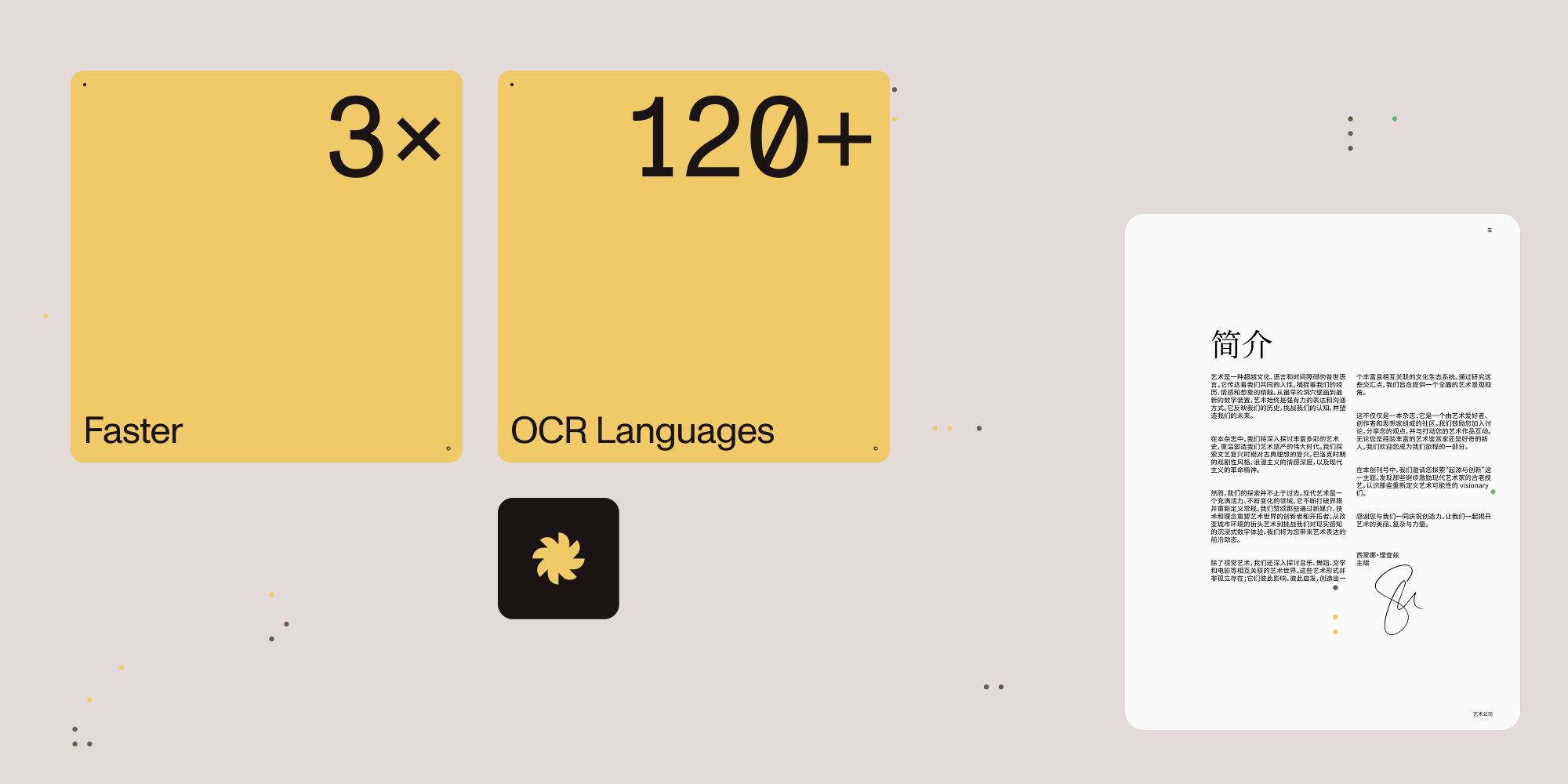
Backend document processing often becomes a bottleneck as workloads scale. Q4’s Document Engine releases attack that problem from multiple angles.
Up to 3x faster document conversion
Document Engine 1.12 shipped with a completely reengineered conversion engine. The result: up to 3x faster document conversions. For high-volume document workflows, that’s the difference between keeping up with demand and falling behind.
120+ OCR languages with flexible specification
Document Engine 1.13 dramatically expanded OCR capabilities. The new language support includes:
- Chinese — Simplified and Traditional, including vertical text variants
- Japanese and Korean — Both horizontal and vertical text orientations
- Fraktur scripts — Historical document support for German, Danish, and Slovak
- Regional variants — Old Italian, Georgian, Spanish, and Cyrillic variants for Azerbaijani and Uzbek
Language specification is now more flexible too. Instead of cryptic codes delimited by +, you can use a list mixing full names and codes:
{ "action": "ocr", "language": ["english", "german", "fra"]}Additional backend improvements
- Structured logging — JSON-formatted logs with timestamps, levels, and metadata for easier monitoring and debugging
- Markup control in DOCX conversion — Choose how comments and tracked changes appear in PDF output
- Bulk document deletion — New asynchronous endpoint for cleaning up thousands of documents efficiently
- Macro-enabled Office formats — XLSM, DOCM, PPTM, and related formats now convert to PDF
- Email header rendering — Email-to-PDF conversion now renders From, To, Subject, and Date headers
See the Document Engine 1.12 and 1.13 release notes for complete details.
Web Viewer SDK: CDN deployment and AI security improvements
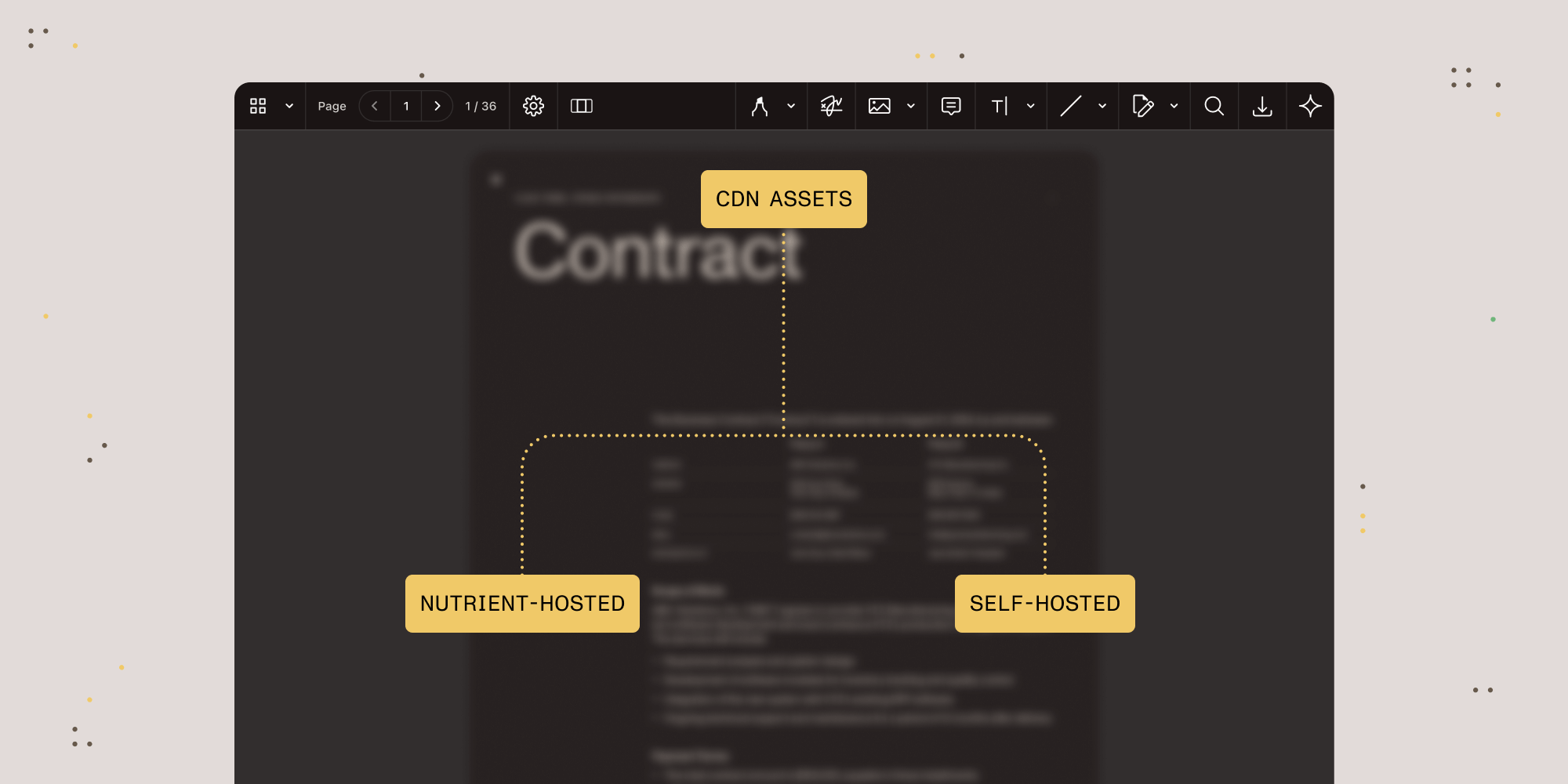
Deployment friction kills adoption. Every hour spent configuring asset paths is an hour not spent building features. Web Viewer SDK 1.9 addresses this with CDN-hosted assets.
Simplified deployment with CDN hosting
You can now opt into using Nutrient-hosted CDN assets instead of self-hosting the SDK’s static files. This means:
- Faster setup — No more copying assets from npm packages to your build output
- Better caching — Shared CDN assets across applications can improve load times
Self-hosting remains fully supported for teams with strict requirements, but for most deployments, CDN hosting removes unnecessary complexity.
AI Assistant now handles password-protected PDFs
AI Assistant can now process password-protected PDFs without additional configuration. The password handling happens automatically, so your AI-powered document workflows work seamlessly, regardless of document security settings.
Content Editor font intelligence
Content Editor now reuses embedded fonts from documents during editing. When users modify text, the SDK intelligently matches the existing font styling, ensuring visual consistency without manual font configuration. Accessibility tags are also preserved when editing text, maintaining PDF/UA compliance.
Runtime UI configuration
User interface (UI) customization can now be updated dynamically at runtime. Change toolbar configurations, enable or disable features, or adjust layouts without reinitializing the viewer.
See the Web SDK 1.9 release notes for complete details.
Android SDK: Modern themes and modernized search

Android development is in the middle of a generational shift. Material Design 3, Jetpack Compose, and Kotlin coroutines are replacing the patterns of the last decade. Q4’s Android SDK releases embraced these changes.
Material Components theme requirement
Starting with Android SDK 10.9, SDK activities and fragments must use Material Components themes. This isn’t arbitrary modernization — it’s alignment with Google’s direction for Android UI development.
Your application theme can remain whatever you prefer; only the theme applied to PDF-related screens needs to be Material Components-based. If you’re using the SDK’s provided themes or already use Material Components, no changes are required.
Modernized full-text search
The full-text search system has been rebuilt with flexible document indexing:
- Automatic directory scanning — Point the SDK at a folder and it indexes all PDFs automatically
- Real-time updates — File changes trigger reindexing without manual intervention
- Type-safe configuration — Modern, strongly-typed settings replace error-prone string configurations
Performance and refinements
- Faster rendering — Zooming, page transitions, and annotation handling are noticeably smoother
- Enhanced stylus support — Eraser tool via stylus button for more intuitive editing
- Outline font customization — Match outline typography to your design system
- ANR fixes — Resolved Application Not Responding issues on complex documents
Review the Android 10.8 and 10.9 release notes for migration details.
iOS SDK: Precision tools and performance
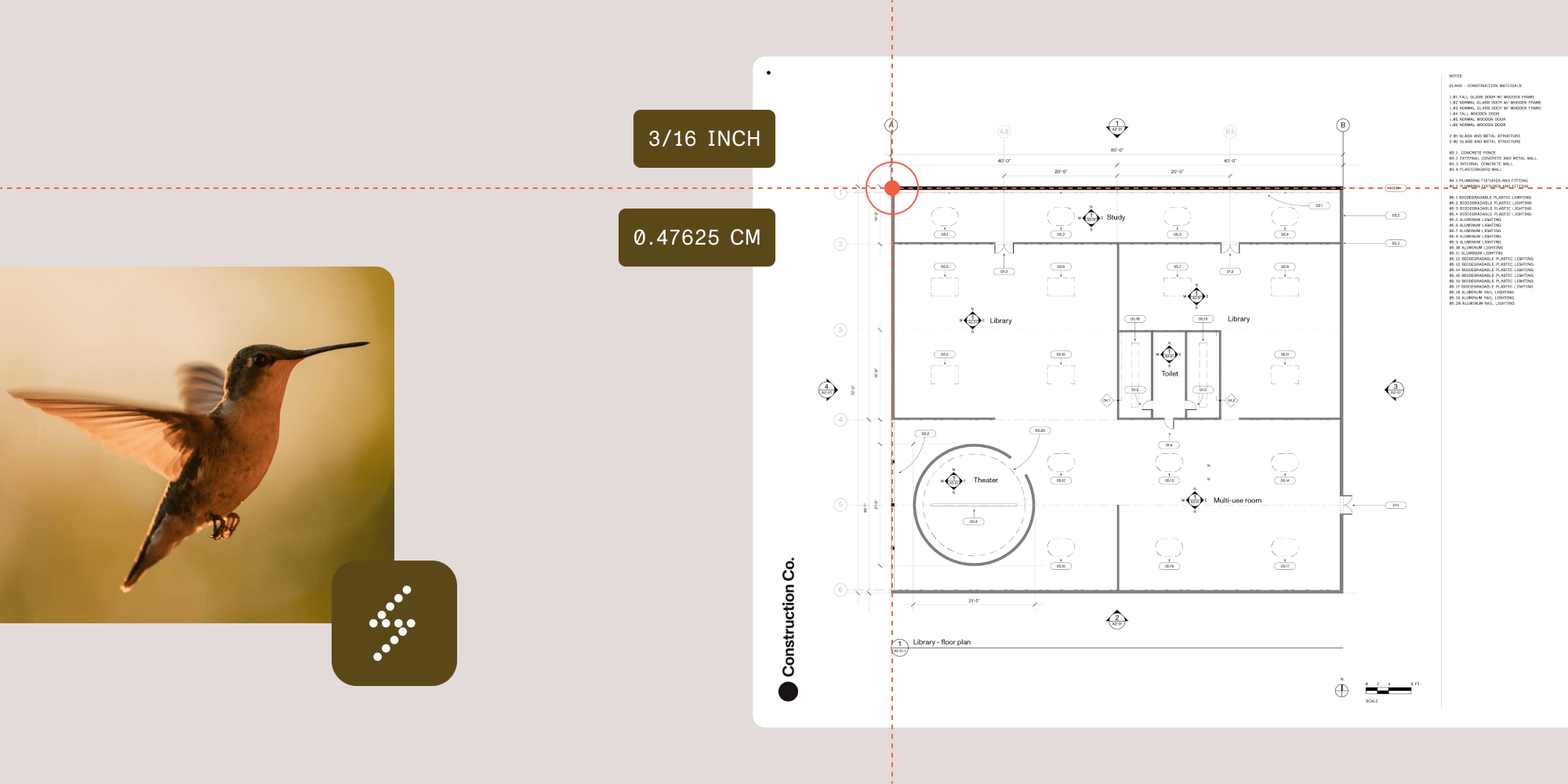
iOS SDK 26.3 focuses on two areas where precision matters: measurement tools and document handling.
Fractional scales for measurement tools
Construction documents often use United States customary units with fractional values — scales like 3/16 in : 1 ft are common. Until now, our measurement tools only supported decimal input.
Nutrient iOS SDK 26.3 adds fractional scale input. Users can type values like “3/16,” and the SDK preserves them exactly as entered, with automatic conversion between formats as needed.
This might seem like a small feature, but for teams building applications for the construction industry, it removes a significant usability gap.
Document opening performance
We’re continuing long-term work to improve responsiveness in complex documents. This release speeds up opening documents in automatic double-page mode — especially noticeable in documents with tens of thousands of pages.
Font rendering improvements
Some customers encountered documents where text rendered with incorrect characters because non-embedded fonts weren’t available on iOS. We’ve added hardcoded Unicode mappings for common fonts (Arial, Arial Narrow, Lucida Sans, Times New Roman, Trebuchet) to ensure text remains readable, even when exact fonts aren’t available.
See the iOS SDK 26.3 release notes for complete details.
The “while we were at it” list
Not every improvement needs a dedicated section. While shipping the headline features above, our teams tucked in quality-of-life upgrades that remove daily friction.
| Product | New capability | Impact |
|---|---|---|
| AI Assistant 1.6 | Bearer token authentication | Simpler integration alongside existing auth systems |
| AI Assistant 1.6 | Streamlined database setup | Only DATABASE_URL required |
| .NET SDK 14.3.19 | Markdown (.md) conversion | Full support for headings, tables, lists, code blocks |
| .NET SDK 14.3 | Improved PDF/UA auto-tagging | Documents stay compliant through annotation operations |
| Flutter SDK 5.2 | Unified annotation styling interface | Cleaner control over annotation behaviors |
| Java SDK 14.3 | Save/load custom settings without code | Faster configuration workflows |
| Web SDK 1.8 | AI document helper APIs | Type-safe handling of AI comparison and analysis results |
| Web SDK 1.8 | Accessibility tag preservation | PDF/UA compliance maintained through annotation operations |
Try these updates
Ready to experience these improvements? Start your trial to explore our latest features. Have questions or want to share how you’re using these capabilities? Join our Discord community(opens in a new tab) where developers exchange patterns, solutions, and feedback.