Nutrient .NET SDK
Need pricing or implementation help? Talk to Sales.
PDF FORMS IN C#
using GdPicturePDF gdpicturePDF = new GdPicturePDF();gdpicturePDF.LoadFromFile(@"C:\temp\source.pdf");
int fieldCount = gdpicturePDF.GetFormFieldsCount();for (int i = 0; i < fieldCount; i++){ int fieldId = gdpicturePDF.GetFormFieldId(i); string title = gdpicturePDF.GetFormFieldTitle(fieldId);
if (title == "Family Name") gdpicturePDF.SetFormFieldValue(fieldId, "Doe"); else if (title == "Given Name") gdpicturePDF.SetFormFieldValue(fieldId, "Jane");}
gdpicturePDF.SaveToFile(@"C:\temp\output.pdf");using GdPicturePDF gdpicturePDF = new GdPicturePDF();gdpicturePDF.LoadFromFile(@"C:\temp\source.pdf");
// Set coordinate system and units.gdpicturePDF.SetOrigin(PdfOrigin.PdfOriginTopLeft);gdpicturePDF.SetMeasurementUnit( PdfMeasurementUnit.PdfMeasurementUnitCentimeter);gdpicturePDF.SelectPage(1);
// Add a text form field (returns its ID).int fieldId = gdpicturePDF.AddTextFormField( 1, 2, 8, 3, "FullName", "", true, "", 12, 0, 0, 255);
gdpicturePDF.SaveToFile(@"C:\temp\output.pdf");using GdPicturePDF gdpicturePDF = new GdPicturePDF();gdpicturePDF.LoadFromFile(@"C:\temp\source.pdf");
// Flatten all form fields — values become// part of the page content and can no longer// be edited.gdpicturePDF.FlattenFormFields();
gdpicturePDF.SaveToFile(@"C:\temp\output.pdf");USE CASES
Create PDF forms programmatically — add text fields, checkboxes, radio buttons, dropdowns, and signature fields to any page. Configure font, size, color, and alignment per field.
Loop through form fields by title and set values from any data source. Import XFDF data from files or database streams to fill hundreds of forms in a single run.
Read field types, values, and locations from submitted forms. Export the data to CSV, push it to a database, or feed it into a downstream processing pipeline.
Once a form is completed, flatten all fields so the values become part of the page content. The form can no longer be edited — useful for archiving and compliance.
Add form fields to any PDF page. Configure the coordinate system, measurement units, position, and dimensions. Each field returns an ID for later reference.
Set field values programmatically by looping through fields and matching by title. Import data from XFDF files or database streams for batch filling.
Read field types, values, locations, and page numbers from submitted forms. Export structured data to CSV or pass it to downstream systems.
Flatten form fields so values become permanent page content. Flatten all fields at once or target specific pages. Remove fields entirely when needed.
ADVANCED CAPABILITIES
The SDK covers the full lifecycle of PDF forms — create fields, fill values, edit appearance, extract data, flatten for archiving, and attach interactive actions. All operations are available in both C# and VB.NET.
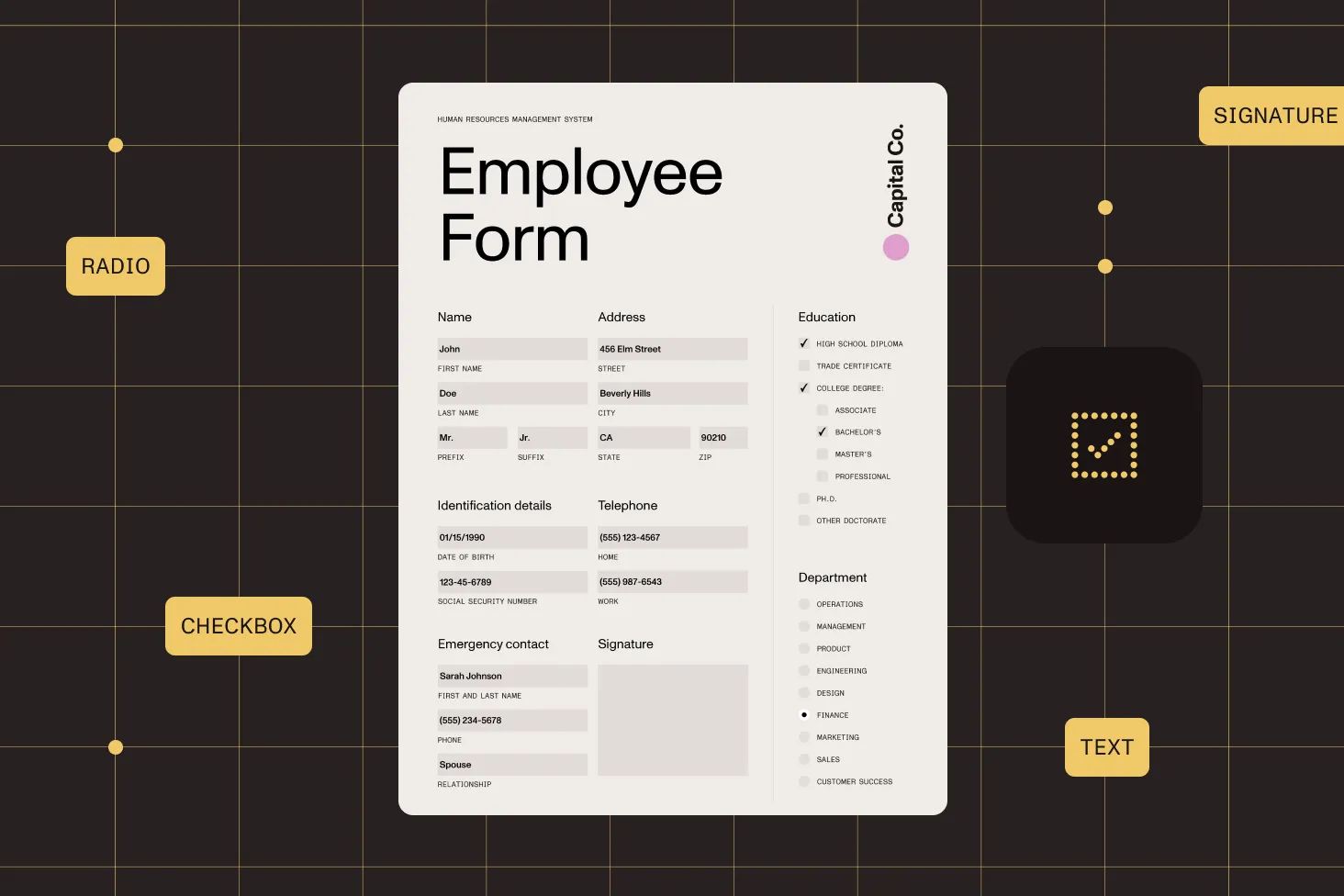
Attach actions to form fields — navigate to a page, open a URL, launch an application, or execute JavaScript when a user interacts with a field.
Add, delete, and configure items in dropdown and list box fields. Enable custom entry on combo boxes and commit-on-selection for immediate value capture.
Configure font type (standard, TrueType, or from file), font size, font color (RGB or CMYK), and text alignment for each text field independently.
All form operations are available in VB.NET with the same API. The guides include complete code examples in both C# and VB.NET.
Load the PDF, loop through the form fields, match each field by its title, and set the value. Save the output to a new file. The SDK handles field parsing and value rendering. See the programmatic filling guide for a complete C# example.
Load a PDF, set the coordinate system and measurement units, select a page, and add form fields. Each field type has its own method that returns a field ID for later reference. You can configure font, size, color, and alignment per field. See the create form guide.
The SDK can import form field values from XFDF files or from database streams containing XFDF data. You control whether to import form fields, annotations, or both. See the XFDF import guide and the database import guide.
Flattening converts form fields into permanent page content — values are preserved but can no longer be edited. You can flatten all fields at once or target a specific page. See the flatten guide.
Loop through the form fields and read each field’s type, title, value, location, and page number. You can export the data to CSV or push it to any downstream system. See the extract form data guide.
The SDK supports text fields (single and multiline), checkboxes, radio buttons, combo boxes (dropdowns), list boxes, push buttons, and digital signature fields. You can create, fill, edit, and remove any of these field types. See the form fields introduction.
Yes. The SDK supports PDF actions on form fields — navigate to a page in the same or a different PDF, open a URL, launch an application, or execute JavaScript when a user interacts with a field. See the PDF actions guide.
Yes. All form operations are available in VB.NET with the same API surface. The form guides include complete code examples in both C# and VB.NET.
FREE TRIAL
Start creating and filling PDF forms in C# in minutes — no payment information required.
Also available for
More .NET SDK capabilities




