Extract text and full document structure with OCR and Vision API

From high-speed OCR for templated documents to AI-powered Vision API for complex scanned content, Nutrient provides the right extraction technology for your specific needs. Process digitally born PDFs, scanned images, forms, and unstructured documents with industry-leading accuracy.

Nutrient SDK OCR and Data Extraction

What do you want to do with documents?

Extract text at high speed

Process thousands of documents with classic OCR — 120+ languages, minimal overhead, optimized for invoice batches and search indexing.

Extract any document data

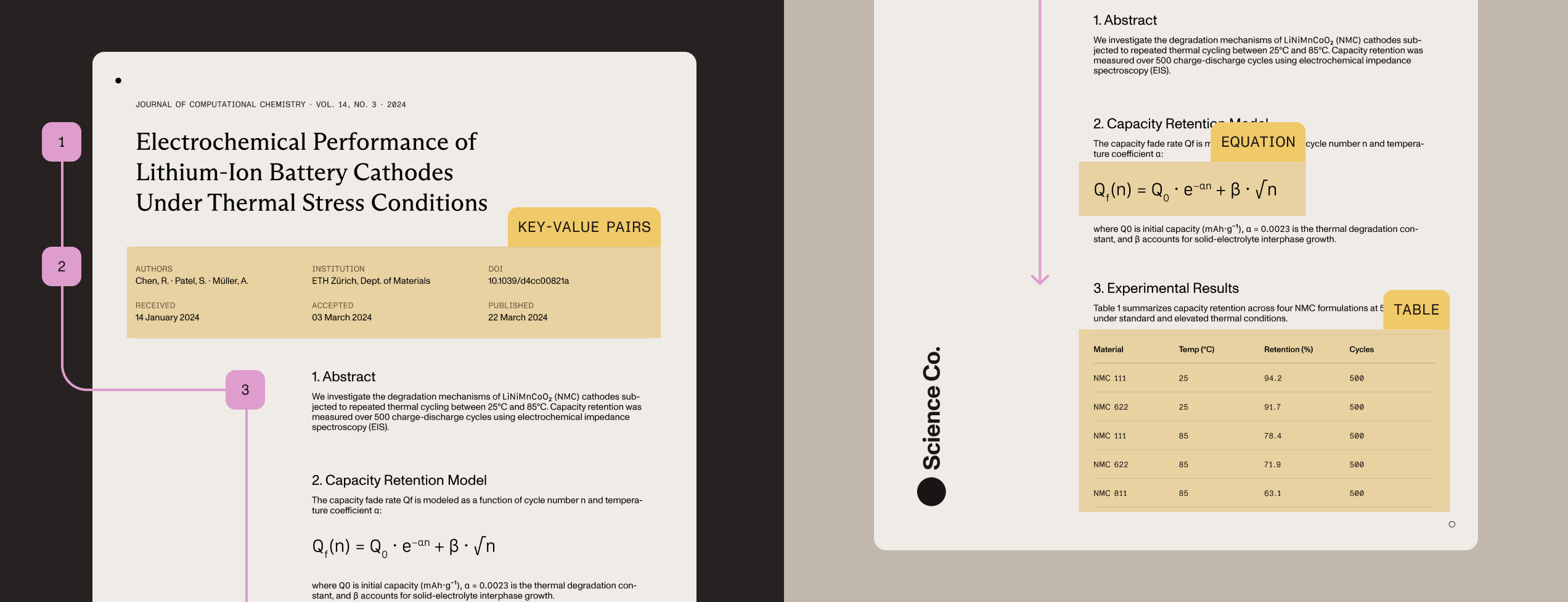
Pull out structured data, including tables with cell boundaries, handwritten text, mathematical equations, and key-value pairs using Vision API’s local ICR or cloud VLM-enhanced processing.

Generate image descriptions

Create WCAG-compliant alt text and image captions with Claude, OpenAI, or local AI models for complete privacy control.

Keep sensitive data secure

Process documents entirely on-premises for HIPAA compliance and air-gapped environments, or connect to cloud VLMs when accuracy takes priority.

How we help


AI DOCUMENT PROCESSING

Classify and extract with LLM-powered intelligence

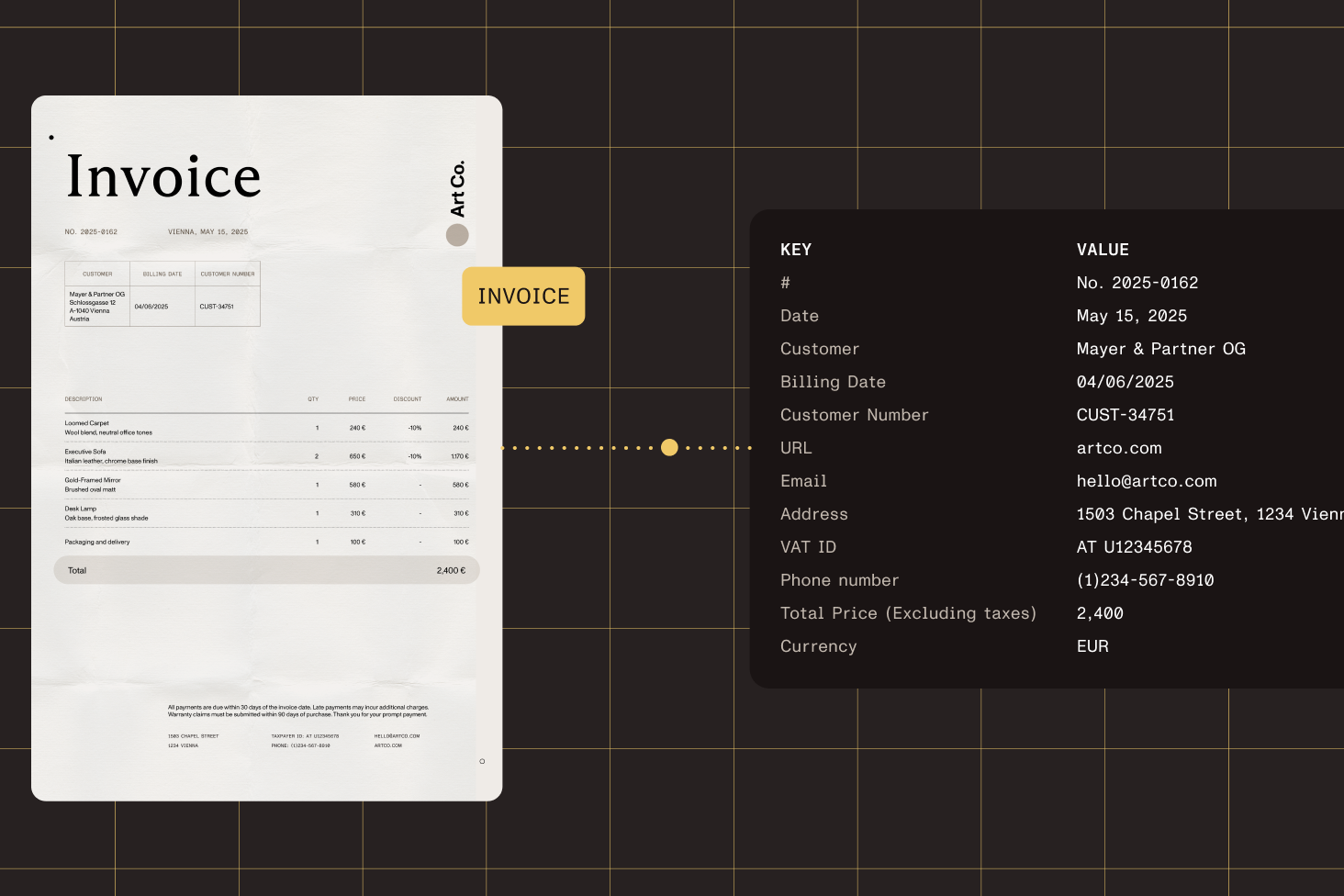
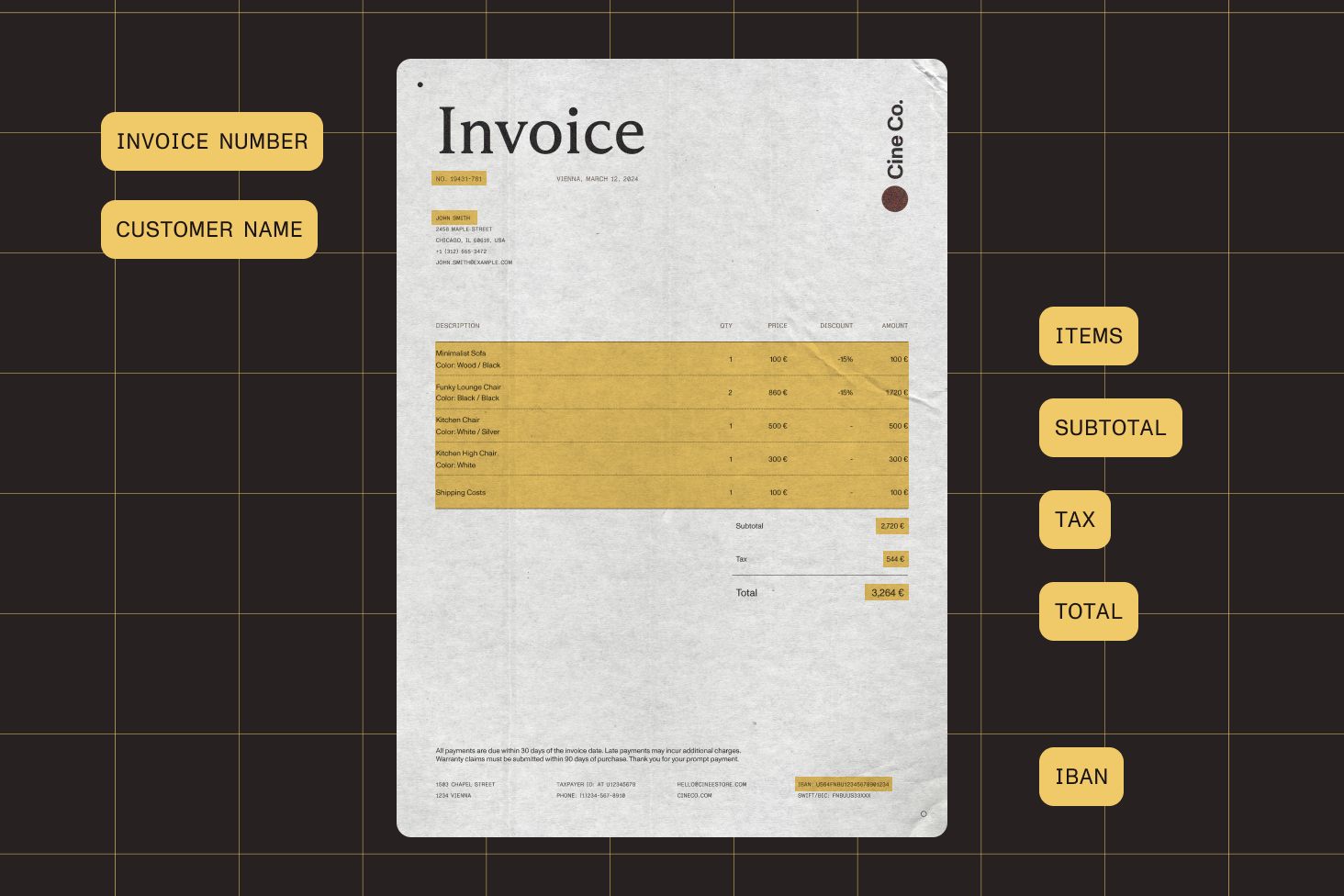
Automatically recognize document types and extract structured data using AI Document Processing’s hybrid approach — combining proven key-value pair technology with large language models for unmatched accuracy across 100+ file types.

Automatic classification using AI

Automated document recognition

Automatically identify invoices, resumes, passports, purchase orders, and more using AI-powered classification.

Preconfigured templates included

Start immediately with 10 built-in templates for common documents, or build custom templates for specialized workflows.

Hybrid LLM + KVP technology

Combine large language models with proven key-value pair extraction for best-in-class accuracy on unstructured documents.

Built for .NET applications

Seamlessly integrate into .NET 8.0+ applications with multithreaded performance for high-volume processing.

OCR

Fast text extraction for high-throughput workflows

Extract text from scanned documents at speed with classic OCR — available across all platforms with 120+ languages. Optimized for invoice batches, search indexing, and high-volume processing where speed takes priority over semantic analysis.

Use OCR to search images and PDFs

Available on all platforms

Process documents with OCR on Web, .NET, Python, Java, iOS, and Android — consistent text extraction across your entire stack.

Extensive language support

Recognize text in 120+ languages — the most comprehensive language coverage for global document processing.

Throughput-optimized extraction

Minimal computational overhead for high-volume scenarios like invoice batches, receipt scanning, and search indexing.

Intelligent preprocessing

Automatic deskew, noise reduction, and orientation detection — plus zonal OCR for targeted field extraction.

Vision API document structure analysis

VISION API

Understand document structure with intelligent content recognition

Analyze document structure with Vision API’s intelligent content recognition. Choose local ICR for privacy-sensitive processing, or connect to Claude/OpenAI for VLM-enhanced accuracy — available for Python and Java.

Complete document understanding

Analyze document layout with semantic element detection — identify headings, paragraphs, tables, lists, equations, and hierarchical relationships.


Local AI processing

Run entirely offline with local AI models for HIPAA, SOC 2, and air-gapped environments — no external API calls required.


Hybrid cloud enhancement

Optionally connect to Claude or OpenAI for VLM-enhanced ICR with improved table cell boundaries and classification confidence.


AI-powered accessibility

Generate WCAG-compliant alt text and image captions using Claude, OpenAI, or local AI models for complete privacy control.

COMPARE

Choose the right extraction technology

Compare OCR, Vision API, and AI Document Processing to find the best fit for your document type, workflow, and accuracy requirements.

OCR
Vision API
AI Document Processing
Best for document type
Digitally born PDFs with fixed templates — invoices, receipts, forms where layout is consistent
Scanned documents or non-digitally born content — handwritten forms, research papers, variable layouts
Documents requiring classification and extraction — invoices, resumes, passports with varying formats
Platform availability
All platforms: Web, .NET, Python, Java, iOS, Android, Document Engine
Python and Java SDKs only
.NET 8.0+ only
Processing mode
Text extraction only — converts images to searchable text with minimal overhead
Intelligent content recognition (ICR) — local AI models or optional cloud VLM enhancement
Hybrid LLM + key-value pair — on-premises classification and extraction
Key capabilities
120+ languages, zonal OCR, preprocessing (deskew, noise reduction), throughput-optimized
Table extraction with cell boundaries, handwriting recognition, equation detection (LaTeX), document structure analysis
10 preconfigured templates, automated document classification, structured data extraction, custom template builder
Template requirements
Best with fixed templates — use Document Engine + Viewer if you control PDF creation
No templates required — handles variable layouts and unstructured content
Works with or without templates — 10 built-in templates adapt to format variations
When to use
You control PDF creation or the document follows a fixed template — high-volume batches where speed is priority
Content isn’t digitally born or no fixed template exists — need semantic understanding of document structure
Need classification and extraction in one step — processing mixed document types at scale
Language support
120+ languages (Document Engine) — most comprehensive coverage in industry
Multilingual support via AI models — handles mixed-language documents
Multilingual via LLM — optimized for common business documents
Deployment options
Fully on-premises — no external API calls required
Local ICR for privacy or cloud VLM for accuracy — flexibility to balance compliance vs. performance
Fully on-premises with .NET runtime — meets HIPAA, SOC 2, air-gapped requirements
Ideal use cases
Invoice batches, receipt scanning, search indexing, high-volume text extraction
Forms with handwriting, research papers with equations, complex tables, scanned documents
Automated invoice processing, resume parsing, passport extraction, mixed document workflows

PROVEN AT SCALE

Trusted by the brands that move the world


Replaced paper and email with Nutrient Workflow to automate multilevel approvals across six Latin American offices, processing 236 asset requests.


Renders multipage PDFs and signature tags with Nutrient, keeping 200 million users in 188 countries moving at the speed of eSignature.


Empowers 34,000 pilots to view, annotate, and sign 90‑page flight releases on iPad using Nutrient iOS SDK, saving minutes — and money — on every flight.


Frequently asked questions

Which data extraction technology should I use for my use case?

Choose based on your document type and workflow needs. Use OCR for high-throughput text extraction from scanned documents with minimal overhead — ideal for invoice batches and search indexing. Use Vision API when you need to understand document structure, extract tables with cell boundaries, recognize handwriting, or process mathematical equations. Use AI Document Processing when you need automated document classification combined with data extraction using preconfigured templates — perfect for invoices, resumes, and passports.

What platforms support OCR, Vision API, and AI Document Processing?

OCR is available across all platforms: Web, .NET, Python, Java, iOS, Android, and Document Engine — making it the most versatile option for cross-platform text extraction. Vision API is currently available for Python and Java SDKs, offering intelligent content recognition with local or cloud processing. AI Document Processing is exclusively available for .NET 8.0+ applications, providing LLM-powered classification and extraction.

How many languages does Nutrient OCR support?

Nutrient’s Document Engine OCR supports 120+ languages — the most comprehensive language coverage in the industry. This includes complex scripts like Arabic, Chinese, Japanese, Korean, Thai, Hebrew, and Cyrillic alphabets. Language packs can be selectively loaded to optimize memory usage and processing speed based on your application’s specific requirements.

Can Vision API extract tables with cell boundaries and structure?

Yes. Vision API’s intelligent content recognition (ICR) can extract tables with complete structural information, including cell boundaries, row and column relationships, and hierarchical data. It also recognizes handwritten text, mathematical equations (outputting LaTeX format), and document layout elements like headings, paragraphs, and lists. You can use local ICR for privacy-sensitive processing or connect to Claude/OpenAI for VLM-enhanced accuracy.

What’s the difference between Vision API’s local ICR and cloud VLM modes?

Local ICR runs entirely on-premises using local AI models — perfect for HIPAA compliance, SOC 2 requirements, and air-gapped environments with no external API calls. Cloud VLM-enhanced ICR optionally connects to Claude or OpenAI for improved table cell boundary detection and higher classification confidence on complex documents. Both modes are available in Python and Java, giving you complete flexibility to balance privacy requirements against accuracy needs.

Does AI Document Processing require templates for every document type?

AI Document Processing includes 10 preconfigured templates for common document types (invoices, resumes, passports, purchase orders, etc.) that work immediately without configuration. You can also build custom templates for specialized workflows using the template builder. The hybrid LLM + key-value pair approach adapts to document variations within each category. A single invoice template handles multiple layouts — no need to create separate templates for every format.

Can I process documents entirely offline for compliance requirements?

Yes. OCR and Vision API with local ICR both support completely offline, on-premises processing with no external API calls — meeting HIPAA, SOC 2, and air-gapped environment requirements. Vision API can use local AI models (LM Studio, Ollama, vLLM) for image description generation while maintaining full data privacy. AI Document Processing also runs entirely on-premises within your .NET application infrastructure.

What file formats are supported for data extraction?

All three technologies support 100+ file types, including PDFs (digitally born and scanned), image formats (TIFF, JPG, PNG, BMP, GIF, HEIF), Office documents (Word, Excel, PowerPoint), email formats (EML, MSG), web formats (HTML, MHTML), and text formats (RTF, TXT). Vision API and OCR are optimized for image-based documents, while AI Document Processing excels at processing any document type that requires classification and structured extraction.

How does handwriting recognition work across the different technologies?

Vision API provides the most advanced handwriting recognition using intelligent content recognition with optional VLM enhancement; it’s capable of handling cursive writing, mixed printed/handwritten text, and mathematical equations. OCR includes basic handwriting recognition suitable for forms and structured documents with clearly written text. For production handwriting workflows, Vision API’s ICR mode is recommended for the highest accuracy.

Can I generate WCAG-compliant alt text for images in documents?

Yes. Vision API includes image description generation using Claude, OpenAI, or local AI models — creating WCAG-compliant alt text and detailed image captions for accessibility compliance. You can choose cloud-based models (Claude, OpenAI) for highest quality descriptions, or use local AI models (LM Studio, Ollama) to keep sensitive document images completely private while still generating accessible descriptions.

What’s included in the free trial?

Start a free trial with watermark-limited access to OCR, Vision API, and AI Document Processing across all supported platforms. The trial includes full documentation, code samples, and developer support to evaluate features before purchasing. For extended testing or enterprise demos, contact Sales for a temporary production license key.

How do I get started with integration?

Explore platform-specific guides for Web OCR, Python Vision API, or AI Document Processing. Each guide includes complete code samples, API references, and step-by-step tutorials. You can also try the interactive Web Playground to test OCR capabilities in your browser without any installation.


FOR DEVELOPERS

Power your app with our SDK in minutes


Complete data extraction platform

Nutrient provides three specialized technologies for document data extraction — OCR for high-speed text extraction, Vision API for intelligent document understanding, and AI Document Processing for automated classification and extraction. Each technology is optimized for specific use cases and document types, giving you the flexibility to choose the right tool for your workflow.

When to use OCR vs. Vision API vs. AI Document Processing

Choose the right technology based on your specific requirements:

  • OCR — High-throughput text extraction from scanned documents with 120+ languages. Ideal for invoice batches, receipt scanning, and search indexing where speed is the priority.
  • Vision API — Document structure analysis with table extraction, handwriting recognition, and equation detection. Perfect for forms, research papers, and complex layouts requiring semantic understanding.
  • AI Document Processing — Automated classification combined with data extraction using preconfigured templates. Best for processing invoices, resumes, passports, and purchase orders at scale.
Platform availability and deployment options

Each technology supports different platforms and deployment models:

  • OCR — Available on all platforms (Web, .NET, Python, Java, iOS, Android, Document Engine) with consistent text extraction across your entire technology stack.
  • Vision API — Python and Java SDKs with flexible deployment — run entirely on-premises with local AI models or connect to Claude/OpenAI for VLM-enhanced accuracy.
  • AI Document Processing — .NET 8.0+ applications with on-premises LLM processing, ensuring complete data privacy and compliance with HIPAA and SOC 2 requirements.
Privacy-first processing with local and cloud options

Balance privacy requirements against accuracy needs with flexible processing modes:

  • Complete offline processing — OCR, Vision API with local ICR, and AI Document Processing all support fully on-premises deployment with no external API calls for air-gapped environments.
  • Hybrid cloud enhancement — Vision API can optionally connect to Claude or OpenAI for improved table cell boundary detection and higher confidence on complex documents when accuracy is critical.
  • Local AI models — Vision API supports LM Studio, Ollama, and vLLM for image description generation while keeping all data completely private and compliant.
Advanced extraction capabilities across technologies

Each technology provides specialized capabilities for different extraction needs:

  • Vision API ICR — Extract tables with complete cell boundaries and hierarchical structure; recognize handwritten text, including cursive; and detect mathematical equations outputting LaTeX format.
  • AI Document Processing — Classify documents into 10 preconfigured categories and extract structured data in a single operation using hybrid LLM + key-value pair technology.
  • OCR preprocessing — Automatic deskew, noise reduction, orientation detection, and zonal OCR for targeted field extraction from forms and ID cards.
  • Accessibility features — Generate WCAG-compliant alt text and image captions using Claude, OpenAI, or local AI models for complete accessibility compliance.
Why developers choose Nutrient for data extraction

Nutrient’s data extraction platform provides unique advantages over competitors with fragmented offerings. Instead of choosing between basic OCR libraries or expensive cloud-only services, you get three specialized technologies that work together — offering cross-platform consistency, flexible deployment models, and the industry’s most comprehensive language support (120+ languages). Complete documentation, code samples, and developer support are included with every license, and all technologies support on-premises deployment for compliance with HIPAA, SOC 2, and air-gapped requirements.