Watermarker fails to load because Microsoft enforces Content Security Policy (CSP)
On 1 March 2026, Microsoft began enforcing Content Security Policy (CSP) in SharePoint Online. Browsers now block scripts that aren’t in trusted script sources.
Before this change, SharePoint logged CSP violations but still loaded scripts. Microsoft now enables scripts only from trusted paths. SharePoint currently trusts /Scripts/Extensions/, but the Watermarker script loads from /Scripts/, which is outside that scope.
What you’ll see
Your SharePoint page doesn’t load. You’ll see Working on it... in the upper-right corner of the page.
When you open the browser console (F12), SharePoint shows a CSP violation error for the Watermarker script. The error states that SharePoint blocked the script because it’s not in a trusted script source. The following image shows the error message.

Resolution
To resolve the issue, ask your SharePoint Administrator or Global Administrator to complete these steps:
- Go to SharePoint Admin Center > Advanced > Script sources.
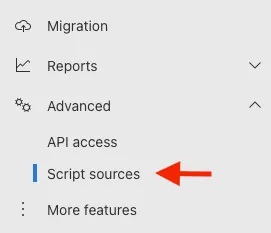
- Check the entry for the Muhimbi domain. It’s usually scoped to a subdirectory (for example,
https://muhimbi-pcso.azurewebsites.net/Scripts/Extensions/) or missing. - Add another trusted source for the full domain:
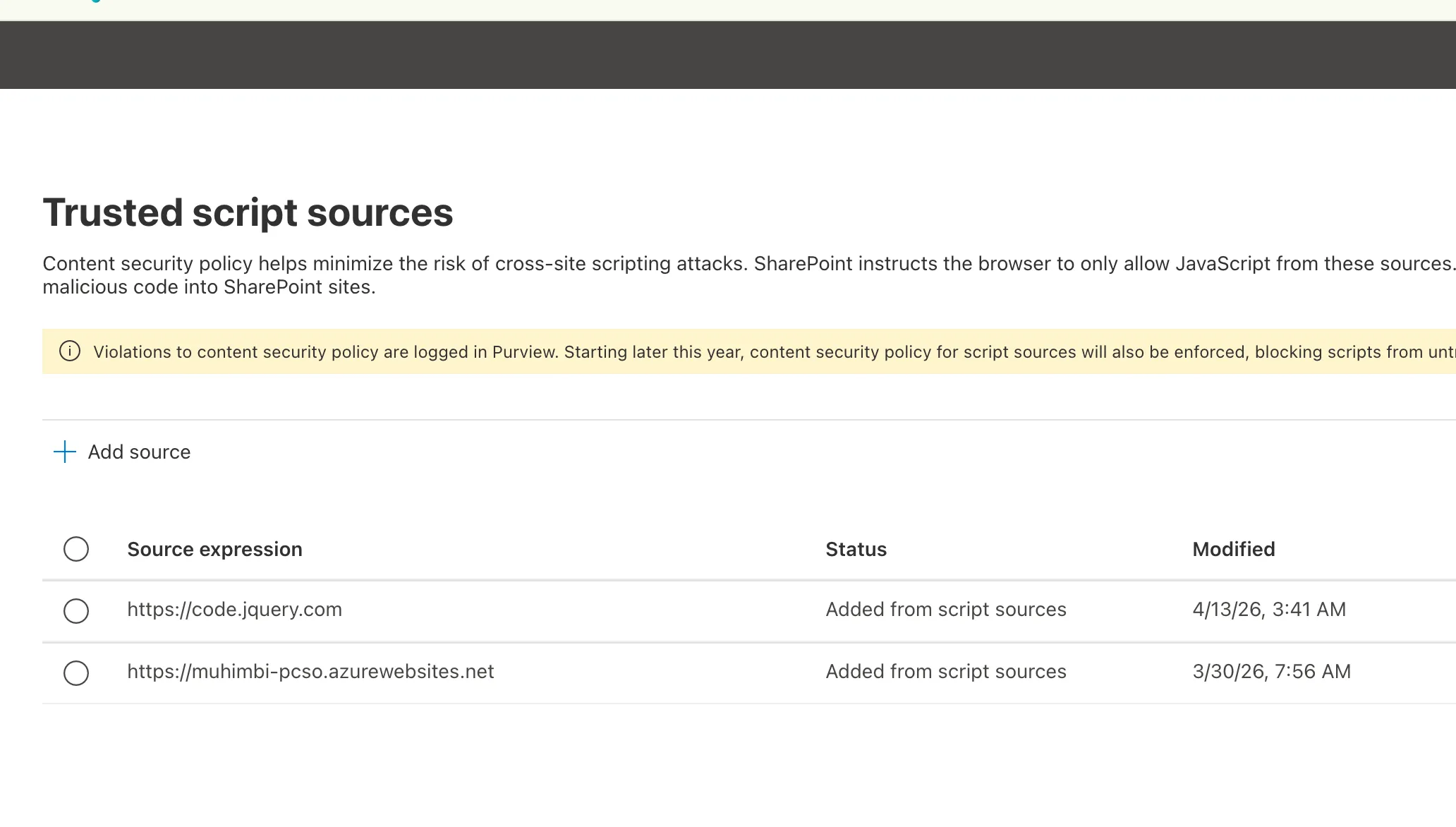
https://muhimbi-pcso.azurewebsites.net. - Add a trusted source for the jQuery CDN that the Watermarker depends on:
https://code.jquery.com.
After the update, the list of trusted script sources should include a new Muhimbi entry and a new jQuery entry, as shown in the following image.
Changes to trusted script sources usually take effect within 15–60 minutes.
For more information about this Microsoft change, refer to the Content Security Policy in SharePoint Online(opens in a new tab) guide.