Extract magnetic ink character recognition (MICR) data from bank checks in C#. The SDK’s OCR engine reads the MICR line automatically — no need to specify its location on the document. Both E-13B and CMC-7 fonts are supported.
Read the bank routing number from the MICR line to identify the issuing financial institution.
Extract the account number from scanned or photographed checks for automated deposit processing.
Capture the check serial number for reconciliation, duplicate detection, and audit trails.
Read transaction type indicators and auxiliary fields encoded in the MICR line.
MICR RECOGNITION
The SDK uses its OCR engine to recognize the MICR line printed at the bottom of bank checks. It automatically locates the MICR area — you don’t need to define a region of interest. Load the check image, run the OCR process with the appropriate font context, and get the extracted text back as a string.
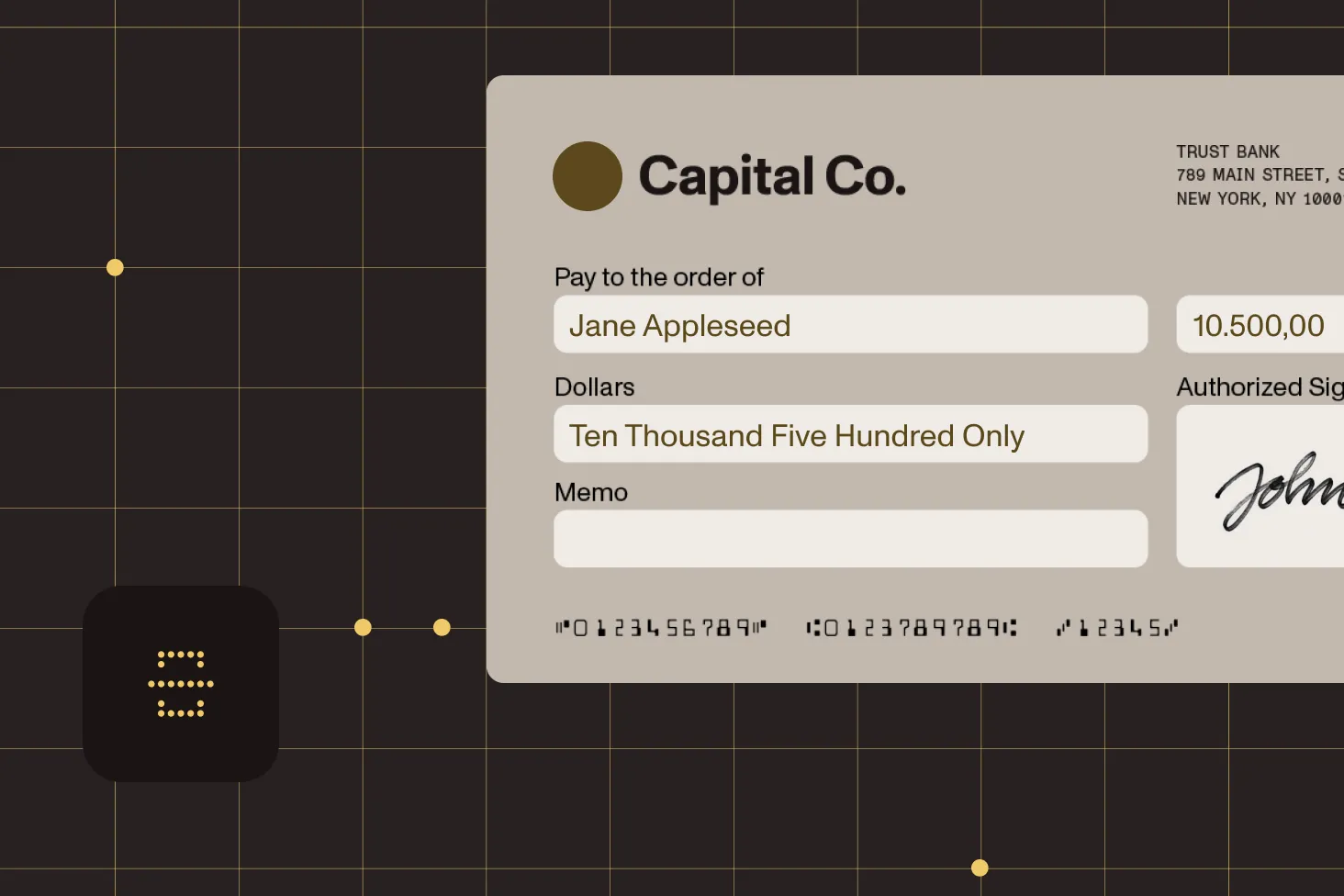
Read checks printed with the E-13B font, the standard used in the United States, Canada, Australia, and other countries.
Read checks printed with the CMC-7 font, the standard used in France, Brazil, Mexico, and other countries.
The OCR engine locates the MICR line automatically. No need to specify coordinates or a region of interest on the document.
Load the image, specify the font context, and call the OCR method. The result comes back as a string containing the full MICR line data.
PART OF A BROADER EXTRACTION TOOLKIT
MICR recognition is one part of the .NET SDK’s data extraction toolkit. In the same project, you can extract key-value pairs from invoices, read barcodes, run OCR on scanned documents, detect optical marks on forms, and read MRZ data from identity documents.
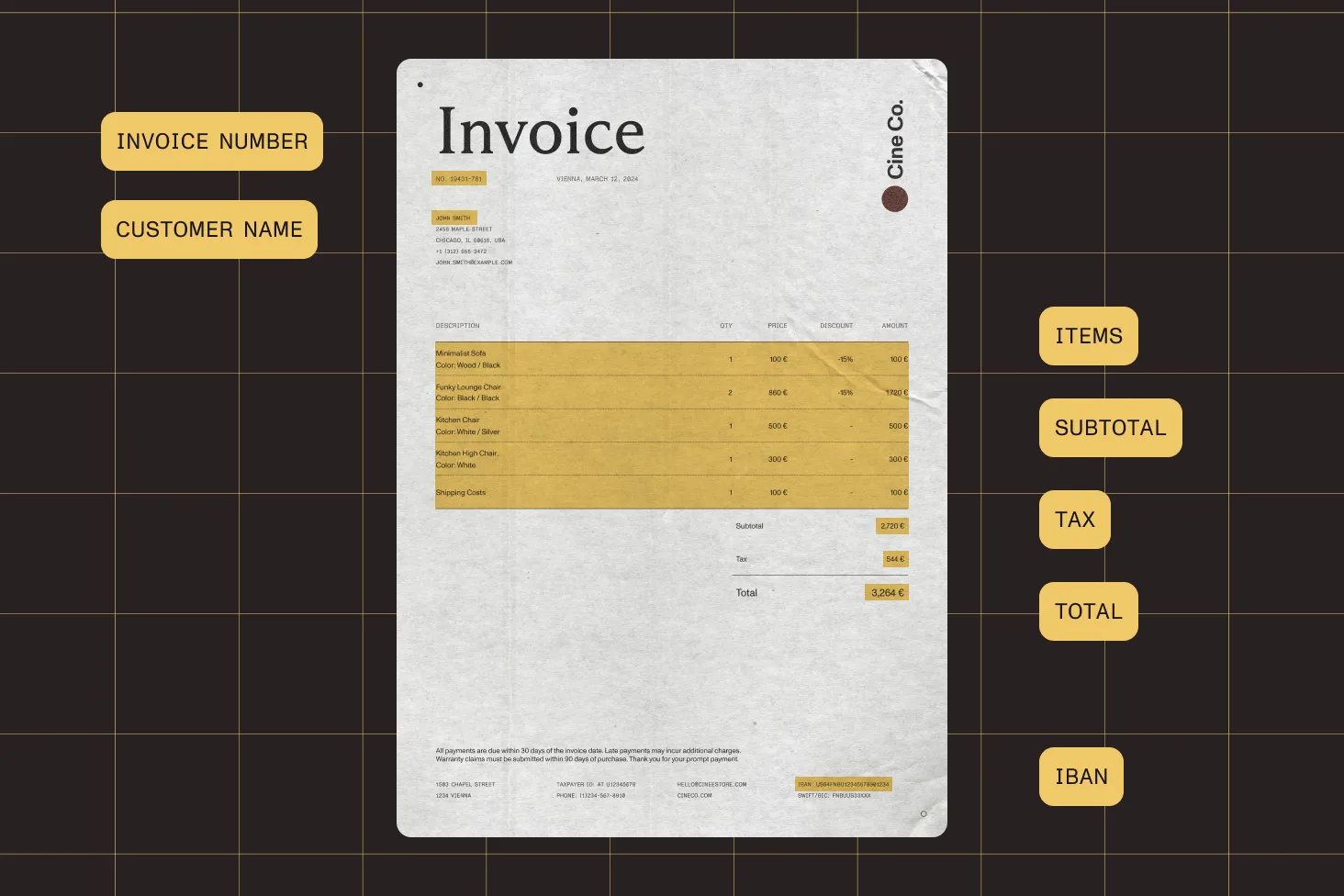
Extract structured data like names, dates, amounts, and IBANs from invoices, bank statements, and other documents.
Convert scanned images and PDFs into searchable text. The same OCR engine that powers MICR recognition handles general document text.
Read 1D and 2D barcodes from checks and other documents — QR codes, Code 128, Data Matrix, and more.
Extract machine-readable zone (MRZ) data from passports, national ID cards, and driver’s licenses.
DEPLOYMENT
The MICR engine is part of Nutrient .NET SDK. Deploy it in desktop applications for interactive check processing or in server-side services for automated batch extraction.
Build desktop applications where operators scan checks, extract MICR data, and verify results in a single workflow. The SDK includes built-in TWAIN and WIA scanner support.
Process stacks of check images in a background service or scheduled job. Loop through images, extract MICR data, and write results to a database — no UI required.
MICR stands for magnetic ink character recognition. It’s the line of characters printed at the bottom of bank checks using magnetic ink. It encodes the routing number, account number, check number, and transaction codes. The magnetic ink enables the characters to be read by specialized hardware and, with the right software, by OCR engines.
Load the check image, set up the OCR engine, and run recognition with the MICR font context (E-13B or CMC-7). The engine automatically locates the MICR line and returns the extracted data as a string. See the MICR guide for a complete code example.
The SDK supports both commonly used MICR fonts: E-13B (used in the United States, Canada, Australia, the United Kingdom, and other countries) and CMC-7 (used in France, Brazil, Mexico, and other countries). You specify which font to use when calling the OCR method.
No. The OCR engine automatically locates the MICR line on the document. You don’t need to define a region of interest or specify coordinates. This simplifies integration and handles checks of different sizes and layouts.
Yes. The SDK processes check images from any source — scanned at a teller station, photographed with a mobile device, or captured through a desktop scanner. As long as the image is readable, the OCR engine can extract the MICR data for deposit processing and verification.
Yes. The SDK is a standard .NET library with no UI dependencies for processing. Loop through your check images, run MICR extraction on each one, and collect the results. This works in console applications, Windows services, background jobs, or any .NET runtime environment.
MICR extraction uses a specialized OCR context tuned for the MICR font (E-13B or CMC-7), including its special symbols like transit, amount, on-us, and dash characters. General OCR recognizes standard printed text. Both run on the same OCR engine — you choose the mode based on what you’re reading.
MICR recognition is available in Nutrient .NET SDK. It runs on any platform that supports the .NET runtime — Windows desktop applications (WinForms, WPF), Windows services, ASP.NET, and .NET console applications.
FREE TRIAL
Start extracting MICR data from bank checks in C# in minutes — no payment information required.
A MICR SDK lets developers programmatically read the magnetic ink character recognition line from bank checks. The MICR line encodes routing numbers, account numbers, check numbers, and transaction codes in a special font printed with magnetic ink. Nutrient .NET SDK uses its OCR engine to recognize both E-13B and CMC-7 MICR fonts.
When selecting a MICR SDK, consider font support, whether you need to define the MICR region manually, and what other extraction capabilities you need alongside it.
MICR is a specific type of character recognition designed for the magnetic ink fonts used on bank checks. OCR is the broader technology for recognizing any printed text. In practice, MICR recognition uses a specialized OCR mode tuned for E-13B or CMC-7 fonts and their special symbols (transit, amount, on-us, and dash). General OCR handles standard printed text. Nutrient’s SDK runs both on the same engine.
Nutrient’s MICR engine is part of a broader document processing SDK, so you get check reading alongside OCR, barcode scanning, OMR, MRZ, and key-value extraction in a single library.
The MICR line at the bottom of a bank check encodes the bank’s routing number (identifying the financial institution), the account number, the check serial number, and optional transaction or auxiliary codes. The data is printed in one of two standard fonts — E-13B or CMC-7 — using magnetic ink so it can be read by both specialized hardware and software OCR engines.




