Automated invoice approval software for efficiency

Table of contents
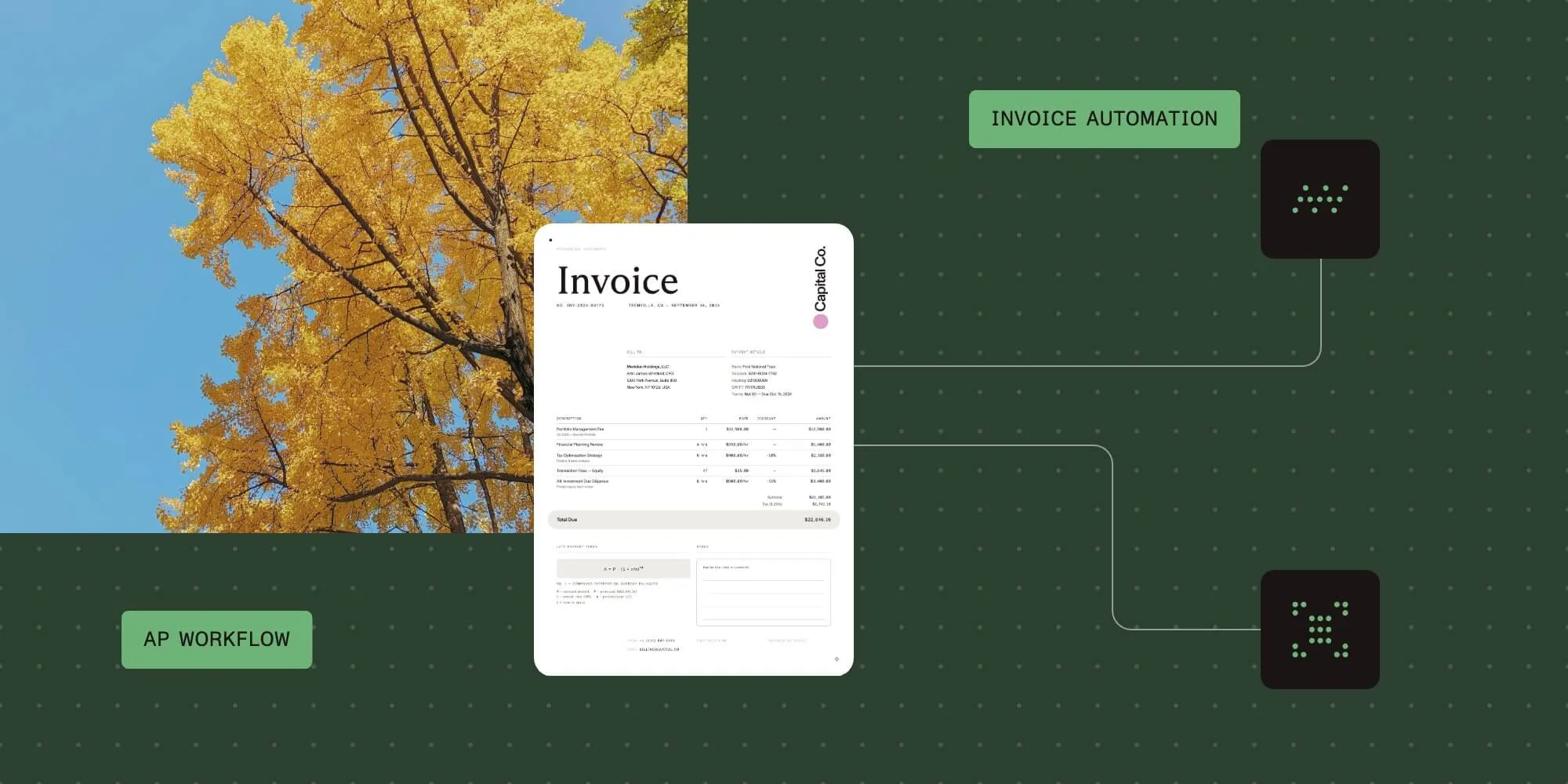
Automate invoice approval, processing, and routing for a more efficient and error-free accounts payable (AP) process without IT help.
- Automate invoice approvals with prebuilt templates that deploy in hours without IT support.
- Process paper and PDF invoices automatically using OCR and AI data capture.
- Integrate seamlessly with ERP and accounting systems like SAP, Oracle, QuickBooks, and NetSuite.
- Track approvals in real time with customizable workflows and automatic escalations.
What is invoice approval software?
Invoice approval software automates how businesses handle invoices from receipt to payment. It captures data, verifies invoices and routes them for approval, and processes payments. The software reduces manual work and errors in AP, which helps maintain vendor relationships and gives finance teams better control over spending.
Try Nutrient Workflow for free
Is your current invoice process manual?
Invoice approvals at many companies require a slow, manual process subject to human error. Whether the approval process is via paper or email, it results in long approval cycle times that slow down the business and require escalating overhead to keep up with.
Managers can’t see where bottlenecks occur and lack tools to audit the process for compliance. Finance managers work without visibility as invoices pile up. The business pays late fees, loses invoices, and struggles with cash flow.
Automating with invoice approval workflow software
Every company has different invoice approval requirements, but all benefit from automation. Our invoice approval workflow software lets you build an automated approval process that matches your standards and procurement process. Set up your business rules, approval hierarchies, escalations, and exception handling.
Managers submit invoices through a dashboard button, fill in the information, attach files, and submit. Approvers receive alerts for new requests and can review them via email or the portal. They can approve, reject, or request more information.
Set limits for invoice amounts that trigger escalation to higher approval levels. Requesters can track their invoice status throughout the approval process.
Invoice approval automation benefits
Automating AP and invoice processing delivers:
- Shorter cycle times
- Standardized, compliant invoice handling
- Full visibility into approval status and history
- Better collaboration between AP teams and departments
- Improved exception handling
- More early payment discounts captured
- Integration with ERP, accounting, and enterprise systems
Prebuilt invoice approval templates and example workflow
Nutrient Workflow customers can use prebuilt templates for invoice approval — simply download, configure, and launch. These templates provide a ready-made foundation for building your process, helping you get up and running quickly.
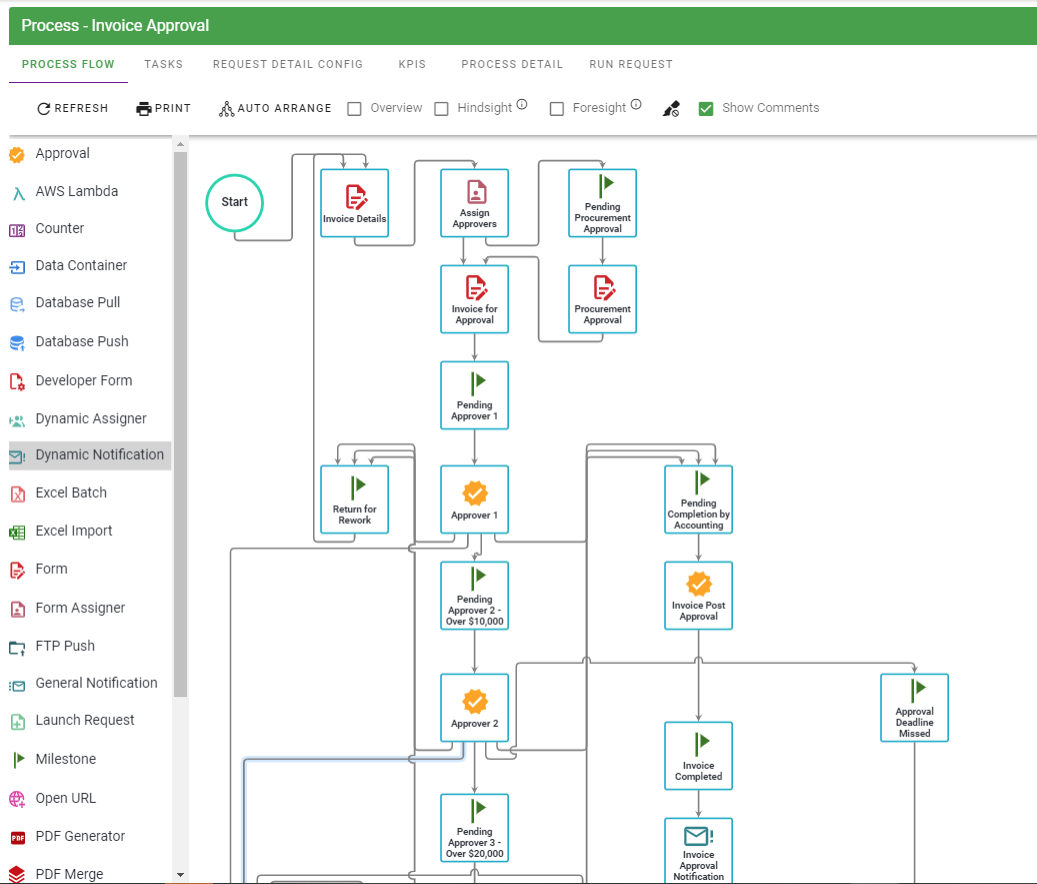
The example workflow above illustrates multiple checkpoints and approval levels designed to ensure proper standards are met before an invoice is approved.
You can also download our free vendor invoice approval and payment process template for a more detailed, end-to-end example.
Advanced features: OCR, AI, and intelligent data capture
Nutrient Workflow uses OCR and AI to automatically extract data from paper invoices and PDFs received via email. The system captures vendor names, amounts, dates, line items, and other invoice details without manual data entry.
For scanning hard copy invoices or implementing robotic process automation (RPA), we work with certified partners. These services reduce manual handling and improve data accuracy.
The following are examples of AI capabilities we now offer in Nutrient Workflow.
Conclusion
Manual invoice approval processes create bottlenecks, errors, and compliance risks that slow your business down. Nutrient Workflow eliminates these problems with automated workflows that match your approval hierarchies and business rules — from OCR data capture to ERP integration.
Prebuilt templates let you launch in hours, while flexible customization ensures the system works exactly how you need it. Ready to streamline your invoice approval process? Contact our Sales team to see how Nutrient Workflow can transform your accounts payable operations.
Explore finance workflow solutions
FAQ
Nutrient Workflow Automation Platform offers prebuilt invoice approval templates that you can deploy in minutes without IT help. The platform includes OCR and AI for automatic data capture, customizable approval hierarchies, and native integrations with major ERP and accounting systems. You can configure complex business rules and escalations through a visual interface without writing code.
With our prebuilt process apps, you can launch a basic invoice approval workflow in hours. Download the template, configure it to match your approval hierarchy, connect your systems, and start processing invoices. For custom workflows with specific business rules, implementation typically takes a few days, depending on complexity.
No. Nutrient Workflow uses a visual, no-code interface for building and customizing workflows. Business users can configure approval rules, set up escalations, design forms, and manage integrations without technical expertise. IT involvement is only needed for complex enterprise system integrations.
Yes. Nutrient Workflow uses OCR and AI to automatically extract data from paper invoices and PDF files. The system captures vendor names, amounts, dates, line items, and other invoice details without manual data entry. You can scan paper invoices or receive PDF invoices via email for automatic processing.
Nutrient Workflow integrates with major ERP systems, accounting platforms, and enterprise applications, including SAP, Oracle, Microsoft Dynamics, QuickBooks, NetSuite, and Salesforce. The platform supports REST APIs, webhooks, and prebuilt connectors for seamless data exchange. Custom integrations are available for specialized systems.
You can set automatic escalation rules based on time limits, approval amounts, or specific conditions. If an invoice isn’t approved within a defined timeframe, the system automatically routes it to the next approval level or designated backup approver. All escalations are logged for compliance and audit purposes.
Yes. Nutrient Workflow is fully customizable to match your approval hierarchies, spending limits, departmental routing, and exception handling rules. You can create multilevel approvals, parallel approval paths, conditional routing based on invoice amounts or vendors, and custom notification rules.
Nutrient Workflow provides real-time dashboards showing invoice status, approval bottlenecks, and processing metrics. All actions are logged with timestamps and user details for complete audit trails. You can generate reports on cycle times, approval rates, exceptions, and compliance metrics. Custom reports can be created to meet specific audit requirements.